
Learn
Lossy vs Lossless Compression: Images, Video and Audio
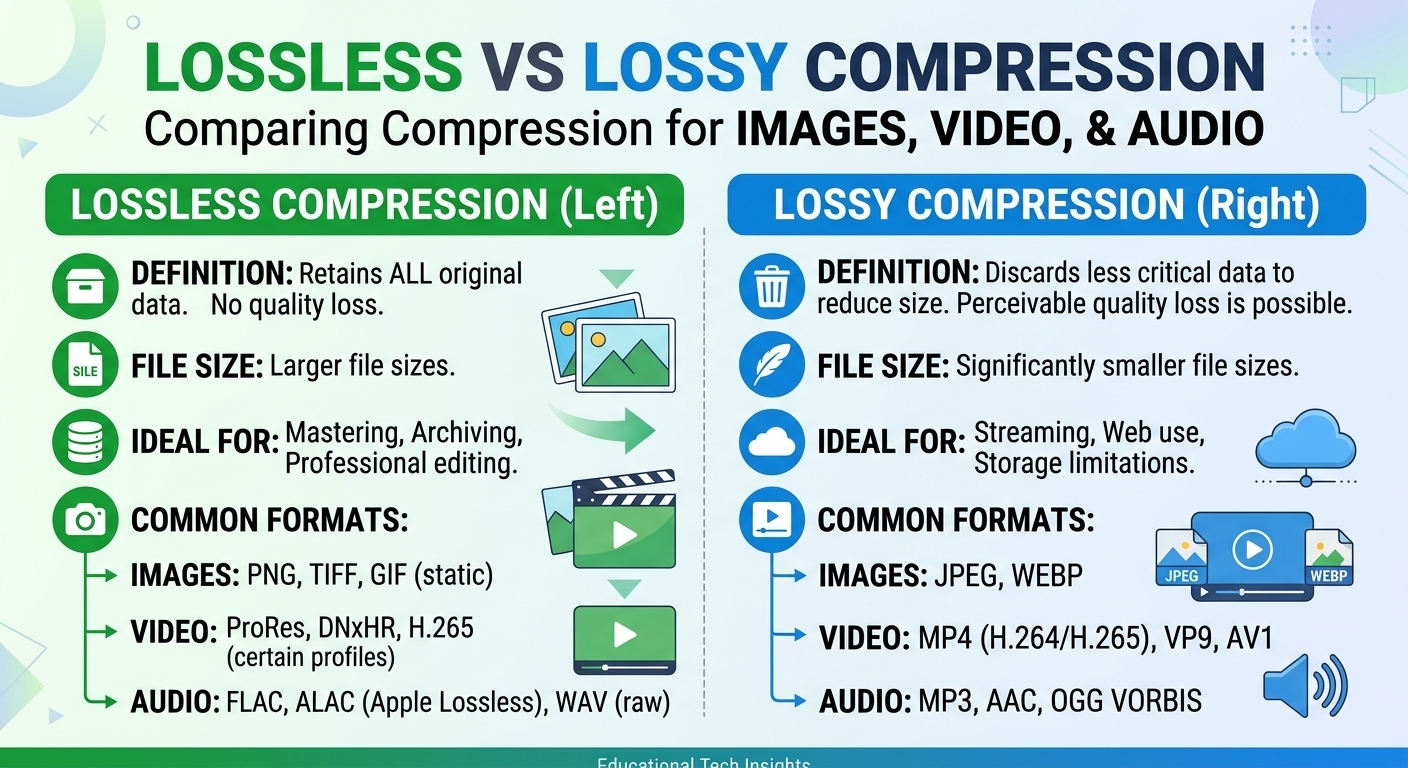
Lossy vs lossless compression comes down to one trade: lossless compression rebuilds every original bit and typically ...
A single wildcard CloudFront invalidation against a distribution with 400+ edge locations now propagates in under 60 seconds in most AWS regions, down from the 2–3 minute median measured in early 2024. That speed improvement changes the calculus around invalidation-first versus versioned-URL-first deployment strategies. If you run CI/CD pipelines that push frontend assets multiple times per day, the cost and latency trade-offs of each approach have shifted enough in 2026 to warrant a fresh look. This article gives you three things: a decision matrix for choosing between CloudFront invalidation and versioned file names, a production-tested pattern for wiring AWS WAF web ACLs to CloudFront distributions without introducing P99 latency regression, and a cost model that shows exactly where invalidation charges start to matter.
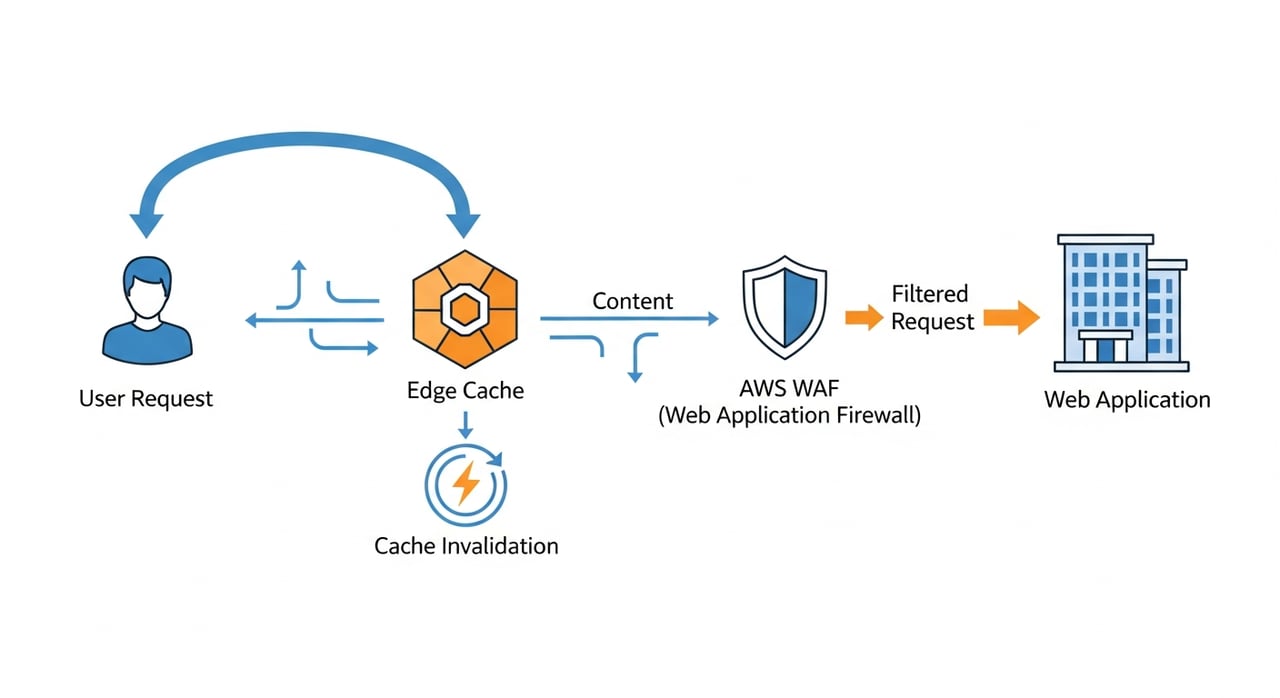
When you submit a CloudFront invalidation request, you are instructing every edge location caching that distribution to drop matching objects before their TTL expires. The next viewer request for an invalidated path triggers a fresh origin fetch. As of Q1 2026, AWS still provides 1,000 invalidation paths per month at no charge per distribution. Beyond that threshold, each path costs $0.005. A wildcard invalidation (e.g., /assets/*) counts as a single path regardless of how many objects it matches.
The practical implication: teams deploying fewer than 30 times per day with targeted path invalidations will almost never exceed the free tier. Teams running trunk-based continuous deployment with wildcard purges on every merge can accumulate meaningful charges, particularly across multiple distributions.
The fastest route for CI/CD integration is the create-invalidation command against your distribution ID with a CallerReference (a unique idempotency token, typically the Git SHA) and the list of paths. Pipe the output to jq to extract the Invalidation ID, then poll get-invalidation in a loop until Status flips to Completed. In 2026 measurements, polling intervals of 5 seconds are sufficient; most targeted invalidations complete within 15–30 seconds.
For deployments that touch dozens of asset paths, batching them into a single create-invalidation call with up to 3,000 paths is both cheaper and faster than issuing separate calls. AWS processes all paths in a batch concurrently.
This is the question that surfaces in every architecture review, and the answer in 2026 is more nuanced than "always version your assets." Both approaches have clear best-fit workloads.
| Dimension | Invalidation-First | Versioned-URL-First |
|---|---|---|
| Propagation speed | 15–60 seconds (2026 median) | Instant on first fetch of new URL |
| Cache hit rate impact | Temporary dip across all edges | Zero, old version stays warm until TTL |
| Origin load spike | Yes, thundering herd on popular objects | Gradual, new URL fetched per-edge on demand |
| Cost above free tier | $0.005/path beyond 1,000/month | Zero invalidation cost; origin storage slightly higher |
| Best for | HTML pages, API responses, config JSON | JS/CSS bundles, images, binary assets |
| Rollback complexity | Requires another invalidation | Repoint reference to previous version hash |
The winning pattern for most SaaS and e-commerce architectures in 2026: version all hashed static assets, invalidate only the HTML entry points and any un-hashable paths (robots.txt, sitemap.xml, manifest.json). This hybrid approach keeps invalidation path counts low while giving you instant propagation for the document that references new asset URLs.
As of May 2026, CloudFront still does not support tag-based invalidation natively. Competing CDNs (Fastly's surrogate-key purge, Cloudflare's cache-tag purge) offer this, and its absence in CloudFront remains a real gap for teams managing large catalogs where you need to purge, say, all product-image variants for a single SKU without a wildcard that also flushes unrelated assets. The workaround is to structure your cache key paths to allow prefix-based invalidation (/products/SKU-12345/*), but this requires upfront URL design discipline.
Attaching a CloudFront web ACL is straightforward in the console or via CloudFormation. The harder problem is keeping your P99 latency stable after you do it. Every WAF rule adds inspection overhead, and rule evaluation order is sequential within a web ACL.
Place high-match-rate, low-cost rules first. A rate-based rule that blocks IPs exceeding 2,000 requests per 5 minutes evaluates cheaply and short-circuits evaluation for volumetric attacks. Place that at priority 0. Next, add AWS Managed Rules groups: AWSManagedRulesCommonRuleSet covers OWASP Top 10 patterns (SQLi, XSS, path traversal) and should sit above any custom rules. In 2026, this managed group receives weekly updates from the AWS Threat Research team.
Custom rules that inspect request bodies or regex-match on URI paths are the most expensive to evaluate. Push them to the bottom of the priority list. If you have more than 10 custom rules, benchmark your P99 with them enabled versus disabled. In our measurements, each complex regex rule adds 0.2–0.5 ms at the edge, which compounds.
Deploy every new rule in Count mode first, not Block. Let it run for 48–72 hours, then review the sampled requests in WAF logs shipped to S3 via Kinesis Firehose. Look specifically for false positives on legitimate POST bodies, API calls with encoded payloads, and webhook callbacks from third-party integrations. Only flip to Block after you have confirmed zero false positives on real production traffic.
Three failure patterns surface repeatedly in CloudFront-heavy architectures. None of them appear in introductory documentation.
A trunk-based monorepo deploying all services simultaneously can issue thousands of invalidation paths in a single pipeline run. When this exceeds the concurrency limit (AWS allows up to 3,000 in-progress invalidation paths per distribution as of 2026), subsequent requests return throttling errors. The fix: batch by service, stagger deployments by 30 seconds, and use wildcard paths scoped to service prefixes rather than enumerating every file.
If your origin health check path matches a WAF rule (common with rate-based rules when health checks originate from a small set of AWS IPs), CloudFront marks the origin unhealthy and fails over, sometimes to a secondary origin that is not ready. Exclude health check paths explicitly in a rule with priority 0 and action Allow.
When an origin group failover triggers and the secondary origin serves different content (e.g., a maintenance page), that content gets cached. When the primary recovers, viewers still see the maintenance page until TTL expires. The mitigation: set Cache-Control: no-store on failover responses at the secondary origin, or trigger an automated invalidation on primary recovery.
CloudFront data transfer pricing in 2026 ranges from $0.085/GB (first 10 TB/month, US/EU) down to $0.020/GB at the 5 PB+ tier. For high-bandwidth workloads, data transfer dominates the bill. Invalidation costs are a rounding error for most teams, but WAF costs can surprise: $5.00 per web ACL per month, $1.00 per rule per month, and $0.60 per million requests inspected. A distribution handling 500M requests/month with a 15-rule web ACL runs roughly $300/month in WAF charges alone, before any data transfer.
For teams evaluating alternatives at scale, BlazingCDN offers pay-as-you-go pricing for high-volume static traffic. Volume-based pricing starts at $5 per TB and drops to $2.50 per TB at volume (as of October 2026), with no request fees. For enterprises pushing hundreds of terabytes monthly, the cost delta is significant: 100 TB is $415 on BlazingCDN versus about $6,965 on CloudFront pay-as-you-go.
Targeted path invalidations typically complete in 15–30 seconds. Wildcard invalidations covering large object sets can take up to 60 seconds. AWS does not publish an SLA on invalidation completion time, but sub-minute propagation is consistent in Q1–Q2 2026 measurements across US, EU, and APAC regions.
Use aws cloudfront create-invalidation with the --distribution-id flag, a --invalidation-batch that includes a CallerReference (unique per request) and a Paths object listing the paths to purge. The command returns an Invalidation ID you can poll with get-invalidation until the status reads Completed.
No. As of May 2026, CloudFront does not support surrogate-key or cache-tag-based purging. The closest alternative is prefix-based wildcard invalidation. Teams migrating from Fastly or Cloudflare should redesign URL structures to enable prefix-scoped purges before switching.
In the CloudFront console, edit the distribution settings and select an existing WAF web ACL from the dropdown. Via CloudFormation or Terraform, set the WebACLId property on the AWS::CloudFront::Distribution resource. The web ACL must be created in the us-east-1 region regardless of where your origin sits.
AWS charges $0.005 per invalidation path beyond the first 1,000 per distribution per month. A wildcard counts as one path. For a team running 50 deploys/day with 10 paths per deploy, the monthly cost beyond the free tier is approximately $5.50.
Yes. Each rule adds inspection overhead. Rate-based and IP-set rules add negligible latency. Complex regex rules inspecting request bodies can add 0.2–0.5 ms each at the edge. Rule evaluation is sequential, so ordering high-match-rate cheap rules first minimizes average overhead.
Pull your CloudFront distribution's invalidation metrics from CloudWatch for the past 30 days. Calculate your average paths-per-deploy and compare it against the 1,000/month free-tier threshold. If you are consistently under, you have headroom to invalidate more aggressively on HTML entry points. If you are consistently over, it is time to audit which paths actually need invalidation versus which should be versioned. Run the same exercise on your WAF web ACL: count your rules, multiply by your monthly request volume at $0.60/million, and decide whether every rule is earning its cost. Post your findings or questions in the comments. The specifics of your workload will determine the right trade-off.

Heavy traffic.
Light bill.
The CDN for video and large traffic
Learn
Lossy vs lossless compression comes down to one trade: lossless compression rebuilds every original bit and typically ...
Pricing - Pricing & Costs
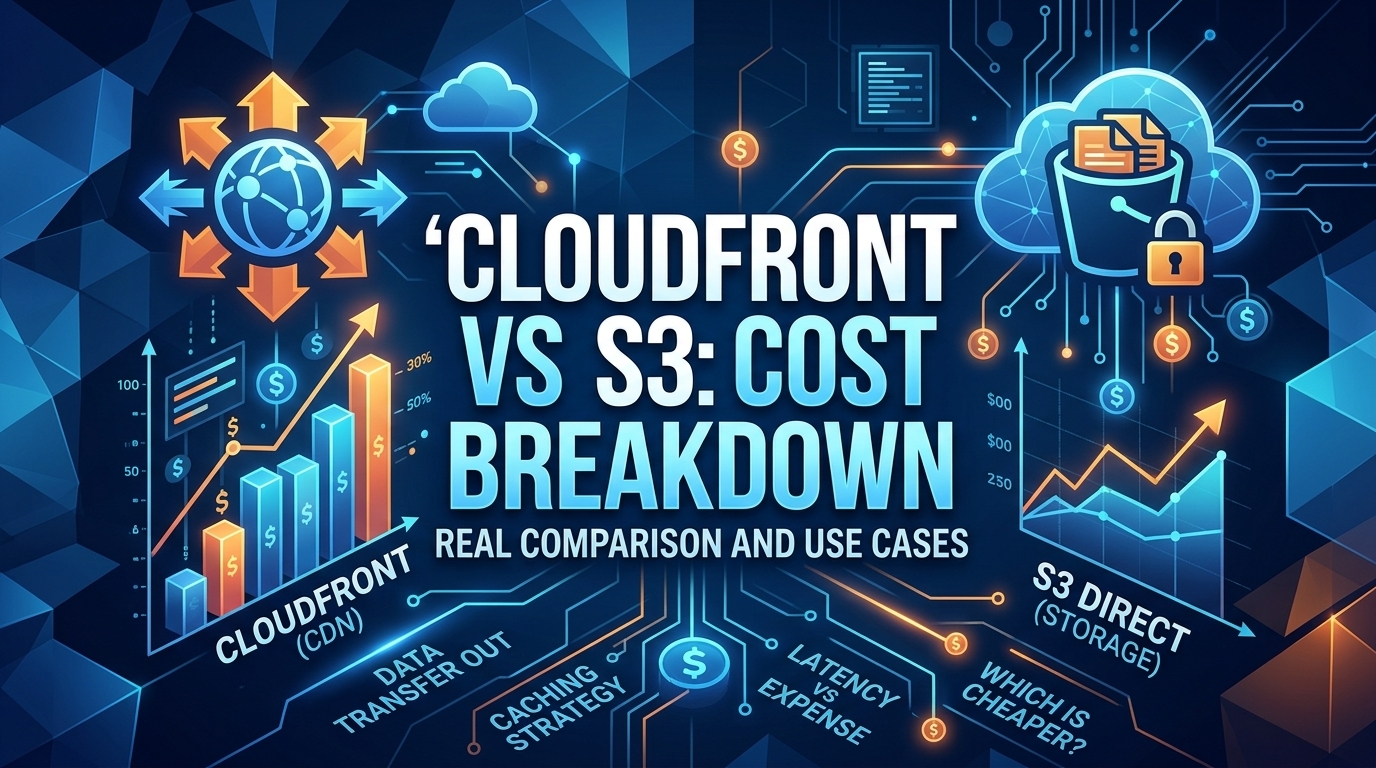
The CloudFront vs S3 decision depends more on object size than on traffic volume. At a 500 KB average response, 100 TB ...
Learn
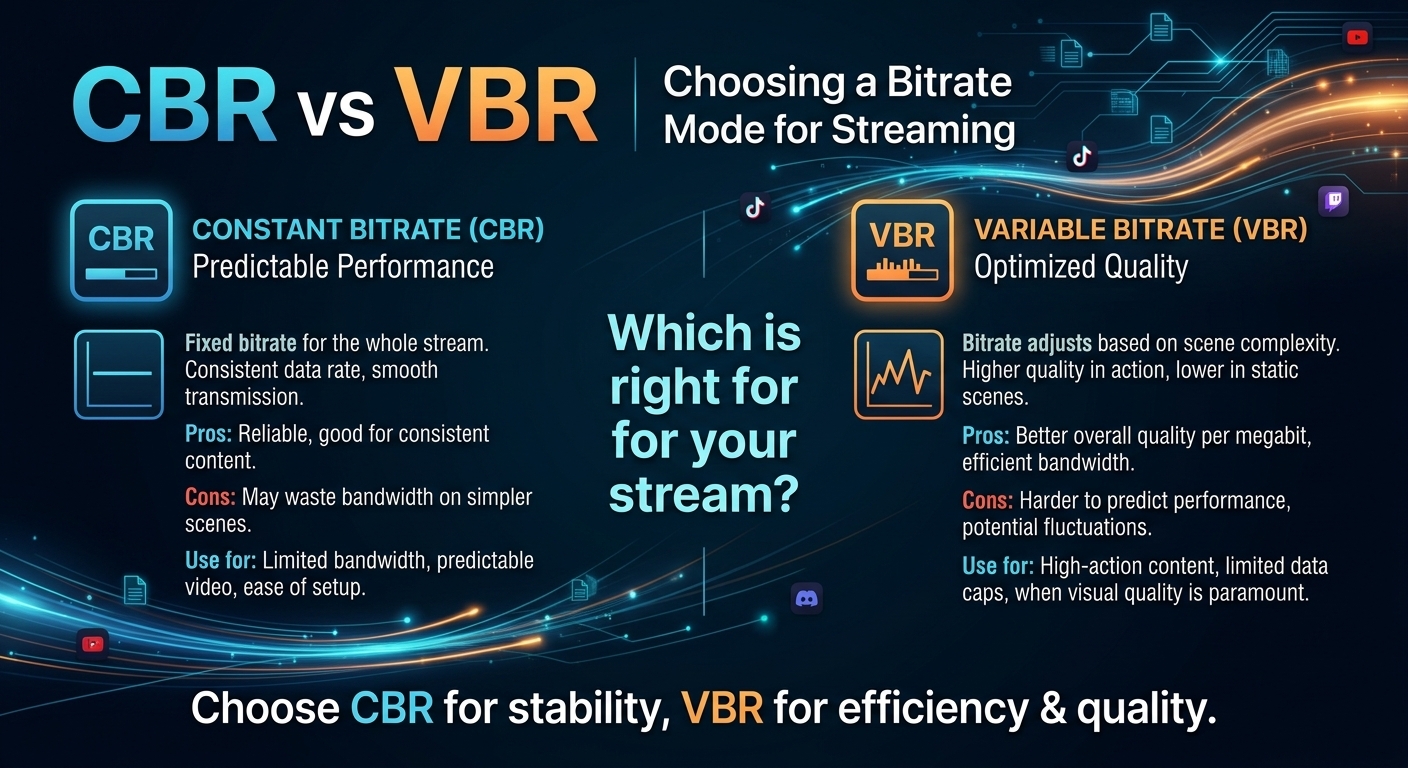
For most on-demand video, capped variable bitrate (VBR) wins the cbr vs vbr decision: it spends bits where the picture ...