
Learn
Lossy vs Lossless Compression: Images, Video and Audio
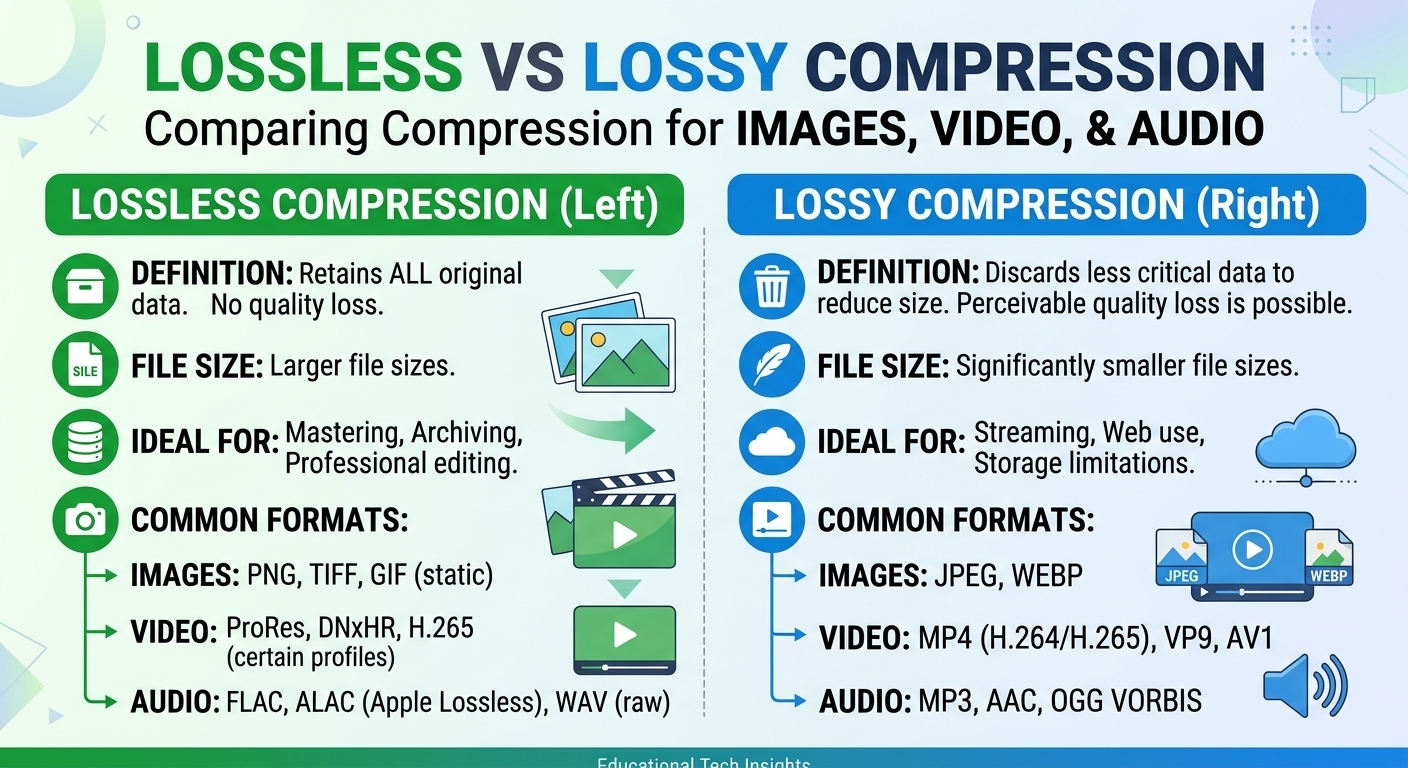
Lossy vs lossless compression comes down to one trade: lossless compression rebuilds every original bit and typically ...

More than half of all internet traffic now passes through content delivery networks (CDNs), according to Sandvine’s Global Internet Phenomena report. Yet a surprising number of teams quietly roll back CDN integrations after launch because performance barely improves—or, in some cases, actually gets worse.
The uncomfortable truth: a CDN is not automatically the right answer for every workload, every region, or every stage of your infrastructure journey. In some scenarios, a CDN adds cost, complexity, and failure modes without delivering enough benefit to justify the investment.
This article dives into when not to use a CDN, the limitations you should anticipate, and how to recognize edge cases where a CDN may be counterproductive. We’ll walk through real-world patterns, common anti-patterns, and a practical checklist you can apply before your next CDN rollout.
Over the last decade, CDNs have become a default choice for web performance. Google’s own research found that as page load time increases from 1 to 3 seconds, the probability of a mobile user bouncing increases by 32% (Google, “The Need for Mobile Speed”). Faster delivery clearly matters—and CDNs exist to make “farther” content feel “closer.”
When you serve static assets (images, video segments, JS/CSS, downloadable binaries) to a large and geographically distributed audience, a CDN usually pays off immediately. That’s why large platforms like Netflix, Meta, and major media groups invest so heavily in CDN and edge delivery.
But those success stories can be misleading if you apply them blindly:
Before committing to a CDN—or doubling down on one—it’s critical to ask: Where exactly is my latency coming from, and can a CDN realistically fix it?
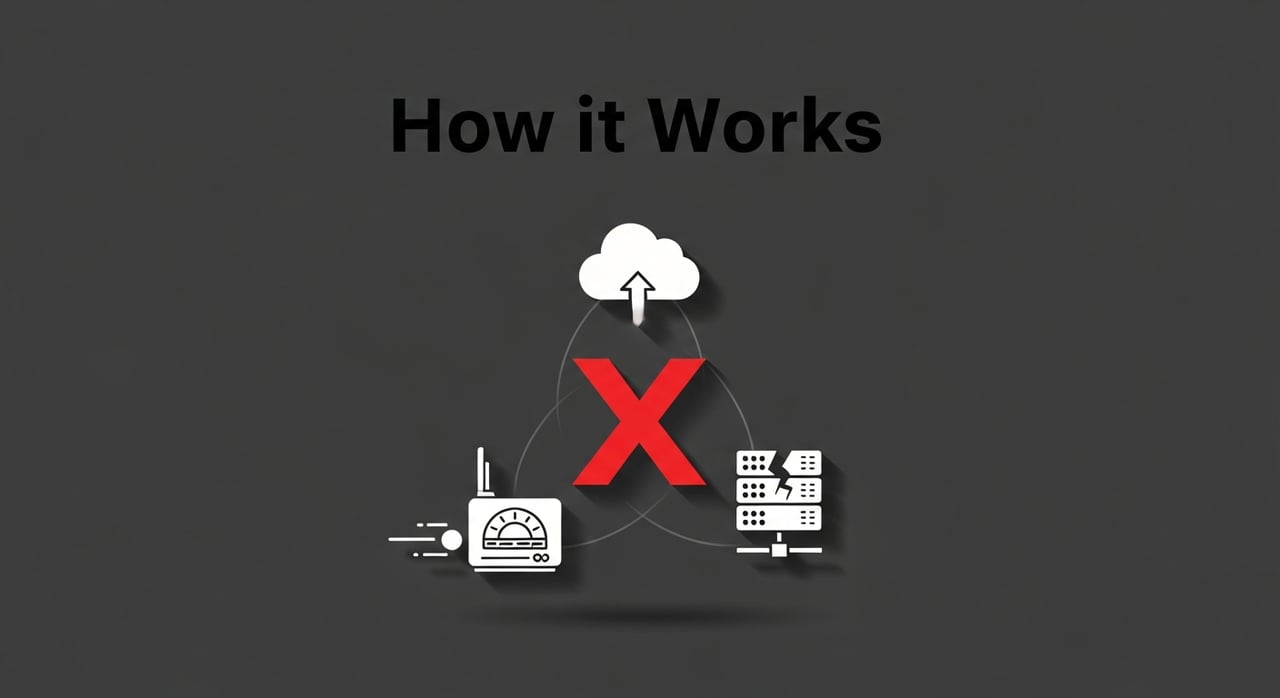
The next sections break down specific situations where the answer may be “no”—or at least “not yet.” As you read, keep mapping them to your own stack: where do you see similarities?
Before we drill into detailed scenarios, run through this high-level checklist. If you answer “yes” to most of the questions in the left column, a CDN might be overkill—or even harmful—in the short term.
| Question | Implication |
|---|---|
| Is 90%+ of your traffic coming from a single country or metro area? | CDN latency gains may be minimal compared to a well-placed origin. |
| Is most of your content highly personalized or non-cacheable API responses? | Edge caching might add complexity without real offload. |
| Are you still making frequent, breaking changes to your APIs or asset URLs? | Cache invalidation headaches and debugging complexity will spike. |
| Do you operate in heavily regulated sectors (healthcare, finance, public sector) with strict data residency? | You may need strong governance and contractual guarantees before involving a CDN. |
| Is your current bottleneck clearly database or application compute—not network round-trip time? | A CDN won’t fix slow queries or under-provisioned application servers. |
If several of these resonated, the rest of this article will help you decide whether to:
As you read each scenario below, ask yourself: Does this look like my traffic, my users, or my compliance environment?
CDNs shine when they collapse long-haul network distance: a user in Singapore no longer needs to fetch every asset from a server in Frankfurt. But if nearly all your users are already “neighbors” of your origin, that advantage largely disappears.
Consider workloads like:
If your application servers are already colocated in the same region (or even the same ISP) as your users, the baseline network latency may be as low as 10–20 ms. In those cases, adding a CDN can introduce:
The result: no meaningful performance improvement, but new moving parts to monitor, debug, and pay for.
Run a simple experiment:
If the CDN doesn’t consistently cut TTFB by at least 20–30% or reduce origin bandwidth in a way that affects your cloud bill, the cost/benefit calculation may not justify full rollout yet.
Ask yourself: If my users and servers already live in the same neighborhood, do I really need a global delivery network between them?
Many teams adopt a CDN expecting it to magically accelerate everything—including dynamic HTML and personalized dashboards. Reality: CDNs are most effective for cacheable content. For data that changes per user, per request, or in real time, the benefits shrink rapidly.
Examples include:
Yes, many modern CDNs offer edge compute or “origin shield” features. But when most responses are effectively uncacheable, the CDN behaves more like a smart reverse proxy than a true offload layer. You still pay for traffic and complexity while your origin continues to carry nearly all the CPU and database load.
The key is to separate the stack: static dependencies (fonts, JS bundles, images) often belong on a CDN; the highly dynamic “brain” of your app may not.
Ask yourself: What percentage of my traffic is truly cacheable, and am I about to deploy a global network mainly to proxy non-cacheable bits?
Most CDN value propositions focus on downloads—serving your content to users. But some applications are dominated by uploads or sustained bidirectional traffic, where a CDN might contribute less or complicate things.
In these cases, the critical path is from user to origin. A traditional CDN, optimized for caching and delivering from edge to user, often doesn’t substantially shorten that path. In some configurations, it can introduce additional hops without offloading any meaningful work.
If uploads dominate your bandwidth profile, a CDN might still help for subsequent playback or distribution of processed content—but it’s not the primary optimization for the ingestion stage.
Ask yourself: Is my traffic pattern mostly “users downloading from me,” or “users sending data to me”?
For many small websites, blogs, or early MVPs, the biggest risk isn’t latency—it’s complexity. Integrating a CDN early can front-load operational overhead long before you truly need it.
When your monthly traffic is modest and your audience is concentrated, a single well-configured origin often delivers:
By contrast, adding a CDN introduces:
In the earliest stages, your time is often better spent fixing slow database queries, compressing media, and simplifying front-end bundles than orchestrating a global delivery layer.
Ask yourself: Is my current performance problem actually network distance—or is it my own code, assets, and database design?
As regulation tightens worldwide—GDPR in Europe, data localization rules in countries like Germany, India, and Brazil—routing user data through third-party infrastructure can trigger complex legal and governance requirements.
Industries like healthcare, financial services, and the public sector often face constraints such as:
While major CDNs offer region pinning and data governance features, not all have sufficiently granular guarantees for every jurisdiction or auditor expectation. In some environments, it’s simpler and safer to keep traffic within tightly controlled infrastructure you directly manage—at least for certain classes of data or APIs.
Ask yourself: Could a regulator or internal auditor reasonably ask: “Through which countries and systems did this user’s data travel?”—and can I answer that confidently if a CDN sits in the middle?
The old joke says: “There are only two hard things in computer science—cache invalidation and naming things.” CDNs amplify both.
If you’re in a phase where:
…your cache invalidation strategy must keep up. Mistakes here lead to users receiving mismatched JS bundles, stale API responses, or broken pages that only reproduce in certain regions where old content is still cached.
Until your CI/CD pipeline, asset versioning, and rollout strategy are mature, a CDN can magnify deployment risk. In that stage, keeping a simpler path from deployment to user might be the more reliable choice.
Ask yourself: Is my team already great at cache versioning and rollback—or am I about to add a global cache layer to an already fragile deployment process?
It’s common to blame “the internet” when an application feels slow. But performance tooling often tells a different story: database queries taking 800 ms, server-side rendering taking 1.5 seconds, or heavy client-side JavaScript blocking the main thread.
Metrics like Time to First Byte (TTFB) are highly influenced by CDN performance. But from the user’s perspective, perceived speed depends just as much on:
If your TTFB is already reasonable but your Largest Contentful Paint (LCP) or Time to Interactive (TTI) are poor, a CDN will not move the needle much. In such cases, invest first in application profiling, efficient queries, and front-end optimization.
Ask yourself: Have I verified with real performance traces that long network paths—not slow code—are the primary cause of user-visible delays?
Even when a CDN is theoretically beneficial, there are operational trade-offs teams often underestimate. Understanding them helps you decide whether to delay adoption—or to scope it very carefully.
Every additional layer between user and origin complicates troubleshooting:
During outages, teams must correlate logs from multiple systems and providers. High-profile incidents in recent years—including outages at major CDN providers—have temporarily taken down news sites, e-commerce platforms, and even parts of government infrastructure. While these events are rare relative to total uptime, they illustrate that CDNs are not invisible; they introduce dependencies whose failure modes are global, fast, and very public.
As you deepen your use of advanced CDN features—edge logic, custom routing, image transformations—the cost of switching providers rises. Configuration language differences, proprietary APIs, and unique feature sets can make migrations expensive and risky.
This lock-in may be a reasonable trade-off for large organizations, but if you’re still rapidly experimenting with architecture decisions, deferring deep CDN integration until patterns stabilize can save pain later.
CDNs often charge based on:
When traffic patterns change suddenly—viral campaigns, breaking news, unplanned load spikes—CDN bills can grow faster than expected. If your observability into traffic distribution and cache hit ratios is limited, it becomes hard to forecast or explain costs to finance teams.
Ask yourself: Am I comfortable introducing a critical piece of infrastructure that I can’t fully observe or easily swap out once I depend on it?
It’s telling that some of the largest content platforms have built their own delivery infrastructure or heavily customized setups, even though commercial CDNs are mature and widely available.
The lesson isn’t that everyone should build a private CDN—far from it. Instead, it underscores that “Use a generic CDN” isn’t always the final answer even for global giants. At some point, specific workloads, economics, or governance needs may push you toward more tailored solutions.
For many enterprises, the pragmatic middle path is a modern, flexible CDN provider that supports custom enterprise architectures without forcing you into a one-size-fits-all model.
Ask yourself: Am I choosing a CDN because it clearly fits my workload—or because it’s simply what “everyone else” seems to be doing?
To move from theory to action, use this framework when assessing whether to use a CDN, where, and how aggressively.
Create a simple inventory:
Estimate for each:
Use RUM (Real User Monitoring) tools, browser DevTools, or APM solutions to understand:
If network latency is a small slice of user-visible delay, a CDN may not be your top priority.
Instead of putting everything behind a CDN on day one:
This phased approach lets you reap obvious benefits while minimizing risk from the limitations described earlier.
Your answers to “Do we need a CDN?” will evolve as:
Make CDN strategy a recurring topic in your infrastructure and architecture reviews—not a one-time checkbox.
Ask yourself: If I applied this framework today, would I still make the same CDN decisions we made a year ago?
Understanding when not to use a CDN doesn’t mean avoiding them altogether; it means deploying them where they deliver clear, measurable value. For many digital businesses—especially those in media, gaming, SaaS, and large-scale software distribution—the right CDN remains a critical performance and cost lever.
Modern providers like BlazingCDN focus on being both performance-optimized and economically predictable. Enterprises use BlazingCDN to reduce infrastructure costs, scale quickly during demand spikes, and fine-tune delivery behavior to match business and compliance needs. With pricing starting at $5 per TB and down to $2.50 per TB at volume (as of October 2026), BlazingCDN is a cost-effective option, a key advantage for large enterprises and corporate clients that move serious traffic.
This combination makes BlazingCDN particularly attractive for organizations that understand CDN trade-offs and want a provider aligned with long-term reliability and efficiency, not just raw network reach. Media platforms, high-traffic SaaS products, and global game publishers can selectively route the right workloads through BlazingCDN to capture savings and performance wins while keeping edge-sensitive or heavily regulated workflows on tightly controlled infrastructure.
If you’re evaluating cost versus benefit across providers, it’s worth running your own models against BlazingCDN’s pricing; many enterprises discover they can maintain CloudFront-grade robustness at a materially lower cost basis via BlazingCDN’s transparent pricing structure.
By now, you’ve seen that “just put it on a CDN” is not a universal prescription. There are clear scenarios where a CDN is essential, others where it’s optional, and some where it can actually get in the way of performance, compliance, or operational simplicity.
Here’s how to turn this into action this week:
If you’re responsible for performance, infrastructure, or product reliability, treat your CDN strategy as something to be designed, not assumed. Challenge existing configurations, question default choices, and use data rather than habit to guide your decisions.
Have you encountered a situation where a CDN didn’t deliver the gains you expected—or even made things worse? Share your story, insights, or questions with your team and stakeholders, and turn this article into a starting point for a deeper internal review. And when you’re ready to explore what a modern, high-performance, and cost-conscious CDN can do for the workloads where it does make sense, bring these questions—and your traffic data—to the table so you can choose a provider and architecture that truly fits.

Heavy traffic.
Light bill.
The CDN for video and large traffic
Learn
Lossy vs lossless compression comes down to one trade: lossless compression rebuilds every original bit and typically ...
Pricing - Pricing & Costs
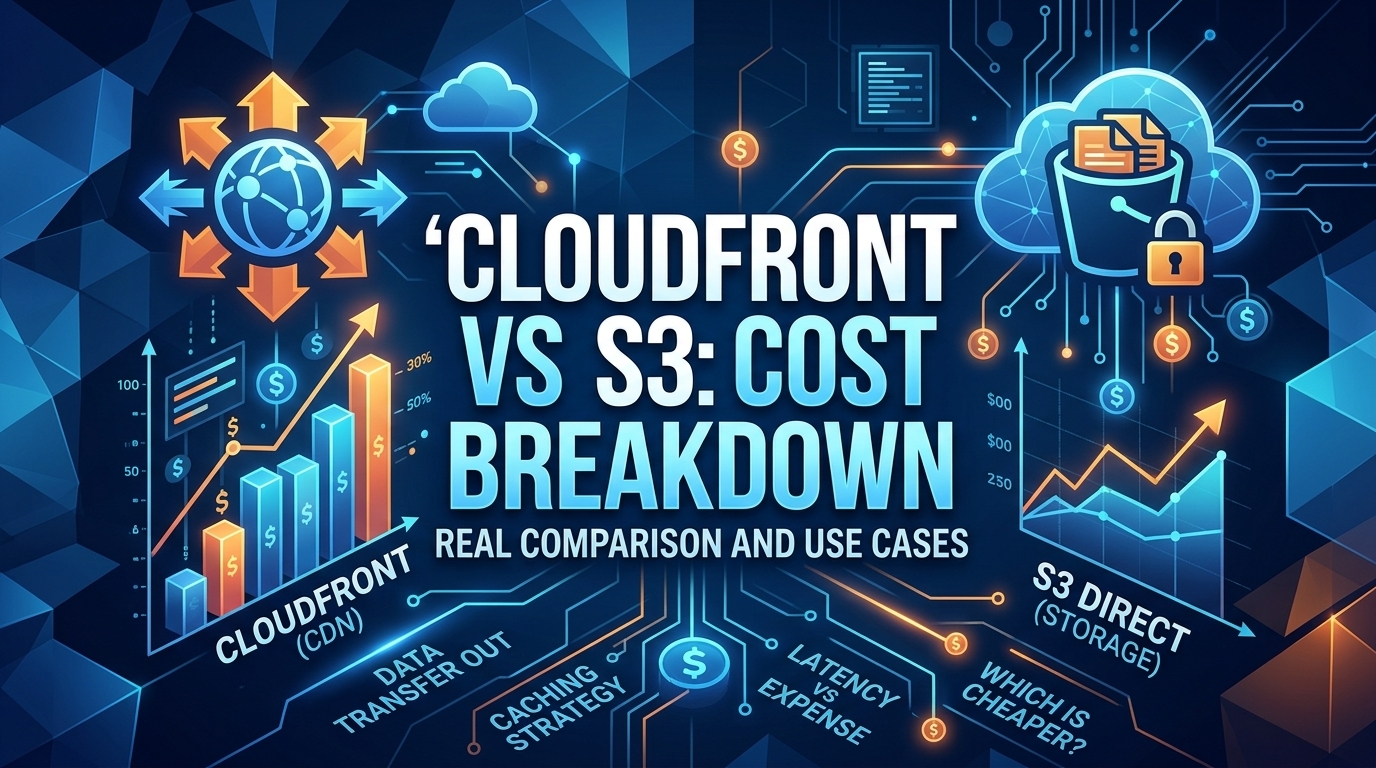
The CloudFront vs S3 decision depends more on object size than on traffic volume. At a 500 KB average response, 100 TB ...
Learn
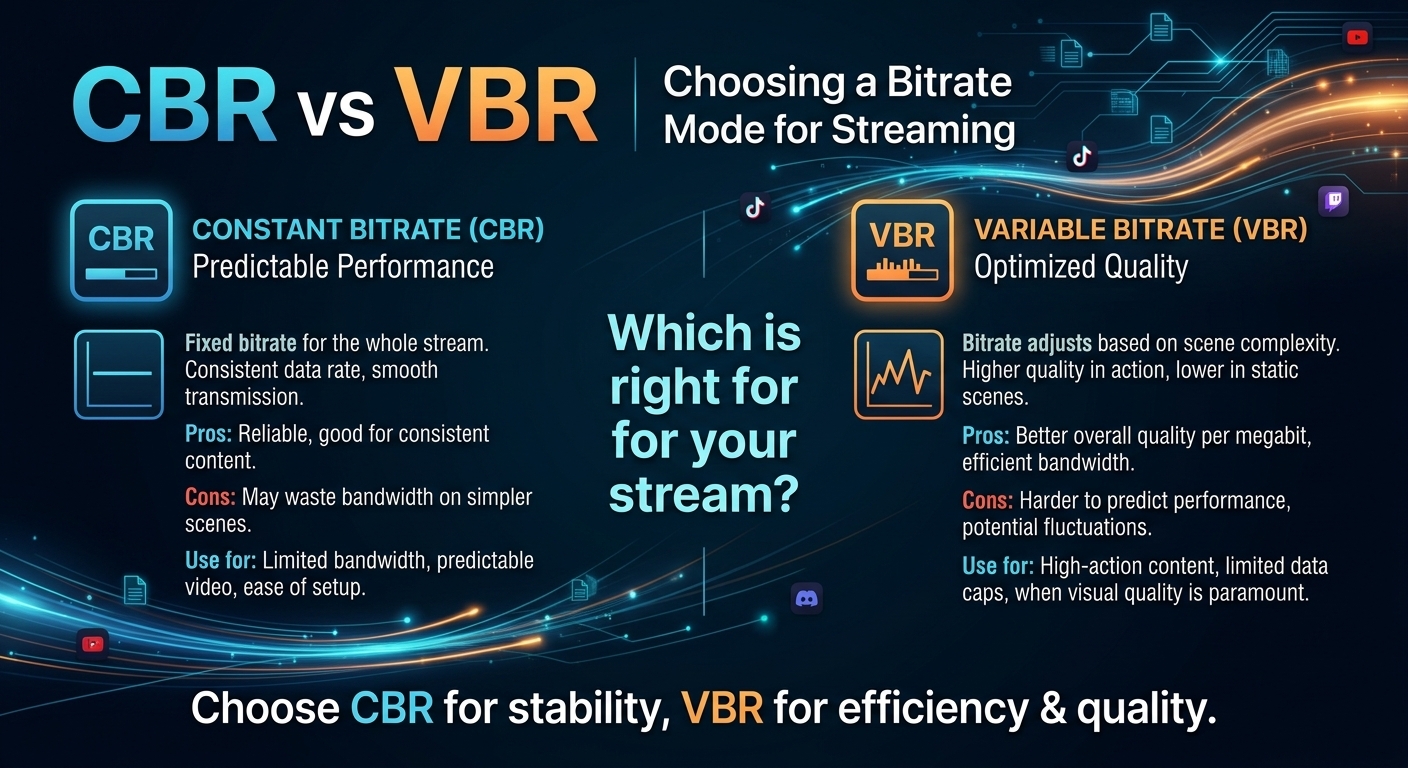
For most on-demand video, capped variable bitrate (VBR) wins the cbr vs vbr decision: it spends bits where the picture ...