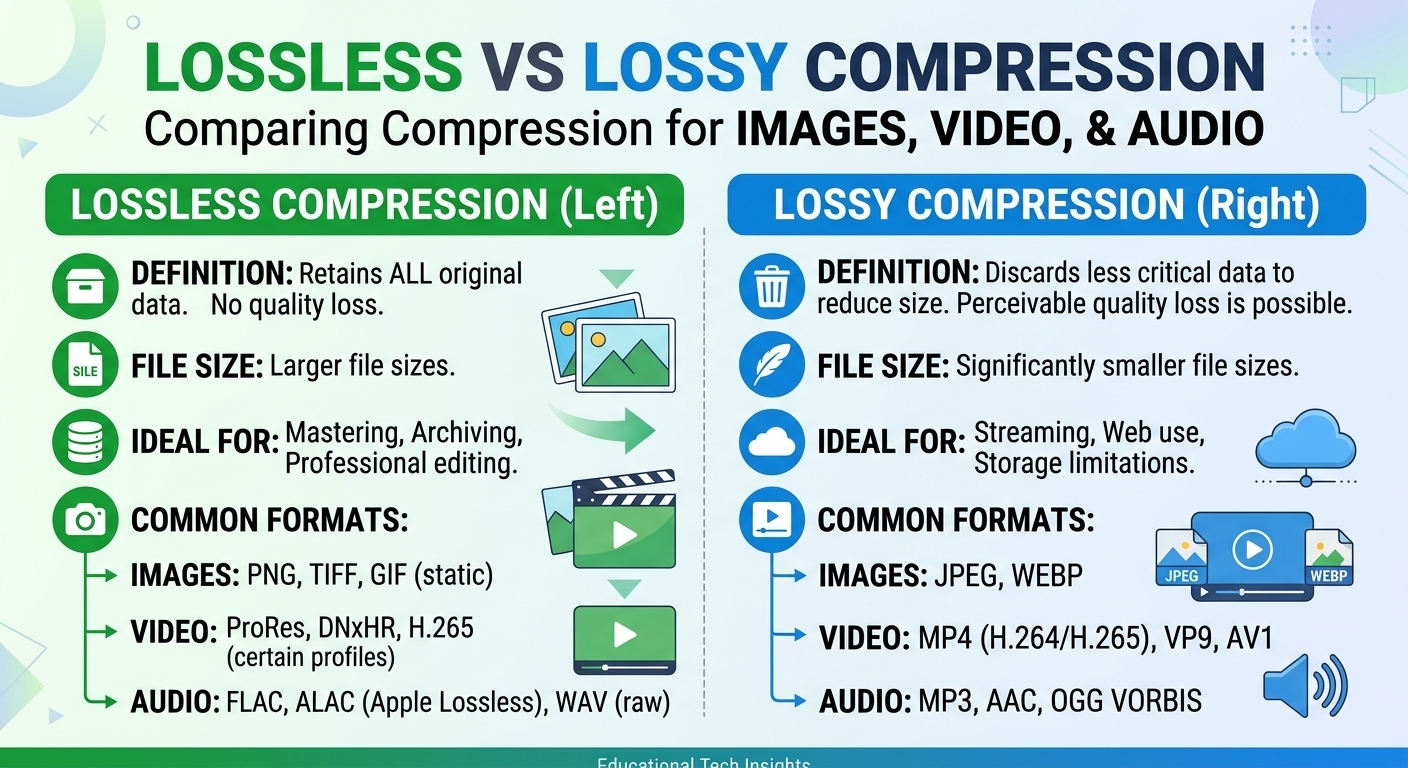
WebP is a raster image format Google released in 2010 that packs lossy and lossless compression, alpha transparency, and animation into a single RIFF-based container. Lossy WebP reuses VP8 intra-frame prediction; lossless WebP uses a separate entropy-coded algorithm with a color cache. At matched perceptual quality, lossy WebP files typically land 25–34% smaller than baseline JPEG, and lossless WebP averages about 26% smaller than PNG.
That byte reduction is the whole point: images are still the largest share of transferred bytes on most content sites, so format choice moves Largest Contentful Paint more reliably than almost any front-end micro-optimization.
What is WebP and how does the WebP format actually work?
WebP is a container plus two distinct codecs. The container is RIFF: a 12-byte header followed by chunks (VP8 for lossy, VP8L for lossless, ALPH for an alpha plane, ANIM and ANMF for animation frames, plus optional ICCP color profile and EXIF metadata).
Lossy WebP encodes a still image as a single VP8 keyframe. It applies block-based intra prediction across 4x4 and 16x16 partitions, a discrete cosine transform, quantization, then boolean arithmetic coding. Because it inherits VP8's video pipeline, lossy WebP is locked to 8-bit depth and 4:2:0 chroma subsampling. There is no 4:4:4 mode, no 10-bit, no HDR.
Lossless WebP is a different animal: LZ77 backward references, Huffman coding, a 32-entry color cache, and spatial or subtract-green color transforms. It is the correct mode for screenshots, UI assets, charts, and logos with hard edges.
Alpha in lossy WebP is stored as a separate, always-lossless plane in the ALPH chunk. This is why a lossy WebP with transparency can be surprisingly large: you are paying photographic compression for the colors and PNG-class compression for the mask.
Hard limits worth knowing before a migration: maximum dimensions are 16383 by 16383 pixels, and WebP has no progressive or interlaced decode mode. A large progressive JPEG shows a coarse full-frame preview early; a WebP of the same size shows nothing until enough bytes arrive.
WebP vs JPEG, PNG, and AVIF
WebP, which Google shipped in 2010, is decodable by roughly 95% of global browser traffic as of 2026, compared with about 93% for AVIF, whose Safari support only landed in 2023. Lossless WebP averages around 26% smaller than PNG, while lossy WebP typically lands 25–34% below baseline JPEG at equivalent perceptual quality.
| Format |
Typical size vs baseline JPEG |
Bit depth / chroma |
Alpha |
Encode cost |
| JPEG (MozJPEG-tuned) |
baseline to -10% |
8-bit, 4:2:0 or 4:4:4 |
No |
Very low |
| WebP lossy |
-25% to -34% |
8-bit, 4:2:0 only |
Yes (lossless plane) |
Low |
| WebP lossless |
~26% smaller than PNG |
8-bit RGBA |
Yes |
Medium |
| AVIF |
-40% to -50% |
up to 12-bit, 4:4:4, HDR |
Yes |
High (5–20x WebP) |
AVIF wins on bytes, WebP wins on encode cost and reach, which is why most 2026 pipelines emit both and negotiate per request.
WebP vs JPEG: WebP beats JPEG on file size for photographic content at the same visual quality, but the two quality scales are not interchangeable. WebP quality 75 is not JPEG quality 75. JPEG also retains two advantages: progressive rendering and universal decode in every legacy client and image library you will ever meet.
WebP vs PNG: Use lossless WebP as a direct PNG replacement for graphics, not lossy WebP. PNG is only competitive on tiny assets where WebP's container and headers cost proportionally more, or where a decoder must be byte-exact and dependency-free.
WebP vs AVIF: AVIF, based on AV1 intra coding, delivers roughly 20–30% smaller files than WebP at matched quality and supports 10-bit and wide gamut. It costs far more CPU to encode and degrades fine texture into a smoothed look at aggressive settings. WebP remains the safer default for on-the-fly transformation; AVIF pays off on assets encoded once and served millions of times.
How to serve WebP through an image CDN without wrecking cache hit ratio
Negotiation happens through the Accept request header. Chromium and Firefox advertise WebP and AVIF support; the response then declares the chosen format and, critically, the varying dimension:
Request:
  Accept: image/avif,image/webp,image/apng,image/*,*/*;q=0.8

Response:
  Content-Type: image/webp
  Vary: Accept
  Cache-Control: public, max-age=31536000, immutable
The trap is that raw Accept header strings differ across browser versions, so a naive Vary on Accept fragments the edge cache into dozens of variants per object. The fix is edge normalization: bucket the header into a small set of capability classes (avif, webp, legacy) and use that class as the cache key component instead of the raw string. Three variants per image is acceptable; thirty is a hit-ratio problem. The alternative is markup-side negotiation with the picture element and type attributes, which keeps one URL per format and avoids Vary entirely at the cost of heavier HTML.
Whichever route you pick, verify that your CDN's edge cache and header handling features normalize Accept before it reaches the cache key, and confirm hit ratio per format after rollout rather than assuming it held.
Common WebP misconceptions, corrected
"WebP is always smaller." Against a well-tuned MozJPEG encode at quality 80, WebP's advantage often shrinks to 5–15% rather than 30%. Against small, already-optimized assets it can be larger.
"WebP is a lossless format." Only in VP8L mode. Default encoder settings in most tooling produce lossy output, and re-encoding a lossy JPEG to lossy WebP stacks two generations of loss.
"WebP handles graphics and text well." Lossy WebP's mandatory 4:2:0 chroma subsampling smears saturated red and blue edges, which is visible on text-heavy screenshots. Use lossless WebP there.
FAQ: WebP image format questions
Is WebP better than JPEG for web performance?
Yes for photographic content, typically 25–34% fewer bytes at comparable perceptual quality. The gap narrows against modern JPEG encoders. JPEG keeps two edges: progressive rendering, which improves perceived load on slow links, and decode support in every legacy client and older image library.
Does WebP work in all browsers in 2026?
WebP is decodable by roughly 95% of global browser traffic as of 2026, including Safari since version 14 in 2020. The remaining share is legacy Android WebViews, old Internet Explorer, and non-browser consumers such as email clients and some scrapers. Keep a JPEG or PNG fallback via Accept negotiation or the picture element.
Should I convert existing JPEG and PNG images to WebP?
Convert from the original master file, never from an already-compressed JPEG, and always benchmark before committing. Re-encoding lossy to lossy stacks artifacts. Convert PNG graphics with lossless WebP and photographs with lossy WebP, then keep any asset where the WebP output is not measurably smaller in its original format.
Why is my WebP file larger than the original PNG?
Usually because a lossy encode was applied to a graphic with transparency. Alpha is stored as a separate lossless plane, so you pay twice. Very small icons also suffer from fixed container overhead. Switching to lossless WebP mode, or leaving tiny icons as PNG, resolves most cases.
Does WebP support transparency and animation?
Yes to both. Alpha is supported in lossy and lossless modes through the ALPH chunk, and animation uses ANIM and ANMF chunks with per-frame disposal and blending. Animated WebP is generally far smaller than an equivalent animated GIF, though a short muxed video file usually beats both for clips longer than a couple of seconds.
Run this test on your own image set this week
Pull 200 representative production images, split by content type (photography, product shots on white, UI screenshots, transparent logos). Encode each to MozJPEG, lossy WebP, lossless WebP, and AVIF at quality settings matched by a perceptual metric rather than by nominal quality number. Record bytes per class and encode milliseconds per image. Then check your edge: how many cache variants exist per object once Vary on Accept is active, and what your hit ratio did after rollout. The savings you can defend in a review are the measured ones, not the 30% figure from a 2010 announcement.