
Web Performance
Best Image Format for the Web: JPEG, PNG, WebP, AVIF, SVG
Evaluated November 2026: the best image format for web photos is AVIF with a JPEG fallback, or WebP when encode time ...
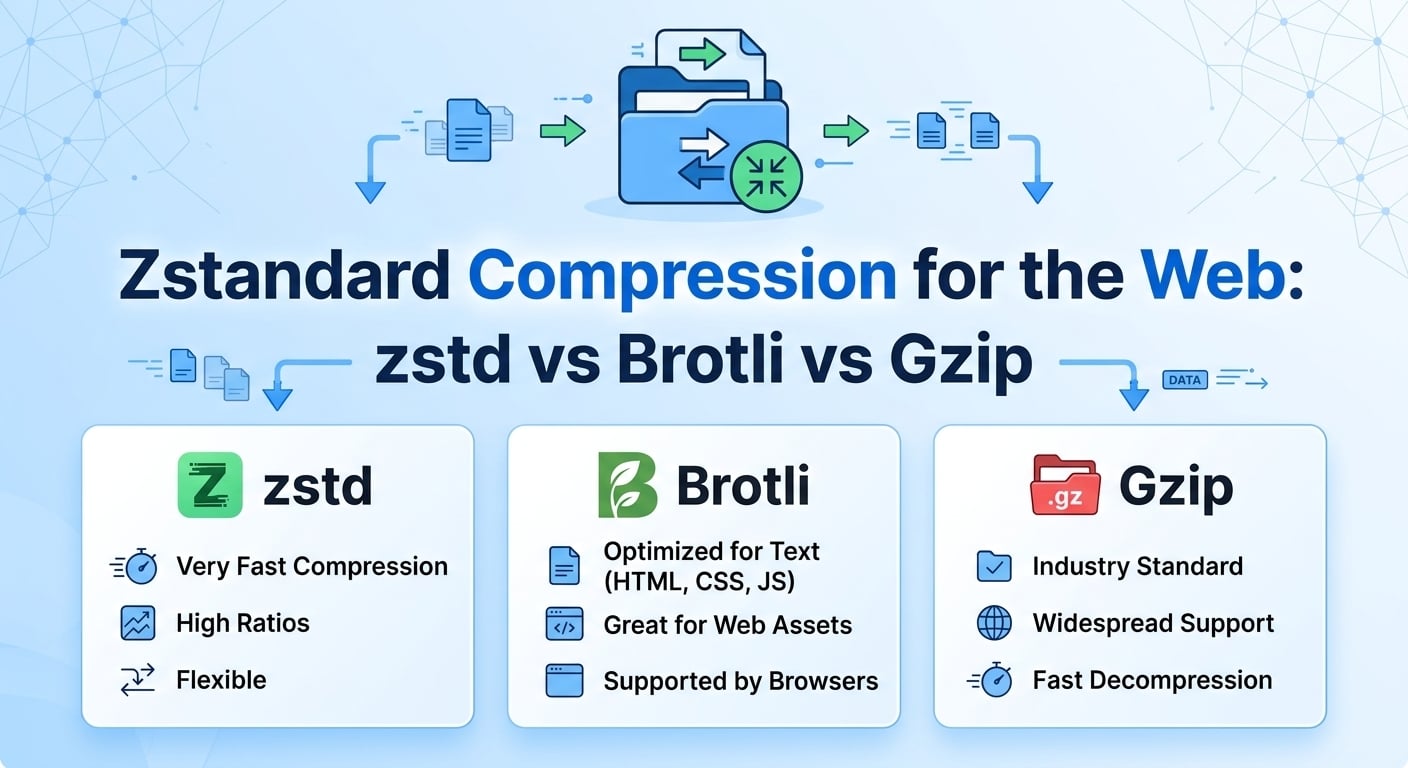
Verdict, evaluated November 2026: serve Brotli at quality 11 for static text you can precompress, use zstd compression at levels 3 to 6 for dynamic responses compressed per request, and keep gzip as the universal fallback. Brotli 11 still produces the smallest HTML, CSS and JavaScript, typically 15 to 25 percent smaller than gzip level 9. Zstandard at level 3 compresses about as well as gzip at 5 to 10 times the speed and decompresses 2 to 4 times faster than either.
Zstandard (zstd) is a lossless codec registered as an HTTP content coding by RFC 8878 in 2021, and Chrome 123 (March 2024) and Firefox 126 (May 2024) both accept "Content-Encoding: zstd" by default. For web delivery it wins on CPU cost per byte compressed, while Brotli still wins on final file size for precompressed static assets.
Zstandard pairs LZ77-style match finding with two modern entropy stages: Finite State Entropy (a tabled asymmetric numeral system coder) for match lengths and offsets, and Huffman coding for literals. Asymmetric numeral systems approach arithmetic-coding efficiency at Huffman-like speed, which is the main reason zstd decompresses at well over 1 GB/s per core on current x86 hardware.
The other lever is its level range. Negative levels trade ratio for raw throughput, levels 1 to 19 cover the normal space, and levels 20 to 22 ("ultra") unlock larger match windows. Gzip (DEFLATE, RFC 1951) is limited to a 32 KB window and Huffman-only entropy coding, so its ratio ceiling is low no matter how much CPU you spend. Brotli (RFC 7932) uses a window of up to 16 MB, context modeling and a built-in static dictionary of roughly 120 KB of common web strings, which is why it compresses small HTML and JavaScript files so well.
That static dictionary is the structural difference in the zstd vs Brotli debate. Zstandard ships no built-in web dictionary, so on files under about 10 KB Brotli usually wins on ratio even at comparable speed settings. On larger payloads the gap narrows to a few percent at maximum settings.
Chromium browsers (Chrome and Edge 123 onward, plus Opera and other Chromium builds) and Firefox 126 onward advertise zstd in Accept-Encoding, which in 2024 to 2025 public traffic measurements covered roughly 70 to 80 percent of desktop and Android requests. Safari had not shipped zstd content encoding as of 2025; verify its current status against your own request logs.
Like Brotli, browsers only advertise zstd over HTTPS, so plaintext HTTP clients see gzip at best. Non-browser clients vary widely: command-line tools, mobile HTTP libraries and server-side SDKs gained zstd decoders at different times, with Node.js adding zstd to its zlib module and Python 3.14 adding a standard-library zstd module in 2025. Content negotiation handles this cleanly as long as the server honors the client's Accept-Encoding list and never sends zstd unasked.
The figures below are typical ranges from public single-threaded benchmarks on modern x86 cores (2023 to 2025 measurements) using minified web text. Treat them as orientation; your corpus will shift the absolute numbers but rarely the ordering.
| Codec and setting | Output size vs gzip 9 | Compression speed per core | Decompression speed per core | Browser reach |
|---|---|---|---|---|
| gzip level 6 | 1 to 3 percent larger | 40 to 80 MB/s | 300 to 500 MB/s | Universal |
| zstd level 3 | 0 to 5 percent smaller | 250 to 500 MB/s | 1,000 to 1,600 MB/s | Chromium, Firefox |
| Brotli quality 4 to 5 | 5 to 12 percent smaller | 50 to 120 MB/s | 300 to 500 MB/s | All current browsers over HTTPS |
| zstd level 19 | 10 to 20 percent smaller | 2 to 8 MB/s | 1,000 to 1,500 MB/s | Chromium, Firefox |
| Brotli quality 11 | 15 to 25 percent smaller | 0.5 to 2 MB/s | 300 to 500 MB/s | All current browsers over HTTPS |
Brotli 11 owns the smallest-bytes column and zstd owns every speed column, so the right codec depends on whether you compress once or on every request.
Brotli at quality 11 is the best choice for build-time precompression of static text, and its static dictionary gives it an edge on small files that no other codec matches. Its limitation is speed at the top end: quality 10 and 11 run at roughly 1 MB/s per core, which makes them unusable for per-request compression of dynamic HTML or JSON.
Zstandard gives the best ratio per CPU cycle anywhere in the fast range and the fastest decompression, which matters on low-end Android devices parsing large bundles. Its limitation is reach: Safari clients and many older HTTP libraries fall back to another encoding, so zstd is always an addition to your negotiation list, never a replacement.
Gzip decodes everywhere, from embedded devices to 15-year-old proxies, and every server ships it by default. Its limitation is a hard ratio ceiling from the 32 KB window: even level 9 leaves 15 to 25 percent of bytes on the table compared with Brotli 11 on typical JavaScript.
The economic case for zstd is CPU, not bytes. Take an API and server-rendered HTML tier that emits 400 MB/s of uncompressed text at peak (about 3.2 Gb/s before compression). Using the single-core ranges from the benchmark table, here is our estimate of the cores spent purely on compression:
Moving that tier from gzip 6 to zstd 3 frees roughly 4 to 8 cores at peak for the same or fewer bytes. On static assets the math flips. A 300 KB minified JavaScript bundle lands at roughly 90 KB with gzip 9, 80 KB with zstd 19 and 75 KB with Brotli 11 (illustrative ranges). Across 10 million downloads a month, the 15 KB gap between gzip and Brotli is 150 GB of egress and a measurable cut in transfer time on slow mobile links, paid for with a few seconds of CPU at build time.
The decision rule that falls out: compress once, then use the slowest, smallest codec; compress per request, then use the fastest codec that matches gzip's ratio. Today that means Brotli 11 for build artifacts and zstd 3 to 6 on the request path.
Adding a third encoding multiplies cache variants. Every response must carry "Vary: Accept-Encoding", and a cache that keys on the raw header fragments into dozens of variants because browsers send different orderings and quality values. Normalize Accept-Encoding at the edge into a small set of buckets (zstd, br, gzip, identity) before it reaches the cache key, and expect up to three stored copies of each popular text object.
The window size is the failure mode that bit early adopters. RFC 9659 (2024) caps the zstd window for HTTP content coding at 8 MB, and Chromium rejects responses that exceed it. Levels 1 to 19 stay within that limit by default, but ultra levels 20 to 22 and manual long-distance matching settings can exceed it, producing decode errors only on large responses. Keep HTTP encoders at level 19 or below unless you explicitly cap the window.
Server support is uneven. Caddy and several CDNs compress zstd natively, while stock nginx needs a third-party module, so many teams precompress at origin in Brotli and let the edge produce zstd on the fly. BlazingCDN supports gzip, Brotli and zstd compression at the edge, listed among its CDN features for zstd and Brotli delivery, which covers the negotiation without touching origin config.
One scope note: content encoding only helps compressible text. Video segments, JPEG, WebP and AVIF images, game patches and installer archives are already compressed, and running zstd over them burns CPU for gains under 1 percent. Exclude those MIME types from compression rules entirely. Shared-dictionary delivery through Compression Dictionary Transport, which Chromium shipped in 2024, is the next step for small repetitive payloads but deserves its own evaluation.
| Workload | First choice | Fallback order | Why |
|---|---|---|---|
| Static JS, CSS, HTML built at deploy | Brotli 11 precompressed | zstd 19, then gzip 9 | Compression cost is paid once; smallest bytes win |
| Dynamic HTML and JSON APIs | zstd 3 to 6 | Brotli 4, then gzip 6 | Lowest CPU per byte at gzip-or-better ratio |
| Small responses under 10 KB | Brotli 5 | zstd 3, then gzip 6 | Brotli's static dictionary dominates on short inputs |
| Large manifests and HLS or DASH playlists | zstd 3 | gzip 6 | Frequent regeneration; fast decode on TVs and set-top boxes that support it |
| Video segments, images, archives | No content encoding | Identity | Already compressed; recompression wastes CPU |
Zstd belongs on the request path and Brotli belongs in the build pipeline, with gzip kept as the floor for every client that understands neither.
Send a request for a text asset with Accept-Encoding set to zstd only and confirm the response carries Content-Encoding zstd plus Vary Accept-Encoding. Repeat with br and gzip and compare transfer sizes in browser DevTools. On the server, track compression CPU seconds per GB served before and after the switch, and break down your access logs by negotiated encoding to see what share of clients actually receives zstd.
Zstd is better for dynamic responses and Brotli is better for precompressed static assets. At fast settings zstd compresses 3 to 5 times quicker than Brotli for similar output, while Brotli quality 11 still produces files roughly 5 to 10 percent smaller than zstd level 19 on typical minified JavaScript. Most production stacks should offer both through Accept-Encoding negotiation.
Safari had not shipped zstd content encoding as of 2025, so Safari users receive Brotli or gzip through normal negotiation. Chromium browsers since version 123 and Firefox since version 126 do support it. Because servers only send zstd when the client advertises it, enabling zstd never breaks Safari, it simply does not benefit those visitors yet.
Use zstd level 3 to 6 for per-request compression and up to level 19 for precompressed static files. Level 3 is the library default and matches or beats gzip 6 at several times the speed. Avoid ultra levels 20 to 22 for HTTP, because they can exceed the 8 MB window limit from RFC 9659 and fail decoding in Chromium.
No, zstd compression adds nothing to video segments, JPEG, WebP, AVIF or compressed archives, because those formats are already entropy coded. Expected savings sit below 1 percent while CPU cost stays real. Restrict zstd, Brotli and gzip rules to text MIME types such as HTML, CSS, JavaScript, JSON, SVG and streaming playlists, and serve binary media with identity encoding.
Pick your 20 most requested text assets and one busy API endpoint. Precompress the assets at Brotli 11 and zstd 19, compare total bytes against gzip 9, then load-test the endpoint with gzip 6 and zstd 3 and record compression CPU per GB. Pull a week of access logs to see what share of requests advertises zstd. Those three numbers tell you whether zstd belongs on your request path and how many cores it frees, independent of any vendor.
If you want the edge to handle gzip, Brotli and zstd negotiation for that traffic, the BlazingCDN Anycast CDN with zstd and Brotli support serves all three encodings, and zones are set up together with an engineer in about one hour.

Heavy traffic.
Light bill.
The CDN for video and large traffic
Web Performance
Evaluated November 2026: the best image format for web photos is AVIF with a JPEG fallback, or WebP when encode time ...
Web Performance
There is no technical difference in JPEG vs JPG. Both extensions label the same format, defined by ISO/IEC 10918-1 ...

Web Performance
The short answer to "does CDN affect SEO" is yes, but indirectly. Google gives no ranking credit for using a CDN. As of ...

Web Performance
Imagine this: your latest blog post goes viral overnight, and your WordPress site crashes under the traffic surge. It’s ...