
Learn
Lossy vs Lossless Compression: Images, Video and Audio
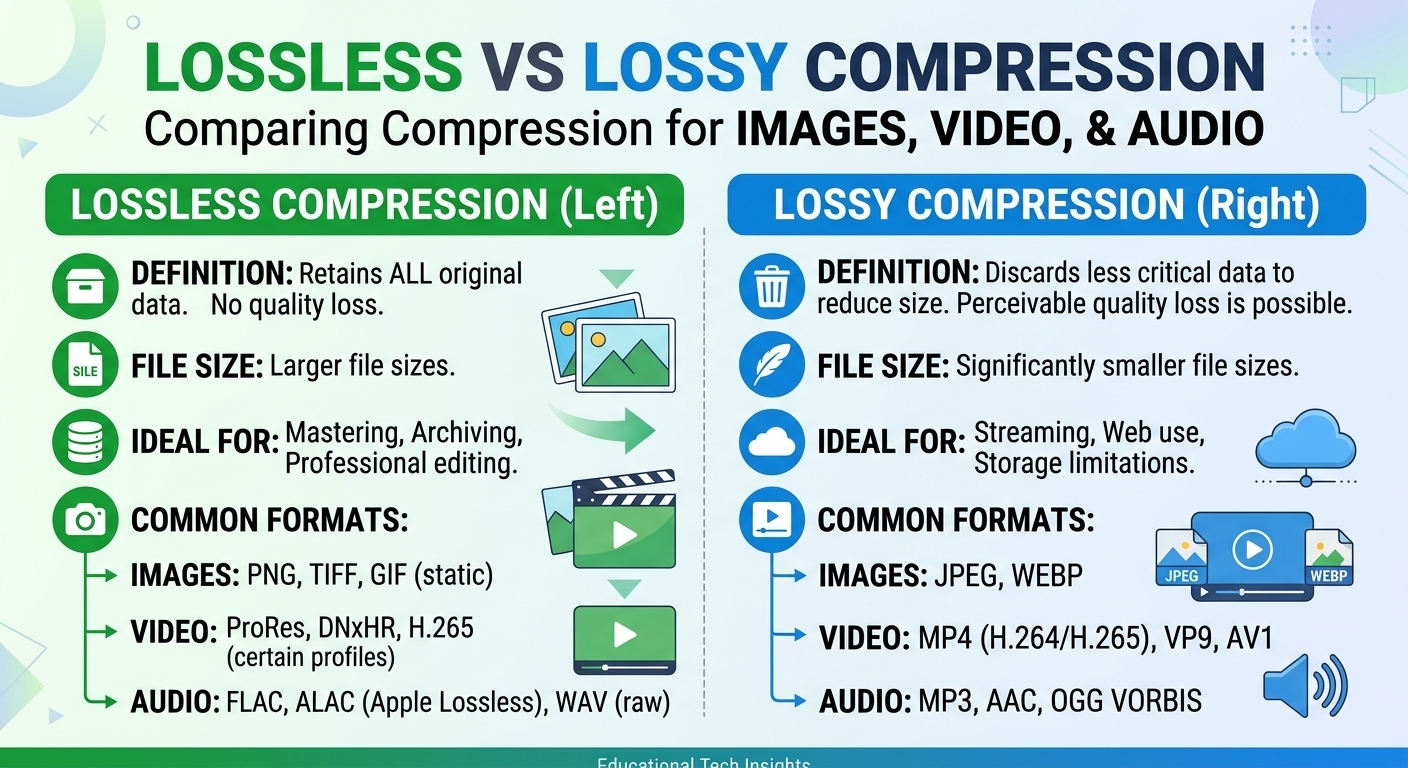
Lossy vs lossless compression comes down to one trade: lossless compression rebuilds every original bit and typically ...

Half of your visitors will abandon a page that takes longer than 3 seconds to load, yet the average web page today weighs more than 2 MB and is requested from hundreds or thousands of kilometers away. That gap between user impatience and physical distance is exactly what a Content Delivery Network (CDN) is designed to close.
Whether you’re streaming video to millions, running a SaaS platform, or selling globally through an e‑commerce storefront, understanding how a CDN works is no longer a “nice to have” for engineers and product leaders — it’s fundamental infrastructure knowledge. In this article, we’ll unpack what a CDN really is, how it works behind the scenes, and how to think about it strategically for your business.
As you read, ask yourself: if a sudden traffic spike hit tonight, or if your users in another region doubled this quarter, would your current delivery setup keep up — or crack under the pressure?
At its core, a Content Delivery Network (CDN) is a distributed system of servers that delivers web content to users based on their geographic location, the origin of the content, and real-time performance conditions. Instead of every user fetching data from a single central data center (your origin), a CDN strategically caches and serves that data from multiple locations closer to your users.
Think of it as building hundreds of “local copies” of your site’s static assets and media near your audience. When someone hits your product page or hits “play” on a video, they’re not reaching all the way across continents — they’re talking to a server that’s geographically and network-wise much closer.
CDNs historically focused on static content, but modern platforms optimize both static and dynamic delivery:
While static assets can be cached aggressively, dynamic content often needs to be generated on the fly — but it can still be accelerated through intelligent routing, TLS termination, and connection reuse.
So when you hear “CDN,” don’t just think “image cache.” Think: a smart, programmable delivery layer between your users and your origin systems. How much of your current traffic is still making the long trip back to origin when it doesn’t need to?
The internet was not designed for every website to serve rich media to a global audience in milliseconds. Three hard constraints drive the need for CDNs:
Latency is the round-trip time it takes for data to travel between client and server. Even at the speed of light in fiber, a request from London to a US-East data center can take 60–100 ms or more one way. Add TLS handshakes, DNS lookups, multiple asset requests — and real-world page loads stretch into seconds.
HTTP Archive data shows that median mobile page loads are still above 4 seconds on many networks. Google has repeatedly highlighted that as page load time increases from 1s to 5s, the probability of bounce increases by 90% (Google/SOASTA research). That friction directly translates into lost conversions and engagement.
When thousands of users hit your origin simultaneously — for example, when a live stream starts or a product drops — bandwidth saturation and network congestion can spike latency and packet loss. Without an intermediary layer to offload traffic, your origin becomes a single choke point.
Users in Southeast Asia expect the same experience as users in Western Europe, even if your infrastructure is concentrated in one region. Yet routing all traffic to a single data center means international users suffer higher latency and jitter. A CDN helps normalize experience quality across regions by bringing content physically and topologically closer.
When you map these constraints to your own business, where do you see the biggest exposure — global distance, traffic spikes, or bandwidth limits?
Let’s walk through what actually happens when a user visits a site that’s integrated with a CDN. We’ll keep it concrete and sequential so you can map it back to your own stack.
Most CDN integrations start with DNS. Instead of pointing your domain directly to your origin server, you point it to a hostname managed by your CDN. When a user types your URL or clicks a link, their device:
The user is unaware of this; from their perspective, they’re just contacting “your website.” But under the hood, the CDN is already making the first optimization decision: which edge server should handle this request?
Once the user hits the CDN edge server, it checks whether the requested content is already cached:
Subsequent users in that region get the cached version, dramatically reducing time to first byte (TTFB) and offloading work from the origin.
How long content stays in the cache is controlled by headers and rules you define:
Cache-Control headers and Expires define TTL (Time To Live).This is where operational discipline matters. Overly aggressive caching risks serving stale content; overly conservative caching reduces CDN benefits. Many high-traffic sites use cache-busting techniques (like versioned asset URLs) so they can cache assets for long periods and simply change the URL when they deploy new versions.
Modern CDNs optimize more than just content location. They also:
The result is fewer round trips, more efficient bandwidth usage, and faster delivery even for dynamic or partially cacheable content.
CDNs typically expose real-time metrics: cache hit ratios, geographic distribution of traffic, throughput, error rates, and latency by region. Operations teams use this data to:
When was the last time you looked at your cache hit ratio or latency broken down by region? If you don’t know, you’re almost certainly leaving performance on the table.
Understanding why CDNs matter is just as important as knowing how they work. Let’s ground the benefits in real numbers and industry experience.
Akamai’s “State of Online Retail Performance” report found that a 100-millisecond delay in website load time can hurt conversion rates by 7%. Multiple studies show that reducing load times from 3 seconds to under 2 seconds can significantly cut bounce rates and increase engagement.
CDNs improve speed by:
For e-commerce, media, and SaaS, these improvements directly influence revenue, watch time, and product usage.
Origin offload is measured as the percentage of requests and bandwidth served from the CDN instead of the origin. When tuned well, many sites achieve 80–95% offload for static assets. This yields:
For example, during a big live event or product launch, the majority of repeated content (images, CSS, JS, streaming segments) can be served from the CDN, while the origin focuses on the truly dynamic, personalized logic.
Because a CDN operates a large, resilient infrastructure, it can route around localized failures and congestion. If a data center or network segment experiences issues, traffic can be shifted to alternative locations with minimal impact on the user.
This is one reason enterprises often treat the CDN as a first line of resilience rather than a mere performance add-on. Even if your origin has a regional issue, cached content may still be served, softening the impact and buying your ops team time to remediate.
For global businesses, CDNs compress the experience gap between regions. A user in São Paulo, Tokyo, or Johannesburg may see page loads and video startup times comparable to a user in New York, despite the origin being centralized.
In addition, CDNs can help with:
Are your operations and marketing teams looking at regional conversion rates or engagement and asking why some markets underperform? Delivery latency and reliability are often hidden, fixable culprits.
To get the most out of a CDN, you need fluency with the knobs and levers that shape its behavior. Let’s break down the key concepts.
At a high level, caching decisions revolve around three dimensions:
The cache key defines what constitutes a “unique” object in cache. Typical components include:
/images/banner.png).Accept-Language for localized content).By tuning cache keys, you can avoid cache fragmentation (too many near-duplicates) and ensure personalization isn’t accidentally shared across users.
Modern CDNs go beyond simple geography-based routing. They combine:
These algorithms run continuously, adapting to changing network conditions in real time. For large-scale streaming or gaming launches, this can be the difference between a smooth experience and a social-media-visible outage.
Many CDNs support edge logic — small programs or configuration rules that run at the edge before the request hits your origin. Use cases include:
By shifting some logic to the edge, you reduce origin load and latency while gaining fine-grained control over request handling per region or per path.
Where in your current stack could moving logic closer to users shave off precious milliseconds and reduce origin complexity?
CDNs are not one-size-fits-all; different industries emphasize different capabilities. Let’s look at some of the most impactful applications in the real world.
Video-on-demand platforms, live sports broadcasters, and news outlets rely heavily on CDNs because streaming is highly sensitive to:
CDNs help by caching video segments closer to viewers and optimizing delivery across multiple bitrates and protocols (HLS, DASH). According to Sandvine’s Global Internet Phenomena report, video accounts for a majority of downstream internet traffic during peak hours in many regions — making efficient content delivery a necessity, not an option.
Media companies using a modern CDN can:
Operating system updates, application installers, and game patches can easily exceed tens of gigabytes per user. When a major release hits, simultaneous downloads from millions of clients can overwhelm origin infrastructure.
A CDN tailored for software and game distribution:
For gaming companies in particular, fast delivery of patches and DLC is critical to player retention. Long waits during updates translate directly into churn and poor reviews.
SaaS platforms and API-based products increasingly rely on CDNs not just for static assets but for:
With more SaaS products serving global user bases from day one, a CDN is often the first scaling layer that helps maintain low latency and predictable performance as customer footprints expand.
For e‑commerce, milliseconds correlate directly with revenue. Research from Deloitte and other firms has repeatedly shown that faster retail sites drive higher conversion rates and larger average order values.
CDNs support commerce platforms by:
If your marketing team is planning high-traffic campaigns or flash sales, your CDN strategy should be part of the conversation early, not an afterthought when pages sluggishly load under peak demand.
Understanding the trade-offs between relying purely on origin servers and adopting a CDN is easier when you see them side by side.
| Aspect | Origin-Only Delivery | With CDN |
|---|---|---|
| Latency | Higher for distant users; every request travels to your data center. | Lower due to proximity and optimized routing. |
| Scalability | Requires scaling origin infrastructure; expensive at peaks. | Traffic is offloaded; CDN absorbs many peaks. |
| Availability | Single-region or few-region dependencies; more fragile. | Resilient multi-location infrastructure. |
| Operational Complexity | Capacity planning and global routing handled in-house. | Provider manages routing, failover, and performance tuning. |
| Cost Profile | Higher origin infra and bandwidth costs; no offload. | CDN data transfer cost, but lower origin spend thanks to offload. |
In many cases, especially at scale, the CDN’s data transfer cost is offset — or more than offset — by savings in origin infrastructure and the revenue boost from better performance and user experience.
If you modeled your next 12 months of growth, what would be cheaper and more reliable: doubling your origin footprint, or introducing/optimizing a CDN layer that offloads most of your traffic?
For enterprises and fast-growing digital businesses, the choice of CDN has real financial and operational impact. This is where BlazingCDN has positioned itself: high-performance delivery and enterprise-grade reliability at a more accessible cost than many legacy providers.
BlazingCDN is a pay-as-you-go CDN built for high-volume static traffic — a critical advantage for organizations moving serious traffic volumes. With pricing starting at $5 per TB and dropping to $2.50 per TB at volume (as of October 2026), it’s designed to keep data transfer costs predictable and sustainable as you scale.
Enterprises in media, gaming, SaaS, and software distribution use BlazingCDN to reduce infrastructure costs, scale quickly under heavy demand, and gain flexible configuration options without compromising reliability. The platform is already recognized as a forward-thinking choice for companies that prioritize both performance and efficiency.
If you’re evaluating your current delivery stack or planning the next phase of growth, exploring BlazingCDN’s feature set can help you align your performance strategy with your cost and reliability goals. You can review its core capabilities and integrations directly on the BlazingCDN features page.
Knowing what a CDN does is one thing. Designing a strategy that fits your architecture, budget, and growth plans is another. Here are practical recommendations drawn from real-world deployments.
Before you plug in or reconfigure a CDN, measure your current state:
With this baseline, you can quantify the impact of CDN changes and build a compelling case internally.
Group your content into categories with clear cache strategies:
Then assign TTLs and invalidation strategies based on these categories instead of one-size-fits-all rules.
Serve assets like JS, CSS, and images using versioned URLs (e.g., app.v123.js). This lets you:
Audit query parameters and headers that affect how your content is served. Many sites unintentionally fragment their caches because:
utm_*, fbclid, etc.) are considered part of the cache key.Configure your CDN to ignore irrelevant parameters or headers in the cache key, while preserving those that truly affect content (e.g., language, device type when necessary).
Don’t just watch technical metrics in isolation. Connect CDN performance to business outcomes:
This alignment helps you iterate on your CDN strategy with clear priorities instead of chasing vanity metrics.
Before a big product launch or marketing event, run load tests that:
Use these tests to validate not only your CDN configuration but also your origin scaling policies, autoscaling triggers, and observability pipelines.
Within an organization, CDNs mean slightly different things to different stakeholders. Aligning these perspectives leads to better decisions and fewer surprises.
Engineers care about:
For them, a CDN is an extension of the application delivery pipeline — one more environment to manage with the same rigor as staging and production.
Product managers and growth teams focus on:
They see the CDN as a lever for faster launch cycles and more predictable UX across markets.
CFOs and leadership care about:
For them, the right CDN is a way to “buy” resilience and performance improvements more efficiently than building and maintaining equivalent capabilities in-house.
When you look at your own organization, are these three perspectives aligned on why you use a CDN and what success looks like?
Even if you already use a CDN, there are clear signals that it may be time to reassess your provider or configuration.
Maybe you’ve shifted from predominantly web traffic to heavy video streaming, or from one primary region to a global user base. A CDN that was adequate at 10 TB/month may become cost-inefficient or feature-limited at 200 TB/month.
Surging CDN invoices without corresponding increases in revenue or usage metrics are a red flag. This often indicates:
Modern providers like BlazingCDN are explicitly targeting this gap with transparent, lower-per-GB pricing that remains predictable as traffic grows.
If your teams struggle to implement required routing, security, or logging features — or if incident response from your provider is slow or opaque — the operational cost may outweigh the switching cost.
A well-chosen CDN should accelerate your roadmap, not slow it down with rigid constraints.
At this point, you’ve seen that a Content Delivery Network is much more than “a faster image host.” It’s a foundational layer that shapes latency, resilience, and cost — three dimensions that directly influence user experience and business performance.
Enterprises and ambitious digital businesses are increasingly treating CDN strategy as a first-class architectural concern, on par with database, messaging, and cloud provider decisions. The organizations that win aren’t just the ones who “have a CDN,” but those who understand how to tune and evolve it as their products and audiences change.
BlazingCDN was built for exactly that kind of modern, iterative delivery strategy. With a starting price of $5 per TB, down to $2.50 per TB at volume (as of October 2026), it offers an attractive path for companies that need dependable delivery without enterprise-level overpricing. For media, SaaS, gaming, and software distribution teams, adopting BlazingCDN can unlock faster launches into new regions, lower infrastructure overhead, and a more predictable performance profile. If you’re exploring options for a next-generation delivery layer, you can compare capabilities and economics on the BlazingCDN CDN comparison page.
The next step is yours: map what you’ve just learned to your own stack, your own users, and your own growth plans. Where are your biggest latency gaps today? How much traffic is still hitting your origin unnecessarily? And what would it mean for your business if you could fix both — while spending less per GB than you do now?
If you’re ready to turn CDN theory into tangible performance gains, start by sharing this article with your engineering and product teams, then open a discussion: is our current delivery approach really built for the scale and expectations we’re facing over the next 12–24 months? The sooner you answer that honestly, the sooner you can start turning content delivery into a competitive advantage rather than a hidden liability.

Heavy traffic.
Light bill.
The CDN for video and large traffic
Learn
Lossy vs lossless compression comes down to one trade: lossless compression rebuilds every original bit and typically ...
Pricing - Pricing & Costs
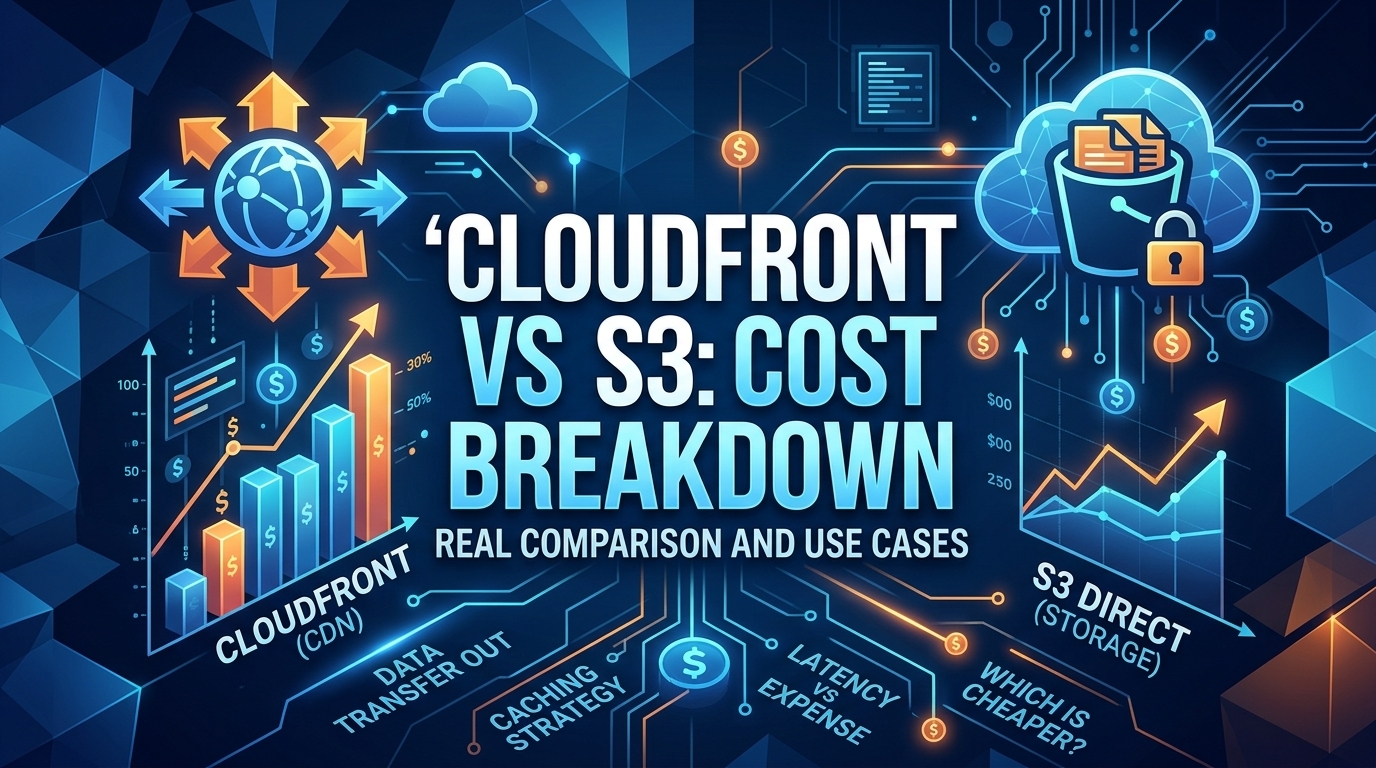
The CloudFront vs S3 decision depends more on object size than on traffic volume. At a 500 KB average response, 100 TB ...
Learn
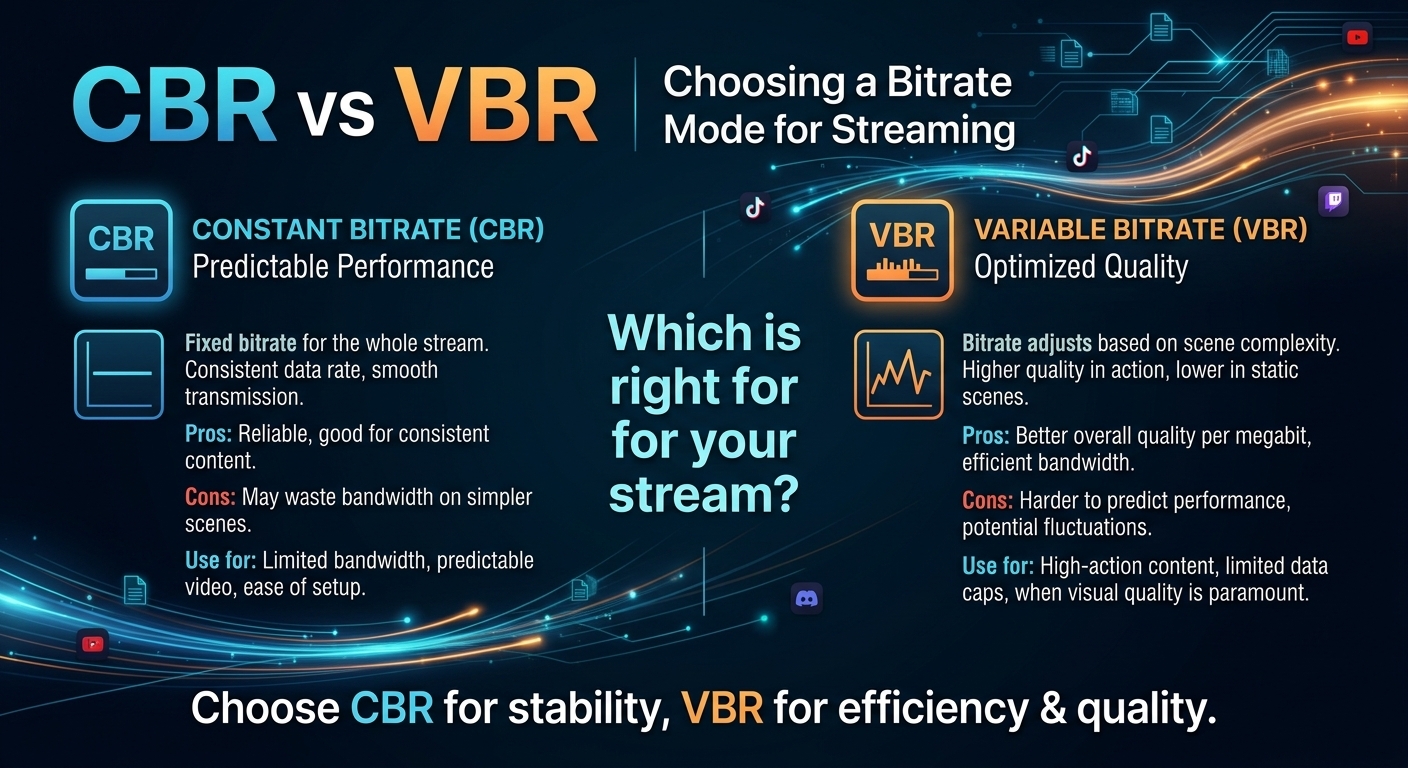
For most on-demand video, capped variable bitrate (VBR) wins the cbr vs vbr decision: it spends bits where the picture ...