Learn
Lossy vs Lossless Compression: Images, Video and Audio
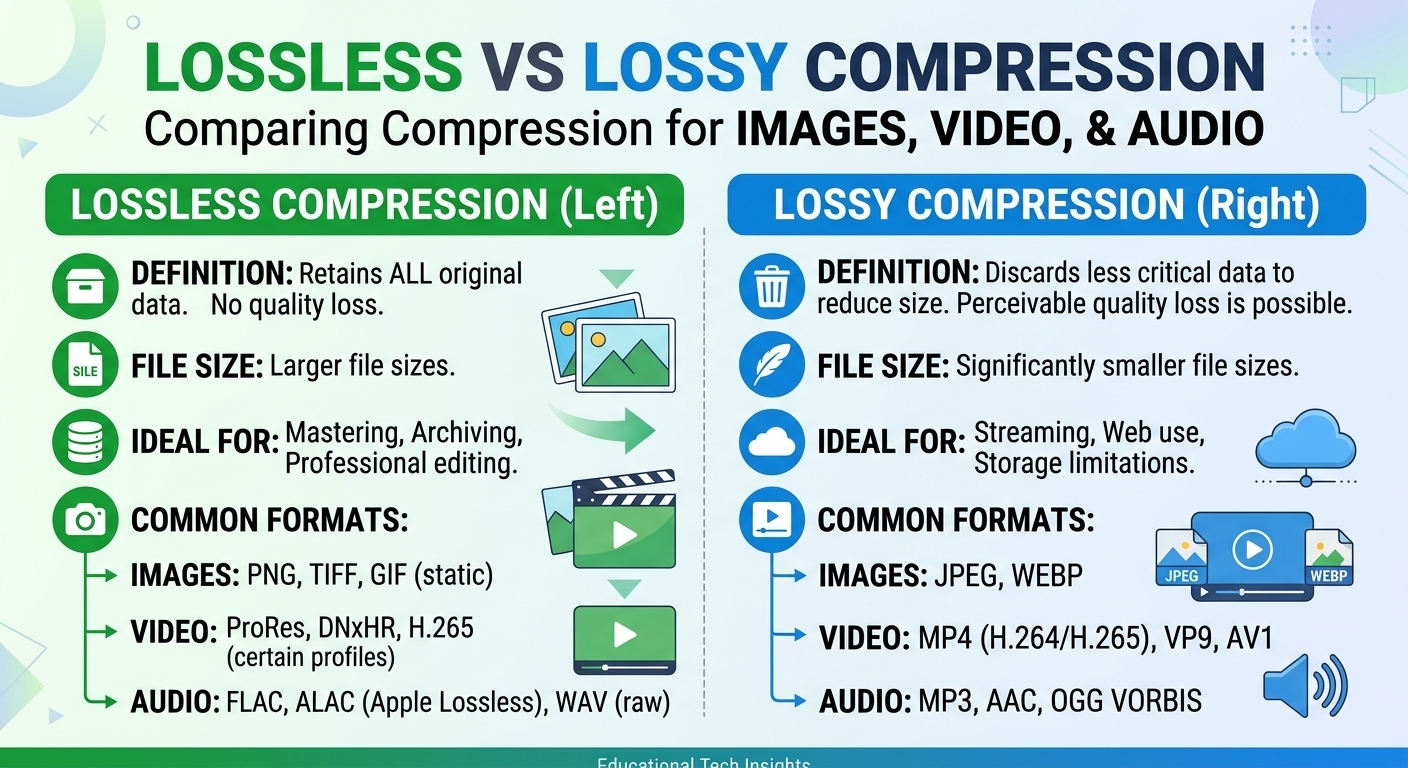
Lossy vs lossless compression comes down to one trade: lossless compression rebuilds every original bit and typically ...
Evaluated October 2026: for most streaming platforms the answer to HLS vs DASH is both, served from a single set of CMAF segments. Choose HLS alone for Apple-heavy, connected TV (CTV) and FAST audiences or for user-generated video. Add MPEG-DASH when you need Widevine and PlayReady on Android and smart TVs, flexible codec ladders, or many audio and subtitle tracks. This comparison covers a feature table, a DRM support matrix, latency modes with worked arithmetic, CDN cache rules and a workload decision matrix.
HLS (RFC 8216) and MPEG-DASH (ISO/IEC 23009-1) deliver the same fragmented MP4 media in 2026. They differ in manifest format, DRM pairing and device reach, not in throughput. With 6-second segments and a player starting three segments behind the live edge, standard HLS runs roughly 20 seconds behind real time, while Low-Latency HLS (LL-HLS) and low-latency DASH with chunked CMAF typically reach 2 to 5 seconds.
The manifest format matters less than the CDN behind it. Partial-object caching, blocking playlist requests and cache-key hygiene change latency and origin load more than the choice between M3U8 and MPD.
| Dimension | HLS | MPEG-DASH |
|---|---|---|
| Specification | Apple, RFC 8216; LL-HLS in the updated spec | MPEG, ISO/IEC 23009-1, first published 2012 |
| Manifest | M3U8 text: a multivariant playlist plus one media playlist per rendition | One XML Media Presentation Description (MPD) with periods, adaptation sets and representations |
| Segment containers | MPEG-TS or fragmented MP4 (CMAF) | Fragmented MP4 (CMAF), WebM; container-agnostic |
| Native playback | Safari, iOS, iPadOS, tvOS, most smart TVs and sticks | Android via Media3 ExoPlayer, Chromecast, many smart TVs; no native Apple playback |
| Browser playback | hls.js or Shaka Player over Media Source Extensions (MSE) | dash.js or Shaka Player over MSE |
| Low-latency mode | Partial segments, preload hints, blocking playlist reload | Chunked CMAF over chunked transfer, availabilityTimeOffset, latency targets |
| Live manifest refresh | Each media playlist refetched about once per target duration | Template-addressed MPD can be refetched rarely |
| Ad signaling | EXT-X-DATERANGE, discontinuities | Multi-period MPD, SCTE-35 event streams |
Reach on Apple devices is the one difference no player library can fully remove, so HLS stays mandatory for nearly every consumer platform.
MPEG-DASH is an ISO-standardized adaptive bitrate protocol that describes media in an XML MPD manifest and serves it as HTTP segments. Unlike HLS, it is codec-agnostic and vendor-neutral, models tracks as adaptation sets, and is not played natively by Apple devices. HLS uses text M3U8 playlists and is the only path to FairPlay DRM.
The structural difference shows up with complex catalogs. An MPD expresses ten audio languages and six subtitle formats as adaptation sets in one document, while HLS spreads the same content across a multivariant playlist with rendition groups and separate media playlists. Both work; DASH is easier to generate and validate when track counts climb.
The Common Media Application Format (CMAF, ISO/IEC 23000-19) standardizes fragmented MP4 so the same segment files can be referenced by an HLS playlist and a DASH MPD. You package once, write two small manifests, and cache one copy of every segment at the edge.
A worked example shows why this matters. Take a 10,000-hour VOD library with a ladder whose renditions sum to 15 Mb/s. One hour of the full ladder is 15,000,000 bits per second times 3,600 seconds divided by 8, which is 6.75 GB. The library is therefore 67.5 TB with CMAF. Packaging MPEG-TS for HLS and fMP4 for DASH separately doubles it to 135 TB. If DRM then forces both cenc and cbcs encryption on top of separate packaging, our estimate reaches four copies, or 270 TB.
Storage is the visible cost; cache efficiency is the hidden one. Two copies of every popular title halve the effective edge cache for the long tail, which pushes more requests through the shield to origin during peaks.
| DRM system | With HLS | With DASH | Encryption scheme | Typical clients |
|---|---|---|---|---|
| Apple FairPlay | Yes, required | No | cbcs | Safari, iOS, iPadOS, tvOS |
| Google Widevine | Player-dependent (Android, Shaka) | Yes | cenc; cbcs on current versions | Chrome, Firefox, Android, Chromecast, many TVs |
| Microsoft PlayReady | Player-dependent, PlayReady 4.0 and later | Yes | cenc; cbcs from 4.0 | Edge on Windows, Xbox, many smart TVs |
cbcs is the only Common Encryption scheme all three systems accept on current clients, so a single cbcs-encrypted CMAF set is the target, and legacy devices that decrypt only cenc are what forces a second encrypted copy.
DASH places no codec restriction on the manifest, which makes AV1 and VP9 ladders straightforward for Android, Chromecast and Chromium browsers. HLS carries H.264, HEVC and AV1 in fMP4, but hardware AV1 decode exists only on recent Apple chips, so an AV1 ladder on HLS still needs HEVC or H.264 fallback renditions.
For CTV, HLS is the safer default: older Roku, Fire TV and Apple TV hardware plays HLS reliably, while DASH support on older TV platforms varies by model year and firmware. iPhone Safari has historically lacked full MSE support, so DASH through a JavaScript player is not a dependable path there.
Neither protocol is inherently faster. Latency is set by segment or part duration, how far behind the live edge the player starts, encoder and packager delay, and CDN support for partial objects. With equivalent settings, LL-HLS and low-latency DASH both reach 2 to 5 seconds behind real time; untuned defaults are what separate them.
| Mode | Player buffer arithmetic | Typical behind-live range (estimate) |
|---|---|---|
| Standard HLS, 6 s segments | 3 segments = 18 s, plus encode and packaging | 20 to 30 s |
| Standard DASH, 4 s segments | 2 to 3 segments = 8 to 12 s, plus pipeline | 10 to 20 s |
| LL-HLS, 1 s parts | Part hold-back of 3 parts = 3 s | 2 to 5 s |
| Low-latency DASH, chunked CMAF | Target latency set in the MPD, playback-rate catch-up | 2 to 4 s |
Shortening standard segments to 2 seconds already cuts HLS to roughly 8 to 12 seconds without any low-latency extension, which is enough for many second-screen use cases.
The two low-latency modes load the CDN differently. Consider 100,000 concurrent viewers, each pulling one video and one audio rendition. Standard HLS with 6-second segments generates 200,000 divided by 6, or about 33,000 playlist requests per second. LL-HLS with 1-second parts generates about 200,000 blocking playlist requests per second plus a similar number of part requests. Low-latency DASH with a rarely refreshed MPD and 2-second chunked segments generates about 100,000 segment requests per second and almost no manifest traffic. The edge absorbs this; origin sees roughly one request per object per shield only if request collapsing works.
VOD segments in either protocol are immutable objects and cache identically. Live is where configuration diverges.
For packaged output, the BlazingCDN HLS Streaming CDN delivers pre-encoded HLS, LL-HLS and DASH, with origin shield and request coalescing included on every plan; ingest and transcoding stay in your existing pipeline. Teams new to the protocol can start with the streaming glossary, including what HLS is.
| Workload | Best fit | Deciding factor |
|---|---|---|
| Premium OTT, multi-DRM | Both, shared cbcs CMAF | FairPlay plus Widevine and PlayReady from one copy |
| Live sports, interactive | Low-latency DASH plus LL-HLS | 2 to 5 s on every device class |
| UGC and short-form | HLS | One manifest, universal playback, no DRM |
| Enterprise, Apple-heavy fleets | HLS | Native playback on managed devices |
| Many audio or subtitle tracks | DASH primary, HLS for Apple | Adaptation-set model is simpler to generate |
| FAST and CTV channels | HLS | Older Roku, Fire TV and Apple TV support |
| SSAI and AVOD | Both, vendor-verified | DASH multi-period stitching quality varies by vendor |
| AV1-first ladders | DASH primary, HLS with HEVC fallback | Hardware AV1 decode coverage |
HLS alone covers single-protocol workloads without DRM, while any combination of multi-DRM, AV1 or complex track sets pays back the small cost of a second manifest.
Dual manifests are cheap to generate but expensive to test: every player, DRM system and ad stitcher is now validated twice. cbcs-only CMAF saves storage but excludes older Android and smart-TV DRM clients, so check your device analytics before dropping cenc. LL-HLS multiplies edge request rates by roughly six against 6-second HLS in the example above, and an edge that mishandles blocking requests turns a latency feature into a stall generator.
Compare the Age response header on live playlists against your part duration; any value above it means stale manifests. Track edge hit ratio separately for segments, playlists and MPDs. Log origin requests per object during a live event to confirm collapsing. Measure glass-to-glass latency with a burned-in clock, not player-reported buffer length.
Neither is better in general; HLS reaches more devices and MPEG-DASH offers simpler low-latency manifest handling. LL-HLS and low-latency DASH both reach roughly 2 to 5 seconds behind real time when tuned. Most large live platforms publish both from shared CMAF segments, using LL-HLS for Apple devices and low-latency DASH for Android, browsers and smart TVs.
Apple devices do not play MPEG-DASH natively; Safari, iOS, iPadOS and tvOS expect HLS. A JavaScript player can play DASH through Media Source Extensions on macOS and iPad, but iPhone support for that path has historically been limited, and FairPlay DRM works only with HLS. Any audience including iPhones therefore needs an HLS manifest.
Yes, HLS and DASH can share segments when both reference CMAF fragmented MP4 files. You package once and generate an M3U8 playlist and an MPD manifest pointing at the same objects. With cbcs encryption the same encrypted files also serve FairPlay, Widevine and PlayReady on current clients, halving storage and doubling effective edge cache capacity.
FairPlay works only with HLS, while Widevine and PlayReady are native to DASH and work with HLS only on supporting players. Apple devices need FairPlay, so a multi-DRM service usually publishes both manifests. Using cbcs Common Encryption lets one set of CMAF segments serve all three DRM systems, except on legacy clients that decrypt only cenc.
For VOD, DASH and HLS segments cache identically because both are immutable files. For live, HLS media playlists must be refetched about once per target duration, and LL-HLS adds blocking requests whose directives must stay in the cache key. Template-addressed DASH MPDs refresh rarely, shifting load almost entirely to segment requests that cache well.
This week, pull edge logs from one live event and split requests into segments, parts, playlists and MPDs. Divide playlist requests by concurrent viewers and compare the result with the arithmetic above; a ratio far above one request per rendition per target duration points at short TTLs or a cache key that includes per-user tokens. Then check origin logs for duplicate fetches of the same part, which reveal broken request collapsing.
If you deliver packaged HLS or DASH at volume, the BlazingCDN OTT and VOD streaming CDN page describes how pre-encoded segments are delivered, and a 14-day testing period on real production traffic lets you repeat these measurements on your own stream.

Heavy traffic.
Light bill.
The CDN for video and large traffic
Learn
Lossy vs lossless compression comes down to one trade: lossless compression rebuilds every original bit and typically ...
Pricing - Pricing & Costs
The CloudFront vs S3 decision depends more on object size than on traffic volume. At a 500 KB average response, 100 TB ...
Learn
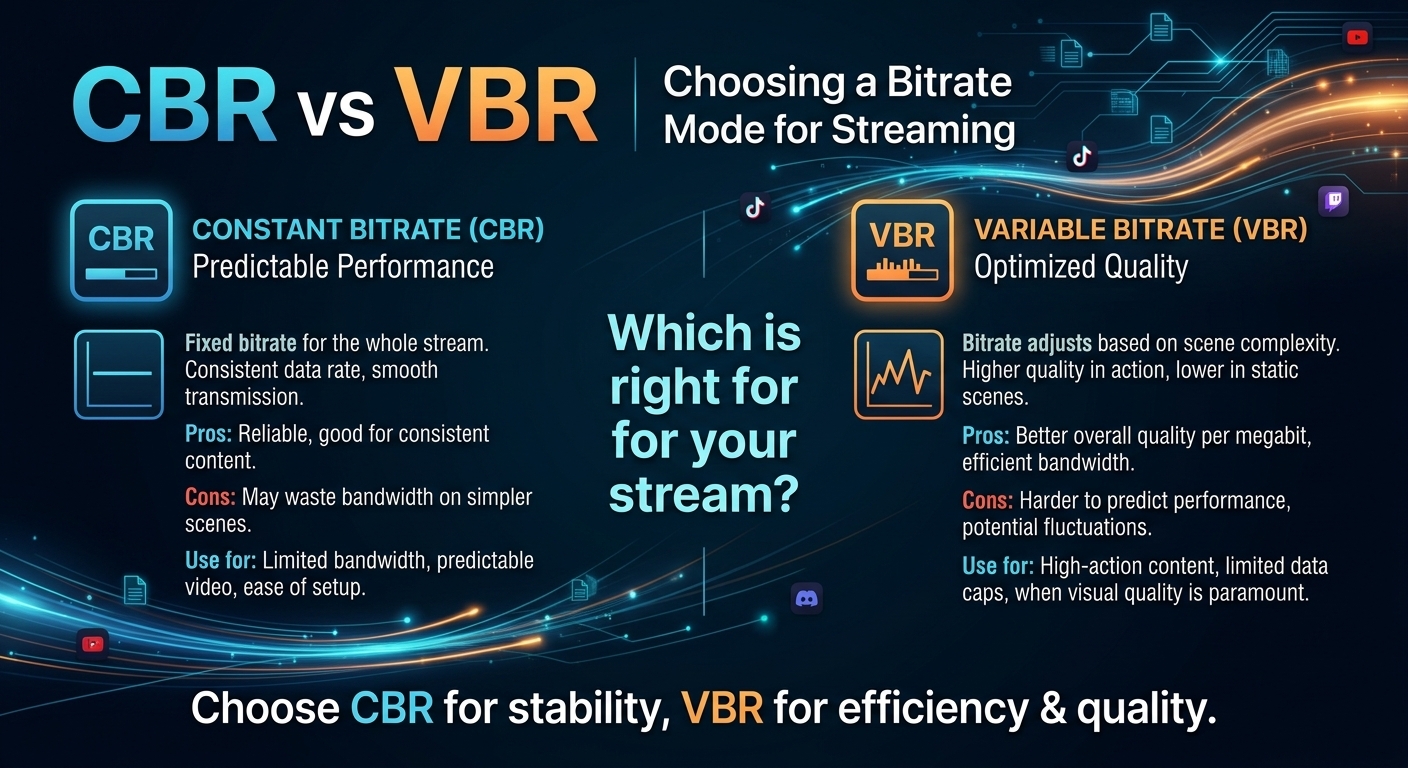
For most on-demand video, capped variable bitrate (VBR) wins the cbr vs vbr decision: it spends bits where the picture ...