
Infrastructure
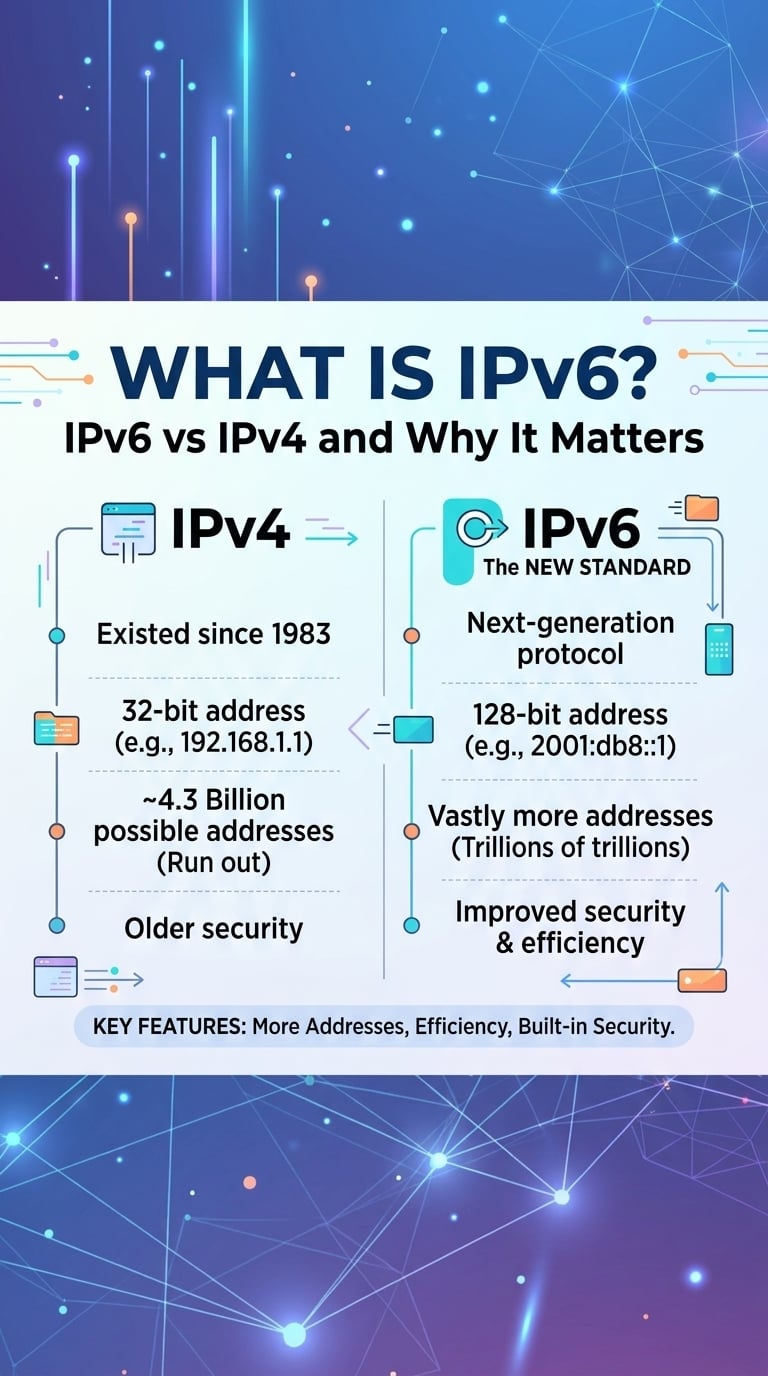
What Is IPv6? IPv6 vs IPv4 and Why It Matters
The short answer to what is IPv6: Internet Protocol version 6 is the network-layer protocol that replaces IPv4's 32-bit ...
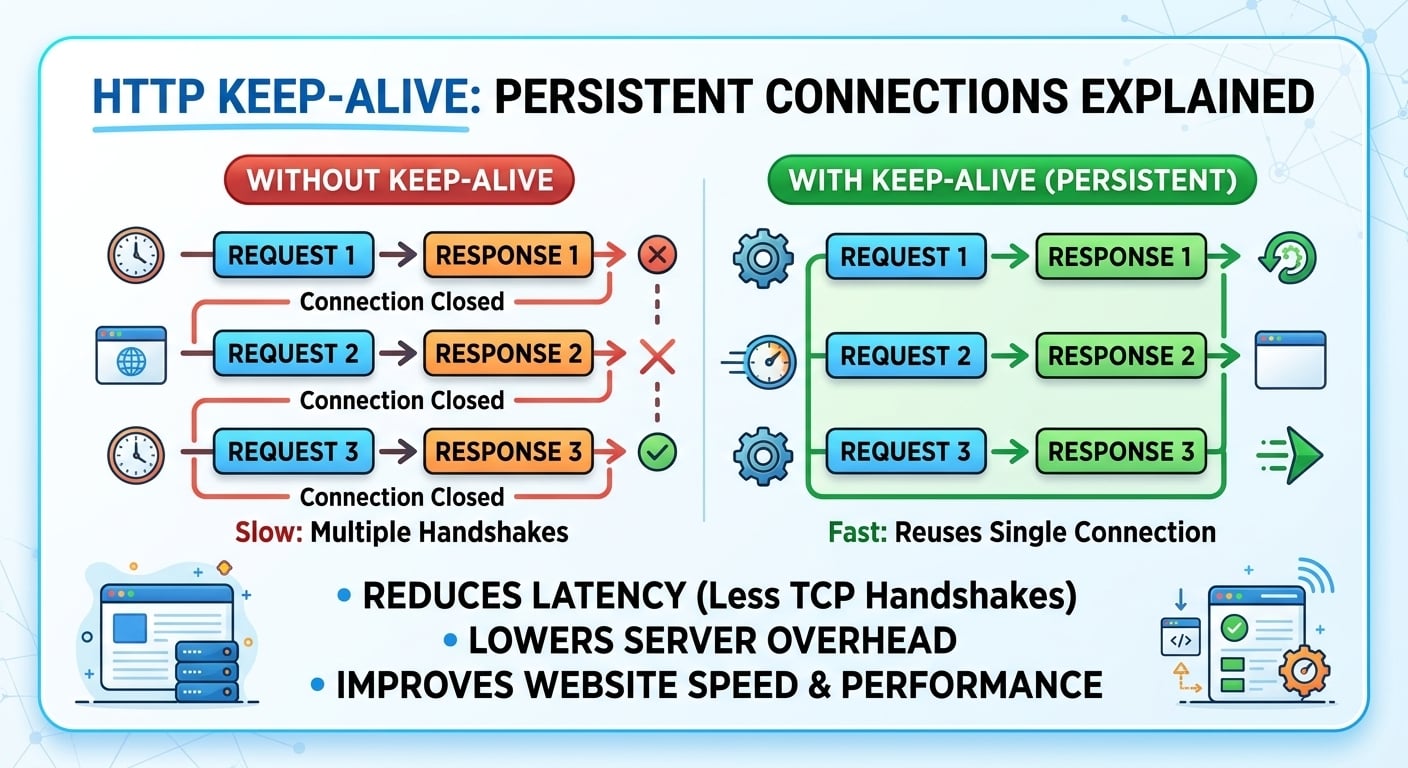
HTTP keep alive lets one TCP (and TLS) connection carry many requests instead of one, so every reused request skips the handshake. On an 80 ms round trip, a fresh HTTPS connection over TLS 1.3 spends about 160 ms on handshakes before the first request byte leaves the client; a reused persistent connection spends zero. The hard part is not turning it on. It is the chain of idle timeouts between browser, CDN edge, load balancer and origin, and getting their order wrong is a classic cause of intermittent 502 errors.
As of 2026, a new HTTPS connection over TLS 1.3 costs two network round trips (one for TCP, one for TLS) before the first request can be sent, and three with TLS 1.2. HTTP keep-alive removes that cost for every request after the first on the same connection, which is why connection reuse ratio is one of the highest-leverage latency metrics on any CDN-to-origin path.
The handshake is the visible saving. The less visible one is congestion window state. A new TCP connection starts with an initial congestion window of 10 segments (about 14.6 KB), so a 500 KB response on a cold connection needs several round trips of slow start before it reaches link capacity. A warm persistent connection has already grown its window, and the next response can go out at close to full rate.
That advantage disappears quietly on Linux. With the default net.ipv4.tcp_slow_start_after_idle set to 1, the kernel resets the congestion window after the connection sits idle longer than one retransmission timeout. A keep-alive connection that idles for two seconds between requests keeps its handshake savings but restarts slow start. On CDN edges and origins that serve large objects over long-lived connections, setting that sysctl to 0 is one of the cheapest wins available.
Connection reuse also cuts server-side cost. Each new TLS connection runs a key exchange, allocates socket buffers and a file descriptor, and on close leaves a socket in TIME-WAIT on whichever side closed first. At low request rates none of this matters. At thousands of requests per second to a single origin, it decides whether the origin path is stable.
Take a CDN tier sending 2,000 cache-miss requests per second to one origin IP and port, over a 100 ms round trip, using TLS 1.3. The numbers below are arithmetic, not a benchmark.
The takeaway from the arithmetic: at origin-facing request rates, connection reuse is not a latency tweak, it is what keeps the source port table from running dry.
The Keep-Alive header is an advisory hint, not a contract. A server sending "Keep-Alive: timeout=5, max=100" tells the client it will probably close an idle connection after 5 seconds and after 100 requests. Clients may ignore it, and servers may close earlier. HTTP/1.1 connections are persistent by default, so the header is not required to get reuse.
The history explains the confusion. HTTP/1.0 had no persistent connections by default, so clients opted in with "Connection: keep-alive" and servers echoed it, sometimes with the Keep-Alive header attached. HTTP/1.1 (now RFC 9112) inverted the default: connections stay open unless either side sends "Connection: close". The Keep-Alive header was never fully standardized and survives mostly as an informational hint.
In HTTP/2 and HTTP/3, both headers are forbidden. RFC 9113 lists Connection and Keep-Alive as connection-specific fields, and a compliant endpoint treats a request carrying them as malformed. A proxy that blindly forwards a Keep-Alive header from an HTTP/1.1 origin into an HTTP/2 client response is a real source of protocol errors, so edges and proxies strip them on protocol translation. In HTTP/2, idle connections end with a GOAWAY frame rather than a header hint.
One more neighbor gets mixed up with all of this. TCP keepalive (the SO_KEEPALIVE socket option, with a Linux default of 7,200 seconds before the first probe) detects dead peers at the transport layer. It does nothing to make HTTP reuse connections, and HTTP keep-alive does nothing to probe for dead peers.
The rule for every hop is the same: the client side of a connection must give up on an idle connection before the server side does. If the server closes first, there is a window where the client picks the connection from its pool and sends a request at the same moment the server's FIN or RST is in flight. The client sees a reset, and a proxy turns that into a 502 or a retry.
The textbook case is a Node.js service behind a load balancer. Node's HTTP server defaults keepAliveTimeout to 5 seconds, while an AWS Application Load Balancer defaults to a 60 second idle timeout and reuses backend connections. Every few thousand requests the balancer reuses a connection Node just closed, and the result is a trickle of 502s that never shows up in Node's own logs.
| Component | Default idle timeout | Default max requests per connection | Role in the chain |
|---|---|---|---|
| nginx, client side (keepalive_timeout) | 75 s | 1,000 (since 1.19.10) | Server facing browsers or a CDN |
| nginx, upstream pool | 60 s, but no pool at all until configured | 1,000 | Client facing the origin |
| Apache httpd | 5 s | 100 | Origin server |
| Node.js http server | 5 s | Unlimited | Origin server |
| AWS Application Load Balancer | 60 s | Not limited by default | Server to clients, client to targets |
| Envoy upstream connections | 1 hour | Unlimited | Client facing services |
| Firefox | 115 s | Not limited | Browser client |
Defaults are inconsistent across the chain, and the most common pairing (a short-timeout origin behind a long-timeout proxy) violates the client-closes-first rule out of the box.
A practical framework is to think of timeouts as a ladder that descends toward the requester. Each server-side idle timeout should sit above the client-side idle timeout of whatever connects to it, with a margin of at least a few seconds to absorb clock and scheduling jitter.
nginx does not reuse upstream connections by default. It speaks HTTP/1.0 to upstreams and closes after each response. A working pattern, described directive by directive:
Request coalescing compounds these gains. BlazingCDN includes origin shield and request coalescing on every plan, so concurrent misses for the same object collapse into one origin fetch, and the origin keeps fewer, busier persistent connections warm instead of many cold ones.
Longer timeouts are not free. Each idle connection holds a file descriptor and kernel socket buffers, and in thread-per-connection servers such as Apache with the prefork MPM, it holds a whole worker. That is why Apache ships with a 5 second timeout: a 75 second idle window on prefork can exhaust MaxRequestWorkers under modest traffic. Event-driven servers such as nginx and Envoy carry idle connections cheaply, which is why their defaults are much longer.
Reuse also fights load balancing. A persistent connection pins all of its requests to one backend, so after a scale-out the new instances receive almost nothing until old connections recycle. A request cap per connection (keepalive_requests in nginx, max requests per connection in Envoy) is the fix, at the cost of a handshake every N requests. At 1,000 requests per connection that is a 0.1% handshake rate, which is negligible.
Middleboxes break the ladder silently. NAT gateways and stateful firewalls track idle flows on their own timers; AWS NAT Gateway, for example, drops flows idle for 350 seconds. A pool that holds connections longer than that discovers the drop only when a request times out rather than resets, which shows up as a long-tail latency spike at p99, not as an error. Keep pool idle timeouts below every middlebox timer on the path.
Finally, retries hide the problem. Most proxies retry idempotent requests after a reset on a reused connection, so a broken ladder appears as a p99 bump of one extra round trip and a slightly elevated upstream connect rate rather than as 502s. Non-idempotent requests such as POST are not retried, so those surface the errors first.
Measure the reuse ratio directly instead of trusting configuration. Three checks cover most stacks:
Tuning pays off when origin round trips are long (cross-region shields, 50 ms or more), when miss rates run to hundreds of requests per second per origin, when origins run on Node.js, Apache or other short-timeout defaults behind long-timeout proxies, or when objects are large enough that slow start dominates transfer time. Software downloads, video segments and API backends behind a CDN all fit.
Low-traffic sites behind a single reverse proxy with HTTP/2 to browsers rarely benefit. Browser-to-edge reuse already works, and a few cold origin connections per minute cost nothing measurable. Fix the ladder order everywhere, since that prevents errors, but skip pool sizing and sysctl work until request rates justify it.
Yes, HTTP/1.1 connections are persistent by default, and either side ends one by sending "Connection: close". The explicit "Connection: keep-alive" opt-in only mattered for HTTP/1.0. Servers still enforce their own idle timeouts and request caps, so default persistence does not guarantee long reuse; nginx closes idle client connections after 75 seconds and Apache httpd after 5 seconds.
No, HTTP/2 and HTTP/3 forbid the Keep-Alive and Connection headers, and RFC 9113 requires endpoints to treat messages containing them as malformed. HTTP/2 connections are persistent and multiplexed by design, and they end idle sessions with a GOAWAY frame. Proxies translating from an HTTP/1.1 origin must strip these headers before forwarding responses to HTTP/2 clients.
A short HTTP keep-alive timeout on the origin causes 502 errors because the proxy in front reuses a connection the origin has just closed. The request hits a reset socket and the proxy reports a bad gateway. The fix is ordering: the origin's idle timeout must exceed the proxy's upstream idle timeout, for example 65 seconds behind a 60 second load balancer.
HTTP keep-alive reuses one connection for multiple HTTP requests, while TCP keepalive sends periodic probes to detect a dead peer on an idle socket. They are independent: enabling SO_KEEPALIVE does not make HTTP reuse connections. TCP keepalive on Linux waits 7,200 seconds before the first probe by default, far longer than typical HTTP idle timeouts of 5 to 75 seconds.
A persistent connection serving around 1,000 requests before closing is a reasonable default, matching nginx since version 1.19.10. The cap exists so connections recycle and autoscaled backends receive new traffic. At 1,000 requests per connection, handshakes add overhead to only 0.1% of requests, so lower caps mainly matter when backends scale in and out quickly.
Add upstream_connect_time to your proxy access logs for one day, then compute the share of origin requests with a connect time of zero. Compare it against the timeout ladder: list every idle timeout from browser to origin, confirm each server side sits above its client, and check the TIME-WAIT count on the proxy at peak. If reuse sits below 90% at hundreds of misses per second, fix pool sizing and timeout order before touching anything else, then set tcp_slow_start_after_idle to 0 and remeasure p95 miss latency.
To compare your edge against a reference, the BlazingCDN performance metrics page publishes a public test file and download figures measured June 2026, including 24 ms and 1.11 Gb/s in North America on a 100 MB HTTPS download.

Heavy traffic.
Light bill.
The CDN for video and large traffic
Infrastructure
The short answer to what is IPv6: Internet Protocol version 6 is the network-layer protocol that replaces IPv4's 32-bit ...

Infrastructure
The short answer to what is a port: a network port is a 16-bit number, from 0 to 65535, carried in every TCP and UDP ...
Infrastructure
DNS propagation is the window after a record change during which recursive resolvers, operating system caches and ...

Infrastructure
DNS records are typed entries in an authoritative zone that map a name to data. An A record returns a 32-bit IPv4 ...