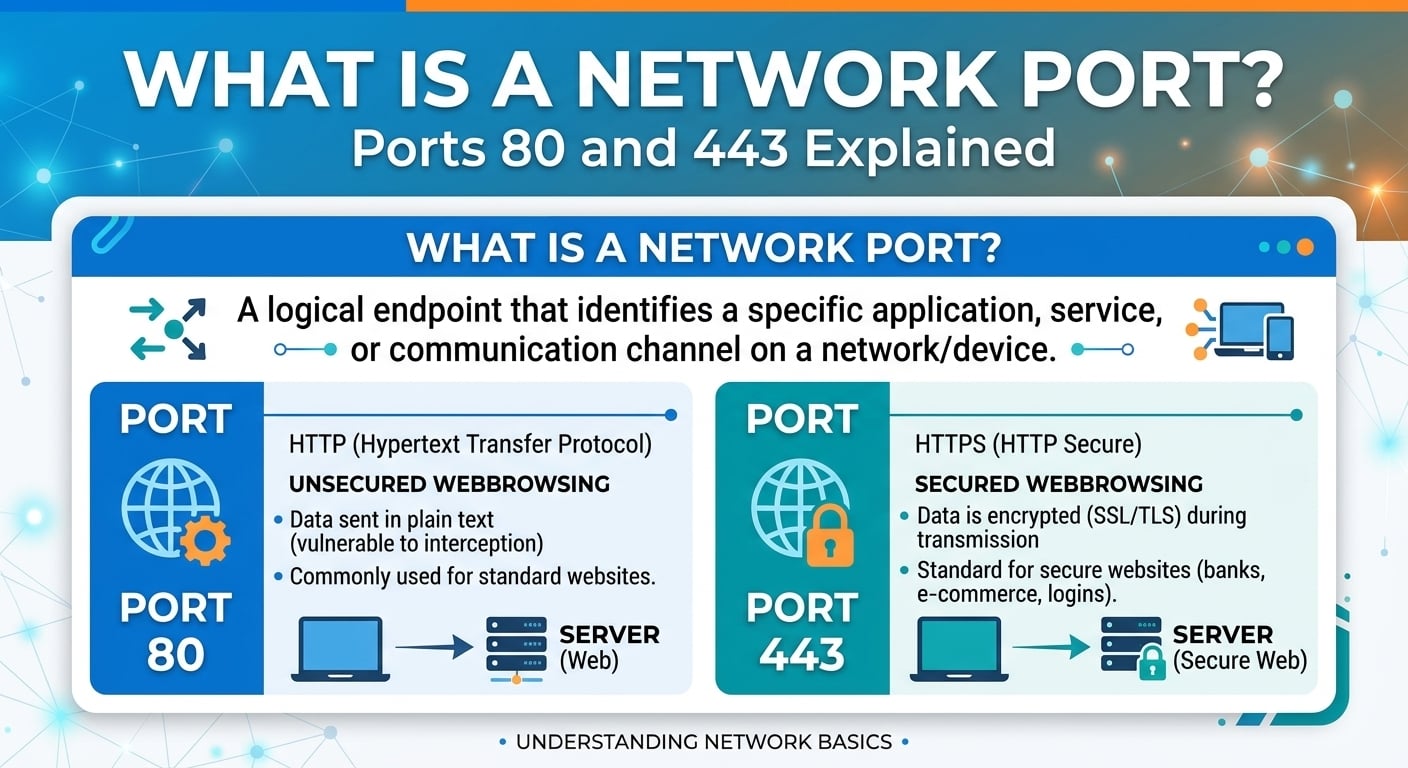
The short answer to what is a port: a network port is a 16-bit number, from 0 to 65535, carried in every TCP and UDP header so the operating system can hand an arriving packet to the right process. The IP address gets the packet to a host. The port gets it to the specific socket listening on that host.
As of 2026, web traffic runs on two IANA-assigned port numbers: TCP 80 for plaintext HTTP and TCP 443 for HTTPS, with UDP 443 carrying HTTP/3 over QUIC. Port 443 is a convention meaning "HTTP inside TLS". The encryption comes from the TLS handshake, not from the number itself.
How ports work: what is a port to the kernel
To the kernel, a port is half of an endpoint address. Every TCP connection is identified by a 5-tuple: protocol, source IP, source port, destination IP and destination port. A server process calls bind and listen on a local address and port such as 0.0.0.0 port 443. Each accepted connection gets its own socket, distinguished from its siblings only by the remote IP and port.
That is why one listener on port 443 can hold hundreds of thousands of concurrent connections. The destination port is shared. The client side of each connection uses an ephemeral source port that the client's kernel picks from a local range. UDP has no connections, so a UDP socket on port 443 receives every datagram addressed to that port. QUIC therefore carries its own connection IDs to tell flows apart, even when a client's NAT mapping changes mid-session.
Port ranges and who assigns them
- Well-known (0 to 1023): assigned by IANA to core services. On Linux, binding to them traditionally requires root or the CAP_NET_BIND_SERVICE capability.
- Registered (1024 to 49151): assigned by IANA on request, for example 3306 for MySQL and 8443 as a common alternate HTTPS port.
- Dynamic or private (49152 to 65535): unassigned and intended for ephemeral use. Linux ignores this boundary and defaults its ephemeral range to 32768 to 60999.
Ephemeral port exhaustion at scale: a worked calculation
Ports become a capacity problem on the client side of a proxy, which is exactly where a CDN shield or reverse proxy sits when it connects to an origin. The Linux default range of 32768 to 60999 gives 28,232 source ports. A closed connection sits in TIME_WAIT for 60 seconds on Linux. One source IP opening fresh connections to one origin IP and port can therefore sustain about 28,232 divided by 60, or roughly 470 new connections per second, before connect calls start failing.
Widening the range to 1024 to 65535 raises the pool to 64,512 ports, or about 1,075 new connections per second. Real fixes multiply the tuple instead: keepalive connection pools so connections are reused, more source IPs on the proxy, or more origin IPs behind the hostname. The net.ipv4.tcp_tw_reuse sysctl helps for outbound connections, but it treats the symptom. A proxy that needs 470 fresh origin connections per second has a pooling bug.
Where port 443 sits in the stack
Port 443 lives at layer 4, but almost everything interesting happens just above it. The client opens TCP to port 443 and sends a TLS ClientHello. That message carries Server Name Indication (SNI), which tells the server which hostname, and so which certificate, the client wants. It also carries Application-Layer Protocol Negotiation (ALPN), which selects h2 or http/1.1 before any HTTP byte is sent.
SNI is the reason one IP address on one port can serve thousands of HTTPS hostnames, which is how every large CDN edge operates. For HTTP/3, the server advertises h3 on UDP 443 through the Alt-Svc response header or an HTTPS DNS record. Clients then race or retry over QUIC. If UDP 443 is blocked anywhere on the path, browsers fall back to TCP 443, usually costing one extra failed attempt before the fallback.
Port 80 vs 443: what actually differs
Port 80 carries HTTP in cleartext, while port 443 carries HTTP inside TLS, so the payload, headers and URL path are encrypted. In 2026, port 80 mostly exists to redirect visitors to HTTPS with a 301 or 308 status and to answer ACME HTTP-01 certificate challenges. Port 443 carries the actual traffic.
The protocols on the wire are identical above TLS. The same HTTP/1.1 or HTTP/2 request travels on either port. Behavioral differences come from policy, not from the port. Browsers mark port 80 pages as not secure, HTTP Strict Transport Security (HSTS) forbids returning to port 80 once a host has been seen over HTTPS, and modern features such as service workers and HTTP/2 in browsers require a secure context. In practice that means TLS on 443 or another port.
Common TCP and UDP port numbers
| Port | Transport | Service | Edge relevance |
|---|
| 22 | TCP | SSH | Never exposed through a CDN; restrict to bastion IPs |
| 53 | UDP and TCP | DNS | TCP needed for large responses and zone transfers |
| 80 | TCP | HTTP | Redirect to HTTPS, ACME challenges |
| 123 | UDP | NTP | Clock drift breaks certificate validation and signed URLs |
| 443 | TCP | HTTPS (HTTP/1.1, HTTP/2) | Primary viewer and origin port |
| 443 | UDP | HTTP/3 over QUIC | Optional; clients fall back to TCP 443 |
| 587 | TCP | SMTP submission | Not proxied by HTTP CDNs |
| 8080 and 8443 | TCP | Alternate HTTP and HTTPS | Common origin ports behind a CDN |
For web delivery, only TCP 443, UDP 443 and TCP 80 matter on the viewer side; everything else belongs on the origin's private side or not on the internet at all.
Which ports a CDN accepts and forwards
A CDN edge accepts viewer traffic on TCP 80 and TCP 443 almost universally, and on UDP 443 where it supports HTTP/3. Some vendors accept a fixed list of extra ports. Cloudflare, for example, documents proxying on HTTP ports such as 8080 and 8880 and HTTPS ports such as 8443 and 2053. Arbitrary ports usually need a separate layer 4 product.
The origin side is independent. Most CDNs let you set the origin port and an origin protocol policy: HTTP only, HTTPS only, or match the viewer's scheme. Amazon CloudFront exposes all three, plus custom HTTP and HTTPS port numbers. The classic misconfiguration is HTTPS forwarded to an origin port that speaks plain HTTP, which surfaces as TLS handshake failures and 502 or 525 responses at the edge. A cleaner pattern is HTTPS end to end, with the origin listening on 443 or 8443 and its firewall restricted to the CDN's published egress ranges.
BlazingCDN includes HTTPS and SSL certificates on every plan and serves over HTTP/2 with TLS 1.3. It does not support HTTP/3 by design, so its client traffic stays on TCP 443 rather than UDP 443, and the BlazingCDN features list covers the origin shield and signed URL options that sit on top.
Example: an origin that exposes port 80 only for redirects
In nginx terms the pattern is two server blocks. The first listens on port 80 and returns a 308 redirect to the same host and path on the https scheme, with one exception location for the ACME challenge path. The second listens on port 443 with the ssl parameter, enables the http2 directive, and sets ssl_protocols to TLSv1.2 and TLSv1.3. To verify, run ss with the l, t, n and p flags on the host to list every listening TCP socket and its owning process. Then run openssl s_client with the connect option set to your hostname on port 443 and the servername option set, to confirm which certificate SNI selects.
Port vs. socket, protocol and IP address
Port vs. socket: a port is a number; a socket is a kernel object bound to an IP, a port and a protocol. One listening port spawns one socket per accepted connection, so "port 443 has 200,000 connections" really means 200,000 sockets sharing a local port.
Port vs. protocol: a port number does not enforce a protocol. HTTPS runs fine on 8443, and SSH runs on 443 if you configure it to. Firewalls that allow "port 443" are allowing a number, which is why VPNs and tunnels hide on it.
Port vs. IP address: the IP address identifies an interface and is routed across networks. The port is meaningful only on the endpoints and in stateful middleboxes such as NAT and load balancers, which rewrite it.
Common misconceptions about network ports
- "Closing port 80 is more secure." It mostly breaks first visits typed without a scheme and HTTP-01 certificate renewal. A redirect-only listener exposes nothing sensitive.
- "Port 443 means the traffic is encrypted." Only if TLS is actually negotiated. Plain HTTP on 443 works and simply confuses clients.
- "Blocking UDP 443 is harmless." It is functionally safe because clients fall back to TCP, but each fallback adds a failed attempt to connection setup.
- "Binding below 1024 needs root." On Linux, CAP_NET_BIND_SERVICE or the net.ipv4.ip_unprivileged_port_start sysctl removes that requirement.
FAQ: network ports, port 443 and port 80
What is port 443 used for?
Port 443 is the IANA-assigned default port for HTTPS, meaning HTTP carried inside TLS. Browsers connect to TCP 443 whenever a URL starts with https and specifies no port. Since HTTP/3, UDP 443 also carries QUIC traffic. CDNs, APIs and most SaaS endpoints serve nearly all production traffic on port 443, keeping port 80 only for redirects.
Is port 443 TCP or UDP?
Port 443 is assigned for both TCP and UDP. HTTPS over HTTP/1.1 and HTTP/2 uses TCP 443, while HTTP/3 uses UDP 443 through QUIC. Servers advertise HTTP/3 with the Alt-Svc header or an HTTPS DNS record, and clients fall back to TCP 443 when UDP is blocked by a firewall, NAT or corporate proxy along the path.
Can HTTPS run on a port other than 443?
Yes, HTTPS works on any port because TLS is negotiated by the endpoints, not by the port number. Ports 8443 and 4443 are common choices for origins and admin interfaces. The cost is that URLs must include the port explicitly, and some corporate firewalls and CDN edges accept only 443 or a short documented list of alternates.
Should I close port 80 on a web server behind a CDN?
On the origin, usually yes, if the CDN connects over HTTPS and nothing else needs port 80. On the viewer-facing edge, keep port 80 open for redirects to 443 and for ACME HTTP-01 certificate challenges. HSTS then prevents returning browsers from using port 80 at all, so the exposure is limited to first visits.
Audit the ports your edge and origin actually expose
This week, scan your origin's public IPs from a host outside your network and confirm that only 443, plus 80 for redirects, answer. Anything else, including 22, 8080 or database ports, should be firewalled to known ranges. Then check your reverse proxies: count sockets in TIME_WAIT toward each origin and compare the new-connection rate against the roughly 470 per second ceiling per source IP and origin tuple worked out above. If you are near it, fix connection pooling before widening port ranges.
For readers moving heavy static files such as video segments, installers or game patches, BlazingCDN serves them over TLS 1.3 and HTTP/2 on Anycast routing, and the BlazingCDN Anycast CDN overview describes how its pull caching and origin shield sit in front of your port 443 origin.