More than 50% of users will abandon a page that takes longer than 3 seconds to load on mobile, yet...
How to Evaluate and Monitor CDN Performance (Tools and Metrics)
Users are 32% more likely to abandon a page if it takes just one extra second to load, according to a joint Google and Deloitte study. Now imagine hundreds of thousands of those “one extra seconds” across your global audience because your CDN isn’t really performing the way you think it is.
Most teams treat CDN performance as a checkbox: enable it, see a quick speed boost, and move on. But at scale, a CDN that’s not rigorously evaluated and continuously monitored becomes an invisible tax on revenue, user engagement, and infrastructure cost. This article walks through how to evaluate and monitor CDN performance with the same discipline you would apply to your core application—using the right metrics, tools, and real-world methodologies.
As you read, ask yourself: are you measuring what actually matters to your users… or just what’s convenient to collect from logs and dashboards?
Why CDN Performance Evaluation Is Harder Than It Looks
CDNs sit at the intersection of networks, browsers, and application logic. That makes “performance” a moving target. A 50 ms improvement in one region may be meaningless if your users in another geography are seeing 2-second delays due to poor routing, misconfigured caching, or slow origins.
Complicating things further:
- Different stakeholders care about different outcomes (marketing = conversions, engineering = latency and error rates, finance = egress cost).
- Vendors advertise synthetic benchmark numbers that rarely match your real traffic profile.
- Browser performance, mobile networks, and origin health can overshadow CDN gains or losses.
Real CDN performance evaluation demands a multi-layer view: network metrics, user-centric metrics, origin load, and cost. If you’re only checking a single synthetic latency number, you’re likely missing the real story.
As you think about your current environment, can you clearly answer: “What is our 95th percentile load time from real users in our top three markets, and how is the CDN influencing it?” If not, the rest of this guide is for you.
Core CDN Performance Metrics You Should Track
Before diving into tools, anchor your strategy around the right metrics. These are the signals that expose whether your CDN is truly helping your users—or just adding another invoice line item.
Network-Level Metrics: The Foundation
Network metrics give you the first view of CDN behavior on the wire. They’re not the whole picture, but they tell you where to dig deeper.
- DNS Resolution Time: How long it takes clients to resolve your CDN hostname. High numbers here hurt the very first step in loading content.
- TCP/QUIC Handshake Time: The time to establish a connection. QUIC/HTTP/3 can significantly reduce this, especially on high-latency mobile networks.
- TTFB (Time to First Byte): The time from initiating the request to receiving the first byte of response. High TTFB from the CDN usually signals cache misses, routing issues, or origin slowness.
- Throughput / Download Speed: How quickly clients receive data after the first byte. Crucial for video, gaming assets, and large software downloads.
In Google’s “Speed Matters” research, every additional 100 ms of latency reduced search revenue by up to 1%, underscoring how sensitive user experience is to incremental delays. DNS + handshake + TTFB is often where that latency hides.
Ask yourself: are you currently seeing TTFB broken down by region, ISP, and cache status (hit/miss)? Without that granularity, you’ll struggle to know whether the CDN is the bottleneck or just the messenger.
User-Centric Metrics: What Your Customers Actually Feel
Network timing is important, but UX teams live in the world of user-centric metrics. These are the numbers that correlate directly with engagement, conversions, and churn.
- Largest Contentful Paint (LCP): When the main content becomes visible. Google recommends under 2.5 seconds for good UX.
- First Input Delay (FID) / Interaction to Next Paint (INP): How quickly your page responds to user input.
- Fully Loaded Time / Onload: Traditional metrics still used in many organizations.
- Video startup time, rebuffering ratio, and bitrate: Critical for media and OTT platforms.
- Time to Play / Time to First Frame: For streaming, often more important than classic page load.
These metrics are typically monitored via Real User Monitoring (RUM) solutions. A well-performing CDN should visibly improve LCP and video startup times, especially for users far from your origin.
Do your dashboards show LCP and video startup time segmented by “served via CDN” vs “bypassed CDN/origin direct”? If not, you’re likely underestimating (or overestimating) the CDN’s actual impact.
CDN-Specific Metrics: Where the Real Optimization Lives
To control and optimize a CDN, you need metrics that are specific to distributed caching and delivery.
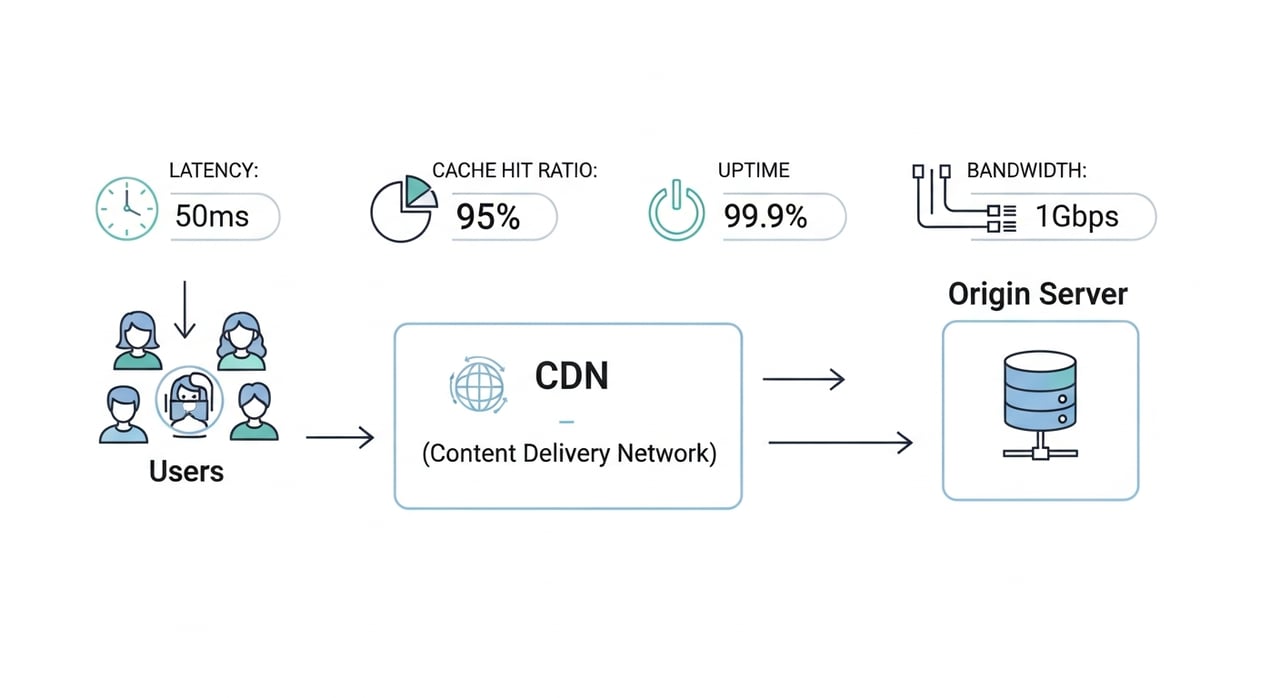
- Cache Hit Ratio (CHR): Percentage of requests served from cache. A higher CHR usually means lower latency and origin load.
- Byte Hit Ratio (BHR): Percentage of total bytes served from cache. Especially important for video and large assets.
- Origin Offload: How much traffic is prevented from hitting your origin. Key for infrastructure cost planning.
- Error Rate (4xx/5xx): Monitored separately for CDN edge and origin. Spikes often reveal configuration mistakes or vendor outages.
- HTTP Protocol Distribution: Percentage of traffic on HTTP/1.1, HTTP/2, and HTTP/3.
According to Google’s Chrome User Experience data, moving traffic from HTTP/1.1 to HTTP/2 and HTTP/3 can significantly reduce tail latencies, particularly on high-RTT connections. A modern CDN should help you accelerate that transition.
When was the last time your team reviewed cache hit ratio per path (e.g., /static/, /media/, API routes) and linked it directly to origin load and cost?
Business and Reliability Metrics: Translating Performance Into Outcomes
Performance isn’t the goal by itself; it’s a lever for business outcomes. You should be tying CDN metrics to:
- Conversion Rate: Faster sites convert better. Walmart reported a 2% increase in conversions for every 1 second of improvement in load time.
- Session Duration and Bounce Rate: Especially for content and streaming businesses.
- Infrastructure Cost: Reduced origin egress and compute usage from better caching and offload.
- Availability/Uptime: True end-user uptime, not just CDN SLA promises.
Can you quantify how many dollars of infrastructure cost your CDN is saving you each month—or how many dollars in revenue slow regions are costing you?
Real User Monitoring (RUM): The Most Honest View of CDN Performance
If synthetic tests are like lab conditions, Real User Monitoring is the field test. It captures how real users, on real devices and networks, experience your application with the CDN in place.
Why RUM Is Essential for CDN Evaluation
RUM collects performance data from the browser or app directly. That makes it uniquely powerful for CDN analysis:
- Shows performance across actual ISPs, devices, and regions—not just well-connected test agents.
- Highlights the “long tail” of slow users where the CDN can make or break experience.
- Captures user-centric metrics like LCP, FID/INP, CLS, and video QoE in context.
- Lets you correlate performance with business outcomes for specific geographies or content types.
For example, many streaming platforms discovered through RUM that users on mid-range Android devices in emerging markets had dramatically worse startup times than those on desktop—even when synthetic tests showed “good” numbers. Only by correlating CDN routing, bitrate, and startup data from real devices were they able to tune their CDN strategy effectively.
Key RUM Metrics for CDN Monitoring
When deploying RUM, configure it to expose CDN-specific views:
- Page and route-level LCP and TTFB by country, ISP, and device type.
- Resource Timing: Focus on static assets (JS/CSS/images), video segments, and download files served via CDN.
- Error Tracking: Correlate spikes in 4xx/5xx with specific edge locations or ISPs.
- QoE for Streaming: startup delay, rebuffering ratio, average bitrate, and abandon rate.
A practical tip: tag requests with a custom header or query parameter when an experiment serves them via a different CDN or origin route. Your RUM tool can then segment performance and UX by vendor or configuration.
Ask yourself: if you temporarily shifted 20% of traffic in a key region to a second CDN, would you be able to see exactly how that affected real users in less than an hour?
Synthetic Monitoring: Controlled Tests for Routing, Latency, and Uptime
RUM tells you what users are experiencing; synthetic monitoring tells you how the delivery path behaves under controlled conditions. You need both.
What Synthetic Monitoring Reveals About CDN Behavior
Synthetic monitoring uses globally distributed agents to simulate users accessing your application. For CDN evaluation, it’s particularly useful for:
- Baseline Latency: DNS, TLS, and TTFB from many locations.
- Route Consistency: Detecting bizarre paths or suboptimal peering in specific ISPs.
- Protocol Support: Validating HTTP/2 and HTTP/3 adoption across geographies.
- Availability: Confirming uptime during incidents and vendor outages.
For enterprises running in multiple cloud regions, synthetic monitoring can also show whether the CDN is correctly steering users to the nearest healthy origin, or accidentally sending EU traffic to US regions due to misconfiguration.
Designing Synthetic Tests for Realistic CDN Evaluation
To get meaningful data, avoid shallow, generic checks. Instead:
- Test real pages and endpoints, not just a “/health” URL.
- Simulate realistic connection types (3G/4G/5G) and device constraints where possible.
- Measure multiple steps (HTML + critical resources), not single-request pings.
- Run tests from locations that mirror your real traffic distribution.
A sample synthetic setup for a global SaaS platform might include:
- Every 5 minutes: Full page load test from 10–20 strategic cities across Americas, EMEA, and APAC.
- Every minute: API latency tests against key authenticated endpoints.
- Continuous: HTTP/3-enabled tests to critical CDN-served assets.
How closely do your current synthetic tests resemble what your most valuable customers are actually doing?
Log Analytics and CDN Observability: Going Beyond Dashboards
RUM and synthetic monitoring show you outcomes. CDN logs show you the mechanics: every request, status code, cache outcome, and latency bucket. This is where performance engineering moves from “guessing” to “knowing.”
What to Collect From CDN Logs
Most modern CDNs offer real-time or near-real-time log streaming. At a minimum, capture:
- Timestamp, Request Path, and Method
- Status Code and Cache Status (HIT, MISS, BYPASS, EXPIRED, etc.)
- Edge Latency (time spent at the CDN) vs Origin Latency
- Client IP or Anonymized Prefix (for geolocation and ISP mapping)
- Protocol and TLS Version
- Bytes Sent and Received
With this, you can build powerful visualizations:
- Cache hit ratio over time by path, region, and content type.
- Origin latency distributions and outliers.
- Comparisons of HTTP/1.1 vs HTTP/2/3 performance.
- Error spikes tied to specific changes or deploys.
For high-volume services (media, gaming, download-heavy SaaS), log analysis is often the only way to verify that cache rules and origin shielding are working as intended.
Example: Translating CDN Logs Into Business Insights
Imagine a global streaming platform noticing rising cloud egress bills. CDN logs reveal that while the overall cache hit ratio looks healthy (90%), the byte hit ratio for 4K video segments in APAC is only 60%. Investigating further, they discover per-title cache fragmentation caused by aggressive per-user query parameters in segment URLs.
By normalizing URLs and tightening cache keys, they lift BHR in APAC above 90%, significantly lowering origin egress and improving start times. None of this would have been obvious from aggregate dashboards alone.
Are your CDN logs currently ending up in cold storage—or are they part of an active observability pipeline accessible to both SRE and product teams?
Key Tools for Evaluating and Monitoring CDN Performance
The best CDN monitoring strategies combine vendor tools with neutral, third-party vantage points. Here’s how to structure your stack.
Vendor Dashboards and APIs
Your CDN provider’s native analytics usually offer:
- Traffic volumes and bandwidth by region.
- Cache hit/miss ratios and origin offload metrics.
- Error codes and sometimes per-URL statistics.
- Basic latency distributions.
These are a good starting point, especially for day-one validation after a migration or configuration change. But avoid relying solely on vendor dashboards to grade the vendor’s own performance; always complement with independent measurements.
RUM and APM Platforms
Application Performance Monitoring (APM) and RUM solutions provide the “user lens” on top of CDN data. Leading platforms typically let you:
- Capture Core Web Vitals and custom performance metrics.
- Segment performance by country, device, browser, and ISP.
- Trace requests from the client, through the CDN, to your origin and microservices.
- Correlate performance with business KPIs (conversions, retention, revenue).
To make them CDN-aware, configure custom dimensions such as:
- CDN hostname or vendor identifier.
- Cache status (from response headers) when available.
- Protocol (HTTP/2 vs HTTP/3).
With those, you can answer questions like: “Do HTTP/3 users in Brazil see a statistically significant improvement in LCP compared to HTTP/2?”
Synthetic Monitoring and Internet Weather Tools
Third-party synthetic monitoring providers give you vendor-neutral visibility. Use them to:
- Benchmark different CDN providers before making a switch.
- Track routing and latency in markets where you have limited RUM volume.
- Detect regional degradations before they hit your error budgets.
It’s also helpful to watch “Internet weather” dashboards from major measurement companies that publish anonymized, aggregated data about regional outages and performance anomalies. These can confirm whether an incident is specific to your CDN or part of a broader ISP or backbone issue.
Are your SREs equipped with at least two independent vantage points to verify CDN behavior when an incident begins—and not just the CDN’s own status page?
Designing a Methodology to Compare and Benchmark CDNs
Switching or adding a CDN is a high-impact decision. To avoid relying on marketing claims, you need a rigorous, repeatable benchmarking methodology.
Phase 1: Define Success and Scope
Start with questions, not tools:
- Which regions and ISPs matter most to our revenue and growth?
- Is our priority web page speed, video QoE, download performance, or API latency?
- What are our non-negotiables (e.g., specific protocols, log access, custom rules)?
- What’s our current cost per TB of delivered traffic, and what target do we want?
From there, define the metrics you’ll use to judge success: 95th percentile LCP in specific regions, rebuffering ratio under 0.5% for streaming, origin offload above 90%, etc.
Phase 2: Set Up A/B or Canary Testing
The gold standard for CDN evaluation is live production traffic. A/B or canary testing lets you do that safely:
- DNS-based Splitting: Serve different IPs or hostnames for separate CDNs.
- Application Routing: Use application logic or an edge function to route by cookie, header, or geo.
- Progressive Rollout: Start with 1–5% of traffic in a single region before expanding.
Ensure your RUM and logs can distinguish between CDNs (via hostnames, headers, or tags). Without that, you’ll only see aggregate behavior and won’t be able to attribute improvements or regressions.
Phase 3: Measure, Compare, and Normalize
Collect data across a sufficient period (at least 7–14 days to capture weekly patterns). Focus on:
- 95th and 99th percentile user metrics, not just medians.
- Regional breakdowns for your top 5–10 markets.
- Error rates and incident counts.
- Cost per TB and estimated origin egress saved.
Normalize for confounding factors where possible: ensure traffic mix (bots vs humans, mobile vs desktop, content types) is similar between CDNs, or at least understood and accounted for.
Can your organization currently run a controlled 50/50 experiment between two CDNs without risking downtime or massive complexity for your developers?
Evaluating CDN Performance for Specific Use Cases
Different industries and workloads stress different aspects of CDN performance. Let’s look at a few common scenarios and what you should prioritize when evaluating and monitoring CDNs for each.
Media and Streaming Platforms
For broadcasters, OTT platforms, and live event producers, the main concerns are:
Startup time, rebuffering, bitrate stability, and concurrency at scale.
Key metrics to monitor:
- Time to First Frame (TTFF) and Join Time.
- Rebuffering ratio and rebuffering events per hour.
- Average and median bitrate delivered by geography.
- Concurrency and traffic spikes during live events.
Here, CDN log-level visibility on segment delivery and cache performance is vital. Misconfigured cache rules can cause segments to be fetched repeatedly from origin, killing both startup time and cloud egress budgets.
Modern providers like BlazingCDN are increasingly chosen by media companies that need predictable high performance during traffic peaks without the traditional enterprise CDN price premium. With 100% uptime commitments and aggressive pricing starting at $4 per TB ($0.004 per GB), BlazingCDN delivers stability and fault tolerance on par with Amazon CloudFront while remaining more cost-effective for large-scale audiences. For teams operating in streaming and VOD, that mix of reliability, fast scaling, and budget efficiency is hard to ignore, as detailed in their solutions for media-focused workflows at BlazingCDN solutions for media companies.
Are you currently measuring rebuffering and startup times with enough granularity to see the impact of cache tuning or a CDN change during a major live event?
Software Delivery and SaaS Platforms
For SaaS and software distribution (installers, updates, binaries), the focus shifts toward:
- Reliable, fast downloads for large files.
- Minimal origin load during update rollouts.
- Consistent performance across enterprise networks and VPNs.
Important metrics:
- Throughput and download completion time at the 95th–99th percentile.
- Cache hit ratio and byte hit ratio for installers and update files.
- Error rate and partial download failures.
For global SaaS providers, a performant CDN strategy directly lowers churn: slow admin panels, laggy dashboards, or failed file uploads compound into user frustration.
BlazingCDN’s positioning as a high-performance yet cost-efficient provider makes it particularly attractive to fast-growing SaaS vendors. It can help them scale updates and static asset delivery globally while keeping predictable, low per-GB pricing and flexible configurations that integrate into existing DevOps workflows. This balance of enterprise-grade reliability and cost control is already recognized by major corporate customers using BlazingCDN as a forward-thinking choice for global delivery.
Do you know how your last major software release or front-end bundle rollout impacted global download speeds—and which part of that story was the CDN vs your origin?
Gaming and Interactive Experiences
Gaming companies have a unique mix of performance needs:
- Massive, spiky traffic when new seasons, patches, or expansions drop.
- Large game assets, textures, and updates that must download quickly.
- Highly sensitive users who notice even small delays.
Metrics to watch:
- Peak throughput and bandwidth ceiling during launches.
- Download times for large assets by region and ISP.
- Error rates and timeouts during patch rollouts.
Here, CDN performance directly influences day-one retention and revenue from new content drops. Poor update performance can quickly translate into social backlash and lost microtransaction revenue.
BlazingCDN’s ability to scale fast, maintain 100% uptime, and remain cost-effective at only $4 per TB makes it a strong option for gaming companies looking to offload heavy asset delivery without overpaying for traditional enterprise CDN contracts. Its flexible configuration model lets game publishers fine-tune caching rules and delivery logic per title and region to handle the unpredictable spikes that define modern game operations.
Does your current CDN monitoring strategy include dedicated alerting for patch-day performance, or are you discovering problems only after complaints appear on social or support channels?
Balancing Performance and Cost: Measuring Value, Not Just Speed
CDN decisions often stall because teams debate “fastest” rather than “best value for our workloads.” To evaluate a CDN properly, performance must be considered alongside cost and operational flexibility.
Key Cost and Value Metrics
Beyond raw price per TB, monitor:
- Effective Cost per TB Delivered: After discounts, volume tiers, and ancillary fees.
- Origin Egress Savings: How much you’d pay without the CDN’s offload.
- Cost per Performance Point: e.g., cost per 100 ms of median LCP improvement in a target region.
- Operational Overhead: Time your team spends on workarounds, incidents, and vendor limitations.
By framing CDN evaluation around “cost per millisecond saved” or “cost per percent of cache offload,” you can communicate more effectively with finance and leadership teams.
Why Cost-Efficient, High-Performance CDNs Are Reshaping Enterprise Strategy
Enterprises historically gravitated toward a few legacy CDN providers for perceived safety. Today, however, modern CDNs like BlazingCDN have narrowed the gap on performance and resiliency, while undercutting legacy pricing models.
BlazingCDN, for instance, delivers stability and fault tolerance on par with Amazon CloudFront, yet starts at just $4 per TB ($0.004 per GB). For enterprises with high traffic volumes—media, streaming, gaming, SaaS—this can translate into six- or seven-figure annual savings without compromising on uptime or end-user experience. The ability to tailor configurations and quickly scale delivery makes it an especially appealing choice for companies that value both reliability and operational efficiency; details on these capabilities are outlined across its feature set at BlazingCDN’s feature overview.
Are you still paying a “brand premium” for legacy CDN contracts that no longer reflect the competitive reality of the market?
Practical Checklist: How to Start Monitoring CDN Performance Today
If you’re unsure where to begin, use this checklist as a starting roadmap.
Step 1: Inventory What You Have
- List all domains and paths currently served through your CDN.
- Document caching rules, headers, and any edge logic in place.
- Identify your top 5 geographies and ISPs by traffic and revenue.
Step 2: Enable or Enhance RUM
- Ensure you’re capturing LCP, TTFB, and other Core Web Vitals.
- Tag requests with CDN-related data where possible (hostname, protocol).
- Build dashboards by region, device, and ISP.
Step 3: Stand Up Synthetic Tests
- Configure multi-step tests that mirror real user flows.
- Target your critical regions and high-value paths.
- Set alerts for latency and availability thresholds.
Step 4: Stream and Analyze CDN Logs
- Stream logs into an analytics or observability platform.
- Track cache hit ratio, origin latency, and error rates.
- Segment data by content type and path.
Step 5: Define SLIs and SLOs
- SLIs: e.g., 95th percentile LCP, edge latency, rebuffering ratio.
- SLOs: e.g., 99.9% of sessions with LCP < 2.5s in key markets.
- Track error budgets and link them to incident response.
Step 6: Plan Controlled Experiments
- Identify a region or segment where you suspect underperformance.
- Test new configurations or even an alternative CDN using controlled traffic splits.
- Measure impact with your RUM, synthetic, and log pipelines.
Which of these steps could you realistically implement in the next 30 days—and which would create the biggest immediate impact on your users’ experience?
Your Next Move: Turn CDN Performance Into a Competitive Advantage
Every millisecond and every rebuffered second is already affecting your bottom line—whether you’re measuring it or not. The organizations that win on digital experience treat CDN performance as a living system to be observed, tuned, and optimized, not as an invisible checkbox.
If your current CDN visibility stops at a single vendor dashboard, now is the moment to build a proper monitoring stack: RUM for truth from the user’s device, synthetic tests for controlled benchmarking, and log analytics for granular insight into cache and routing behavior. With those in place, you can finally evaluate CDNs on what truly matters: the combination of user experience, reliability, and cost.
BlazingCDN is built for teams that are ready to make that shift—from accepting performance as-is to actively engineering it. With 100% uptime, performance on par with top-tier providers like Amazon CloudFront, and pricing starting at $4 per TB, it offers a rare combination of speed, resilience, and financial efficiency that fits media, SaaS, gaming, and enterprise workloads alike.
If you’re serious about turning your CDN into a measurable competitive advantage, start by pressure-testing your current setup against the metrics and methods outlined here. Then, explore what a modern, cost-effective provider can bring to your stack—and how quickly you could see the difference in your dashboards, your invoices, and your user feedback.
Ready to benchmark, optimize, or rethink your CDN strategy? Dive deeper into performance-focused configurations, pricing options, and enterprise capabilities, and then share your findings with your team—or challenge your current vendor—based on real data, not assumptions.