
Learn
Lossy vs Lossless Compression: Images, Video and Audio
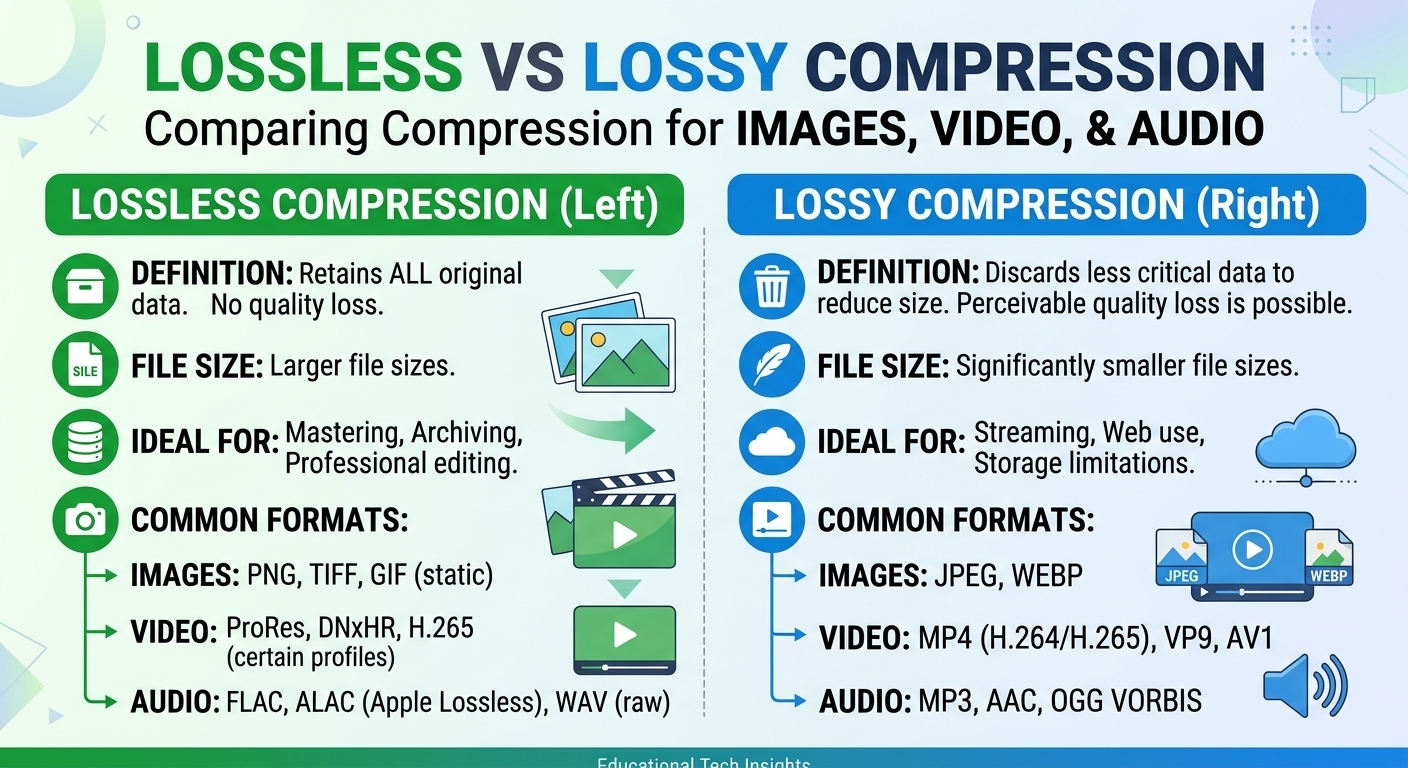
Lossy vs lossless compression comes down to one trade: lossless compression rebuilds every original bit and typically ...
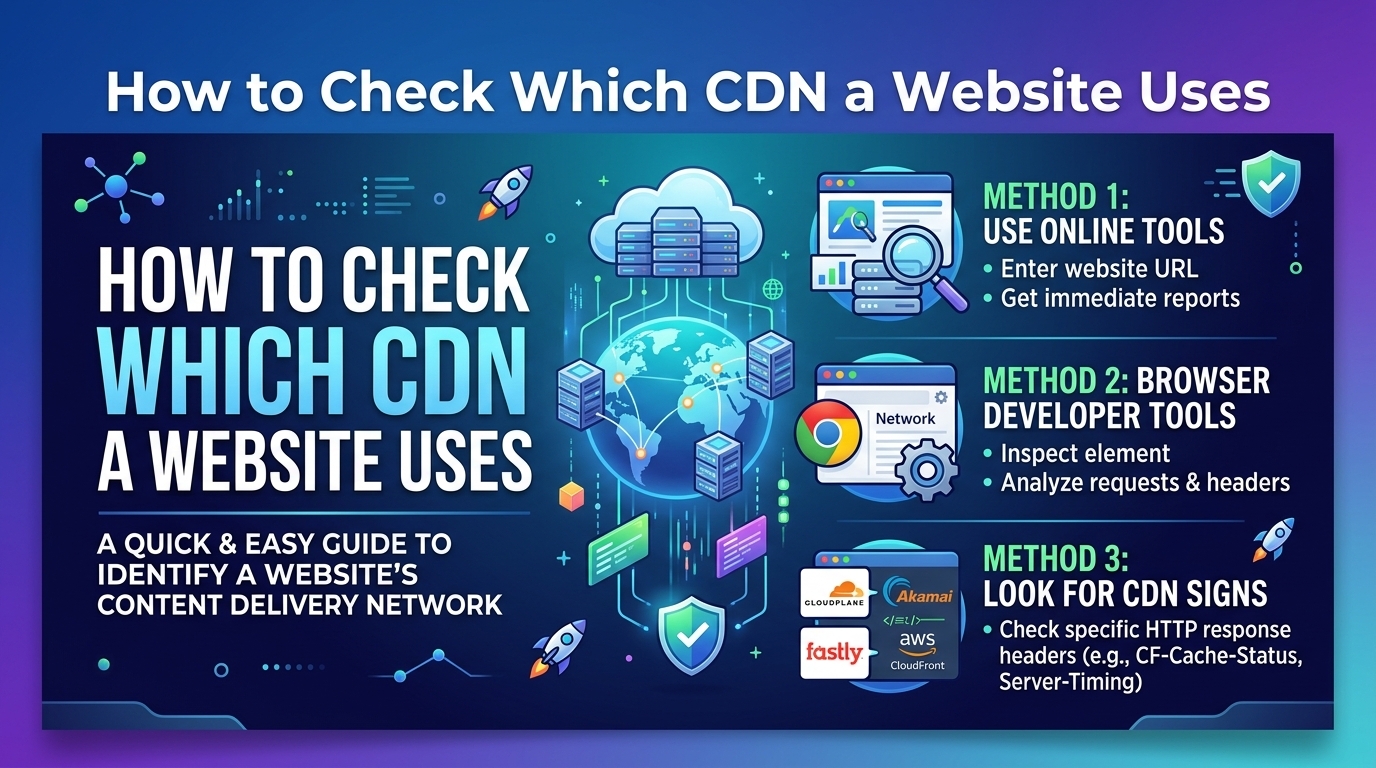
Checking which CDN a website uses takes about 10 minutes per hostname, and it comes down to three signals: the HTTP response headers, the DNS CNAME chain, and the TLS certificate presented on port 443. Headers name the vendor outright in most cases. DNS confirms the answer when headers have been renamed or stripped. The certificate catches shared-infrastructure setups the other two miss. This playbook gives you runnable checks for each signal, a fingerprint table covering the major providers, and the false positives that make single-signal identification unreliable.
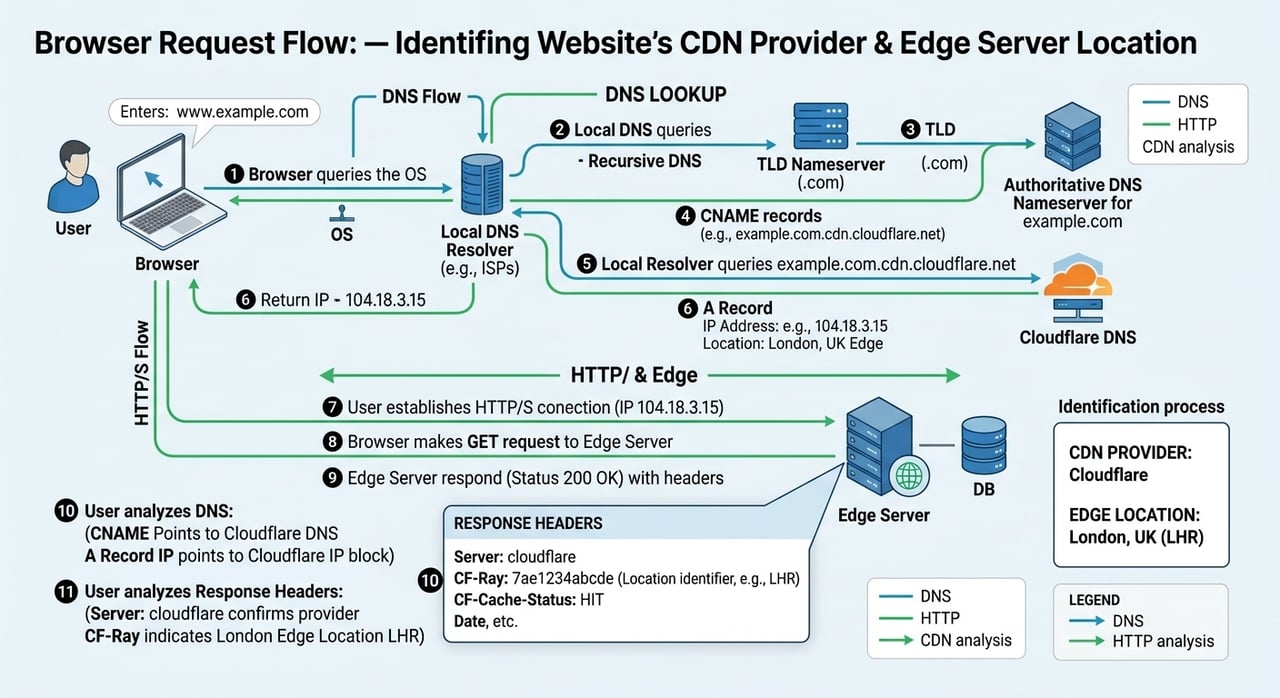
Work the signals in this order, because each one costs more effort than the last and the cheap ones usually finish the job:
Send one HEAD request and print every response header. Headers are the highest-signal, lowest-effort check, and CDN detection headers are usually left at their defaults because nobody bothers to change them.
import urllib.request

TARGET = "https://TARGET_HOST/"   # substitute the full URL you want to fingerprint

req = urllib.request.Request(TARGET, method="HEAD")
req.add_header("User-Agent", "Mozilla/5.0 cdn-fingerprint-check")
resp = urllib.request.urlopen(req, timeout=10)

print("status:", resp.status)
for name, value in resp.headers.items():
    print(name + ": " + value)
Why HEAD: it returns the full header set without pulling the body, so you can fingerprint a 4 GB installer as cheaply as a homepage. If the server answers 405 or 403, switch the method to GET and read the headers from the browser Network tab instead.
Before you trust the output, accept the main limitation: every one of these headers is configurable. Operators strip them for security review reasons, and providers that sell white-label CDN delivery such as BlazingCDN let customers remove or rename vendor branding entirely, which is why a clean header set is not evidence that no CDN is present. Cloudflare, Fastly, Amazon CloudFront and Akamai are simply the ones you meet most often with defaults intact.
| Provider | Headers you will see | Notes |
|---|---|---|
| Cloudflare | server: cloudflare, cf-ray, cf-cache-status | cf-ray is present even on proxy-only zones with caching off |
| Amazon CloudFront | x-amz-cf-id, x-amz-cf-pop, via containing CloudFront | x-cache reports Hit or Miss from cloudfront |
| Fastly | x-served-by, x-cache, x-cache-hits, via: 1.1 varnish | x-served-by carries two node IDs on a shield setup |
| Akamai | server: AkamaiGHost, akamai-grn, x-cache with TCP_MEM_HIT | Many Akamai tenants suppress all of these |
| Microsoft Azure Front Door | x-azure-ref, x-cache | x-azure-ref appears on error responses too |
| Google Cloud CDN | via: 1.1 google, age, x-goog-* on storage origins | Shares fingerprints with other Google front ends |
| Bunny.net | server: BunnyCDN, cdn-cache, cdn-requestid, cdn-pullzone | cdn-pullzone leaks the tenant's zone name |
| KeyCDN | server: keycdn-engine, x-edge-location, x-cache | x-edge-location gives a three-letter site code |
The single most useful takeaway: a vendor-specific request-ID header (cf-ray, x-amz-cf-id, x-served-by, akamai-grn) is a positive identification, while a generic server header proves nothing either way.
Two more headers are worth grepping for. An age header with a non-zero value means something in front of the origin is caching. A cdn-loop header means at least one CDN already handled the request and is protecting itself from forwarding loops, which is your first hint that two CDNs are chained.
DNS is the signal that survives header stripping. Resolve the hostname, the apex, and the nameservers.
dig +short CNAME www.TARGET_HOST
dig +short A www.TARGET_HOST
dig +short NS TARGET_HOST
dig +short CNAME assets.TARGET_HOST
Substitute TARGET_HOST with the registrable domain. Run the last query against every hostname that appears in the page's asset URLs, because the HTML and the static assets frequently sit on different providers.
| CNAME suffix | Provider |
|---|---|
| cloudfront.net | Amazon CloudFront |
| fastly.net, fastlylb.net | Fastly |
| edgekey.net, edgesuite.net, akamaiedge.net, akamaized.net | Akamai |
| azureedge.net, azurefd.net, t-msedge.net | Microsoft Azure |
| b-cdn.net | Bunny.net |
| kxcdn.com | KeyCDN |
| cdn77.org, rsc.cdn77.org | CDN77 |
| gcdn.co | Gcore |
| cachefly.net | CacheFly |
A CNAME landing on one of these suffixes is the strongest single piece of evidence you can get without vendor confirmation.
Two DNS patterns need interpretation. Nameservers ending in ns.cloudflare.com with A records and no CNAME mean Cloudflare is proxying at the apex, since Cloudflare rarely exposes a CNAME target on a full-setup zone. A CNAME chain that passes through a traffic-management hostname before landing on a vendor suffix means DNS-based steering is in play, and the vendor you see is only the one that resolver got at that moment.
Pull the certificate and read the issuer plus the subject alternative name list.
import ssl, socket

HOST = "TARGET_HOST"   # substitute the hostname, no scheme, no path

ctx = ssl.create_default_context()
conn = ctx.wrap_socket(socket.socket(), server_hostname=HOST)
conn.settimeout(10)
conn.connect((HOST, 443))
cert = conn.getpeercert()
conn.close()

print("issuer:", cert["issuer"])
print("subject:", cert["subject"])
for entry in cert["subjectAltName"]:
    print("san:", entry[1])
What you are looking for: a SAN list containing dozens of unrelated domains means a shared CDN certificate, which is a near-certain CDN indicator even when headers are clean. A default vendor certificate covering a wildcard on cloudfront.net or akamaized.net tells you the tenant never attached a custom certificate. An issuer that belongs to a CDN's own certificate authority is a direct attribution.
Take the A or AAAA record from step 2 and look up its autonomous system number in any RDAP or IP intelligence interface. AS13335 is Cloudflare, AS54113 is Fastly, AS20940 is the Akamai edge, AS16509 is Amazon, AS15169 is Google, AS8075 is Microsoft. This is the tiebreaker when headers say one thing and DNS says another, and it is the only check that works on a bare IP with no hostname.
As of 2026, the practical confidence threshold for identifying the CDN behind a hostname is agreement between two independent signals: a vendor request-ID header such as cf-ray or x-amz-cf-id, plus a CNAME chain terminating in that vendor's own suffix (cloudfront.net for Amazon CloudFront, fastly.net for Fastly, b-cdn.net for Bunny.net). Header evidence alone is not sufficient, because any tenant with edge configuration access can rename or delete those headers in under five minutes.
| Signal | Confidence | What fools it |
|---|---|---|
| Vendor request-ID header | High, when present | Stripped or renamed headers; a second CDN in front rewriting them |
| CNAME suffix | Very high | Multi-CDN steering returning a different vendor per resolver |
| Shared certificate SAN list | Medium to high | Custom uploaded certificates hide the provider completely |
| Autonomous system owner | Medium | CDNs running inside cloud ASNs; bring-your-own-IP deployments |
No single row is decisive on its own, which is exactly why you run all four and look for agreement.
One-off checks go stale. Wrap step 1 and step 2 in a scheduled job that stores the response headers and the resolved CNAME per hostname once a day, and diff the results. A CNAME that changes suffix is a migration in progress; a CNAME that alternates between two suffixes on consecutive polls is active multi-CDN steering, and the ratio over a week tells you the traffic split. Keep the poll rate to a few requests per hostname per day so you stay inside normal crawl behaviour.
Send one HEAD request and read the response headers. A cf-ray header means Cloudflare, x-amz-cf-id means Amazon CloudFront, x-served-by with via: 1.1 varnish means Fastly. This takes seconds. Confirm with a CNAME lookup before you rely on the answer, because headers are configurable and can be renamed or removed by the site operator.
Yes, partially. Operators can strip vendor headers, upload custom TLS certificates, and use white-label hostnames, which removes the three easiest signals. What is much harder to hide is the routing itself: the autonomous system announcing the answering IP address and the behaviour of the DNS chain still indicate that a third-party delivery network is in the path.
Resolve the hostname repeatedly from several networks and public resolvers, and record each CNAME target. Multi-CDN steering returns different vendor suffixes depending on resolver location and current health data. A cdn-loop header, or two vendor fingerprints in a single response, indicates chained providers rather than parallel steering.
No. A vendor header proves the request passed through that provider's edge, not that the response was served from cache. Read the cache-status header, the age header, or the vendor equivalent such as cf-cache-status or x-cache. A proxied request with caching disabled will show vendor headers and an age of zero on every request.
Before you fingerprint anyone else, point the four checks at your own hostnames. Most teams find at least one surprise: an asset domain still on a provider they migrated off, a header set that leaks the internal pull-zone name, or a certificate whose SAN list exposes a partner domain nobody meant to publish. Build a small fingerprint sheet for your top 20 hostnames, re-run it monthly, and diff it. It takes an afternoon and it is the cheapest inventory of your own delivery path you will ever produce.

Heavy traffic.
Light bill.
The CDN for video and large traffic
Learn
Lossy vs lossless compression comes down to one trade: lossless compression rebuilds every original bit and typically ...
Pricing - Pricing & Costs
The CloudFront vs S3 decision depends more on object size than on traffic volume. At a 500 KB average response, 100 TB ...
Learn
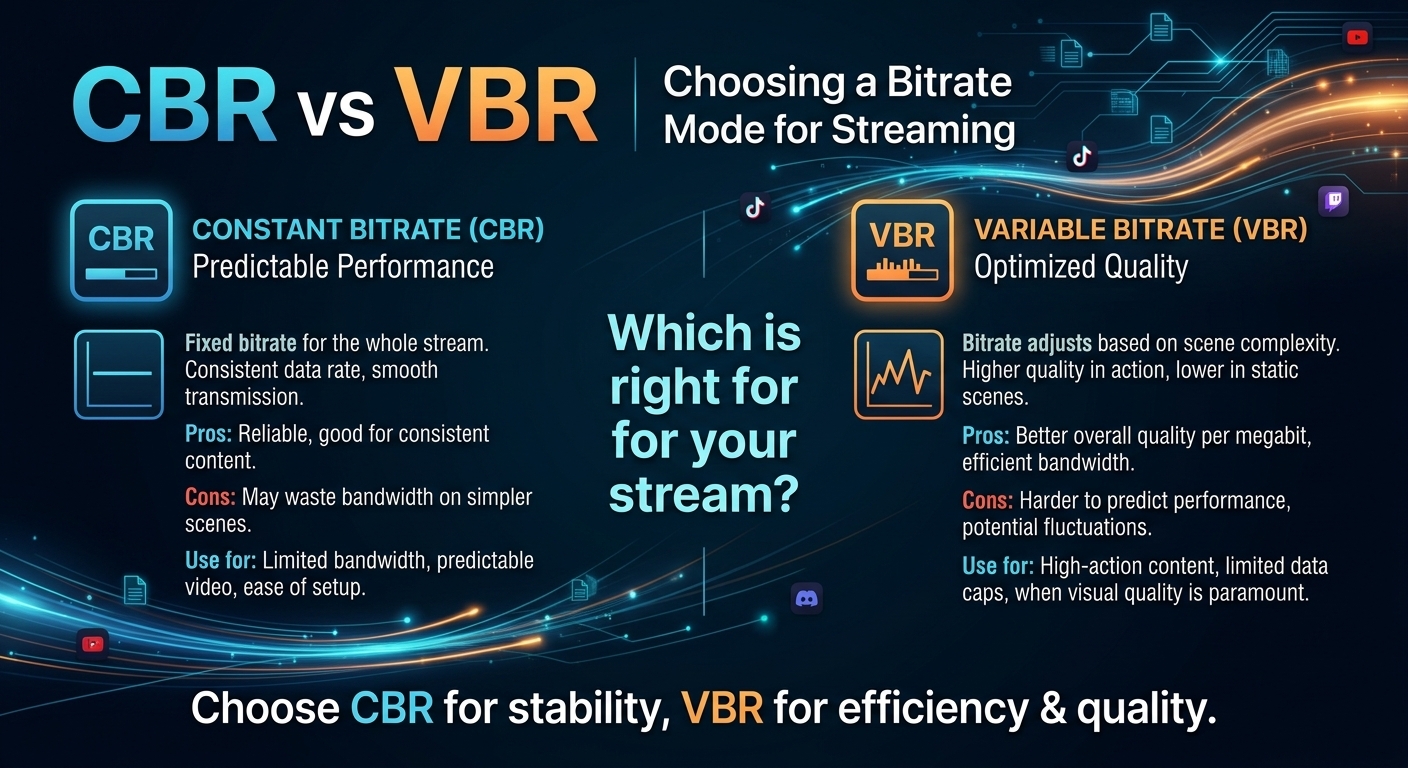
For most on-demand video, capped variable bitrate (VBR) wins the cbr vs vbr decision: it spends bits where the picture ...