
Learn
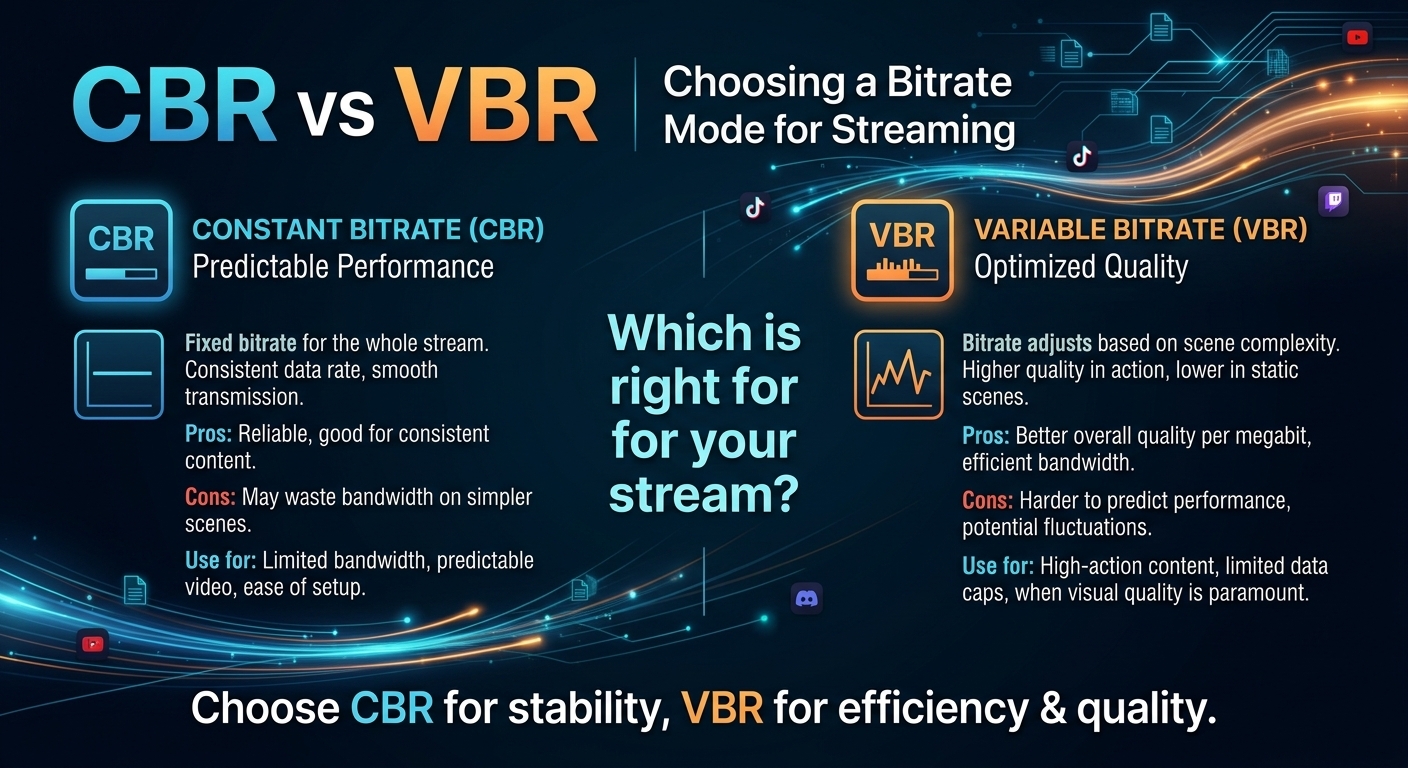
CBR vs VBR: Choosing a Bitrate Mode for Streaming
For most on-demand video, capped variable bitrate (VBR) wins the cbr vs vbr decision: it spends bits where the picture ...

In a recent survey, 60% of enterprises reported that a single hour of critical-application downtime costs them at least $300,000, and for a significant share it exceeds $1 million per hour, according to data often cited by Gartner and Statista. Yet most traffic-heavy businesses still rely on a single content delivery network (CDN) as if one vendor’s SLA could hold back every real-world failure.
If your revenue, user trust, and brand reputation live or die on digital performance, a single-CDN strategy isn’t resilience — it’s a calculated gamble. In this article, we’ll unpack how a well-designed multi-CDN strategy turns that gamble into a controlled, fault-tolerant system that can ride out vendor incidents with little more than a blip in monitoring.
We’ll walk through real-world outages, architectural patterns, economic trade-offs, and how enterprises are quietly using multi-CDN to protect streaming, gaming, SaaS, and software delivery at internet scale. Along the way, you’ll see where a provider like BlazingCDN fits in when you need performance, fault tolerance, and aggressive cost control at the same time.
Ask yourself as you read: If your primary CDN went dark for 30 minutes during peak traffic today, what would it cost, and how quickly could you really recover?
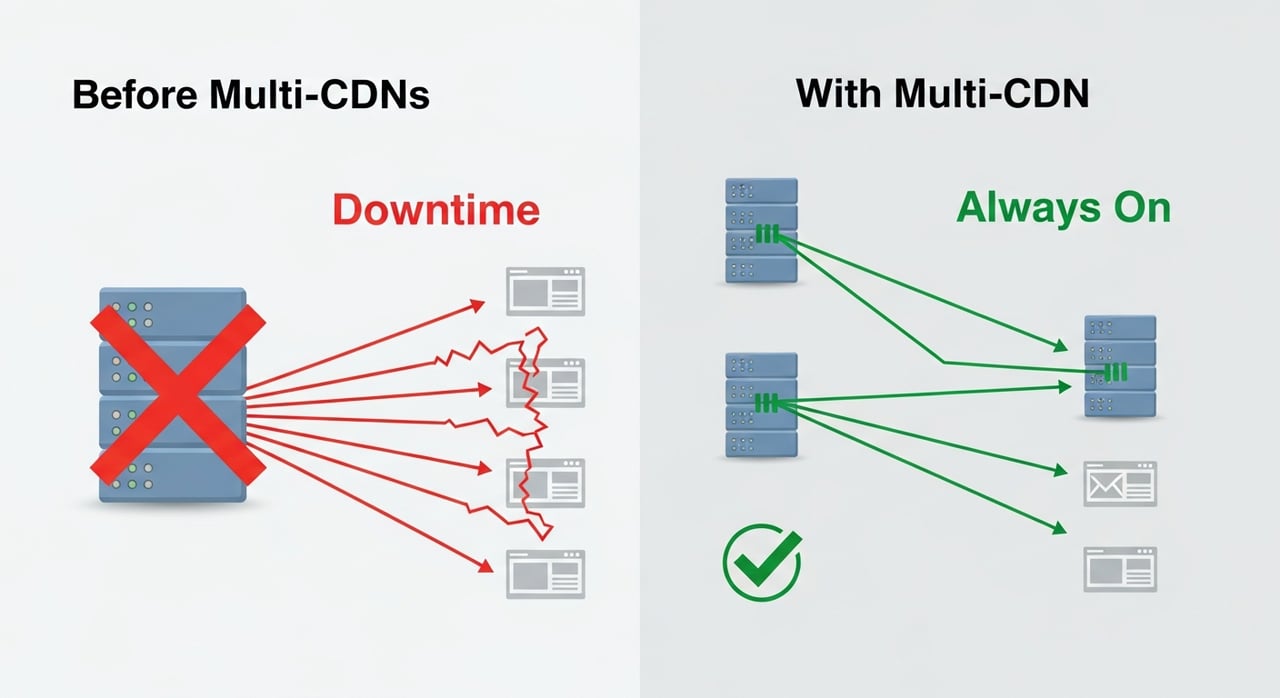
Downtime isn’t just an engineering issue; it’s a P&L and boardroom issue. Research frequently cited by Gartner puts the average cost of IT downtime around $5,600 per minute — over $300,000 per hour — for large enterprises. Other industry data shows that for some sectors (financial services, large ecommerce, major streaming platforms), a single high-profile incident can cause multi-million-dollar losses when you combine:
We’ve all seen the headlines: major retailers going offline during Black Friday, large streaming platforms buffering during global sports events, financial institutions dealing with portal outages during trading hours. In many of those incidents, a single infrastructure or CDN provider became a real-time bottleneck for the entire business.
Behind closed doors, many of those same companies have since shifted to a multi-CDN posture. They learned the hard way that redundancy at the server or even cloud level means little if the single CDN that fronts everything becomes a single point of failure.
Reflection point: Are you measuring the true business impact of 5, 15, or 30 minutes of CDN-related downtime, or are you simply trusting the SLA and hoping the worst never happens?
On paper, a single global CDN with a strong SLA sounds safe enough. In practice, even the largest providers experience incidents: routing misconfigurations, software bugs, TLS issues, peering disputes, or regional capacity constraints. Publicly documented outages involving major CDN vendors in 2020–2023 briefly took down or degraded access to news sites, ecommerce platforms, developer repositories, government portals, and SaaS tools globally.
Most CDN SLAs promise around 99.9–99.99% uptime. That looks impressive until you translate it into downtime:
Even at 99.99%, a single 10–15 minute incident is still within SLA. You might get a tiny service credit later, but there’s no refund for lost conversions, missed ad inventory, or an angry CEO watching the real-time dashboard go red.
Relying on one vendor’s SLA is like insuring your house but leaving the door unlocked. The policy may pay out later; it doesn’t prevent the disaster.
Common failure patterns include:
In a single-CDN setup, any of these events can take your external experience down or push latency so high that users effectively give up. Internal teams are left with limited levers: open a critical ticket, watch status pages, hope for quick remediation, and maybe try an emergency DNS switch to an untested backup that hasn’t been synchronized in months.
Question to consider: If your primary CDN suddenly became unusable right now, do you have a fully tested, production-ready alternative that can take traffic within seconds — or just a vendor contact and a support ticket queue?
“Multi-CDN” is often misunderstood as simply “having two CDN contracts.” In reality, a true multi-CDN strategy is an architecture and operations practice where you:
The end goal isn’t just vendor diversity; it’s resilience, performance, and cost optimization across heterogeneous providers.
Multi-CDN is not a magic switch that eliminates all risk. It’s a disciplined way of ensuring that when — not if — one provider has a bad day, your users barely notice.
Ask yourself: If you call your setup “multi-CDN,” can it really redirect user traffic in near real time based on health signals, or is it just a manual backup plan on paper?
To understand how multi-CDN “saves” you from outages, it helps to walk through a realistic failure scenario and see how the architecture responds.
In a mature multi-CDN deployment, independent monitoring continuously measures:
This data feeds into your traffic steering engine. The moment a CDN’s availability or performance degrades beyond thresholds, that engine is ready to react — often before incident pages are updated or social media picks up the issue.
When health checks detect a problem (for example, elevated 5xx errors in Western Europe on CDN A), the controller adjusts routing:
Depending on your setup, this can be DNS-based (reduced answer weight for CDN A), anycast load-balancer based (adjusting BGP or policy-based routing), or even client-side (SDK chooses an alternative endpoint when errors occur).
The critical question: can the remaining CDNs handle the surge? A well-architected multi-CDN strategy includes capacity modeling and pre-provisioned headroom. You don’t need 2x or 3x capacity at all times, but you do need enough contractual and technical room to absorb traffic when one provider is removed from rotation.
Large streaming and gaming platforms have spoken publicly about using multiple CDNs during high-traffic events (such as major sports tournaments or global game launches) specifically to reduce risk: if one vendor stumbles, others instantly carry more weight.
Once the failing CDN recovers, you don’t blindly send full traffic back. Instead, you:
This closed loop is the real “safety net” that turns a theoretical redundancy into an operational advantage.
Challenge for you: If your primary CDN had a partial regional outage tomorrow, could you automatically shift 30–60% of load to another provider without code changes or an all-hands war room?
To make this concrete, let’s walk through a simplified version of what has happened during recent public CDN incidents — one path for single-CDN, one for multi-CDN. The specifics vary by event, but the pattern is consistent.
The difference isn’t theoretical. Multiple well-known media and SaaS platforms have described how, during major CDN outages, they were able to keep their services substantially available thanks to multi-CDN traffic steering. Some even used the incident as a competitive advantage: while competitors went dark, their own experiences stayed mostly online.
Takeaway question: When the next high-profile CDN incident hits the news cycle, will you be explaining to users why you were down — or quietly watching your multi-CDN dashboard do exactly what it was built for?
Engineering leaders often accept downtime risk because multi-CDN sounds expensive and complex. But when you factor in real-world outage costs, the economics shift quickly.
There are, of course, additional costs:
However, many enterprises find that vendor diversification also improves pricing leverage. When traffic is fungible between providers, you can negotiate better rates and shift non-critical workloads to more cost-effective CDNs while reserving premium vendors for mission-critical segments or regions.
| Scenario | Single-CDN | Multi-CDN |
|---|---|---|
| CDN vendor has a 30-minute regional outage during peak | Users in that region see failures or extreme latency; revenue and KPIs drop sharply | Traffic is shifted to healthy providers; majority of users see minor or no disruption |
| Negotiating annual rates | Limited leverage; you are dependent on a single provider | Competitive pricing as vendors know traffic can be redistributed |
| Scaling for major events (launches, live streams) | Rely on one vendor’s capacity and regional robustness | Spread load across multiple CDNs, reducing capacity and throttling risks |
| Overall cost profile over several years | Lower engineering complexity, but high outage risk and less pricing flexibility | Slightly higher engineering investment, but lower effective risk-adjusted cost |
When you plug realistic outage probabilities and downtime costs into your financial models, the ROI of a well-run multi-CDN architecture often turns positive faster than expected — especially for digital businesses doing tens or hundreds of millions in annual online revenue.
Thought experiment: What fraction of a single major outage’s cost would it take to fund a multi-CDN initiative for the year — and is that trade-off still debatable?
A multi-CDN approach must be designed, not improvised. Below are foundational pillars that enterprises use to build reliable, scalable multi-CDN stacks.
You have three primary approaches (often combined):
Most enterprises start with DNS-based steering and gradually add smarter components as traffic scales and requirements become more sophisticated.
One of the biggest operational risks in multi-CDN is configuration drift: different caching policies, headers, or TLS settings across providers can cause inconsistent behavior.
To avoid this, leading teams:
Some organizations build internal tools or use orchestration platforms to manage multiple CDNs from a single control plane, reducing human error and speeding up rollouts.
Effective multi-CDN isn’t possible without granular observability. In addition to traditional metrics, you should track per-CDN:
This data drives routing decisions and vendor scorecards. Over time, you develop a clear, quantitative view of which CDNs perform best for which geographies, traffic types, and workloads.
Multi-CDN only “saves you” if the system behaves as expected under stress. That’s why mature teams run:
This practice culture is as important as the tooling. The goal is to ensure that when a real outage happens, your multi-CDN behaves like muscle memory, not an untested backup plan.
Self-check: When was the last time you intentionally failed over from one CDN to another in production, on your own terms?
Not every small website needs a fully-fledged multi-CDN stack. But for high-traffic, latency-sensitive industries, it increasingly becomes table stakes.
Global streaming services — video-on-demand providers, live sports broadcasters, news networks — live and die on consistent quality of experience (QoE). Rebuffering, pixelation, and regional outages during tentpole events can trigger subscriber churn and contractual penalties.
Multi-CDN enables these platforms to:
Online games, updates, and large software installers generate enormous, spiky traffic. When a popular title releases a seasonal update or a productivity suite ships a new major version, download traffic can surge by orders of magnitude within hours.
Gaming and software companies use multi-CDN to:
SaaS applications and fintech platforms depend on always-on availability and low latency for both authenticated traffic and public assets (static JS/CSS, images, front-end bundles). A CDN incident that slows or blocks those assets can make the entire application feel down.
Multi-CDN helps these businesses:
Consider: Which parts of your digital experience are “too critical to fail” — and are they truly protected from a single CDN’s bad day?
Once you embrace multi-CDN as a strategy, the question shifts from “which CDN?” to “which combination of CDNs gives me the best mix of resilience, performance, and cost?” This is where BlazingCDN is deliberately positioned.
BlazingCDN is architected for enterprises that need high performance, predictable delivery, and cost efficiency. It runs Anycast routing with built-in failover and NVMe SSD servers, with pricing that starts at $5 per TB and drops to $2.50 per TB at volume (as of October 2026). That pricing matters in a multi-CDN world where you may be splitting tens of petabytes of monthly traffic across several vendors.
With a starting cost of $5 per TB (as of October 2026) and no long-term contract, BlazingCDN gives large enterprises and corporate clients room to design resilient architectures without painful trade-offs between reliability and budget. It’s particularly well suited for streaming and media platforms, SaaS providers, game publishers, and software companies that need to scale rapidly while keeping unit economics under control.
Because BlazingCDN supports flexible configuration and integrates cleanly into orchestrated, multi-vendor environments, many forward-thinking organizations are adopting it as either their primary or secondary CDN, using routing policies to place it where it delivers the maximum value — such as specific regions, content types, or workloads where its performance and pricing are especially compelling.
If you’re actively comparing providers for a multi-CDN rollout, the BlazingCDN CDN comparison guide can help you benchmark cost and capabilities against legacy and hyperscale CDNs in a structured way.
Key takeaway: Multi-CDN doesn’t just protect you from outages; when you include cost-optimized, enterprise-ready providers like BlazingCDN in the mix, it can actually improve your long-term infrastructure economics.
If you’re convinced that single-CDN is too risky but unsure where to begin, a phased, low-regret approach works best.
This will give you an investment envelope for multi-CDN that is grounded in business reality, not fear or guesswork.
Including a cost-effective, high-performance option like BlazingCDN alongside a hyperscale provider gives you both resilience and price leverage from day one.
This controlled roll-out reduces risk and gives teams time to learn each provider’s nuances.
By this point, you’re no longer depending on ticket queues and manual DNS changes when a provider stumbles.
Multi-CDN becomes part of your operating model, not a side project — and that’s when it fully starts paying off.
Ask yourself: If you started this process today, how long would it take before you could confidently say, “We can survive a major outage from any single CDN vendor”?
The uncomfortable truth is that no CDN, cloud provider, or network is immune to failure. Public status pages and industry reports show that even the largest, best-engineered platforms have occasional incidents. The question isn’t whether your primary CDN will ever have a bad day; it’s whether you’ll be prepared when it happens.
A thoughtful multi-CDN strategy transforms outages from existential threats into manageable events. Instead of helplessly watching error graphs spike while waiting on a vendor’s incident report, you can watch your routing engine quietly shift traffic away from trouble, keeping users online and leadership calm.
BlazingCDN exists for exactly this kind of world: one where enterprises need resilient delivery at a cost structure that makes sense for large-scale media, SaaS, gaming, and software-delivery businesses. With pricing starting at $5 per TB and a second-CDN setup behind DNS with weighted traffic split, it fits companies that refuse to compromise between reliability and efficiency.
If you’ve read this far, you probably recognize that your current CDN strategy could be a single point of failure waiting to be exposed by the next big incident. Don’t wait for that to become tomorrow’s post-mortem.
Here’s your call to action: Share this article with your SRE, DevOps, or platform engineering team and ask one simple question: “If our main CDN went down tonight, how much traffic could we automatically move elsewhere within five minutes?” If the honest answer isn’t “all of it,” then it’s time to put a concrete multi-CDN roadmap on your agenda — and to evaluate cost-effective, enterprise-grade options like BlazingCDN as a core part of that plan.

Heavy traffic.
Light bill.
The CDN for video and large traffic
Learn
For most on-demand video, capped variable bitrate (VBR) wins the cbr vs vbr decision: it spends bits where the picture ...
Compare
As of October 2026, the Azure service that matches Amazon CloudFront is Azure Front Door Standard or Premium: Microsoft ...

Learn
In answer to what is a keyframe: a keyframe, or I-frame, is a video frame encoded without reference to any other frame, ...