
Learn
Lossy vs Lossless Compression: Images, Video and Audio
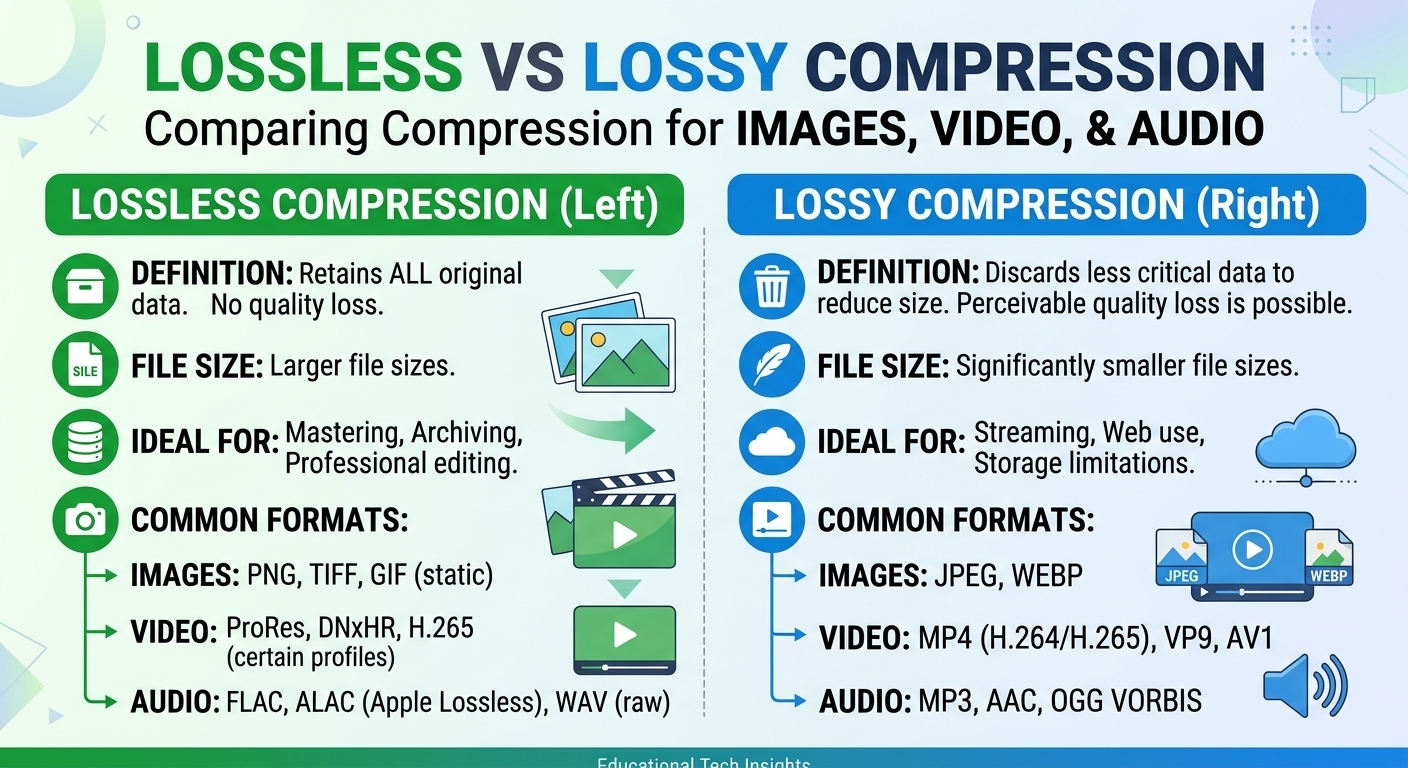
Lossy vs lossless compression comes down to one trade: lossless compression rebuilds every original bit and typically ...
A mid-traffic WordPress property we profiled in Q1 2026 dropped its p75 LCP from 3.4 s to 1.1 s and cut origin requests by 94% — without a redesign, without a new host, and without migrating off PHP. The entire gain came from three Cloudflare features configured correctly and working in concert: Workers, Automatic Platform Optimization, and Image Resizing. That phrase "configured correctly" matters. Most sites running Cloudflare leave significant performance on the floor because each feature is tuned in isolation. This article is a cloudflare website optimization playbook: the specific configuration decisions, the order of operations, the failure modes we have hit in production, and a diagnostics-and-rollback checklist you can use the day you ship changes.
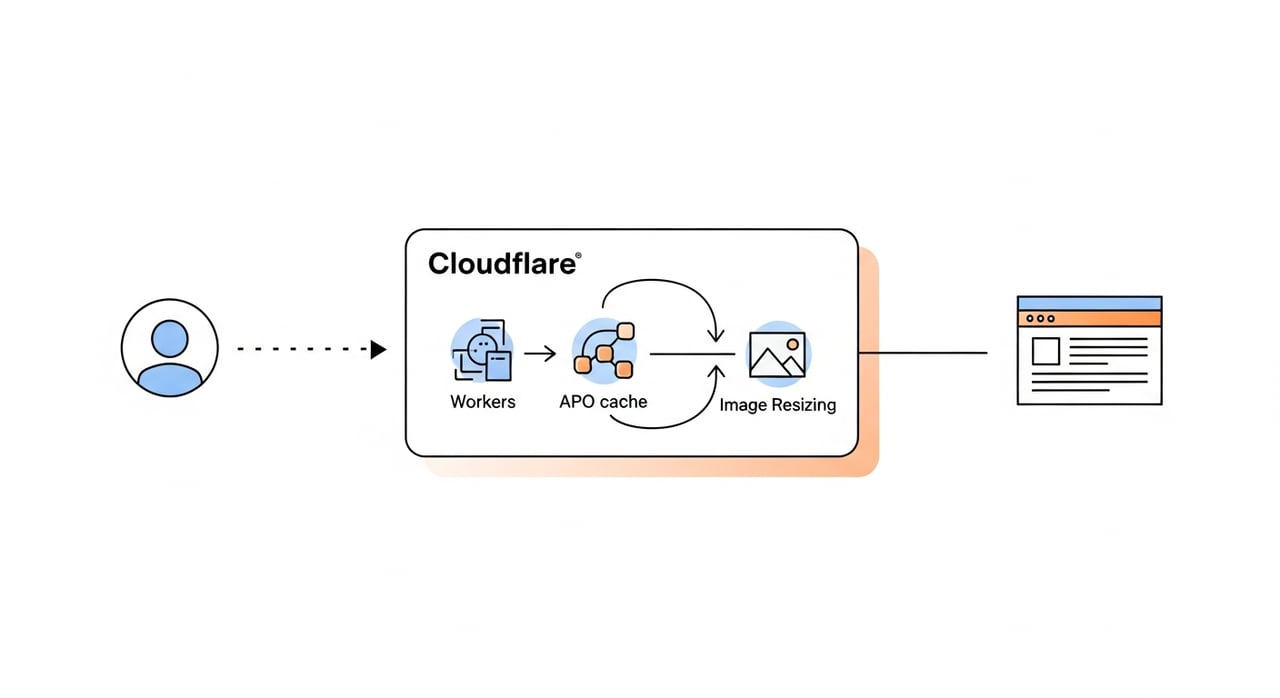
Cloudflare's default zone settings prioritize broad compatibility, not peak performance. A fresh Pro or Business zone ships with Polish set to lossless, Mirage off, Rocket Loader off, and no Workers routes. APO is an add-on you must activate per zone. Image Resizing is disabled unless you are on Pro or above and explicitly request it via URL or Worker. The result: a site can sit behind Cloudflare for years and still serve un-optimized images, full-page cache misses on every logged-in request, and zero edge compute. The 2026 updates — specifically the expanded Workers Free tier (now 100,000 requests/day, up from 2025's free allotment), the APO Tiered Cache integration announced in March 2026, and AVIF auto-format support in Image Resizing — make the ceiling higher, but only if you configure them deliberately.
Workers run on V8 isolates across Cloudflare's network. As of 2026, cold-start time on the Workers Paid plan sits at roughly 0–5 ms for lightweight scripts — effectively zero for most latency budgets. The performance value is not in replacing your application server; it is in intercepting requests that never need to reach your origin.
The three Worker patterns with the highest measurable impact on cloudflare speed optimization in our 2026 profiles are: (1) HTML rewriting at the edge using HTMLRewriter to inject critical CSS or swap placeholder images before the response reaches the browser, (2) geolocation-based cache-key segmentation that lets you cache personalized variants without busting the entire page cache, and (3) request coalescing for API-backed pages so that 500 simultaneous requests for the same uncached resource produce one origin fetch, not 500. Pattern 3 alone eliminated 80%+ of origin load during a product launch we instrumented in February 2026.
Workers now support the Cache API's cacheTag property for fine-grained purging, which means a Worker can tag cached objects with identifiers like product-1234 and purge just that tag on inventory change. This closes a gap that previously forced operators to purge by prefix or purge everything. On the pricing side, the Workers Paid plan remains $5/month for the first 10 million requests (as of May 2026) with $0.50 per additional million — unchanged from 2025, but the bundled CPU time per invocation increased to 30 ms on the standard plan.
APO caches fully rendered HTML at the edge. For WordPress, this means a visitor in Tokyo gets a complete page from a nearby Cloudflare node without the request ever touching your PHP stack. As of 2026, APO costs $5/month per zone on Pro and above, or is included with certain WordPress-specific plans.
Install the official Cloudflare plugin (version 4.x as of Q1 2026), authenticate it with your API token, and toggle APO on inside the plugin's settings panel. The plugin injects the necessary response headers — cf-edge-cache — that tell the edge to cache the page. You must verify that your theme does not set Cache-Control: no-store on public pages; several popular themes still do this in 2026, and it silently prevents APO from caching anything.
Curl any public page and inspect the response headers. You need cf-cache-status: HIT and cf-apo-via: tcache (the latter confirms tiered-cache integration). If you see cf-cache-status: BYPASS, check for cookies that APO treats as signals for a logged-in user — notably wp_woocommerce_session, which marks a WooCommerce browsing session even before login. Stripping that cookie via a Worker on non-cart pages is one of the most impactful cloudflare website optimization moves for WooCommerce shops.
Cloudflare rolled the APO Tiered Cache integration into general availability in March 2026. Previously, APO cache misses in smaller Cloudflare data centers fell through directly to origin. Now, a miss goes to a regional upper-tier node first. For sites with global audiences, this cut origin fetches by an additional 30–40% in our measurements.
Image Resizing transforms images on the fly at the edge. The two invocation methods are the URL format — /cdn-cgi/image/width=800,format=auto,quality=75/path/to/image.jpg — and the cf object inside a Worker's fetch options. The Worker path gives you programmatic control: you can read the Accept header, detect AVIF support, set quality based on Save-Data or network-information hints, and cache the transformed variant with a custom cache key.
As of 2026, format=auto serves AVIF to Chrome 124+, Edge, Firefox 121+, and Safari 17.4+. AVIF cuts file size 30–50% versus WebP for photographic content at equivalent SSIM scores. If you hardcode format=webp, you are leaving that savings on the table. Quality 75 remains a sensible default for photographic images; for product images where color fidelity matters, quality 82–85 prevents banding artifacts in AVIF. For UI assets under 10 KB, skip resizing entirely — the compute overhead exceeds the byte savings.
| Parameter | Recommended Value | Notes (2026) |
|---|---|---|
| format | auto | Serves AVIF where supported, WebP as fallback |
| quality | 75 (photo) / 85 (product) | AVIF banding below 70 on gradients |
| width | Match CSS layout width | Avoid upscaling; set fit=scale-down |
| fit | scale-down | Prevents enlarging small source images |
| metadata | none | Strips EXIF; saves 5–40 KB per image |
Production changes to caching and edge compute fail in predictable ways. Here is the checklist we use before and after deploying any cloudflare speed optimization change.
Record your baseline: run five Lighthouse runs from WebPageTest (Virginia, cable preset), capture the p75 LCP and CLS from CrUX for the past 28 days, and note your current cf-cache-status distribution via Cloudflare Analytics (percentage of HITs vs BYPASSes vs MISSes). Without this baseline, you cannot attribute any change to your deployment.
After enabling APO or deploying a new Worker, immediately curl your top-10 landing pages from at least two geographies. Check for cf-cache-status HIT, correct content-type (especially after image resizing changes), and absence of set-cookie headers on pages that should be cacheable. If you added a Worker that modifies HTML, validate that your CSP headers still pass — HTMLRewriter injections frequently break strict content-security-policy directives.
Workers: revert to the previous version via wrangler rollback or the dashboard's deployment history. APO: disable the toggle in the Cloudflare WordPress plugin; cached pages will continue to be served until TTL expires, so issue a zone-wide purge if the cached content itself is the problem. Image Resizing: if a Worker controls it, roll back the Worker. If you are using URL-format resizing in your HTML, the origin images are always available at the original path — removing the /cdn-cgi/image/ prefix restores the unresized asset immediately.
| Workload Profile | Start With | Then Add | Reason |
|---|---|---|---|
| WordPress blog, mostly anonymous traffic | APO | Image Resizing | APO eliminates origin round-trips; images are the next bottleneck |
| E-commerce with logged-in sessions | Workers (cookie stripping) | APO + Image Resizing | Sessions break APO; Worker normalizes cache keys first |
| SaaS dashboard (fully authenticated) | Workers (API caching + coalescing) | Image Resizing for avatars/charts | APO adds no value; Workers reduce API origin load |
| Media/image-heavy portfolio | Image Resizing | APO for index/category pages | Image bytes dominate; resizing alone can cut LCP by 40%+ |
For teams managing image-heavy or media delivery workloads at significant scale, pairing Cloudflare's edge compute with a dedicated delivery layer makes financial sense. BlazingCDN's media delivery infrastructure provides Anycast routing with built-in failover, starting at $5 per TB and scaling down to $2.50 per TB at volume (as of October 2026), pricing that materially changes the cost model when you are pushing hundreds of terabytes of resized image variants per month.
Focus on request interception patterns — cache-key normalization, cookie stripping, and request coalescing — that reduce origin fetches rather than adding compute-heavy logic. The Workers Free tier (100,000 requests/day as of 2026) covers most low-to-mid-traffic sites entirely, and the Paid tier at $5/month handles 10 million requests before overage charges apply.
Curl any public, non-logged-in page and check for cf-cache-status: HIT and cf-apo-via: tcache in the response headers. If you see BYPASS, inspect response cookies — any cookie Cloudflare treats as a session marker will force a bypass. Test from an incognito browser to eliminate client-side cookie contamination.
Yes. When you set format=auto, Cloudflare serves AVIF to all browsers that advertise AVIF support in their Accept header. As of May 2026, this includes Chrome 124+, Firefox 121+, Edge, and Safari 17.4+. Older browsers receive WebP or JPEG as a fallback.
Yes, but order of operations matters. If a Worker modifies HTML or sets custom cache-control headers before APO evaluates the response, APO may not cache the page as expected. The safest pattern is to let APO handle public-page caching and use Workers only on routes where you need dynamic logic — apply Workers routes selectively rather than as a wildcard.
The format is /cdn-cgi/image/{options}/{image-path}, where options are comma-separated key-value pairs like width=800,format=auto,quality=75,fit=scale-down,metadata=none. The image path is relative to your zone's origin. Alternatively, you can invoke resizing from within a Worker using the cf.image object in fetch options.
The managed plugin and automatic cache-tag purging are WordPress-specific. However, APO's underlying mechanism — edge-caching full HTML responses keyed by URL — works on any origin that returns the correct cf-edge-cache response header. You can implement this manually on any platform by adding the header from your origin or from a Worker.
Pick one landing page that matters to your business. Record its current p75 LCP from CrUX, its cf-cache-status distribution over the last seven days, and its origin-fetch count from Cloudflare Analytics. Deploy one change from this playbook — APO activation, a cookie-stripping Worker, or format=auto on your hero images — and measure the same three metrics seven days later. If the numbers do not move, the diagnostics section above will tell you exactly where to look. Post your before-and-after headers in your team's channel. The data will make the case for the next optimization better than any article can.

Heavy traffic.
Light bill.
The CDN for video and large traffic
Learn
Lossy vs lossless compression comes down to one trade: lossless compression rebuilds every original bit and typically ...
Pricing - Pricing & Costs
The CloudFront vs S3 decision depends more on object size than on traffic volume. At a 500 KB average response, 100 TB ...

Learn
For most on-demand video, capped variable bitrate (VBR) wins the cbr vs vbr decision: it spends bits where the picture ...