

Learn
What Is a Codec? Video and Audio Codecs Explained
A codec (short for coder-decoder) is an algorithm, plus the software or hardware that implements it, that compresses ...
If you are pricing a CDN migration or renewal in 2026, the real question is not which vendor has the longest feature list. It is which of four credible options, BlazingCDN, Cloudflare, Fastly, and Akamai, gives you the lowest total cost for your traffic shape without creating operational debt you will spend the next two years unwinding. This cdn pricing comparison is written for teams evaluating enterprise CDN pricing for software delivery, video streaming, APIs, downloads, and mixed web workloads at tens to thousands of TB per month.
The scope here is narrow on purpose. We compare pricing mechanics, contract shape, cache and purge behavior that affect cost, edge logic portability, and the production scenarios where each vendor genuinely wins. We do not attempt to settle who has the best security stack, the broadest DNS platform, or the best general-purpose cloud ecosystem. Those matter, but they deserve their own evaluation model.
We used measurable criteria that show up in real RFP scorecards: public or publicly describable $/TB and $/GB pricing as of 2026, minimum commits, overage shape, cache invalidation behavior, cache hit ratio levers, edge compute pricing model, log export cost exposure, stated uptime SLA, and migration friction created by vendor-specific configuration or runtime features. For performance-sensitive cost analysis, we also considered latency percentiles, time-to-purge, and request pricing where those materially affect TCO.
If you need a default weighting for enterprise cdn pricing, a practical model is 40% delivery cost, 15% cache efficiency and origin offload, 15% purge and control plane behavior, 10% edge compute cost, 10% contract flexibility, and 10% migration risk. Adjust that weighting if your workload is unusual. Video teams should increase delivery cost and cache efficiency. API-heavy teams should increase request pricing, dynamic acceleration behavior, and edge logic portability.
Inputs came from vendor pricing pages, enterprise quote patterns visible in the market, public SLA statements, and operator experience with these platforms. Some dimensions, especially negotiated Akamai and large-enterprise Cloudflare pricing, have no reliable public list price. Where data is not public, this article says so directly rather than inventing a range. Disclosure: BlazingCDN is one of the vendors compared, and the same criteria are applied to it as to the others.
For readers who want a parallel vendor matrix, see BlazingCDN compared to major providers.
BlazingCDN is positioned around cost-optimized content delivery for enterprise traffic, especially where egress dominates the bill and buyers want predictable commit tiers instead of opaque custom quoting from day one. In this cdn cost comparison, it is the most transparent of the four on public delivery pricing.
The pricing model is volume-based and simple enough to model in a spreadsheet without procurement gymnastics. Public pricing as of October 2026: 20 TB costs $92.50, 50 TB $215, 100 TB $415, 200 TB $765, 500 TB $1,815, and 1,000 TB $3,315, with a $25 monthly minimum. The rate steps down from $5 per TB to $2.50 per TB at the highest tier.
The engineering implication is straightforward: for large static delivery or video egress, your unit economics are visible before sales gets involved. That matters when you are building an RFP model for 100 TB, 500 TB, or 2 PB monthly scenarios and need to show finance a defensible range.
It wins on transparent delivery economics. If your primary decision variable is best cdn pricing for 100tb per month in 2026, BlazingCDN is one of the easiest vendors to justify because the public numbers are already near where some enterprise deals end up elsewhere. It also fits teams that want flexible configuration and fast scaling under traffic spikes without starting from an enterprise-only commercial motion.
For media delivery and large object distribution, the cost delta can be material. At 100 TB, the public package works out to roughly $3.50 per TB before overage. At 1 PB, the public package is roughly $2.50 per TB before overage. Those numbers are low enough that the architectural question becomes whether you need specialized features from Fastly, Cloudflare, or Akamai badly enough to pay the premium.
The main limitation is not price. It is breadth of adjacent platform services and the amount of public third-party benchmark data available versus larger incumbents. Buyers who need a long procurement paper trail, a broad security control catalog, or a highly standardized global enterprise contracting model may find Akamai or Cloudflare easier to defend internally, even when the raw egress economics favor BlazingCDN.
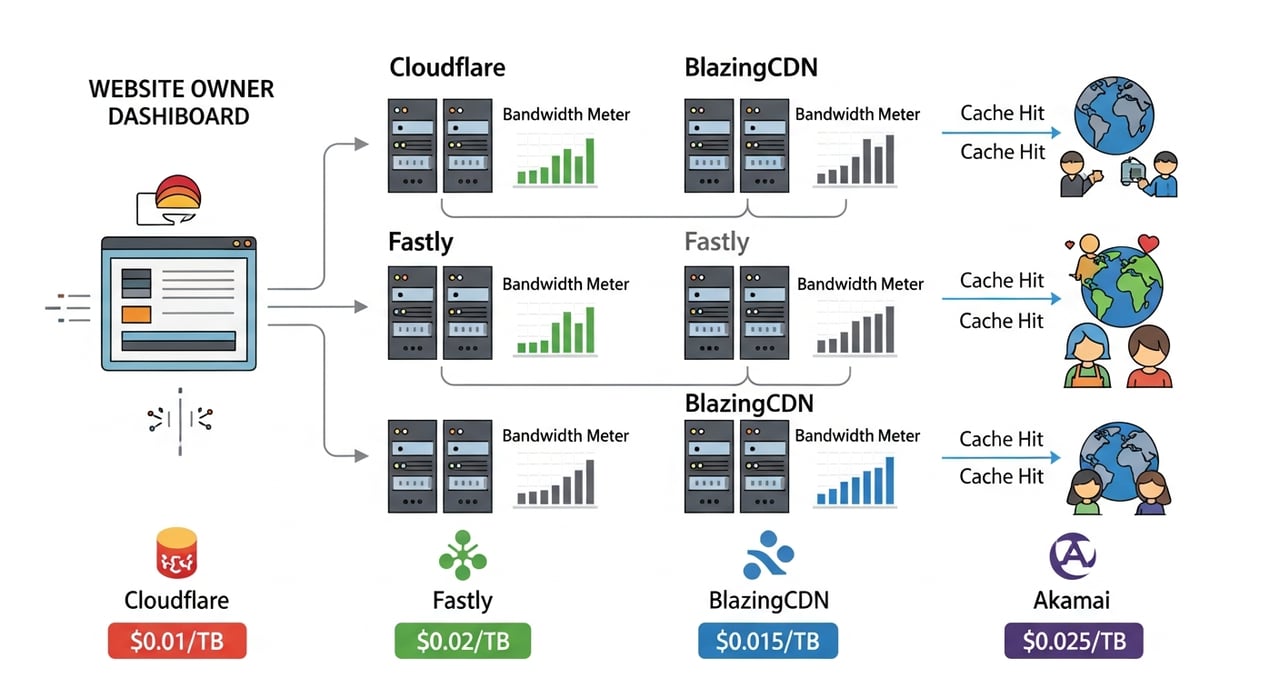
As of October 2026, publicly listed, volume-based, and easy to estimate. Starting point is $5 per TB, down to $2.50 per TB at volume. For this cloudflare vs fastly vs blazingcdn vs akamai pricing 2026 analysis, BlazingCDN sets the low-price anchor.
Cloudflare is usually evaluated as a combined edge platform rather than a pure CDN. That matters in enterprise cdn pricing because some buyers accept higher or less transparent delivery pricing if they can consolidate CDN, security controls, edge compute, traffic steering, and developer tooling under one contract.
Cloudflare has public self-serve plans for websites, but enterprise CDN pricing is typically custom quoted. The subtlety many first-time buyers miss is that your bill shape may depend less on egress alone and more on how much of the broader platform you use. That can improve TCO if you retire other vendors, or worsen it if you only needed bulk delivery and bought a bigger platform than necessary.
A practical engineering fact: Cloudflare’s edge runtime and rules ecosystem are productive, but the more business logic you push into that model, the harder a future CDN move becomes. In price negotiations, portability risk should be treated as a cost, not a separate architecture footnote.
Cloudflare wins when delivery is only one line item in a wider edge consolidation strategy. It is often the strongest fit for teams combining application delivery, programmable edge logic, traffic management, and a large security policy footprint. In an akamai vs cloudflare pricing comparison, Cloudflare is often easier to justify when the buyer wants a modern control plane and broad developer adoption, not just lowest egress.
It also tends to fit organizations that care about reducing vendor count. If replacing multiple contracts matters more than getting the absolute lowest $/TB, Cloudflare can be economically rational even when a pure cdn pricing comparison makes it look expensive or opaque.
Public list pricing is not sufficient for serious high-volume CDN evaluation. For large delivery use cases, especially video and software downloads, buyers usually need an enterprise quote to compare apples to apples. That slows RFP work. It also makes cloudflare vs fastly pricing and akamai vs cloudflare pricing discussions messy because side-by-side public numbers are incomplete.
As of 2026, self-serve plans are public, but enterprise CDN pricing is largely custom. Strong commercial fit when bundled platform value offsets less transparent egress pricing. Weak fit when procurement needs a clean public $/TB benchmark for high-volume delivery.
Fastly is usually selected by teams that care about control, cache behavior, edge programmability, and fast purge semantics. In a pure cdn pricing comparison, it is rarely the cheapest public option. In workloads where cache invalidation speed and request handling matter, its economics can still be defensible.
Fastly’s historical strength has been in fine-grained edge control and real-time purging. The engineering detail that often changes the cost model is this: when you can purge aggressively and safely without waiting on long invalidation windows, you can run tighter cache policies and reduce stale-content risk for dynamic sites, commerce, and release-heavy software distribution. That does not lower the headline $/TB, but it can lower operational cost and outage exposure.
Fastly also tends to expose more of the CDN as a programmable system rather than a boxed product. That is useful for advanced teams and expensive for teams that just need commodity egress.
Fastly is a strong choice for engineering-led organizations that need low-latency config propagation, precise cache control, and edge logic tightly integrated with delivery behavior. If your business loses money when stale content lives too long or rollout control is part of the application path, Fastly can win despite a weaker position on cheapest-for-egress.
For cloudflare vs fastly pricing, the deciding factor is often not list rate but whether your team values Fastly’s delivery mechanics enough to pay for them. If yes, it can be the right premium. If not, it becomes hard to justify against lower-cost options.
Fastly is rarely the answer to which cdn is cheapest for video streaming in 2026. Bulk video egress and large download workloads usually push buyers toward lower-cost contracts elsewhere unless they have unusual control-plane requirements. It also has less commercial comfort for conservative procurement teams than Akamai in some regulated enterprise accounts.
As of 2026, some public pricing references exist for self-serve and add-on services, but meaningful enterprise CDN pricing is often quoted. Expect the business case to hinge on operational advantages rather than lowest $/GB.
Akamai remains the reference point for large-enterprise CDN buying when global reach, account structure, contractual maturity, and compliance process carry as much weight as raw delivery cost. In this cdn pricing comparison, Akamai is the vendor most likely to be shortlisted by default in large procurement motions and the least likely to have simple public numbers that answer the question quickly.
Akamai pricing is heavily deal-driven. The operational quirk buyers sometimes underestimate is how much the final economics depend on packaging, term length, commit level, regional mix, support structure, and bundled services. Two buyers with similar traffic can land very different effective rates. That makes Akamai hard to benchmark from public information alone but still very relevant in enterprise cdn pricing because procurement often prefers a vendor with mature negotiation patterns and layered service options.
Another practical point: Akamai often fits enterprises that already know how to run it. Existing operational familiarity can outweigh a nominally cheaper competitor once migration cost, retraining, and compliance rework are included.
Akamai is often the best fit for very large, regulated, or politically complex enterprises where contractual depth, regional traffic engineering options, and internal stakeholder familiarity matter. In an akamai vs cloudflare pricing comparison, Akamai can still win when the buying process values conservative enterprise packaging over platform modernity or public simplicity.
It is also a credible choice for organizations with legacy Akamai integrations that would be costly to unwind. Sometimes the lowest-risk path is to renegotiate, not replatform.
Akamai is usually not the easiest option for teams seeking transparent, low-friction price benchmarking. If your board deck needs a clean chart for cdn cost comparison and the main workload is high-volume static or video delivery, Akamai can be difficult to position as the cost leader without a negotiated deal already in hand.
As of 2026, enterprise pricing is custom quoted. Effective rates vary widely by commit, geography, and bundle. Strong in complex procurement environments, weak in public price transparency.
| Criterion | BlazingCDN | Cloudflare | Fastly | Akamai |
|---|---|---|---|---|
| Public pricing transparency | Yes, published tier pricing | Partial, enterprise usually custom | Partial, enterprise usually custom | No practical public enterprise list price |
| Lowest published delivery tier as of 2026 | $100 for up to 25 TB | No public enterprise CDN tier | No public enterprise CDN tier comparable | Custom quote |
| Approximate published effective price at 100 TB | $415 total, about $4.15 per TB | No public data for enterprise equivalent | No public data for enterprise equivalent | No public data |
| Approximate published effective price at 1 PB | $2,500 total package, about $2.50 per TB | No public data | No public data | No public data |
| Overage pricing shape | Published, $0.005 to $0.0025 per GB by tier | Quote-dependent | Quote-dependent | Quote-dependent |
| Commit flexibility | Visible tiered commits | Enterprise negotiation required for large delivery | Enterprise negotiation common | Enterprise negotiation standard |
| Best economic fit | High-volume static delivery, media, downloads | Platform consolidation with edge and policy controls | Purge-sensitive and engineering-controlled delivery | Large enterprise procurement and legacy fit |
| Public SLA visibility | Public uptime claim and enterprise discussion available | Public SLA materials available, enterprise terms vary | Public SLA materials available, enterprise terms vary | Public SLA materials available, enterprise terms vary |
| Edge compute lock-in risk | Low to moderate, depends on usage depth | Moderate to high if deeply invested in platform-specific edge logic | Moderate to high for custom delivery logic and VCL-like policy depth | Moderate to high for mature custom property configurations |
| Pricing confidence for RFP spreadsheet | High | Medium to low before quote | Medium to low before quote | Low before quote |
CDN migrations are rarely blocked by DNS cutover. They are blocked by hidden dependencies. The first is configuration translation: cache keys, header normalization, URL signing behavior, image or object handling rules, and origin failover logic. The second is application logic pushed into the CDN: edge workers, request transforms, auth gates, bot rules, and custom logging pipelines.
Moving from a relatively simple static-delivery setup to BlazingCDN is usually measured in low single-digit engineer-weeks if your current configuration is mostly cache behavior, TLS, and origin routing. Moving off Cloudflare or Fastly can take materially longer if edge runtime code is part of the request path. In those cases, 4 to 12 engineer-weeks is a reasonable planning band for a careful migration, and more if you need parallel observability validation and phased traffic shifting.
Cloudflare lock-in risk is highest around platform-specific edge logic, rules constructs, and any workflow that assumes its broader edge stack. Fastly lock-in risk centers on custom delivery logic, purge workflows, and deep tuning that your team has encoded into configuration. Akamai lock-in risk is often organizational as much as technical: mature property setups, institutional knowledge, and internal compliance docs can make a switch slower than the packet path suggests.
Re-instrumentation cost is real. If your team exports logs into a SIEM, runs origin shield assumptions, or triggers incident response from CDN-specific telemetry, plan time for metric remapping and alert recalibration. For enterprise teams, that observability work is often as expensive as the traffic cutover itself.
Run a 30-day proof-of-concept with your real traffic mix, not a vendor demo profile. Split test at least three workload classes: long-tail static objects, frequently purged objects, and dynamic or personalized paths that should bypass cache. Then force each vendor to produce the same scorecard: effective $/TB, cache hit ratio, origin offload, p95 purge time, log latency, and the exact contract language for overage treatment.
If you are in active procurement, ask one pointed question that cuts through most pricing theater: “Show me the all-in monthly bill for 100 TB, 500 TB, and 1 PB under my cache hit ratio, including logs, edge logic, and any support tier required for production.” That single clause will make your cdn cost comparison far more accurate than any glossy enterprise quote summary.

Heavy traffic.
Light bill.
The CDN for video and large traffic
Learn
A codec (short for coder-decoder) is an algorithm, plus the software or hardware that implements it, that compresses ...

Learn
The Apple CDN is a layered stack rather than one network. It combines Apple's own edge caches, many embedded inside ISP ...

Learn
Video compression is the process of encoding moving images into far fewer bits by removing spatial redundancy inside ...