
Video - Video & Streaming
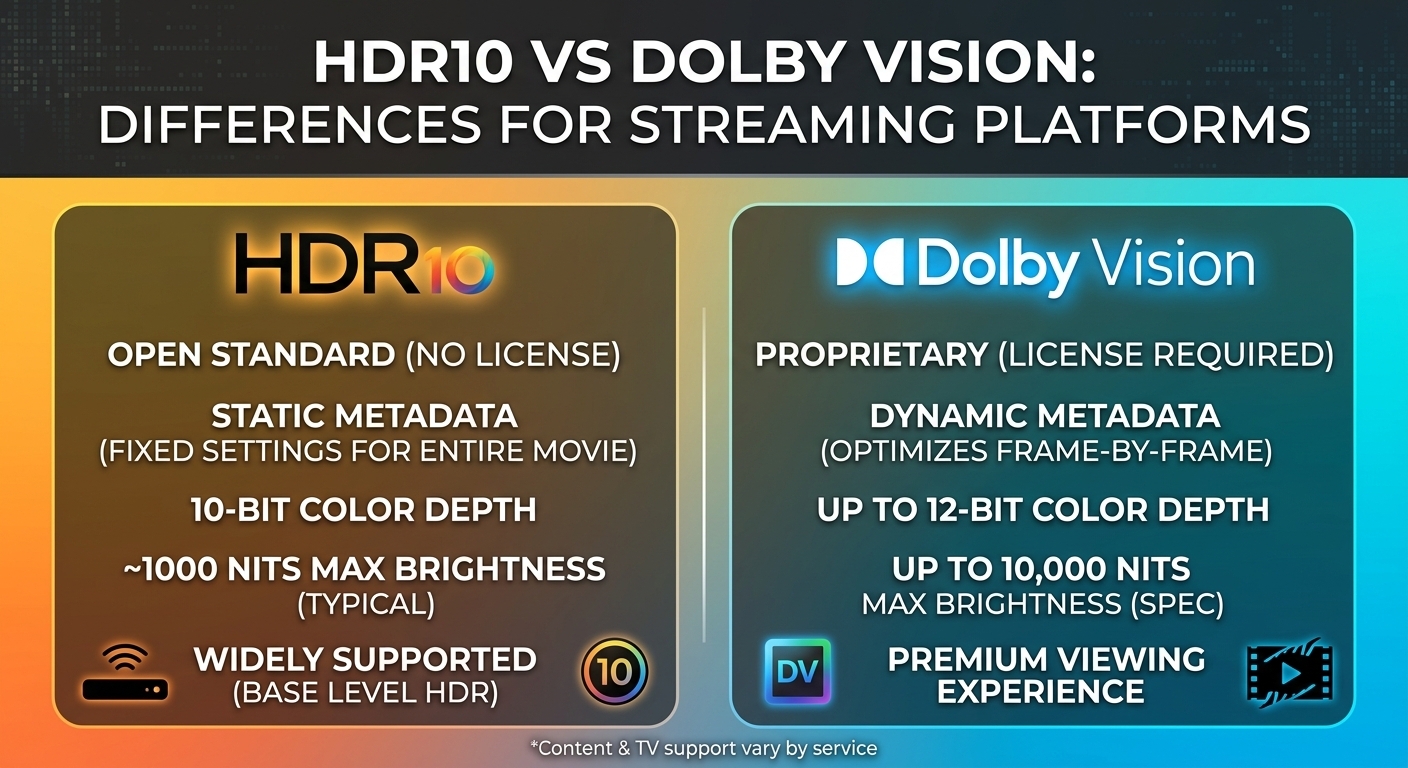
HDR10 vs Dolby Vision: Differences for Streaming Platforms
HDR10 vs Dolby Vision comes down to metadata and licensing. HDR10 is royalty-free and carries one set of static ...

At 100 TB a month, the published price gap between options for a CDN for static content is more than 16 times: BlazingCDN costs $415, while Amazon CloudFront pay-as-you-go costs $6,965 for transfer alone (published price lists, checked August 2026). Because static files cache almost perfectly, the deciding factors are cost per TB at your volume, how cleanly the CDN pulls from object storage, and how fast you can invalidate HTML on deploy.
Verdict, evaluated October 2026 with list prices as checked August 2026: above roughly 50 TB a month of assets, downloads and media, metered high-volume CDNs (BlazingCDN, bunny.net, CDN77) cost the least. Below about 46 TB, flat plans from Amazon CloudFront or Cloudflare can cost less. Teams that need edge compute or a bundled security suite should start with Cloudflare or Fastly. This article covers the comparison table, worked price math, an object-storage origin setup, cache rules for immutable assets and HTML, and a deploy and purge workflow.
Static does not automatically mean fast. A single origin in Virginia still adds about 80 to 150 ms of round-trip time for users in Frankfurt or Singapore, typical 2026 figures. Every cold TLS handshake and every cache miss also pays the full trip to the bucket. A CDN for static content removes that distance by caching HTML, JavaScript, CSS, fonts, images and installers at the edge. Because these files are predictable, they tolerate long TTLs, and edge hit ratios above 95% are realistic.
The benefits are measurable in five places: lower Time to First Byte (TTFB) and faster page loads, higher download throughput for large installers and updates, more consistent performance across regions, lower origin egress and infrastructure costs, and an origin that is shielded from traffic spikes. The criteria below decide which vendor delivers those benefits at the lowest total cost.
| Vendor | Cost at 100 TB/month | Billing model | Honest limitation |
|---|---|---|---|
| BlazingCDN | $415 | Progressive tiers, one global rate, no request fees | No HTTP/3, no WAF or DDoS product, no free tier |
| bunny.net | $500 (Volume), $1,000 (Standard) | Per-GB, network tier choice | The cheaper Volume network is a smaller footprint than Standard |
| CDN77 | $990 | Plan covering up to 250 TB | At 100 TB you pay for unused plan headroom |
| Amazon CloudFront | From $1,000 (Premium flat); $6,965 pay as you go | Flat plans or regional per-GB plus requests | Pay-as-you-go transfer alone is 16 times the cheapest row |
| Gcore | About EUR 2,000 at list | Plans plus overage | Lower rates generally require negotiation |
| KeyCDN | $2,600 (North America, Europe); $5,200 into Asia | Regional per-GB | Regional pricing doubles the bill for Asian audiences |
At 100 TB a month the cheapest three rows cost less than $1,000, while regional pay-as-you-go pricing costs 2.5 to 16 times more for the same bytes.
BlazingCDN publishes this blog, so verify this ranking on your own traffic; the 14-day testing period exists for exactly that purpose.
Several vendors are left out of the ranking because no comparable 100 TB list price exists. Cloudflare Enterprise is widely reported to start near $5,000 a month. Fastly's published rate card stops at about 20 TB, where a month costs $2,087. Google Cloud CDN costs about $10,500 at 200 TB.
Amazon CloudFront is the natural fit for teams already using S3, because origin access control and IAM integration are native. Its limitation is that pay-as-you-go transfer plus request fees grows quickly beyond 50 TB. Google Cloud CDN suits teams with Cloud Storage origins, but at about $10,500 for 200 TB it is a convenience choice, not a cost choice. Cloudflare offers the easiest onboarding and the broadest platform, including edge compute and a WAF. Large-file volume, however, usually pushes accounts to quote-based Enterprise pricing. Fastly gives experienced teams deep, programmable control over caching. Its rates beyond about 20 TB are contract terms rather than a public card.
BlazingCDN is a pay-as-you-go delivery layer for high-volume static traffic: software installers, game builds, images, video and large archives. It runs on NVMe SSD servers with Anycast routing and built-in failover, reports a 96%+ average cache hit ratio, accepts files up to 50 GB per object, and includes origin shield, purge and API cache warm-up on every plan. On a 100 MB HTTPS download measured June 2026, it recorded 27 ms and 1.12 Gb/s in Europe, 24 ms and 1.11 Gb/s in North America, and 47 ms and 761 Mb/s in Asia. For a side-by-side view against the S3 default, see the BlazingCDN vs Amazon CloudFront comparison. It does not support HTTP/3 or sell a WAF, so most teams keep their existing security stack in front of HTML and use BlazingCDN for the heavy files.
As of October 2026, BlazingCDN charges from $5 per TB down to $2.50 per TB at volume, with one rate for the US, Europe and Asia, no request fees and no long-term contract. Current rates are on the BlazingCDN CDN pricing page.
Each tier applies only to traffic inside its own range, like tax brackets. At 100 TB, the first 5 TB cost $25, the next 20 TB at $4.50 cost $90, and the remaining 75 TB at $4.00 cost $300, for a total of $415. At 200 TB, add 100 TB at $3.50 ($350), for $765. The same 200 TB costs $11,965 on Amazon CloudFront pay as you go or $3,500 on its Premium plan (published price lists, checked August 2026).
Request fees matter more for static sites than most budgets assume. A documentation site serving 100 TB of mostly 30 KB assets generates billions of requests. On request-metered CDNs, that can add hundreds to thousands of dollars a month on top of transfer (our estimate; it depends on asset mix). Model requests per GB from your own logs before comparing quotes.
Most static sites now deploy to an object store (Amazon S3, Google Cloud Storage or an S3-compatible bucket) rather than to a web server. The bucket becomes the origin. Getting that origin right is what turns a 70% hit ratio into 95% or higher and keeps object-store egress bills small.
Split static content into two classes with opposite rules. Fingerprinted assets (a content hash in the filename) never change, so cache them for a year with the immutable directive. HTML references those hashes, so give it a short edge TTL with background revalidation. That combination lets a deploy go live in under a minute without a full purge.
| Asset class | Cache-Control value | Purge on deploy |
|---|---|---|
| Hashed JS, CSS, fonts, images | public, max-age=31536000, immutable | Never |
| HTML documents | public, max-age=0, s-maxage=60, stale-while-revalidate=30, with ETag | Changed paths only, optional |
| Unversioned files (robots.txt, sitemap, feeds) | public, max-age=300 | By path |
| Installers, archives, builds | Versioned path, max-age=31536000 | Warm up instead of purging |
| 404 responses | Edge TTL of 10 to 60 seconds | Expires on its own |
Only HTML and unversioned files ever need invalidation, so purge volume, and purge risk, shrinks to a handful of paths per release.
Order matters. Upload new hashed assets first, then HTML last, so no edge ever serves HTML that points to a file the bucket does not have yet. Keep the previous release's assets for at least 7 days, because browsers and intermediate caches holding old HTML will keep requesting them.
To verify the setup on your own stack, request a hashed asset twice from two regions and check that the Age header increases and that the vendor's cache status header reports a hit. Track edge hit ratio by file type in Prometheus or your log pipeline. HTML should sit near 80 to 95%, and hashed assets should exceed 98%.
The best CDN for static content depends on workload and volume, not on brand. For high-volume downloads and assets above roughly 50 TB a month, metered high-volume CDNs cost the least. For small sites under 46 TB, flat plans win. For HTML that needs edge logic or a WAF, a full-platform vendor fits better.
| Workload | Best fit | Why |
|---|---|---|
| Small static site, under 46 TB | Cloudflare Pro, Amazon CloudFront Business | Flat $25 to $250 plans undercut metered rates |
| Installers, game builds, archives, 100 TB and up | BlazingCDN, bunny.net | Lowest cost per TB at 100 TB, large-object support |
| Docs and marketing sites with edge logic | Cloudflare, Fastly | Edge compute and a bundled WAF |
| S3- or Cloud Storage-centric stack | Amazon CloudFront, Google Cloud CDN | Native origin auth and IAM integration |
| Asia-heavy audience, high volume | BlazingCDN, CDN77 | Single or plan pricing, no regional multiplier |
Many teams end up splitting their traffic: HTML on their existing platform, heavy static files on a second CDN behind a weighted DNS record.
Migrating a static site to a new CDN is low risk when you move one hostname at a time. First, measure current traffic, cost, hit ratio and user geography. Second, set targets for TTFB and download throughput. Third, test two or three vendors with real traffic. Fourth, serve assets from a stable hostname such as assets.example.com. Fifth, shift traffic gradually with weighted DNS while watching errors and origin load. Sixth, apply the long-TTL and short-TTL split described above.
A static CDN is a content delivery network configured to cache files that are identical for every user, such as HTML, JavaScript, CSS, images, fonts and downloads, at edge servers near users. Because these files rarely change, they tolerate long TTLs and reach hit ratios above 95%. That cuts origin egress and keeps TTFB consistently low across regions.
Yes, for any site with a global audience or meaningful traffic. Serving a static site directly from an S3 bucket exposes it to object-store egress pricing, single-region latency and request costs on every page view. A CDN in front of a private bucket caches responses at the edge, adds TLS on a custom domain, and absorbs release-day spikes through origin shield.
A CDN should cache fingerprinted static assets for one year using max-age=31536000 with the immutable directive. HTML should get a short edge TTL of around 60 seconds with stale-while-revalidate. Unversioned files such as sitemaps work well at about five minutes. This split avoids full purges, because only HTML and unversioned paths ever change at a given URL.
On published price lists checked August 2026, BlazingCDN costs $415 at 100 TB, bunny.net $500 on its Volume network, and CDN77 $990, compared with $6,965 for Amazon CloudFront pay-as-you-go transfer alone. Below about 46 TB, flat plans from Cloudflare or Amazon CloudFront can cost less, so check your volume before you compare.
Migrating static content to a new CDN typically takes days, not months, because plain HTTP caching carries little lock-in. Configuring the zone often takes an hour or two. Most of the calendar time goes to a gradual weighted DNS rollout and to watching hit ratio, error rates and origin load through one full traffic cycle before you cut over completely.
This week, export 30 days of CDN logs and calculate three numbers: TB delivered, requests per GB, and hit ratio by file type. Price that exact profile on each shortlisted vendor, including request fees. Then send 10% of traffic for one asset hostname to a candidate through weighted DNS, and compare p95 TTFB, throughput on your largest file, and origin egress against your current provider. The result holds even if you never switch vendors.
If your static traffic is above 50 TB a month, BlazingCDN offers a 14-day testing period on real production traffic at $5 per TB with the monthly minimum waived, which is enough to run this bake-off: start a static CDN testing period.

Heavy traffic.
Light bill.
The CDN for video and large traffic
Video - Video & Streaming
HDR10 vs Dolby Vision comes down to metadata and licensing. HDR10 is royalty-free and carries one set of static ...
Learn
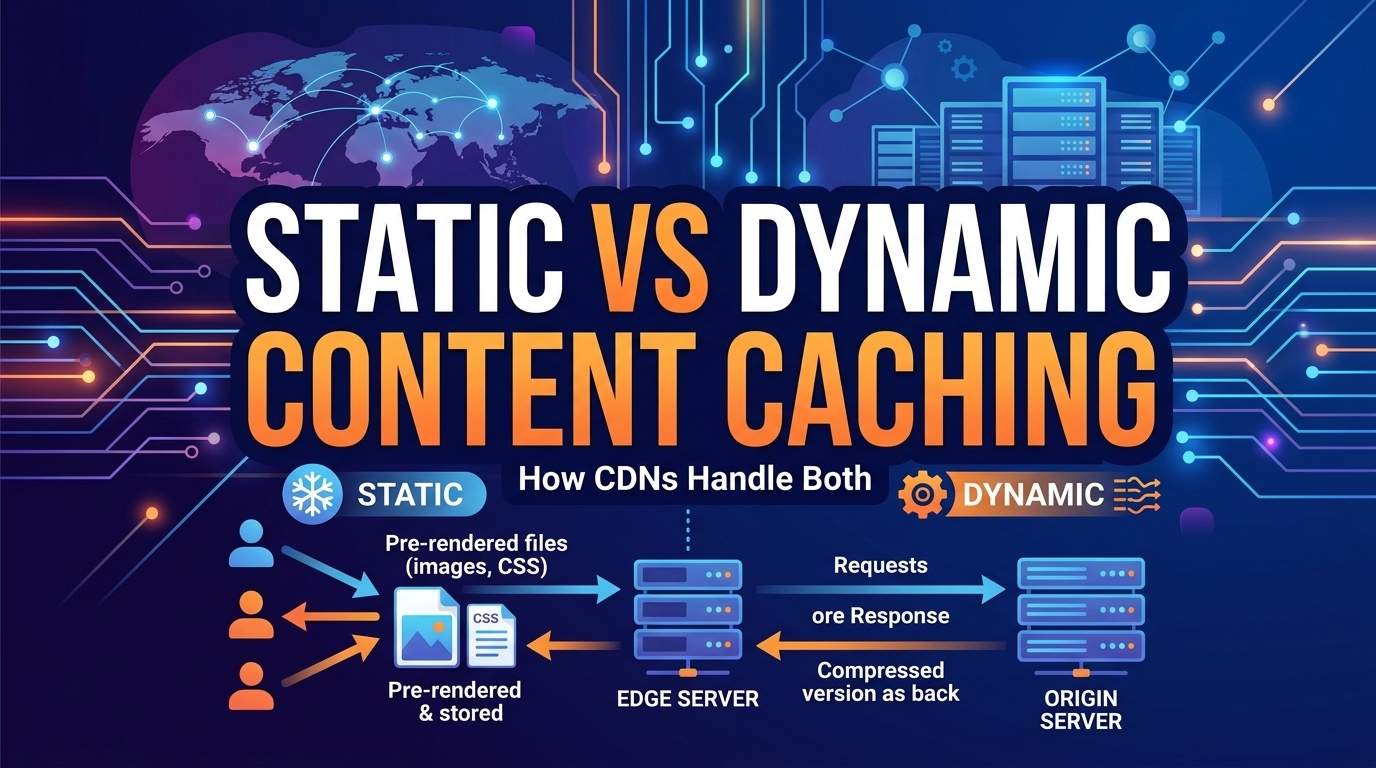
Static assets get year-long TTLs. Dynamic responses get 1 to 60 seconds, and most of the remaining origin savings sit ...
Learn
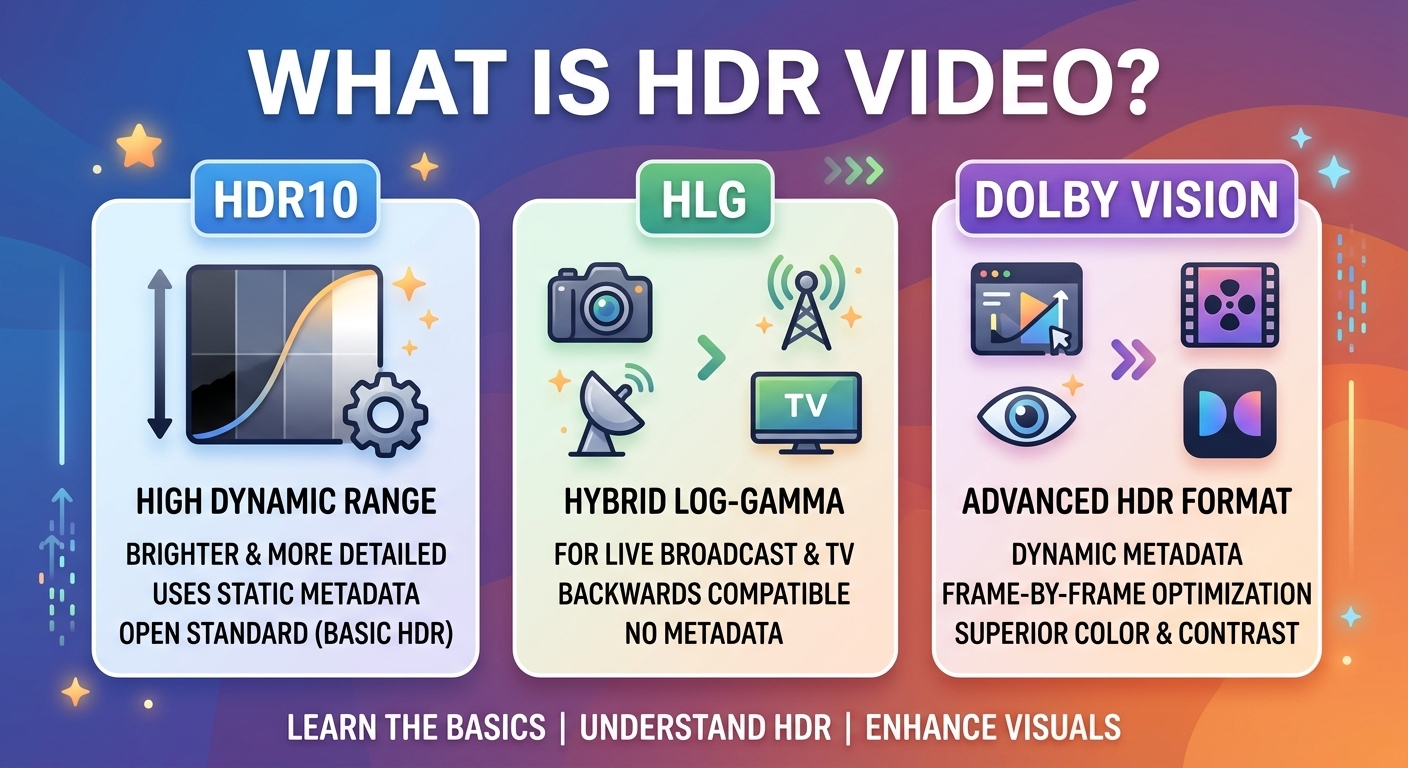
The precise answer to what is HDR video: high dynamic range video is video encoded with 10-bit or higher samples, ITU-R ...