
Learn
Best Video Streaming CDN in 2026? 7 Providers
Best CDN for Video Streaming in 2026: 7 Providers Compared A single rebuffer event at the two-second mark costs you 8% ...
In 2023, the average size of a top Android game exceeded hundreds of megabytes, and premium PC titles routinely ship 80–150 GB installers and day‑one patches. At the same time, Google’s research shows that as mobile load time grows from 1 to 5 seconds, the probability of a user bouncing jumps by 90% based on billions of page visits. When you combine exploding binary sizes with almost zero tolerance for waiting, one truth becomes non‑negotiable: if your software and app downloads aren’t fast everywhere, you’re quietly losing installs, upgrades, and recurring revenue.
This article is a deep dive into what really makes the best CDN for software and app distribution, why traditional web‑content criteria are not enough, and how to design a download experience that feels instant whether the user is in Berlin, São Paulo, or Jakarta. Along the way, you’ll see how modern CDNs handle massive binaries, versioned releases, and unpredictable spikes — and how to evaluate whether your current stack is helping you win or holding you back.
As you read, keep one question in mind: if your next big release went viral overnight, would your download infrastructure keep up — or become tomorrow’s post‑mortem?
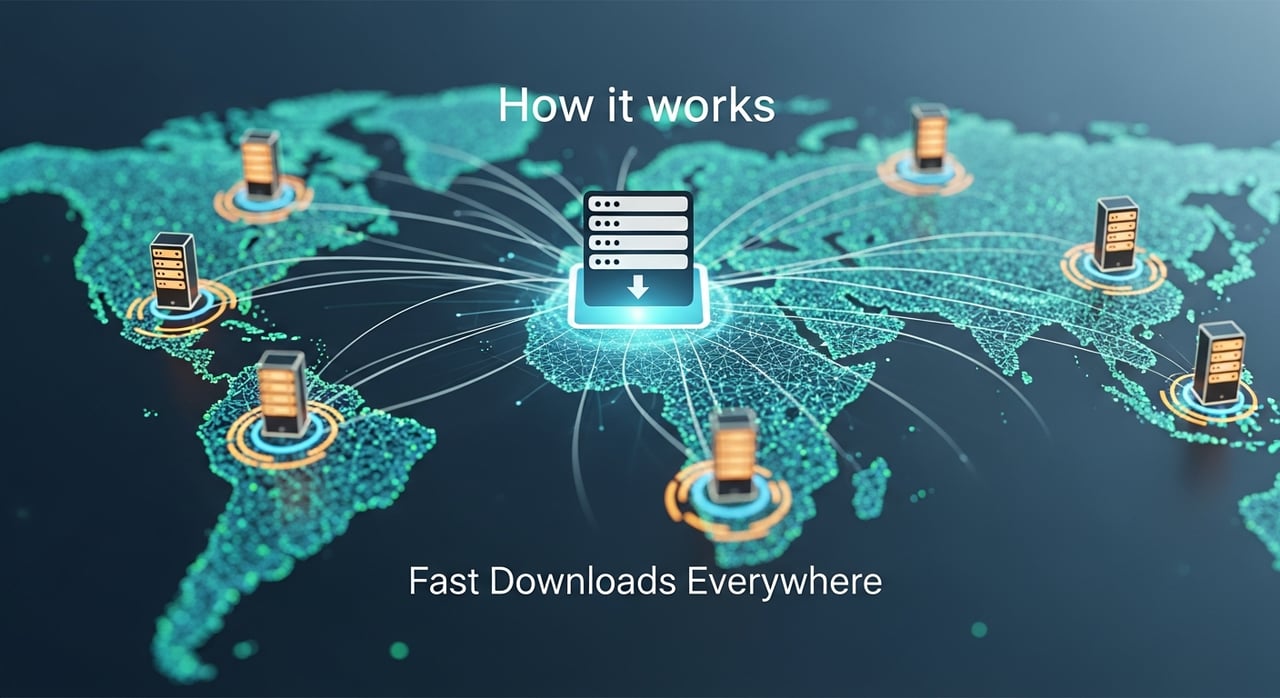
Most CDN discussions focus on websites and media streams. But from an infrastructure perspective, software and app distribution is a tougher, more unforgiving workload. Here’s why that matters if you’re choosing the best CDN for software and app distribution.
Games exceeding 100 GB, creative suites over 4–8 GB per installer, and mobile apps with frequent 200–500 MB updates are now normal. Operating system updates routinely reach every corner of the globe within hours of release. When a new version goes live, you don’t get a gentle ramp — you get a global storm of simultaneous requests for large files.
Unlike a web page, a stalled or broken software download can mean a lost customer, a refund, or a flood of support tickets. Slow page views are annoying; failed installs are unforgivable.
Ask yourself: if 10x more users than expected attempted to download your latest release today, would your current CDN deliver consistent speeds — or would they all start talking about you on Reddit and X for the wrong reasons?
Your software doesn’t just live where your engineers sit. Growth for SaaS, games, developer tools, and enterprise apps increasingly comes from regions with:
In these markets, a download that takes 2–3 minutes instead of 20–30 minutes or times out altogether can mean the difference between adoption and abandonment. Research highlighted by Google shows that users form strong, negative impressions of a brand when performance lags — and those impressions carry over to how they rate and review your product online.1
Consider: are your download metrics segmented by region and connection type, and do you know exactly where your current CDN is slowing down adoption?
Auto‑updates are great when everything works. But they also mean every performance or availability issue is instantly magnified:
The “best CDN for software distribution” is not just about peak throughput; it’s about consistent, predictable behavior under stress and during routine updates.
Reflection point: if your update mechanism hit a glitch right now, how confident are you that your CDN’s resilience and routing would quietly mitigate it rather than amplify it?
Most teams know a CDN “caches content closer to users,” but software delivery involves more nuance than dropping an image or script at the edge. Understanding what happens under the hood will help you evaluate competing CDNs beyond marketing claims.
Large binaries behave differently from small assets. The CDN that’s perfect for HTML and images might struggle with 50 GB installers if it isn’t optimized for:
When you evaluate a CDN for app distribution, dig into how it handles partial content and resuming downloads, not just generic cache hit rates.
Question: can your users reliably pause and resume large downloads across devices and networks, or are they betting their time on a single, fragile HTTP request?
Protocols matter. HTTP/2 and HTTP/3 (QUIC) bring multiplexing, header compression, and better handling of lossy networks to the table. For software distribution, that translates into:
A well‑engineered CDN will aggressively support these protocols, tune TCP/QUIC parameters for long‑lived transfers, and minimize TLS overhead — all of which can shave meaningful time off multi‑gigabyte downloads.
Ask yourself: does your current CDN fully support HTTP/3 for download endpoints, and have you actually enabled it?
Without a CDN, your origin infrastructure becomes a single point of failure and performance. Even with a CDN, if configuration is sloppy, your origin can still be overloaded during big releases. Key origin‑related capabilities to look for include:
Done right, a CDN can reduce origin bandwidth by 80–95% for popular releases, freeing you from scrambling to over‑provision infrastructure that sits idle most of the year.
Consider: do you know your cache hit ratio specifically for installers and updates, and what origin offload target you’re aiming for before your next major launch?
Download performance means nothing if users don’t trust what they’re getting. Software and app distribution through a CDN must preserve integrity and authenticity end‑to‑end:
In regulated sectors or enterprise environments, a single compromised or tampered installer can trigger audits, contract penalties, or worse. Your CDN must make it easy to combine security with speed, not force you to pick one.
Reflection point: how easily could you revoke, rotate, or lock down access to a compromised build today, and would your CDN configuration help you or slow you down?
When you compare CDNs for software downloads, the checklist is different from the one you’d use for marketing sites or streaming media. This section outlines the core criteria to prioritize — and how to translate them into practical evaluation steps.
Benchmarks that focus on “time to first byte” for small objects don’t tell you much about 40 GB installers going to congested home Wi‑Fi or corporate VPNs. You need to test and measure:
Enterprise teams often run controlled tests using synthetic traffic generators and real users across multiple geographies. External performance monitoring tools can also help validate vendor claims.
For mission‑critical software, downtime is unacceptable. Many leading providers advertise high 9s of availability, but you should look beyond slogans:
BlazingCDN, for example, designs its infrastructure for 100% uptime in software delivery use cases, with stability and fault tolerance on par with Amazon CloudFront, but at a significantly lower cost per TB — a major advantage for enterprises shipping large binaries at scale.
Many CDNs were priced for web content long before multi‑gigabyte apps became normal. For software distribution, you need a model that won’t punish your success:
For large enterprises, the difference between $0.02 and $0.004 per GB can translate into millions of dollars annually. BlazingCDN starts at just $4 per TB ($0.004 per GB), which makes aggressive global software rollouts economically viable instead of a budgeting nightmare.
Software distribution lives and dies by version control. A great CDN must support:
Your release engineering and DevOps teams should be able to wire purges and cache controls directly into CI/CD pipelines so that every release automatically updates the distribution layer in a predictable way.
Pageviews and hit counts aren’t enough; you need download‑specific visibility:
These insights help you optimize routing, decide when to pre‑warm caches, and identify where users struggle most with installations or updates.
If you serve regulated industries, governments, or large enterprises, your CDN must align with their expectations:
Without these, you might pass your developer audience tests but fail procurement or compliance reviews — delaying deals or shrinking your addressable market.
| Criterion | Why it Matters for Downloads | What to Look For |
|---|---|---|
| Large‑File Performance | Determines how fast multi‑GB installers reach users | Range requests, HTTP/2/3, tuned TCP/QUIC, real‑world throughput tests |
| Reliability & Uptime | Prevents failed installs and broken auto‑updates | Documented 100% uptime targets, multi‑layer redundancy, strong SLAs |
| Pricing | Defines whether you can scale downloads economically | Low per‑GB cost at scale, simple invoice structure, no hidden fees |
| Versioning & Purge | Enables fast rollouts and safe rollbacks | Granular cache control, instant purges, CI/CD integration |
| Analytics | Reveals where users struggle with downloads | Metrics for completion rate, time to download, region/ISP breakdown |
| Enterprise & Compliance | Unlocks high‑value B2B and government deals | Access control, logging, regional serving options |
Challenge: if you ran your current CDN through this matrix, which two or three boxes would be hardest to justify to your own SRE or finance teams?
To understand what “best in class” looks like, it helps to examine patterns adopted by large software vendors, game studios, and SaaS platforms. While architectures differ, several common strategies appear again and again.
Many organizations decouple interactive web traffic from heavy download traffic:
www.example.comapi.example.comdownload.example.com or updates.example.comThis separation allows:
Question: are your downloads fighting for CDN resources and configuration with your marketing or API traffic?
Modern auto‑update systems — from browser updaters to game launchers — often rely on small manifest files that describe which pieces of a large app need to be updated. This creates two distinct traffic types:
A smart CDN configuration recognizes this and sets:
Consider: do your update manifests and payloads share the same cache rules, or are you optimizing them individually for latency and bandwidth?
Major vendors often roll out new versions region by region or cohort by cohort. This isn’t just about risk management; it’s also a practical way to:
This strategy depends on a CDN that allows fine‑grained traffic steering and detailed regional analytics.
Reflection point: how easily could you switch from an “all at once” update model to a staged rollout without rewriting your delivery infrastructure?
Among the many CDNs on the market, only a subset are genuinely optimized for software and app distribution at enterprise scale. This is where BlazingCDN positions itself: a modern platform focused on high‑throughput, large‑file delivery with economics that make sense for teams shipping tens or hundreds of terabytes every month.
BlazingCDN delivers stability and fault tolerance on par with Amazon CloudFront, yet with pricing tuned for bandwidth‑heavy workloads. With 100% uptime targets for software delivery and a starting cost of $4 per TB ($0.004 per GB), it becomes realistic to:
For organizations where every GB is counted by finance, this cost structure is a strategic advantage, not just a line‑item saving.
BlazingCDN is already used by major global brands in digital entertainment, software, and online services — companies that depend on fast, reliable downloads to keep players engaged and enterprise customers productive. Its platform is a strong fit for:
For teams shipping installers, patches, or mobile binaries at scale, BlazingCDN’s solutions for software companies are designed to reduce infrastructure costs while keeping download performance consistently high worldwide.
From a DevOps and release engineering perspective, BlazingCDN emphasizes flexibility:
This lets your engineers embed CDN logic directly into CI/CD pipelines, treating the distribution layer as code rather than a static configuration that only operations can safely touch.
Challenge: if you compared your current CDN’s price per TB, uptime guarantees, and configuration flexibility with what BlazingCDN offers, where would the gaps be largest?
Knowing what “best” looks like is one thing; migrating without disruption is another. Here’s a practical step‑by‑step blueprint to move your software and app distribution to a stronger CDN architecture.
Start by inventorying everything your users download:
Label each with attributes like approximate size, typical concurrency, geographic demand, and sensitivity (public vs. restricted). This map becomes your migration plan.
Ask yourself: can you currently see, in one place, every endpoint and path that serves binary downloads to your users?
Before touching CDN settings, fix your naming and versioning at the application level. Good patterns include:
/downloads/app/2.3.1/app-2.3.1-win64.exe/updates/manifest.json vs. /updates/payloads/...This structure makes caching predictable and purging safer when something goes wrong.
Consider: if you needed to revoke only version 2.3.1 of your app, could you do so with a single, targeted purge request today?
Once URLs are clean, configure the CDN for download‑optimized behavior:
Range requests for all large binaries.On BlazingCDN and similar platforms, these settings can be adjusted per path, giving you fine‑grained control without complex workarounds.
Question: do your current cache settings treat a 50 KB JSON manifest and a 5 GB installer the same way?
Next, ensure you can trust what your users receive:
Many established platforms, from package registries to browser vendors, publicly document similar practices, reflecting industry consensus on how to balance safety and usability in software delivery.2
Reflection point: if a user reported a suspicious installer tomorrow, how quickly could you verify whether it came from your official CDN path and whether it had been tampered with?
Before flipping all traffic to the new CDN, run targeted tests:
Combine synthetic tests with small pilot groups of real users or internal teams in different regions to validate the experience end‑to‑end.
Challenge: when was the last time you ran a real 10–20 GB download test from emerging markets, not just from data centers in North America or Western Europe?
Finally, execute the migration with safety nets:
With a well‑planned cutover, your users should notice only one thing: downloads feeling faster and more dependable.
Consider: could you explain your current rollback plan — in detail — if a CDN change created download failures during your next release?
Even with the best CDN choice, misconfigurations can erode performance and trust. Here are some of the most common mistakes teams make, and how to avoid them.
Using the same cache and routing rules for images and installers is a recipe for inefficiency. Large binaries need:
Solution: always define dedicated paths and policies for downloads, even if you use a single CDN provider for everything.
Releasing a faulty build and then discovering your CDN can’t purge it quickly across all regions is a nightmare scenario. Yet many teams:
Solution: automate purge calls from your CI/CD system and regularly rehearse “bad build rollback” as part of release drills.
Bandwidth usage and cache hit rates are important, but they don’t tell you whether users actually finish downloads. Without deeper analytics, you might miss:
Solution: monitor completion rates, average download time, and error distribution per file and per version — and feed these metrics back into product and infrastructure decisions.
Reflection point: would your current observability stack alert you if completion rates for a critical security update dropped by 20% in a specific country tomorrow?
For modern software businesses, fast and reliable downloads are no longer a “nice to have”; they’re a primary touchpoint in the user journey. A slow installer or flaky update can undo months of product work and marketing in a single frustrating experience.
Choosing the best CDN for software and app distribution means looking beyond generic performance claims and focusing on what really matters for binaries: large‑file throughput, 100% uptime, smart caching for versions and manifests, strong integrity guarantees, and pricing that doesn’t punish success. Platforms like BlazingCDN show that you don’t have to trade reliability for cost efficiency — you can have stability comparable to Amazon CloudFront while benefiting from a far more favorable $4 per TB pricing model and flexible, engineer‑friendly configuration.
If reading this made you question whether your current download experience is as fast and resilient as it could be, don’t leave it as an open question. Map your existing download flows, measure real‑world performance in your top markets, and benchmark them against what a specialized, high‑performance CDN can deliver. Then share your findings with your product, infrastructure, and finance teams — or invite them to explore options together.
Ready to turn every install and update into a moment of delight instead of friction? Start by reviewing your software delivery metrics, then take the next step: run a proof‑of‑concept on a dedicated software‑optimized CDN, compare real download times and costs, and choose the platform that will keep your next big release fast, stable, and affordable worldwide.
And if you’ve faced your own war stories — launch day meltdowns, stalled patches, or CDN surprises — share them with your peers, ask questions, and start the conversation internally now. The best time to fix your download pipeline is before the next surge of demand arrives.
References:
1. Google / SOASTA Research, “The Need for Mobile Speed” and related Think with Google studies on mobile load time and bounce rates
Learn
Best CDN for Video Streaming in 2026: 7 Providers Compared A single rebuffer event at the two-second mark costs you 8% ...
Learn
Video CDN Providers Compared: BlazingCDN vs Cloudflare vs Akamai for OTT If you are choosing a video CDN for an OTT ...

Learn
Video CDN Pricing Explained: How to Stop Overpaying for Streaming Bandwidth Video already accounts for 38% of total ...