

Compare
BunnyCDN Pricing in 2026: What You Actually Pay per TB
Imagine a bustling global marketplace where digital content flows as smoothly as traffic in a well-orchestrated city. ...
A mid-market streaming platform we advised in Q1 2026 discovered that 34% of its monthly AWS CloudFront pricing was driven by just two line items: invalidation requests and real-time log delivery to Kinesis. The data-transfer-out charges they obsessed over? Those were only 41% of the total bill. The remaining 25% came from request counts, Lambda@Edge invocations, and Origin Shield fees they had never modeled. Their CloudFront spend was $38,000/month. After a four-week cache-policy and logging audit, it dropped to $22,400 without changing a single origin or edge location. This article gives you the exact breakdown of every CloudFront cost component at 2026 rates, the nine fees that quietly compound, and a workload-profile decision matrix so you can determine whether CloudFront, its flat-rate Security Savings Bundle, or an alternative CDN is the right call for your architecture.
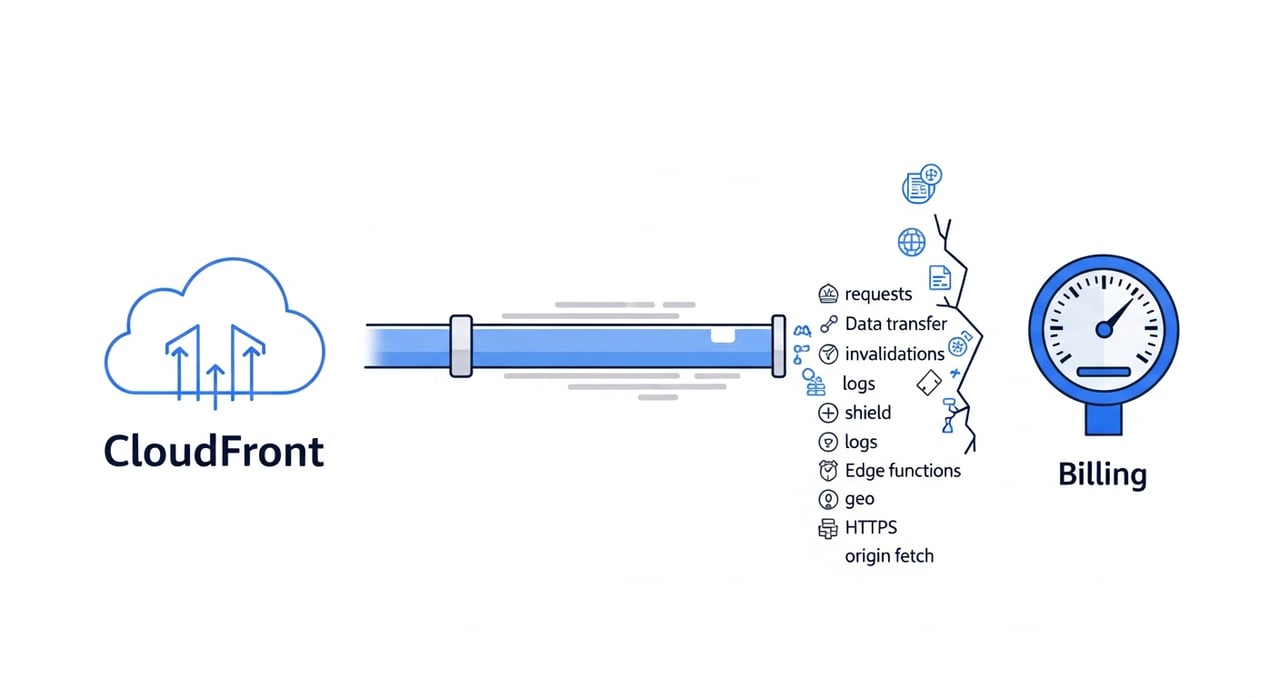
CloudFront bills across five axes. Each one scales independently, which is why a single "cost per GB" comparison against other CDNs is misleading. Here are the 2026 published rates for the US/Canada/Europe tier, which is where the majority of traffic lands for most SaaS and media workloads.
| Monthly Volume (US/Canada/Europe) | Per-GB Rate |
|---|---|
| First 10 TB | $0.085 |
| Next 40 TB | $0.080 |
| Next 100 TB | $0.060 |
| Next 350 TB | $0.040 |
| Next 524 TB | $0.030 |
| Next 4 PB | $0.025 |
| Over 5 PB | $0.020 |
South America, India, and Asia-Pacific regions are 1.5× to 2.5× more expensive per GB. If your user base has shifted geographically since you first architected your distribution, your effective blended rate may have crept up without any traffic growth.
| Request Type (US/Canada/Europe) | Per 10,000 Requests |
|---|---|
| HTTP | $0.0100 |
| HTTPS | $0.0100 |
In India, those numbers jump to $0.0090 for HTTP and $0.0120 for HTTPS per 10,000 requests. For API-heavy workloads or HLS/DASH streams with short segment durations (2-second segments generate 30 requests per minute per viewer), request costs can rival or exceed data-transfer costs.
Origin Shield charges an incremental per-request fee on top of normal request pricing: $0.0090 per 10,000 requests in US/Europe regions, higher elsewhere. Invalidation requests are free for the first 1,000 paths per month; after that, $0.005 per path. CloudFront Functions run at $0.10 per million invocations. Lambda@Edge is priced per request ($0.60 per million) plus per-GB-second of compute, which means a complex viewer-request function on high-RPS traffic can generate a bill line you never anticipated.
Real-time logs delivered to Kinesis Data Streams cost $0.01 per million log lines. This sounds trivial until you do the math on 500 million daily requests: that is $150/month for logs alone, before the Kinesis shard-hour and PUT costs downstream.
These are not obscure gotchas. They are structural billing behaviors that compound silently, and most teams discover them only during a cost-allocation review triggered by a budget overrun.
Every unique combination of forwarded headers, cookies, and query-string parameters creates a distinct cache key. A distribution that forwards the Authorization header, three tracking cookies, and unsorted query parameters can produce cache-hit ratios below 20%. The result: 80% of requests become origin fetches billed as both CloudFront requests and origin data transfer. The fix is surgical: forward only what the origin actually needs to vary on. Use CloudFront cache policies (not legacy whitelist settings) and strip or normalize query parameters at the edge.
During an incident, teams often drop TTLs to 0 or 60 seconds to force revalidation. The incident resolves. The TTL stays. Three months later, the distribution is processing 10× the origin requests it should. We have seen this pattern on four separate client audits in 2026 alone. A CloudFront distribution with a 60-second TTL on a high-traffic path is functionally a reverse proxy, not a cache. Audit your cache behaviors quarterly; look for any max-TTL or default-TTL under 300 seconds that is not justified by content volatility.
Calling CreateInvalidation for wildcard paths on every deploy turns a free-tier feature into a recurring cost. A team deploying 40 times per day with 200-path invalidations per deploy exhausts the free 1,000 paths by day 1 and racks up roughly $36,000/year in invalidation fees. Versioned asset URLs (hashed filenames, content-addressed paths) eliminate this entirely. Invalidation should be reserved for emergencies, not CI/CD pipelines.
Origin Shield collapses multi-POP origin fetches into a single regional fetch. For cacheable content with TTLs above 300 seconds, it reduces origin load and often pays for itself. For dynamic or personalized responses with TTLs near zero, it adds an extra hop and an extra per-request charge ($0.0090/10k in US) with no caching benefit. Before enabling Origin Shield on a cache behavior, calculate the expected cache-hit ratio for that behavior. If it is below 50%, Origin Shield is a surcharge, not a savings mechanism.
Real-time logging to Kinesis was enabled to debug a latency issue in November. It is now April 2026 and still running on all cache behaviors across three distributions. At $0.01 per million log lines plus Kinesis costs, a 200M-request/day workload generates approximately $60/month in CloudFront log charges alone, plus $300-$500/month in Kinesis shard-hours and PUT record fees. Standard logs (delivered to S3 at no additional CloudFront charge) are sufficient for most ongoing analytics. Real-time logs should be scoped to specific cache behaviors and time-boxed.
Lambda@Edge is powerful and expensive. A viewer-request trigger running on every HTTPS request across a 100M-request/day distribution costs roughly $1,800/month in invocations alone ($0.60/million × 100M × 30 days), before compute-duration charges. If the function is doing something that CloudFront Functions can handle (header manipulation, simple redirects, A/B routing), migrating to CloudFront Functions at $0.10/million cuts that line item by 83%. Reserve Lambda@Edge for cases that genuinely need Node.js/Python runtime, network calls, or response-body manipulation.
CloudFront pricing varies by region by as much as 2.5×. A SaaS product that expanded into South Asia in 2025 may have modeled CDN costs at US rates. India-tier data transfer is $0.109/GB for the first 10 TB, compared to $0.085/GB in the US. If 30% of traffic has shifted to a more expensive region, your effective blended rate increased without any volume change. Use CloudFront's per-region metrics (available in the console and via the CloudWatch DistributionByRegion metrics) to remodel your cost forecast quarterly.
CloudFront does not charge for data transfer from CloudFront back to an AWS origin (S3, ALB, EC2 in the same region). But if your origin is outside AWS, or in a different region, standard EC2/S3 data-transfer-out rates apply on the origin side. A non-AWS origin receiving 5 TB/month of cache-miss traffic from CloudFront is paying its own egress bill that does not appear on the CloudFront invoice. Track origin-fetch volume separately in your cost model.
AWS introduced the CloudFront Security Savings Bundle as a flat-rate commitment that bundles CloudFront traffic with AWS WAF and Shield Advanced at a discount of up to 30% compared to on-demand. It makes sense if you already use WAF and Shield Advanced. It does not make sense if your workload is high-volume cacheable delivery that needs neither. The commitment is 1 year. If your traffic mix changes or you move workloads off CloudFront, the committed spend remains. Model your actual feature usage before signing, not just the per-GB discount.
The choice is not binary. Many organizations run both: pay-as-you-go distributions for simple static delivery, and a Security Savings Bundle for distributions that already require WAF rules, bot management, and Shield Advanced. Here is how to decide.
| Criteria | Pay-As-You-Go Favored | Security Savings Bundle Favored |
|---|---|---|
| WAF / Shield Advanced usage | Not used or minimal rules | Already active with managed rule groups |
| Traffic predictability | Highly variable / seasonal | Stable ± 20% month-over-month |
| Commitment tolerance | Need flexibility to shift providers | Willing to commit 1 year |
| Monthly CloudFront + WAF spend | Under $5,000/month | Over $10,000/month with WAF included |
| Primary workload type | High-volume cacheable content | Mixed content + API + security-sensitive |
A common mistake: teams sign the Security Savings Bundle because they see "up to 30% savings" on the headline, then realize their actual workload barely uses the bundled features. The effective discount on pure CDN delivery is often closer to 10-15% after accounting for the features they were not going to buy anyway.
This matrix is the section you will not find in the AWS docs or most comparison articles. It maps six common workload profiles to the CDN billing model that typically produces the lowest total cost of ownership in 2026. "Lowest cost" here means the sum of CDN charges, origin-side impact, and operational overhead of managing the configuration.
| Workload Profile | Request Density | Cache-Hit Ratio Target | Best-Fit Billing Model | Key Cost Driver |
|---|---|---|---|---|
| Static marketing / docs sites | Low | 95%+ | Flat-rate per-TB CDN or CloudFront PAYG | Per-GB rate |
| Personalized SPA with API backends | High | 40-70% | CloudFront PAYG with tight cache policies | Request count + origin fetch |
| REST / GraphQL API at scale | Very high | 10-30% | Evaluate per-request cost carefully; CloudFront may not be cheapest | Per-request pricing dominates |
| HLS/DASH live + VOD streaming | High (segment requests) | 80-95% | Flat-rate per-TB CDN for bulk delivery | Bandwidth at volume + request count |
| Software / game distribution (large files) | Low (few requests, big objects) | 90%+ | Volume-based CDN with per-TB pricing | Per-GB rate at volume |
| Expensive origin (GPU inference, rendering) | Varies | 60-85% | CloudFront with selective Origin Shield | Origin compute saved per cache hit |
Two patterns emerge. First, workloads dominated by request count (APIs, short-segment streaming, chatty SPAs) are where CloudFront's per-request pricing hurts most. Second, workloads dominated by bandwidth at volume (software updates, game patches, VOD libraries) almost always find better unit economics outside CloudFront's tiered pricing, especially above 100 TB/month.
The AWS CloudFront pricing calculator gives a rough estimate but misses the interactions between cache behavior, request shape, and add-on features. Here is a formula that produces a more accurate monthly projection.
Monthly CloudFront Cost = (Egress GB × Regional Blended Rate) + (Total Requests ÷ 10,000 × Request Rate) + (Origin-Miss Requests × Origin Shield Rate, if enabled) + (Invalidation Paths above 1,000 × $0.005) + (CloudFront Function Invocations ÷ 1,000,000 × $0.10) + (Lambda@Edge Invocations ÷ 1,000,000 × $0.60) + (Lambda@Edge GB-seconds × $0.00005001) + (Real-Time Log Lines ÷ 1,000,000 × $0.01) + (Kinesis shard-hours and PUT costs, external to CloudFront bill)
Pull these inputs from CloudWatch metrics: BytesDownloaded, Requests, CacheHitRate (to derive miss count), and from your Lambda/Kinesis dashboards. Run this model monthly. The first time you do, you will find at least one line item you did not know you were paying.
Ranked by typical dollar impact, highest first:
Audit every cache behavior. Forward only the headers and cookies the origin actually varies on. Use CloudFront's managed cache policies where possible. Normalize query-string order. A cache-hit ratio improvement from 60% to 85% on a 100 TB/month distribution saves approximately $2,100/month in egress and $600/month in request-driven origin costs at US rates.
Hash filenames in your build pipeline. Set max-age to 31536000 (one year) on immutable objects. This eliminates invalidation costs entirely for those paths and pushes cache-hit ratios toward 99% for static resources.
Enable Origin Shield only on cache behaviors where the TTL is above 300 seconds and the cache-hit ratio is above 50%. Disable it for dynamic, personalized, or API paths. Review monthly: if the Origin Shield line item exceeds the origin compute savings, turn it off.
CloudFront Functions support viewer-request and viewer-response triggers, JavaScript runtime, and execute in under 1 ms for most use cases. They cost $0.10/million vs. $0.60/million for Lambda@Edge. If your function does not need network calls, external KV lookups (beyond CloudFront KeyValueStore), or response-body manipulation, migrate it.
Enable real-time logs for specific cache behaviors during an active investigation. Disable them when the investigation concludes. Use standard S3 logs for ongoing analytics. This is a configuration discipline issue, not a technology issue. Put a calendar reminder or an automated CloudFormation/CDK stack that disables real-time logging after N days.
Pull CloudFront's per-region byte and request metrics. Re-run your cost model with actual regional distribution. If South Asia or South America traffic has grown to 20%+ of total, the blended rate your finance team uses is wrong.
CloudFront is deeply integrated with the AWS ecosystem. That integration has real value: zero-cost origin fetch from S3 in the same region, native Shield Advanced integration, edge compute triggers on Lambda@Edge. But that integration also creates a pricing complexity tax. If your primary need is high-volume cacheable delivery (50 TB/month or more of static assets, software binaries, or video segments) and you do not need WAF, bot management, or edge compute on the CDN layer, simpler per-TB pricing models will be both cheaper and easier to forecast.
For teams delivering 100+ TB/month of video, software updates, or game patches, BlazingCDN offers volume-based pricing that starts at $4/TB ($0.004/GB) and scales down to $2/TB ($0.002/GB) at 2 PB/month. That compares to CloudFront's effective blended rate of $25-$40/TB at similar volumes in US/Europe regions. BlazingCDN delivers 100% uptime SLA, flexible configuration, and scales under demand spikes, with clients including Sony. For workloads where the CDN's job is to deliver bytes reliably and affordably, the cost differential is significant enough to fund an entire additional engineering headcount at scale.
Cost optimization on CloudFront is not a one-time project. It degrades over time. Here are the three failure modes we see most often in 2026.
The engineer who tuned the cache policies leaves. New team members add cache behaviors with default settings (forwarding all headers, no cache policy attached). Within two quarters, cache-hit ratio drops from 88% to 55% and the bill increases 40%. Mitigation: codify cache policies in IaC (CloudFormation or CDK), enforce them through CI/CD, and alert on CacheHitRate drops below a threshold.
Origin Shield gets enabled on a new distribution during development because "it's best practice." Real-time logging gets turned on for a launch-day monitoring dashboard. Lambda@Edge gets added for a header-injection requirement. None of these are reviewed post-launch. Eighteen months later, the distribution has $4,000/month in add-on costs for features that are either unnecessary or could be handled at the origin. Mitigation: run a quarterly "CloudFront add-on audit" as part of your cloud cost review. Check every distribution for Origin Shield, real-time logging, Lambda@Edge, and CloudFront Functions. Ask: "If we removed this today, what would break?"
The product launches in new markets. Traffic from South America and Asia grows. Nobody updates the CloudFront price model. The finance team budgets based on last year's blended rate. The bill comes in 25% over budget. Mitigation: tag CloudFront distributions by product line and region. Pull per-region metrics into your FinOps tooling monthly.
The three most common causes are cache-hit ratio degradation (from forwarded headers, cookies, or short TTLs), add-on features left enabled after their original purpose ended (real-time logs, Lambda@Edge), and geographic traffic shifts to more expensive regions. Pull your CacheHitRate from CloudWatch and compare it to 90 days ago. If it dropped more than 10 points, that is your likely culprit.
The first 1,000 invalidation paths per month are free. Each additional path costs $0.005. A wildcard path (e.g., /images/*) counts as one path. Teams that invalidate on every deploy with specific file paths (not wildcards) frequently exceed the free tier within the first week of the month. Versioned asset URLs are the permanent fix.
It depends entirely on the cache-hit ratio of the behaviors where you enable it. For content with TTLs above 300 seconds and cache-hit ratios above 50%, Origin Shield typically reduces origin fetch volume enough to justify its $0.0090/10k request surcharge. For dynamic or personalized content with near-zero TTLs, it adds cost without reducing origin load. Calculate the break-even point for each cache behavior individually.
CloudFront Functions cost $0.10 per million invocations with no compute-duration charge. Lambda@Edge costs $0.60 per million invocations plus $0.00005001 per GB-second of compute. For a viewer-request function running on 100 million requests/month, CloudFront Functions cost $10/month; Lambda@Edge costs at minimum $60/month and often $200-$400/month with compute duration. Use CloudFront Functions for header manipulation, redirects, URL rewrites, and simple A/B routing. Use Lambda@Edge only when you need the full Node.js/Python runtime.
The core per-GB and per-request rates have remained stable through Q1 2026. The most significant change is the continued push toward the Security Savings Bundle as the primary discount mechanism, replacing the older private pricing agreements for many mid-market accounts. The bundle's economics are favorable only if you actively use WAF and Shield Advanced. Teams that signed for the headline discount without modeling their feature usage are now locked into 12-month commitments that may not deliver the savings they expected.
The AWS pricing calculator provides a rough estimate based on volume and region. It does not account for cache-hit ratio, request-to-byte ratio, invalidation volume, Origin Shield usage, edge compute invocations, or real-time log costs. For any workload spending more than $2,000/month on CloudFront, build a spreadsheet model using the formula described in this article with actual CloudWatch metrics as inputs.
At 100 TB/month in US/Europe, CloudFront's blended egress rate is approximately $0.035-$0.045/GB depending on your volume tier. Dedicated delivery CDNs with flat-rate or volume-commitment pricing typically offer $0.002-$0.010/GB at similar volumes. The gap widens at higher volumes. The trade-off is that CloudFront offers tighter AWS ecosystem integration (free S3 origin fetch, native WAF, Shield Advanced), which has real operational value for AWS-native architectures.
Pick one distribution that accounts for at least 30% of your CloudFront spend. Pull these five metrics from CloudWatch for the last 90 days: BytesDownloaded, Requests, CacheHitRate (by cache behavior, not just distribution-level), 4xxErrorRate, and 5xxErrorRate. Then pull your Lambda@Edge invocation count and real-time log line volume from their respective dashboards. Run them through the cost formula above. Compare the result to your actual bill. The delta will tell you exactly which hidden fee to fix first. If the delta is more than 15%, you have an optimization opportunity measured in thousands of dollars per month. That is the work worth doing this week.
Compare
Imagine a bustling global marketplace where digital content flows as smoothly as traffic in a well-orchestrated city. ...

Learn
AWS CloudFront Pricing in 2026: Cost per TB Breakdown At 50 TB/month of egress from US edge locations, your AWS ...
Learn
CDN Failover in 2026: The Five-Nines Architect's Playbook In January 2026, a major European streaming platform lost CDN ...