
Learn
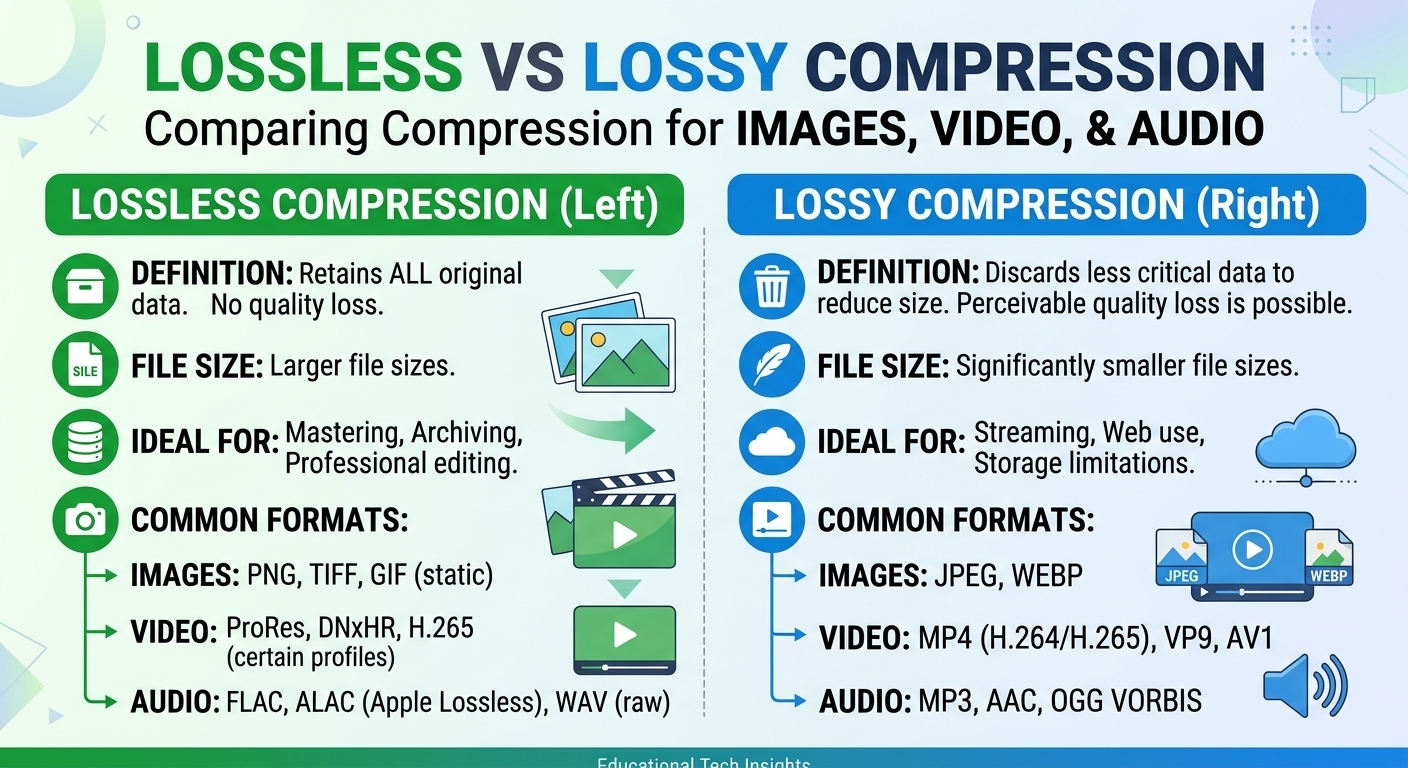
Lossy vs Lossless Compression: Images, Video and Audio
Lossy vs lossless compression comes down to one trade: lossless compression rebuilds every original bit and typically ...

A single misconfigured routing decision between CloudFront and Global Accelerator cost one fintech team 38ms of added P99 latency across their APAC fleet in Q1 2026. The fix took four minutes. The debugging took a week. The core problem: they treated the CloudFront vs Global Accelerator choice as a static asset vs. dynamic asset question, when the real decision axis is whether your bottleneck is content retrieval or network path. This article gives you a workload-profile decision matrix, a 2026-current cost model comparison, and the architectural patterns that let you stop guessing and start measuring which service your traffic actually needs.
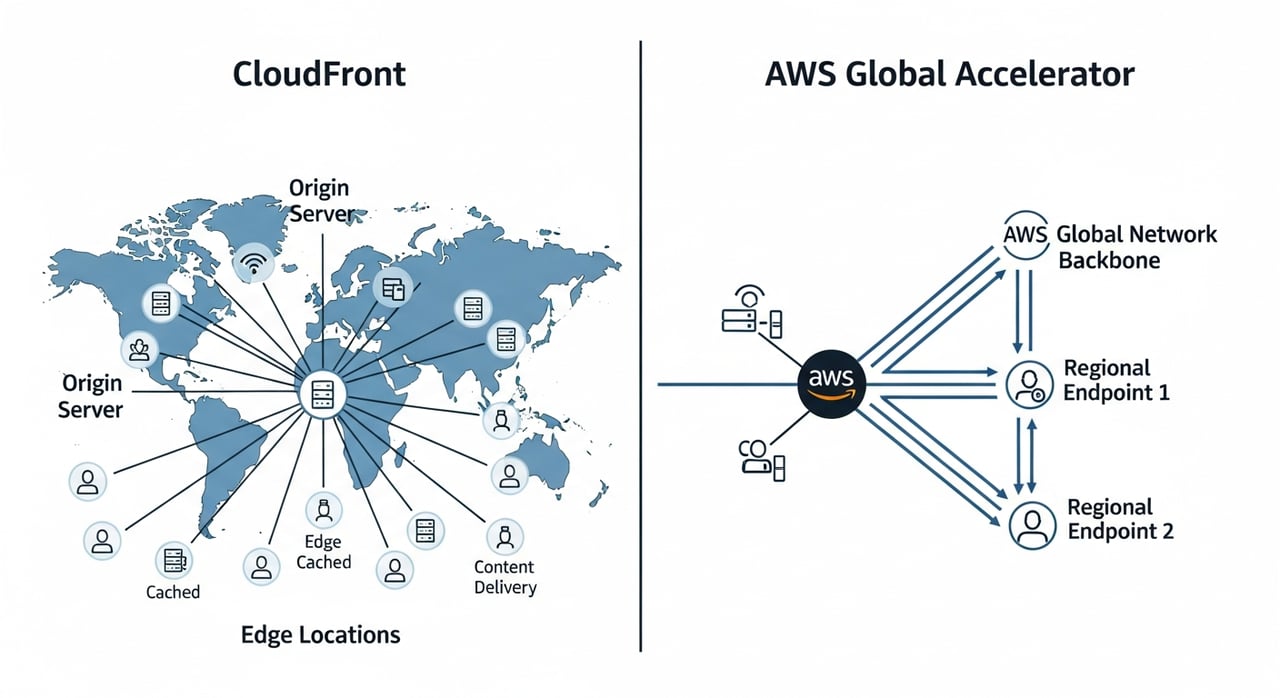
Both services ride on AWS's private backbone. The similarity ends there. CloudFront terminates HTTP(S) connections at edge locations, evaluates cache keys, and either serves from local storage or fetches from your origin through an optimized path. As of May 2026, AWS operates over 600 CloudFront edge locations and 13 regional edge caches. Every request is an HTTP transaction: cacheable, transformable via CloudFront Functions or Lambda@Edge, and subject to cache policy evaluation.
Global Accelerator does none of that. It provides two static anycast IPv4 addresses that route traffic to the nearest AWS edge, then forwards packets across AWS's backbone to your endpoint groups in one or more regions. It operates at Layer 4. It does not inspect HTTP headers, does not cache, does not transform. It simply finds a faster path than the public internet and keeps failover times under 30 seconds by continuously health-checking your endpoints.
The critical distinction: CloudFront optimizes what is delivered. Global Accelerator optimizes how packets travel. Conflating the two leads to architectures that pay for caching on uncacheable workloads or skip caching on workloads that are 90% static.
| Dimension | Amazon CloudFront (May 2026) | AWS Global Accelerator (May 2026) |
|---|---|---|
| OSI Layer | Layer 7 (HTTP/HTTPS, WebSocket) | Layer 4 (TCP, UDP) |
| Caching | Yes, multi-tier (edge + regional) | None |
| Edge compute | CloudFront Functions, Lambda@Edge | None |
| Static IPs | No (dynamic edge IPs, prefix lists available) | Yes, two anycast IPv4 addresses per accelerator |
| Protocol support | HTTP/1.1, HTTP/2, HTTP/3, WebSocket | TCP, UDP |
| Failover speed | Origin failover per cache behavior | Sub-30-second endpoint failover |
| Security integration | AWS WAF, AWS Shield Standard/Advanced, signed URLs/cookies | AWS Shield Standard (Advanced optional), security groups on endpoints |
| Ideal traffic profile | Cacheable content, streaming, API responses with TTL | Non-cacheable dynamic traffic, gaming, VoIP, financial feeds |
API traffic is where the decision gets genuinely hard. A catalog lookup API with predictable query patterns and responses that tolerate 5-second TTLs belongs behind CloudFront. You get cache offload, regional edge caches absorb origin spikes, and CloudFront Functions can handle lightweight auth or header manipulation at the edge without a Lambda cold start.
A transactional API, one that processes payments, updates session state, or coordinates distributed writes, gains nothing from caching. Here Global Accelerator shines: it pulls the TCP handshake onto the AWS backbone sooner, reducing the number of public-internet hops. For clients in regions far from your origin, this typically shaves 20-40% off round-trip time compared to public DNS resolution alone (based on AWS-published latency improvement ranges, confirmed in 2026 documentation).
The nuance: many production APIs are mixed. A single ALB might serve both catalog reads and checkout mutations. The correct architecture is often to split these behind different domains, one fronted by CloudFront, the other by Global Accelerator, rather than forcing one service to handle both traffic profiles.
CloudFront pricing is transfer-based and varies by geography. As of Q2 2026, the first 10 TB/month from US and Europe edge locations costs $0.085/GB, dropping to $0.020/GB past 5 PB. HTTPS request pricing adds $0.01 per 10,000 requests. Origin shield, if enabled, adds per-request fees but can reduce origin fetches significantly on cache misses.
Global Accelerator charges a fixed hourly fee per accelerator ($0.025/hour, roughly $18/month) plus a per-GB data transfer premium. That premium as of 2026 is $0.015/GB over the dominant AWS region's standard transfer rate. For workloads pushing 50 TB/month, Global Accelerator's data processing charge alone can exceed $750 on top of standard data transfer.
For cacheable workloads with 80%+ cache hit ratio, CloudFront almost always wins on cost because cached responses incur no origin transfer. For dynamic-heavy workloads under 5 TB/month, Global Accelerator's fixed cost is low enough that the latency improvement easily justifies the spend. Between 5 TB and 50 TB of dynamic traffic, model both: Global Accelerator's per-GB premium compounds quickly, and you should benchmark whether the latency delta actually impacts your SLO or just flatters a dashboard.
For teams whose CDN bill is dominated by volume and cache-friendly traffic rather than dynamic routing needs, it is worth evaluating providers outside AWS's ecosystem. BlazingCDN's CDN comparison page details an alternative priced from $5 per TB down to $2.50 per TB at volume (as of October 2026), the same rate in the US, Europe and Asia. For 100 TB a month that is $415, against about $6,965 on CloudFront pay-as-you-go (published price list, checked August 2026). For enterprises with large static delivery footprints, cost efficiency at volume compounds into a meaningful infrastructure advantage.
Stop asking "CloudFront or Global Accelerator?" in the abstract. Map your actual workload against these profiles:
| Workload Profile | Recommended Service | Rationale |
|---|---|---|
| Static site, media assets, software downloads | CloudFront | High cache hit ratio eliminates origin load and reduces cost per request |
| VOD and live streaming (HLS/DASH) | CloudFront | Segment caching at edge, origin shield for live ingest fan-out |
| Multiplayer gaming (UDP-heavy) | Global Accelerator | UDP support, anycast entry, deterministic routing to game servers |
| Real-time financial feeds, trading APIs | Global Accelerator | Every millisecond of latency is monetized; backbone routing dominates |
| SaaS with mixed read/write API | Both (split by path) | Cache GET endpoints via CloudFront; route mutations through Global Accelerator |
| Multi-region active-active with strict failover SLA | Global Accelerator | Health-check-driven failover in under 30 seconds; static IPs simplify allowlisting |
| Ecommerce with personalized pages | CloudFront with cache policies | Cache shared layout/assets, use origin request policies for personalized fragments |
| IoT telemetry ingestion (TCP or MQTT over TCP) | Global Accelerator | Non-HTTP protocol, benefits from reduced jitter on backbone |
If your workload does not fit neatly into one row, that is a signal to split your traffic across both services rather than compromise on one.
Running CloudFront and Global Accelerator together is not redundancy. It is specialization. A common 2026 pattern for SaaS platforms: a CloudFront distribution handles all GET requests for the web application and API reads, configured with aggressive cache policies and origin shield in the primary region. A Global Accelerator sits in front of the same ALB (or a dedicated ALB) for POST/PUT/DELETE routes, WebSocket upgrades, and any endpoint that requires sticky sessions or instant regional failover.
DNS-level splitting with Route 53 weighted or latency-based records makes this clean. The two services share nothing at the edge, so failure domains stay isolated. The cost overhead of running both is modest: one accelerator's fixed fee plus the marginal difference in transfer pricing on the dynamic slice. The operational clarity you gain, cacheable traffic follows one path, state-mutating traffic follows another, pays for itself the first time you debug a latency regression.
No. Global Accelerator does not cache content, inspect HTTP, or run edge compute. It is a network-layer routing service that uses AWS's backbone to reduce latency and improve availability for any TCP or UDP application. CloudFront is the CDN.
Use Global Accelerator when your traffic is non-cacheable, latency-sensitive, and requires deterministic routing, such as real-time gaming, financial transaction feeds, or VoIP. If your content can tolerate even short TTLs, CloudFront will deliver better cost efficiency and lower latency through caching.
Yes, and many production architectures do. Front your cacheable traffic with CloudFront and your dynamic or stateful traffic with Global Accelerator. They can point to the same origin (ALB, NLB, EC2) without conflict.
CloudFront supports origin failover at the cache behavior level: if the primary origin returns a 5xx or times out, it retries against a secondary origin within the same request. Global Accelerator performs endpoint-level failover across regions based on continuous health checks, typically completing failover in under 30 seconds.
Yes. CloudFront only handles HTTP-based protocols (including WebSocket upgrade over HTTP). Global Accelerator supports arbitrary TCP and UDP traffic, making it the correct choice for custom protocols, game servers, or IoT ingestion endpoints that do not speak HTTP.
At 50 TB/month of US-origin traffic (as of Q2 2026), CloudFront transfer costs roughly $3,500-$4,000 depending on cache hit ratio. Global Accelerator adds approximately $750 in data processing fees on top of standard EC2/ALB data transfer, plus the $18/month fixed fee. For cacheable workloads, CloudFront is cheaper. For fully dynamic traffic, Global Accelerator's premium buys meaningful latency reduction.
If you are running either service without recently measuring the actual latency delta it provides, you are operating on assumption. Here is a concrete exercise: instrument your P50, P95, and P99 latencies from three geographically diverse client regions to your origin, both through the AWS service and directly over the public internet. Compare. If CloudFront's cache hit ratio is below 70%, investigate your cache key configuration before adding Global Accelerator. If Global Accelerator's latency improvement is under 10ms for your dominant client region, question whether the per-GB premium is justified. The right answer is always in the measurements, not in the architecture diagram.

Heavy traffic.
Light bill.
The CDN for video and large traffic
Learn
Lossy vs lossless compression comes down to one trade: lossless compression rebuilds every original bit and typically ...
Pricing - Pricing & Costs
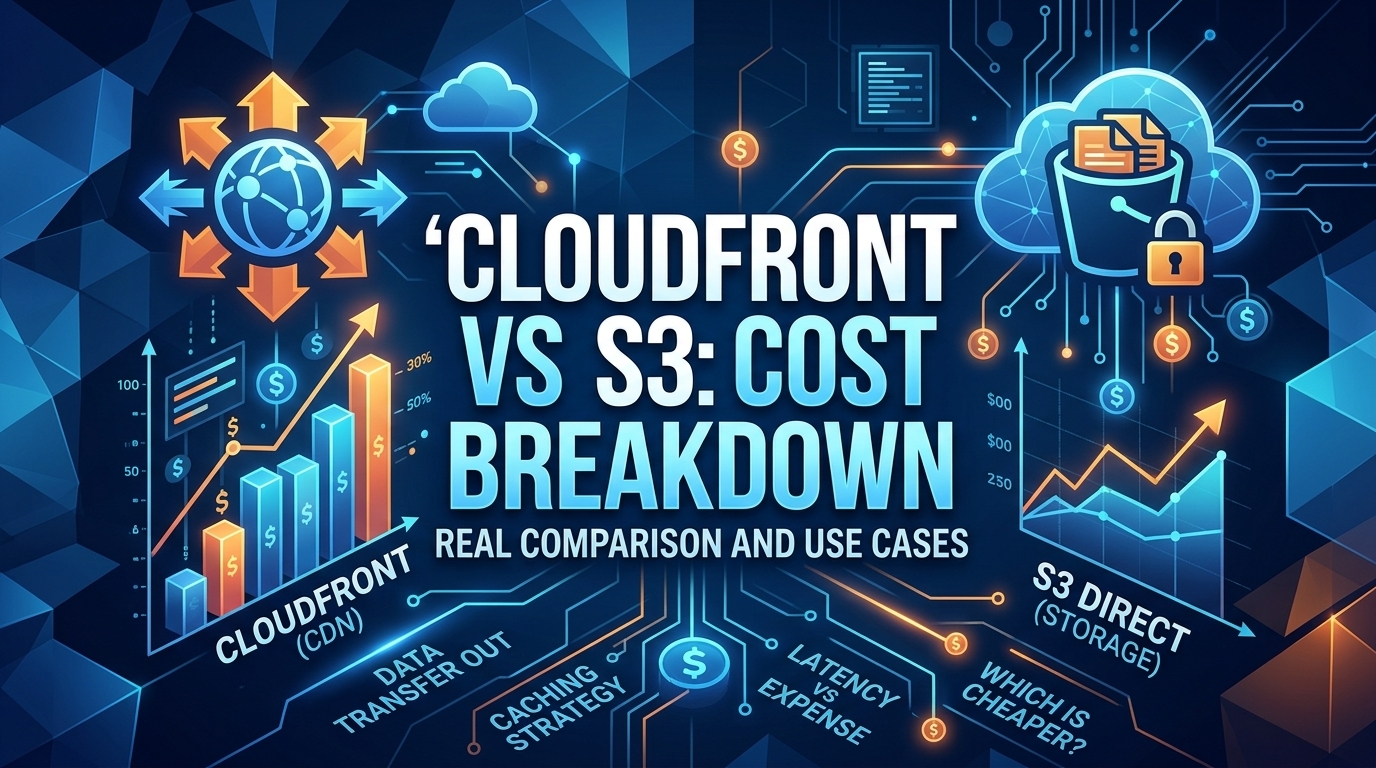
The CloudFront vs S3 decision depends more on object size than on traffic volume. At a 500 KB average response, 100 TB ...
Learn
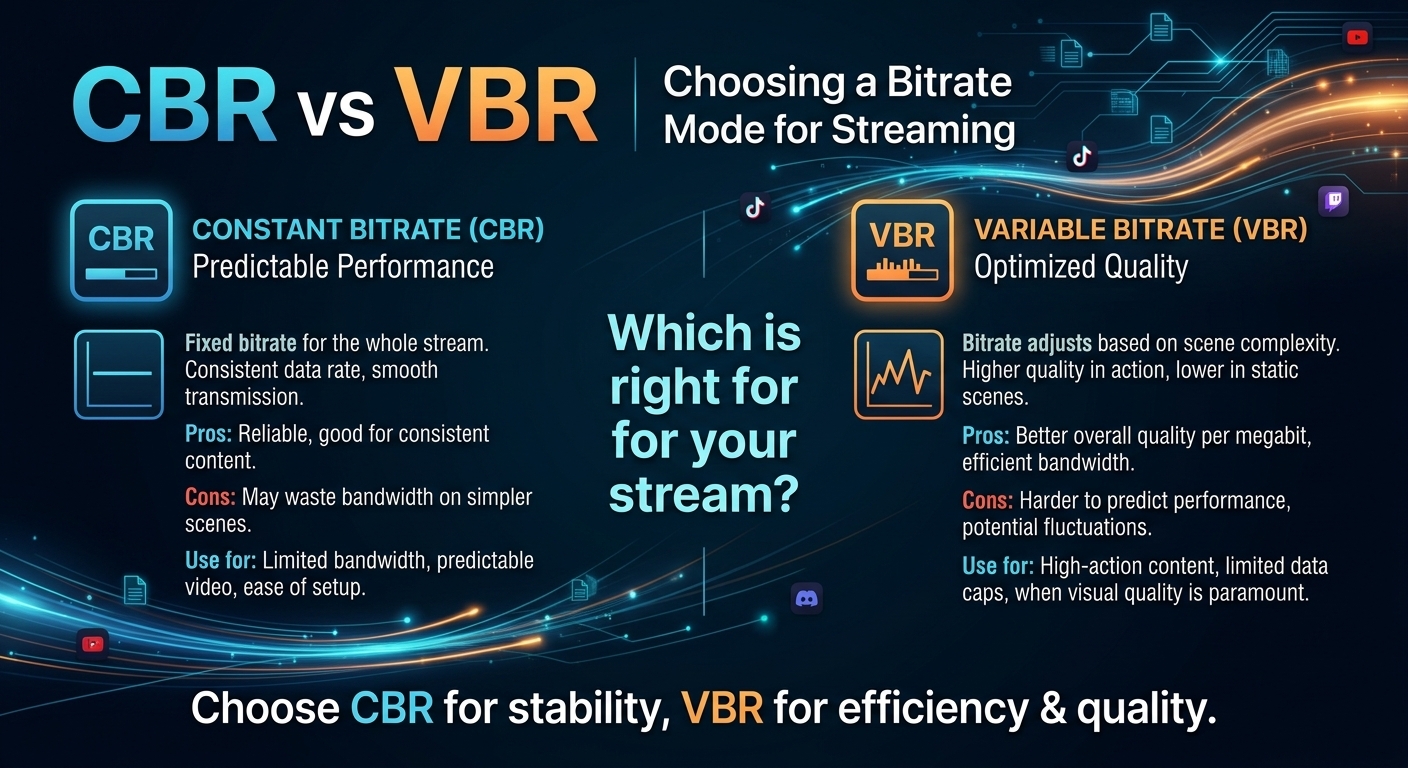
For most on-demand video, capped variable bitrate (VBR) wins the cbr vs vbr decision: it spends bits where the picture ...