
Learn
Lossy vs Lossless Compression: Images, Video and Audio
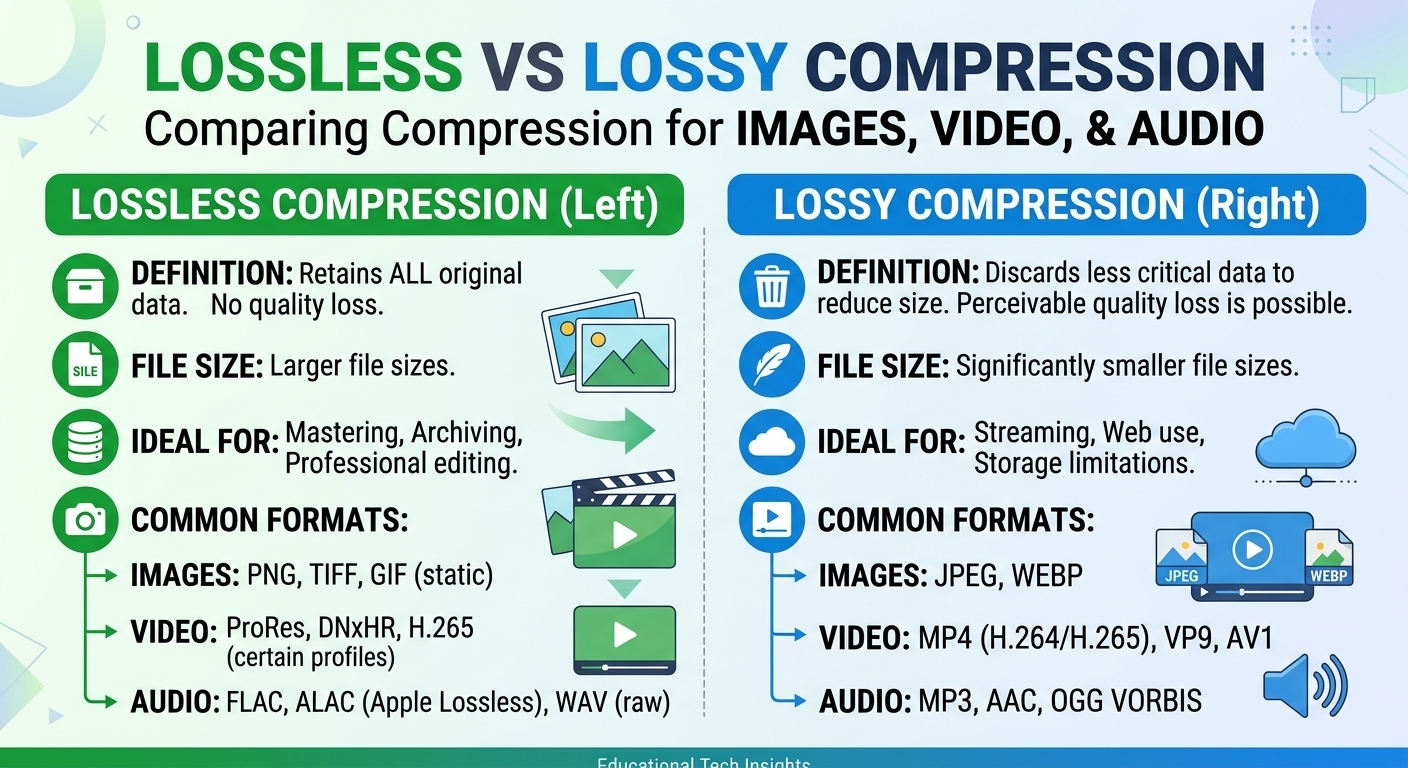
Lossy vs lossless compression comes down to one trade: lossless compression rebuilds every original bit and typically ...

Base64 encoding is a binary-to-text scheme that represents arbitrary binary data using 64 printable ASCII characters (A–Z, a–z, 0–9, plus + and /), padded with =. It maps every 3 bytes (24 bits) onto 4 characters of 6 bits each, which inflates size by about 33%. It is standardized in RFC 4648 and used wherever binary must travel through a text-only channel: email, JSON, HTML, TLS certificates.
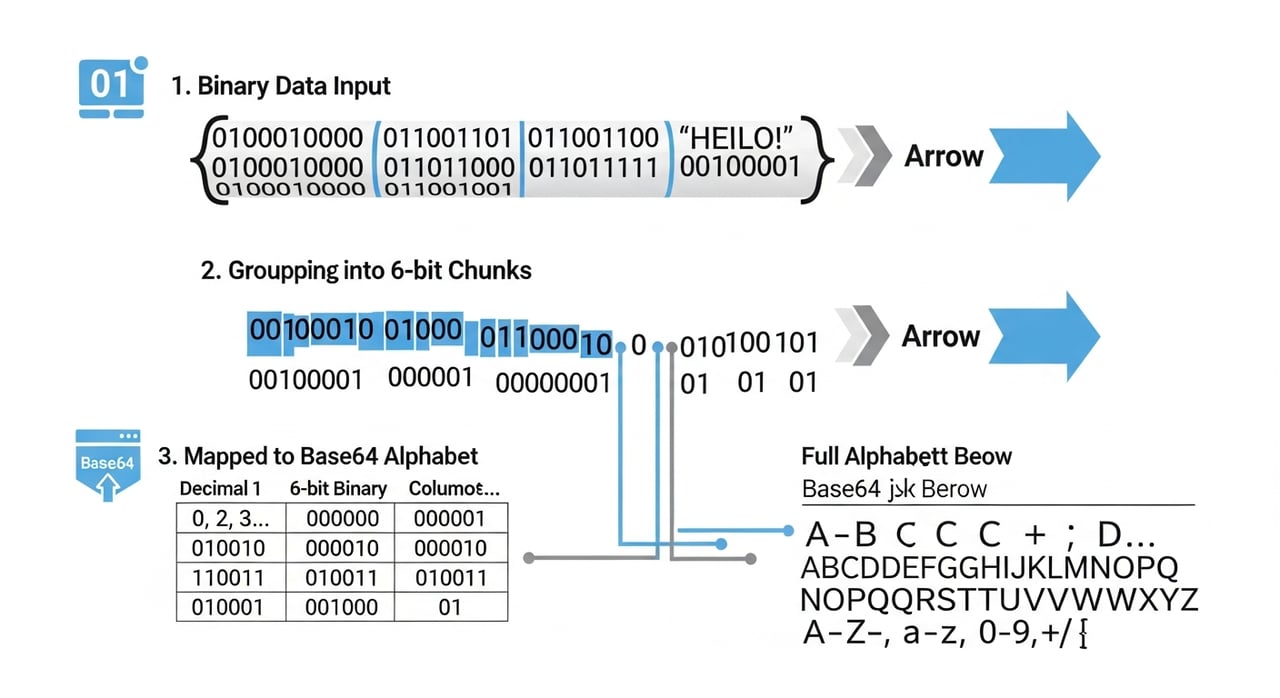
Base64 encoding regroups the bit stream, not the bytes. It takes 24 bits at a time — three 8-bit bytes — and re-slices them into four 6-bit groups. Each 6-bit value (0–63) indexes into the alphabet to produce one output character.
Worked example: the string Man.
M = 77  = 01001101
a = 97  = 01100001
n = 110 = 01101110

concatenated: 010011 010110 000101 101110
6-bit values:     19     22      5     46
alphabet index:    T      W      F      u
result: TWFu
When the input length is not a multiple of 3, the encoder zero-pads the final group and appends = characters to mark how many bytes were real. One leftover byte yields two characters plus ==; two leftover bytes yield three characters plus =. Decoding reverses the mapping exactly, with no key and no ambiguity.
Base64 appears any time a binary payload has to survive a channel that assumes text. MIME email attachments, HTTP Basic authentication credentials, PEM-wrapped X.509 certificates and keys, JSON Web Token segments (using the URL-safe variant), and HTML/CSS data: URIs all rely on it. It is a transport encoding, not a storage or compression format.
Base64, defined in RFC 4648, encodes every 3 bytes of binary into 4 ASCII characters, inflating payload size by approximately 33%. As of 2026 it remains the default transport encoding for embedding images, fonts, and certificates inside text formats such as JSON, HTML data URIs, and PEM files.
Base64 vs. encryption: Base64 is fully reversible by anyone, with no secret involved. It obscures nothing. Treating a Base64 string as a security control is the single most common and most dangerous misuse of the scheme.
Base64 vs. Base64url: the URL-safe variant (RFC 4648 §5) swaps + and / for - and _, and usually drops padding, so the output survives inside URLs and filenames without percent-escaping. JWTs use this variant.
Base64 vs. hexadecimal (Base16): hex encodes each byte as two characters, a flat 100% size overhead. Base64's 33% overhead makes it the denser choice for large payloads, while hex stays more human-readable for short values like hashes.
$ echo -n 'Man' | base64
TWFu

$ echo -n 'TWFu' | base64 -d
Man

# Inline a small SVG icon as a data URI
$ echo -n '<svg .../>' | base64
# use as: background: url("data:image/svg+xml;base64,PHN2Zy...");
The -n matters: without it, the trailing newline is encoded too, producing a different string.
It does not compress. Base64 always makes data larger, never smaller. If you gzip a Base64 string you mostly recover the overhead, but you never beat sending the raw binary.
It is not URL-safe by default. The standard alphabet's +, /, and = all require escaping in query strings; use Base64url when the value goes into a URL.
Data URIs are not free performance wins. A Base64 data: URI is embedded in its parent document, so it can't be cached independently and it carries the full 33% weight penalty on every page load. Serving that same asset as a standalone file lets a CDN like BlazingCDN cache it once at the edge and reuse it across every page, which is why inlining pays off only for tiny, rarely-changing assets. You can read more on edge caching behavior in the CDN feature reference for cacheable static assets.
No. Base64 encoding is not encryption and provides zero confidentiality. Anyone can decode a Base64 string instantly with a one-line command and no key. It exists to make binary data safe for text channels, not to protect it. Sensitive data still needs TLS in transit and real encryption at rest.
Base64 increases size by roughly 33%, because every 3 input bytes become 4 output characters. Padding adds up to two more characters on the final block. For a 1 MB binary file, expect about 1.33 MB of Base64 text before any HTTP compression, which typically recovers part but not all of that overhead.
Base64url is a URL- and filename-safe variant defined in RFC 4648 that replaces + with - and / with _, and usually omits = padding. Standard Base64 uses +, /, and =, which must be percent-escaped inside URLs. JSON Web Tokens and many API tokens use Base64url.
Run echo -n 'STRING' | base64 -d on Linux or macOS, substituting your encoded value for STRING. The -d flag decodes; omit it to encode. For binary output such as an image, redirect to a file with base64 -d > out.png instead of printing to the terminal.
Only for very small, static assets. Base64 data URIs add 33% weight and can't be cached separately, so an icon inlined into 50 pages is re-downloaded 50 times. Standalone files served from an edge cache are usually faster for anything above a few kilobytes or anything shared across pages.
Grep your production CSS and HTML for data:.*;base64, this week and total the encoded byte counts. Compare that against the raw file sizes and the number of pages each asset appears on. Any Base64 blob larger than roughly 2–4 KB, or reused across multiple pages, is almost always cheaper as a cacheable standalone file. Then check your CDN's cache-hit ratio for those extracted assets — if it climbs while total transferred bytes drop, you've just measured the exact cost Base64 inlining was hiding.

Heavy traffic.
Light bill.
The CDN for video and large traffic
Learn
Lossy vs lossless compression comes down to one trade: lossless compression rebuilds every original bit and typically ...
Pricing - Pricing & Costs
The CloudFront vs S3 decision depends more on object size than on traffic volume. At a 500 KB average response, 100 TB ...

Learn
For most on-demand video, capped variable bitrate (VBR) wins the cbr vs vbr decision: it spends bits where the picture ...