
Compare
Akamai vs Fastly: CDN Performance and Media Delivery Compared
Akamai vs Fastly is a choice between two delivery models. Akamai sells a deeply distributed, contract-priced platform ...
A media server is software that ingests audio and video, optionally transcodes it into several bitrates, packages it into streaming formats such as HLS or DASH, and serves the resulting playlists and segments to players or to a CDN. For live video it runs a continuous pipeline. For on-demand video it may only package files once.
As of 2026, a live media server typically accepts RTMP or SRT ingest, produces an adaptive bitrate ladder of 3 to 6 renditions, and writes HLS segments of 2 to 6 seconds in the format defined by RFC 8216. With 6-second segments, glass-to-glass latency usually lands around 15 to 30 seconds. Low-Latency HLS with partial segments brings it to roughly 2 to 5 seconds.
A media server converts one contribution feed into many cacheable HTTP objects. It accepts a stream from an encoder, decodes and re-encodes it into a ladder of resolutions and bitrates, cuts each rendition into time-aligned segments, writes playlists or manifests that reference those segments, and exposes the result over HTTP. Players and CDNs only see files.
For VOD the work moves from real time to batch. Files are transcoded once, then either packaged ahead of time into static HLS or DASH, or packaged just-in-time from a single set of MP4 renditions when requested. Pre-packaged output needs no media server at request time, only storage and HTTP delivery.
A streaming server sits between the encoder and the CDN. It acts as the origin for live manifests and segments, usually behind an origin shield. Viewers almost never connect to it directly at scale, because its job is producing segments, not fanning them out to thousands of concurrent players across regions.
The worked numbers below show why. They use a 5-rendition ladder totaling 11.5 Mbps, 6-second segments and 10,000 concurrent viewers on the 5 Mbps top rendition.
That is roughly a 4,300-fold drop in origin bandwidth, which is why a single modest media server can feed a large live audience. The catch is cache policy. Live media playlists need a short TTL, typically about half the target duration, while segments can be cached for hours. Get the playlist TTL wrong and players either stall or fetch stale manifests that point at segments the DVR window has already dropped.
Media server vs. web server: a web server returns files or application responses that already exist. A media server creates the files: it holds stateful ingest sessions, runs codecs and generates manifests in real time. Once segments exist, a web server such as nginx can serve them, which is why many setups pair a media server with a plain HTTP tier.
Media server vs. CDN: a CDN caches and distributes the HTTP objects a media server produces. It does not decode video, build ABR ladders or accept most ingest protocols. BlazingCDN, for example, does not ingest RTMP or transcode. Its HLS Streaming CDN for pre-encoded HLS, LL-HLS and DASH delivers the packaged output of your media server, with origin shield and request coalescing included.
Media server vs. WebRTC SFU: a selective forwarding unit relays RTP packets between participants for sub-second interactivity, without segmenting anything. Some media servers bundle an SFU. Its output cannot be cached by an HTTP CDN, so cost scales with concurrent viewers rather than with renditions.
| Component | Primary job | State | Scales with |
|---|---|---|---|
| Media server | Ingest, transcode, package | Stateful per stream | Number of streams and renditions |
| Web server | Serve existing files | Stateless per request | Requests and bandwidth |
| CDN | Cache and distribute segments | Cached objects | Viewers and geography |
| WebRTC SFU | Relay real-time packets | Stateful per participant | Concurrent viewers |
The media server's cost scales with streams and renditions, while viewer-driven cost belongs to the CDN, and keeping that boundary clean is the main architectural decision.
In the nginx RTMP module, the whole pipeline fits in about ten lines. An rtmp block listens on port 1935 and defines an application named live with live mode on. Inside it, hls is on, hls_path points at a tmpfs directory, hls_fragment is set to 4s and hls_playlist_length to 24s. A regular http server then serves that directory, with a short cache TTL on the m3u8 playlists and a long one on the segments. On the encoder side, a 30 fps ffmpeg push sets the GOP to 120 frames, sets keyint_min to 120 and disables scene-cut keyframes. Every segment then starts on a keyframe exactly 4 seconds apart.
"VOD needs a media server." It does not. Pre-packaged HLS or DASH on object storage behind a CDN serves on-demand video without any streaming process running at request time. Media servers earn their place in VOD only for just-in-time packaging or per-request DRM.
"A bigger media server handles more viewers." Viewer count is an egress problem. As the math above shows, a cached delivery layer cuts origin load by three to four orders of magnitude. Scale the media server for channels, not for audience.
"RTMP is a playback protocol." Browser playback of RTMP ended with Flash. In 2026, RTMP survives almost entirely as an ingest protocol, increasingly replaced by SRT for contribution over lossy networks.
"Low latency requires WebRTC." LL-HLS and low-latency DASH with CMAF chunks reach a few seconds while staying cacheable. WebRTC is justified when interaction needs under one second, not merely when "low latency" appears in a requirements doc.
Usually not. If your files are transcoded and packaged into HLS or DASH ahead of time, object storage plus a CDN serves them directly. A media server for VOD makes sense when you want just-in-time packaging from MP4 renditions, per-session DRM, or dynamic manifest manipulation such as server-side ad insertion.
In practice the terms are interchangeable. Both describe software that ingests, transcodes and packages audio and video for delivery. "Streaming server" emphasizes live or real-time output, while "media server" is broader and also covers consumer libraries such as Plex or Jellyfin, which index and transcode local files for a few household devices.
No. A CDN caches and distributes HLS or DASH segments, but something must still ingest the encoder feed, build the bitrate ladder and write playlists. That job falls to a media server or a managed packaging service. The CDN replaces the media server's role in viewer fan-out, not its role in creating segments.
For ingest, RTMP and SRT dominate, with WebRTC through WHIP growing for browser-based contribution. For playback, HLS (RFC 8216) and MPEG-DASH over HTTP carry most traffic, often using CMAF fragmented MP4. Real-time interactive output uses WebRTC, which cannot be cached by an HTTP CDN and scales per viewer.
It depends on transcoding, not delivery. A media server doing passthrough repackaging can handle hundreds of streams. Full software transcoding of a five-rendition 1080p ladder can consume several CPU cores per channel, while GPU encoders raise density substantially. Benchmark your exact ladder and preset, because encoder settings change capacity more than server size does.
This week, pull one hour of logs from your media server and your CDN for a single live channel. Compare origin requests per second and origin egress against viewer-side totals, then set them against the expected ratio for your ladder and segment length: one fetch per rendition per object per segment interval. If origin traffic runs well above that, check playlist TTLs, cache keys that include query strings, and whether request coalescing is enabled at the shield.
If your media server already outputs HLS, LL-HLS or DASH, BlazingCDN's OTT and VOD streaming CDN page explains how to put a delivery layer in front of it, with a 14-day testing period on real production traffic.

Heavy traffic.
Light bill.
The CDN for video and large traffic
Compare
Akamai vs Fastly is a choice between two delivery models. Akamai sells a deeply distributed, contract-priced platform ...
Learn
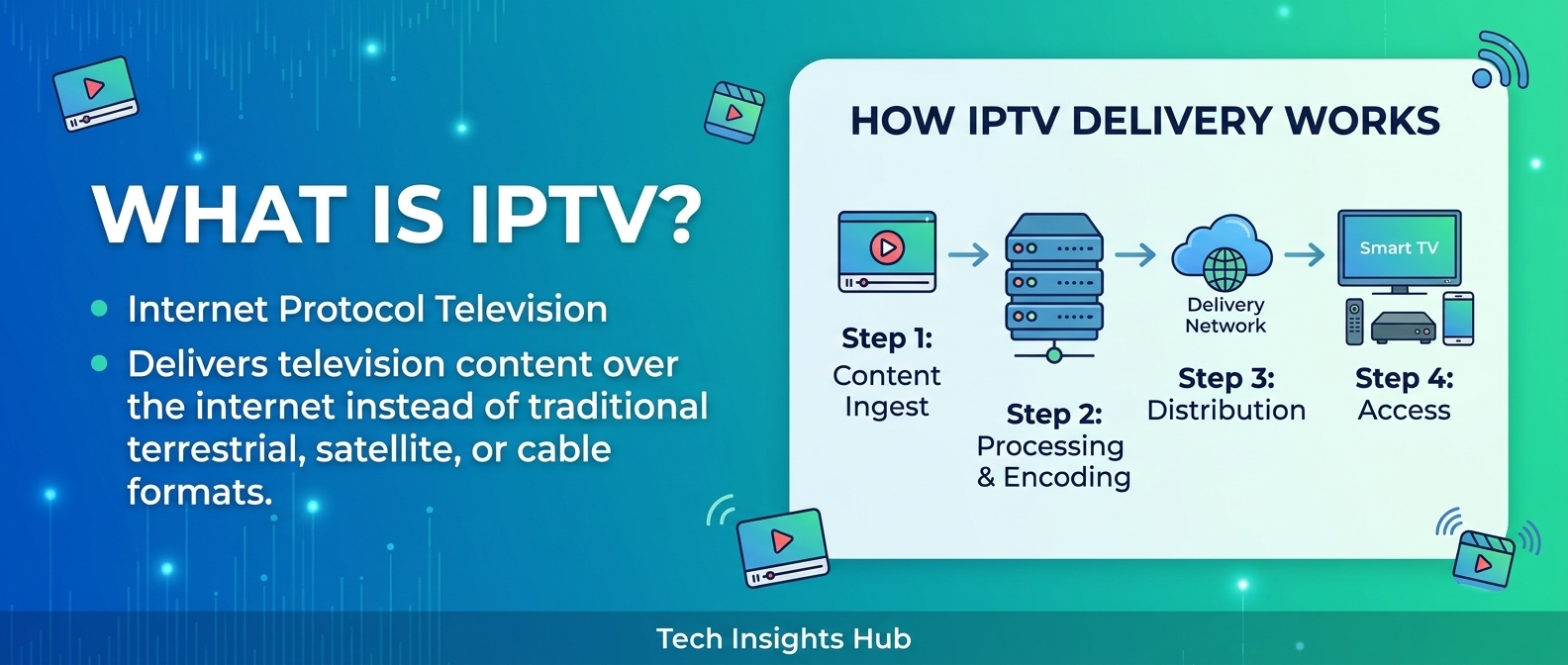
IPTV (Internet Protocol Television) is the delivery of live TV channels and video on demand as IP packets, usually over ...