

Learn
What Is H.264 (AVC)? The Codec Behind Most Online Video
H.264, also called Advanced Video Coding (AVC) or MPEG-4 Part 10, is a block-based video compression standard published ...

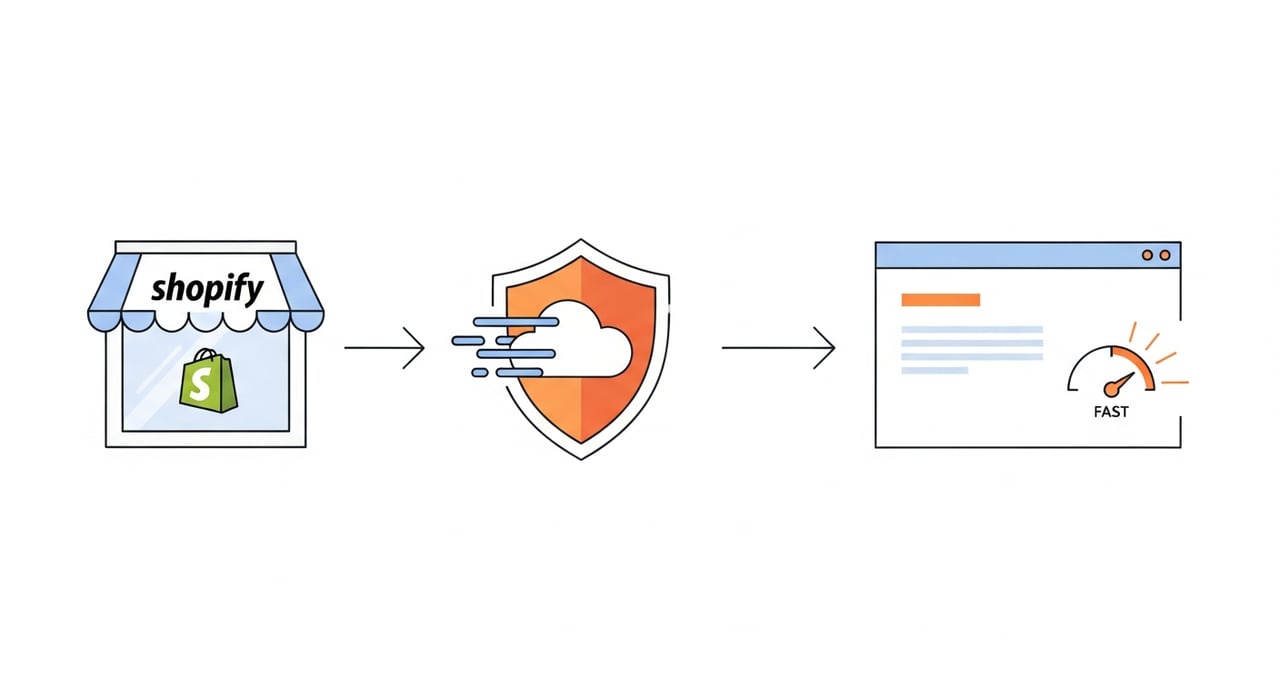
Here is the uncomfortable truth most "speed hack" posts skip: on a standard Shopify plan in 2026, you cannot put Cloudflare's cache in front of your storefront HTML. Shopify terminates TLS at its own edge, serves Liquid-rendered pages from its infrastructure, and pins your storefront to shops.myshopify.com via a CNAME it controls. So the real question for shopify theme speed optimization is not "how do I cache everything at Cloudflare" — it's "which layers can I actually reach, and what do I do with the rest?" This article gives you the layer-by-layer map, the threshold values to target, a diagnostics-and-rollback procedure, and a cost model for the asset-hosting strategy that genuinely moves Core Web Vitals.
Three shifts matter for returning readers. First, Interaction to Next Paint (INP) has been the Core Web Vitals responsiveness metric since it replaced FID in March 2024, and Shopify themes that lean on heavy hydration and third-party app scripts feel that change hardest. As of 2026, an INP under 200 ms is the "good" threshold, and that is where most Liquid storefronts with five-plus apps fail.
Second, Shopify's own CDN — built on Fastly and Cloudflare infrastructure depending on region — now serves theme assets, the CDN-hosted product images, and checkout from a globally distributed edge with HTTP/3 enabled by default. The static-asset story is largely solved out of the box. What remains slow is everything you bolt on.
Third, Shopify rolled out broader support for native image transformation and lazy-loading directives in Online Store 2.0 themes, which narrows the gap that third-party image CDNs used to fill. That reshapes where a separate CDN like Cloudflare earns its keep.
Treat the storefront as three distinct planes. Each has different rules about what an external CDN can touch.
| Plane | Served by | Can Cloudflare cache it? |
|---|---|---|
| Storefront HTML (Liquid) | Shopify edge | No on standard plans; Shopify owns the cert and CNAME |
| Theme + product assets | cdn.shopify.com | Already on a fast CDN; little to gain by proxying |
| Your own assets (fonts, video, downloadables, custom JS) | Wherever you host them | Yes — this is the real lever |
The practical takeaway: external CDN value in shopify cdn optimization comes from self-hosted assets, edge logic at a subdomain you control, and offloading heavy media you don't want counting against Shopify's asset pipeline. Trying to front the whole storefront with Cloudflare on a standard plan ends in CNAME conflicts and broken checkout.
Run a Worker on a subdomain like assets.yourbrand.com to serve fonts, large hero video, lookbook galleries, and any custom bundle your theme imports. You get edge caching, image resizing, Brotli, and HTTP/3 on those responses without fighting Shopify's storefront ownership. This is the cleanest cloudflare shopify integration pattern that survives a checkout audit.
Most of the win in shopify liquid code optimization happens inside the theme, not at the network edge. Liquid renders server-side, so render-time bloat shows up directly in TTFB before any CDN can help.
for loop iterating all products to build a menu re-runs on every uncached render. Precompute with metafields or linklists instead.defer or load them on interaction.image_url filters with width parameters so the platform delivers responsive, modern formats from its own CDN.Instrument against real numbers, not vibes. As of 2026, aim for: TTFB under 600 ms at the 75th percentile, LCP under 2.5 s, INP under 200 ms, and CLS under 0.1. For Liquid storefronts, TTFB is usually the bottleneck you control least and INP the one you control most.
For the subdomain you actually proxy, these settings carry the load:
Never proxy checkout. or the storefront apex through a third party on standard Shopify. It breaks PCI scope assumptions and Shopify's cert renewal.
This is the section the page-1 posts skip. Any edge change needs a measurement gate and an exit.
Once you commit to serving fonts, video, and custom bundles off a CDN you control, egress cost becomes the variable to model. A store pushing rich media — product video, 360° spins, lookbooks — can move tens of terabytes monthly during peak campaigns.
This is where provider choice matters. BlazingCDN's volume-based pricing starts at $5 per TB ($0.005 per GB) and scales down to $2.50 per TB at volume (as of October 2026). For a high-traffic merchant offloading 100 TB of media a month, that lands at $415, with flexible configuration and fast scaling under campaign spikes for the storefront's heaviest assets.
A practical split: keep Shopify's CDN for native product images and checkout, and route your self-hosted video and font payloads through a cost-efficient CDN so a viral product drop doesn't produce a surprise egress bill.
For self-hosted assets on a subdomain you control, yes — edge caching, Brotli, HTTP/3, and image resizing all help. For the storefront HTML itself, no on standard plans, because Shopify owns the TLS termination and CNAME for your storefront domain.
Theme assets already sit on cdn.shopify.com, so there is little to gain there. Instead, point your own assets — fonts, custom JS, video — at a subdomain proxied through Cloudflare and reference those URLs from your Liquid templates.
Yes. As of 2026 Shopify serves storefront assets and checkout from a global edge built on Fastly and Cloudflare infrastructure with HTTP/3 enabled by default. The performance gaps are in your theme code and third-party apps, not the asset CDN.
Two things: render-blocking third-party app scripts that hurt INP, and inefficient Liquid such as nested loops over full collections that inflate TTFB. Both are fixable in the theme without any external CDN.
Target TTFB under 600 ms, INP under 200 ms, LCP under 2.5 s, and CLS under 0.1 — all at the 75th percentile of field data. Lab numbers are useful for debugging but field data decides your Core Web Vitals pass.
On standard plans, very likely. Shopify manages the storefront cert and checkout path, and inserting a third-party proxy can break renewals and PCI assumptions. Limit external CDN use to subdomains you fully own.
Pull seven days of field data and find your 75th-percentile INP. If it's above 200 ms, audit your app embed blocks and identify the single heaviest render-blocking script — that one fix usually returns the most per hour invested. Then pick one media-heavy asset class, move it to a CDN-fronted subdomain, and measure LCP before and after. What's the worst INP offender in your current theme, and is it an app you could replace with native Liquid? That's the conversation worth having with your team before the next campaign.

Heavy traffic.
Light bill.
The CDN for video and large traffic
Learn
H.264, also called Advanced Video Coding (AVC) or MPEG-4 Part 10, is a block-based video compression standard published ...

Compare
At 100 TB a month, the published price gap between options for a CDN for static content is more than 16 times: ...
Learn
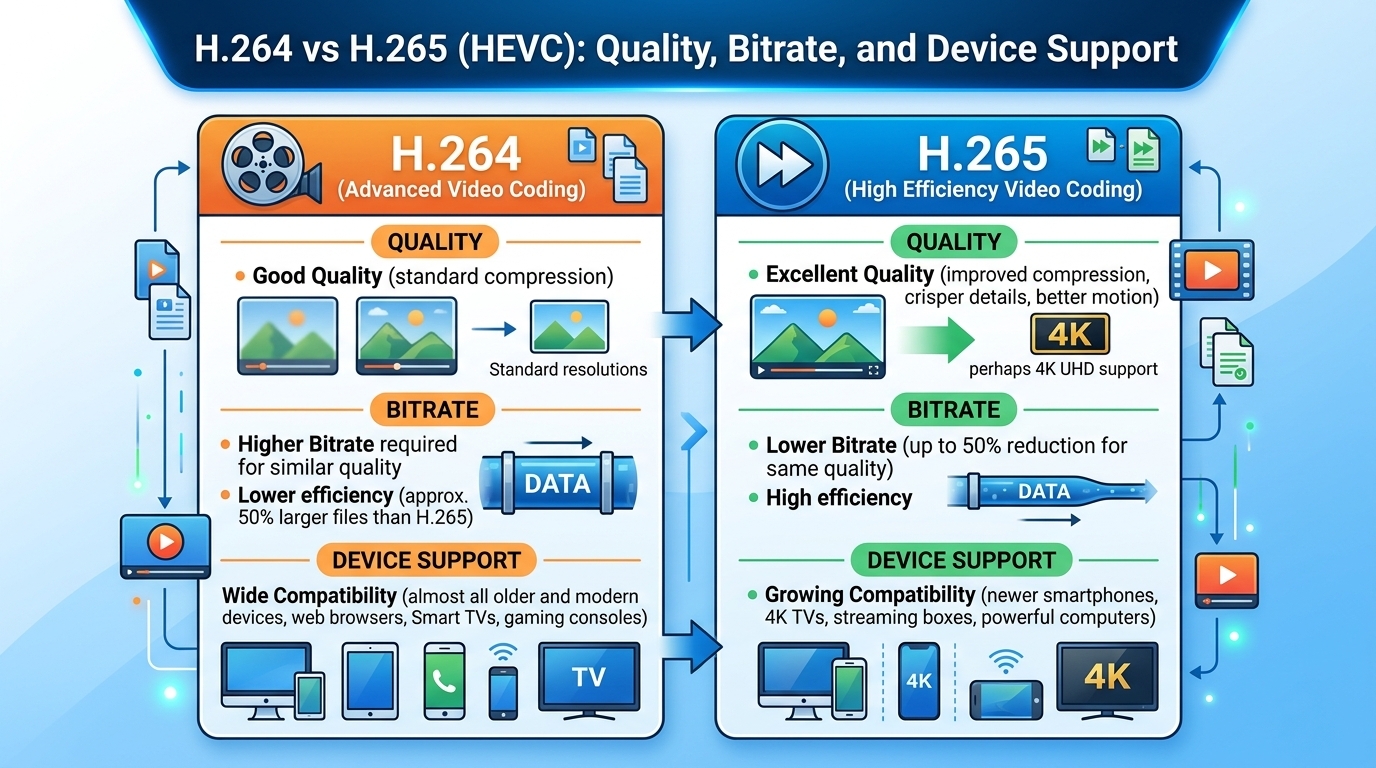
Evaluated October 2026: in the h264 vs h265 decision, HEVC (H.265) matches H.264 (AVC) quality at roughly 30 to 50 ...