
Learn
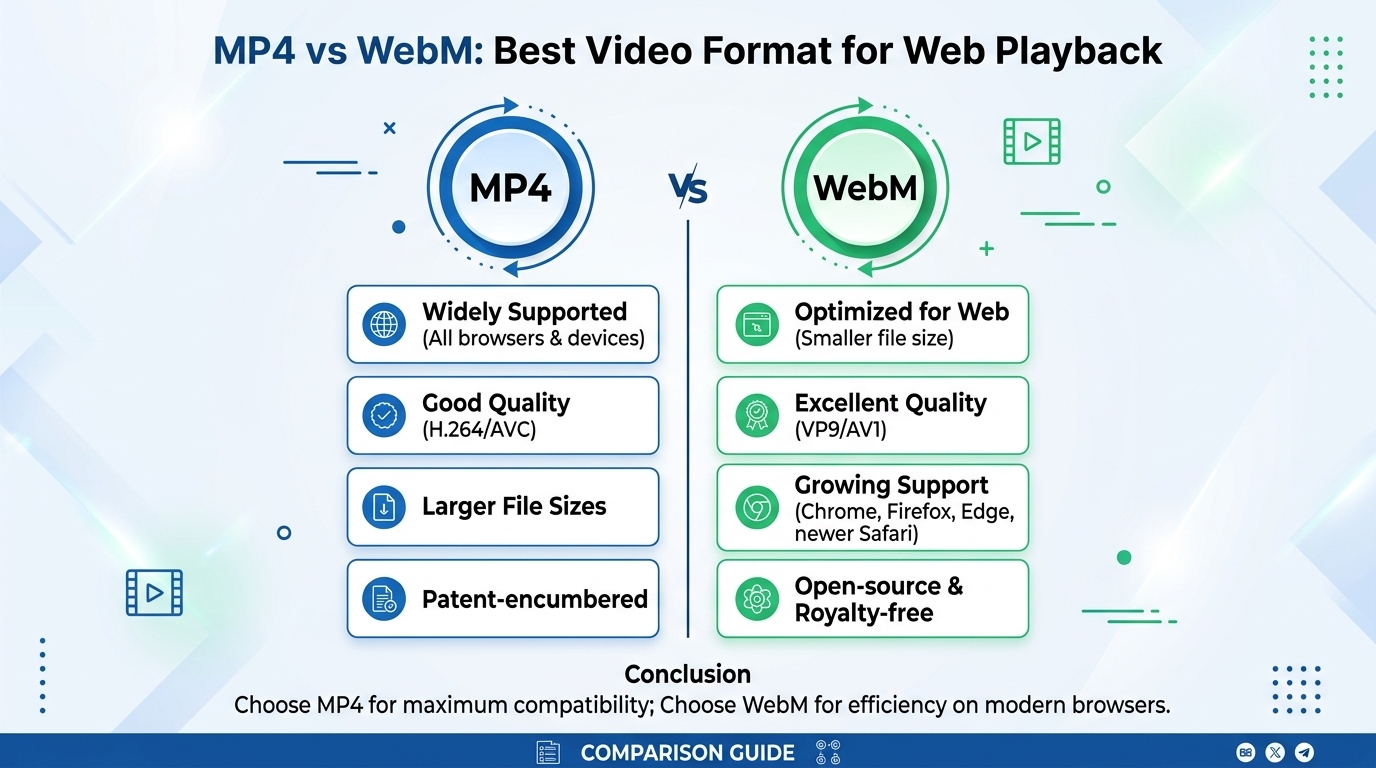
MP4 vs WebM: Best Video Format for Web Playback
For web playback in 2026, ship MP4 (H.264 video, AAC audio) as the universal baseline and add WebM (VP9 or AV1) as a ...
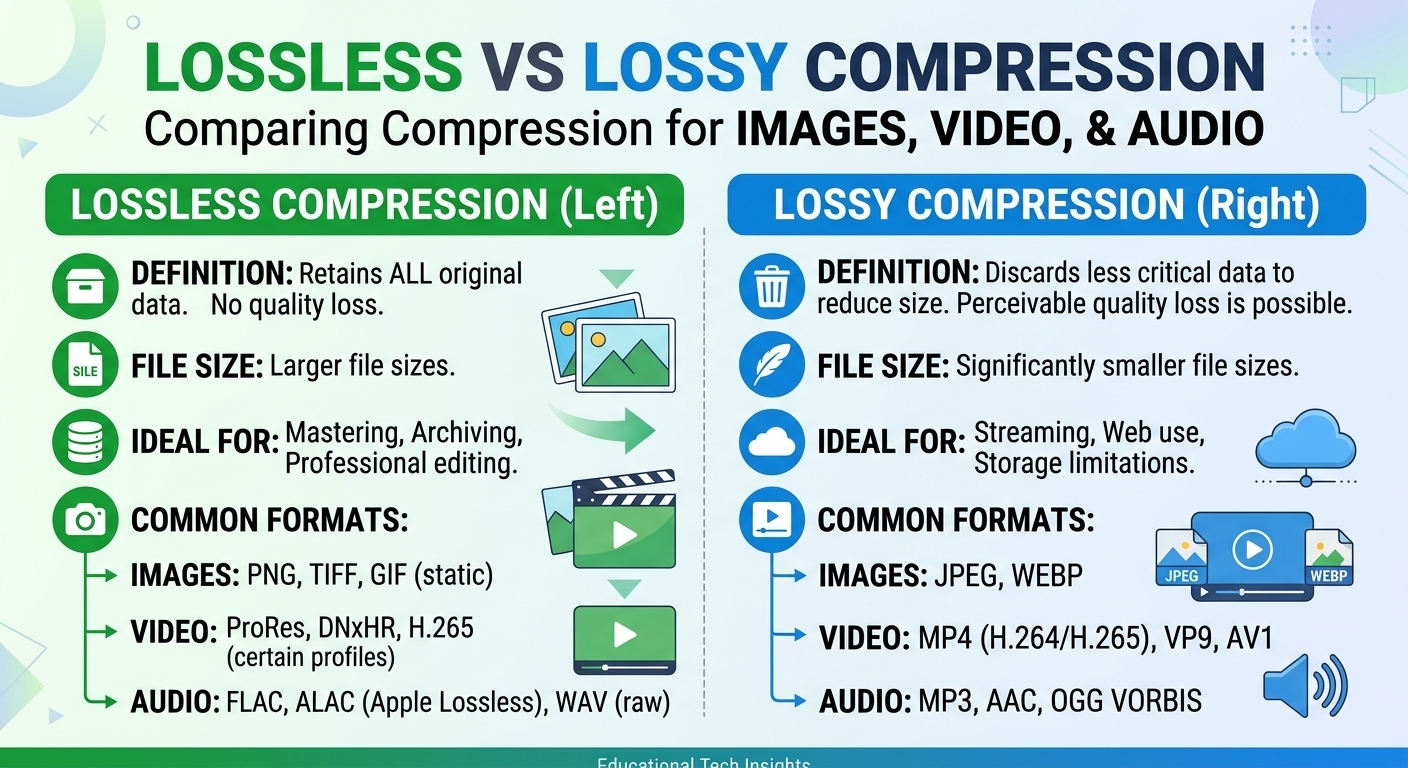
Lossy vs lossless compression comes down to one trade: lossless compression rebuilds every original bit and typically shrinks photos, video and audio only 1.5 to 3 times, while lossy compression discards detail human perception barely registers and routinely reaches 10 to 150 times. The choice changes how many terabytes you push through a CDN. Evaluated October 2026, list prices as checked August 2026, the verdict is: deliver lossy for photos, video and streamed audio; keep lossless for masters, UI graphics, screenshots and hi-fi audio tiers.
As of 2026, one hour of 1080p30 8-bit 4:2:0 video is about 336 GB uncompressed, roughly 110 to 170 GB with a lossless codec such as FFV1, and 2.25 GB as a 5 Mb/s H.264 delivery stream. The same hour of CD-quality stereo audio is 635 MB as PCM, about 320 to 450 MB as FLAC, and 115 MB as 256 kb/s AAC.
Lossless compression removes statistical redundancy (entropy coding, prediction, dictionary matching) and is perfectly reversible. Lossy compression adds a quantization step that throws away information using a perceptual model, then applies the same lossless entropy coding on top. Every lossy codec ends in a lossless stage, which is why the two are layers, not opposites.
| Media unit | Uncompressed | Lossless (typical) | Lossy delivery (typical) | Lossy ratio |
|---|---|---|---|---|
| 1600x900 photo, 24-bit | 4.3 MB | PNG 2 to 3 MB (estimate) | JPEG 250 to 350 KB, AVIF 100 to 180 KB (estimate) | 12x to 40x |
| 1 hour 1080p30 video | 336 GB (746 Mb/s) | FFV1 110 to 170 GB | H.264 at 5 Mb/s: 2.25 GB | about 150x |
| 1 hour stereo audio, 44.1 kHz 16-bit | 635 MB (1,411 kb/s) | FLAC 320 to 450 MB | AAC 256 kb/s: 115 MB; Opus 128 kb/s: 58 MB | 5.5x to 11x |
The gap between lossless and lossy is smallest for audio (about 3 to 8 times) and largest for video (50 to 75 times), so video is where the compression decision moves your delivery bill the most.
Lossless image formats win on flat-color content: logos, UI sprites, screenshots, diagrams and pixel art. Lossy formats win on photographs, where noise and texture defeat lossless prediction and a PNG can be 10 to 20 times larger than a visually equivalent AVIF.
PNG is universally supported and exact. Limitation: it is the wrong tool for photos, often 2 to 3 MB where a lossy file needs 150 KB. WebP lossless typically lands 20 to 30 percent smaller than optimized PNG for the same pixels. Limitation: its maximum dimension of 16,383 pixels rules it out for very large canvases. JPEG XL can repack an existing JPEG losslessly, bit-exact and reversible, for roughly 20 percent savings. Limitation: browser support remains partial as of 2026, so it needs a fallback.
JPEG at quality 75 to 85 remains the safe lossy baseline that decodes everywhere. Limitation: blocking and ringing show early on gradients and text. WebP lossy is typically 25 to 35 percent smaller than JPEG at similar quality. Limitation: forced 4:2:0 chroma subsampling smears saturated red edges. AVIF is commonly 40 to 50 percent smaller than JPEG at matched perceptual scores. Limitation: encoding is slow and very fine film grain tends to get smoothed away.
Format is only half the byte budget: serving a 3000-pixel original into a 400-pixel slot wastes more bytes than any codec saves. BlazingCDN includes on-the-fly image resizing and cropping at the edge at no extra charge, which handles that dimension problem while your pipeline handles the lossy encode.
Video delivery is always lossy because lossless video needs 200 to 400 Mb/s at 1080p, far beyond any consumer connection. Lossless and visually lossless intra codecs (FFV1, ProRes, lossless x264) belong in acquisition, editing and archive, where avoiding generation loss is worth 50 times the storage.
Within lossy delivery the codec choice is a bytes-versus-reach trade. H.264 decodes on effectively every device. Limitation: it needs the most bits, around 5 to 8 Mb/s for good 1080p. HEVC usually saves 30 to 50 percent against H.264 at matched VMAF. Limitation: patent licensing has kept browser support uneven. AV1 typically saves another 20 to 30 percent against HEVC. Limitation: without hardware decode it is impractical on older phones and smart TVs, so it is an added rung, not a replacement.
The practical pattern is per-title or per-shot encoding into an HLS or DASH ladder, with H.264 as the universal floor and AV1 or HEVC served to capable clients. Transcoding happens in your pipeline: BlazingCDN does not transcode by design and delivers the packaged segments.
Streamed audio should be lossy for default tiers and lossless only where listeners pay for it. AAC at 256 kb/s or Opus at 128 kb/s is transparent to most listeners in blind tests, at a quarter to a tenth of the bytes FLAC needs for the same track.
FLAC is the lossless standard, typically storing music at 50 to 70 percent of PCM size. Limitation: around 900 kb/s per stream, a premium tier costs 3.5 times the egress of a 256 kb/s AAC tier. AAC has universal hardware decode. Limitation: below 96 kb/s it audibly degrades without HE-AAC extensions. Opus is the most efficient general-purpose option at low bitrates and the standard for voice. Limitation: support on older Apple platforms and in some car head units lags AAC.
Take a media catalog shipping 200 TB a month of images and video. Moving photos from PNG and quality-95 JPEG to AVIF, and adding an AV1 rung for capable players, can plausibly halve delivered bytes to 100 TB. That is our estimate, and your own ratio depends on content and client mix.
On Amazon CloudFront pay as you go, transfer alone falls from $11,965 to $6,965 a month, a $5,000 monthly saving, per published price lists checked August 2026. Its flat-rate Premium plan (from $1,000 at 100 TB, $3,500 at 200 TB) narrows that gap considerably. On BlazingCDN, the same reduction moves the bill from $765 to $415, a $350 monthly saving. The detailed per-volume breakdown sits on the BlazingCDN vs Amazon CloudFront cost comparison.
As of October 2026, BlazingCDN bills delivery on progressive tiers from $5 per TB down to $2.50 per TB at volume, with one rate for US, Europe and Asia and no request fees, so 100 TB costs $415 and 200 TB costs $765. Current rates are listed on the BlazingCDN pricing page.
The contrarian part is that the payback of an encoding project scales with your per-TB rate. At $11,965 a month, a few engineer-weeks of AVIF and AV1 work pays back in a single month. At a $3.50 to $4.00 marginal rate, the saving is about $4,200 a year, and extra renditions add storage: a 1,000-hour catalog with a 3 GB-per-hour AV1 ladder needs about 3,000 GB, which on BlazingCDN Video CDN permanent cache is (3,000 minus 500 included) times $0.02, or $50 a month. On cheap egress, choose lossy codecs for startup time and rebuffering on mobile, not for the invoice.
| Workload | Store as | Deliver as | Why |
|---|---|---|---|
| Product and editorial photos | Lossless or high-quality master | AVIF with JPEG fallback | 40 to 50 percent fewer bytes than JPEG |
| UI, logos, screenshots | PNG or SVG | WebP lossless or SVG with Brotli | Lossy artifacts show on sharp edges and text |
| VOD and live streaming | ProRes or FFV1 mezzanine | H.264 floor plus HEVC or AV1 rungs | Lossless video exceeds consumer bandwidth by 50x |
| Music streaming | FLAC | AAC or Opus default, FLAC premium tier | Premium tier costs about 3.5x the egress |
| Medical, legal, archival imaging | Lossless only | Lossless, or lossy previews plus lossless on request | Every original bit can carry evidentiary or diagnostic value |
| Game builds and installers | Lossless archive | Pre-compressed lossless packages | Binaries must be bit-exact; textures arrive already lossy |
Store lossless, deliver lossy is the default for perceptual media, and the exceptions are content where exact bits carry meaning: UI graphics, binaries, regulated imaging and paid hi-fi audio.
Lossless compression is always identical to the source, but lossy compression at sensible settings is often perceptually indistinguishable. AAC at 256 kb/s and AVIF tuned to a high SSIMULACRA2 score pass blind tests for most viewers and listeners. The real quality risk of lossy compression is generation loss from repeated re-encoding, which is why masters stay lossless.
For 1080p video, lossy delivery is typically 50 to 75 times smaller than lossless. A lossless codec such as FFV1 needs roughly 250 to 380 Mb/s for 1080p30 content, while H.264 delivers good quality at 5 to 8 Mb/s. AV1 can lower that to around 2.5 to 4 Mb/s, depending on content complexity and the target VMAF score.
No, edge Brotli, gzip or zstd compression gains almost nothing on JPEG, MP4 segments or AAC, because those files are already entropy coded. These lossless transfer encodings belong on HTML, CSS, JavaScript, JSON, SVG and manifest files. Applying them to media adds CPU cost and latency at the edge without any meaningful reduction in delivered bytes.
Use lossless image compression for screenshots, logos, diagrams, pixel art and any graphic with flat color and sharp text. Lossy codecs produce visible ringing on those edges and often save little anyway. Photographs, gradients and noisy textures should use lossy AVIF, WebP or JPEG, where a lossless PNG can be 10 to 20 times larger.
This week, pull one month of CDN logs and group delivered bytes by content type: images, video segments, audio, binaries. For the top two groups, encode a 1,000-asset sample into the next lossy format (AVIF, or an AV1 rung), confirm quality with SSIMULACRA2 or VMAF at your current threshold, and multiply the byte ratio by your monthly terabytes and your marginal per-TB rate. That number, set against encode compute and rendition storage, tells you whether the project pays back in weeks or years.
If you want to price the before and after volumes on progressive tiers from $5 per TB with no request fees, the BlazingCDN CDN cost calculator runs that comparison on your own numbers.

Heavy traffic.
Light bill.
The CDN for video and large traffic
Learn
For web playback in 2026, ship MP4 (H.264 video, AAC audio) as the universal baseline and add WebM (VP9 or AV1) as a ...
Compare
The brotli vs gzip choice depends on where compression runs. Pre-compressed at quality 11, Brotli typically makes ...

Learn - CDN Fundamentals
Imagine this: your latest blog post goes viral overnight, and your WordPress site crashes under the traffic surge. It’s ...