

Learn
How a Multi-CDN Strategy Saved Us from Costly Downtime
In a recent survey, 60% of enterprises reported that a single hour of critical-application downtime costs them at least ...

When Amazon famously found that every 100 ms of latency cost them 1% in sales, it changed how the industry thought about speed. Now imagine your AWS S3 static website loading 500–800 ms slower for users outside your primary region — that’s not a small annoyance; it’s a measurable drop in conversions, engagement, and revenue.
If your static site still serves files directly from S3 without a CDN layer, you’re leaving performance and money on the table. In this guide, you’ll learn, step by step, how to accelerate an AWS S3 static website with Amazon CloudFront — and how to think strategically about CDNs and cost efficiency at enterprise scale.
We’ll move from essentials to advanced tuning: setting up the S3–CloudFront combo, optimizing cache behavior, leveraging HTTPS and HTTP/2/3, diagnosing bottlenecks, and comparing CloudFront with modern alternatives like BlazingCDN for large-scale, cost-sensitive environments.
Amazon S3 is incredibly durable and scalable, but by itself, it is not designed to be a low-latency delivery layer for global traffic. Many teams discover this only after they launch.
S3 buckets live in a single AWS Region. Requests from other continents must cross long network paths. Even though S3 is fast inside AWS, your users are still limited by:
Google’s performance research has shown that as page load time increases from 1 to 3 seconds, the probability of user bounce increases by 32% (Google/SOASTA research). For mobile users on high-latency networks, pulling every object from a single S3 region can easily push you into those danger zones.
Ask yourself: if 30–60% of your visitors come from outside your bucket’s region, are you comfortable with giving all of them a slower experience by design?
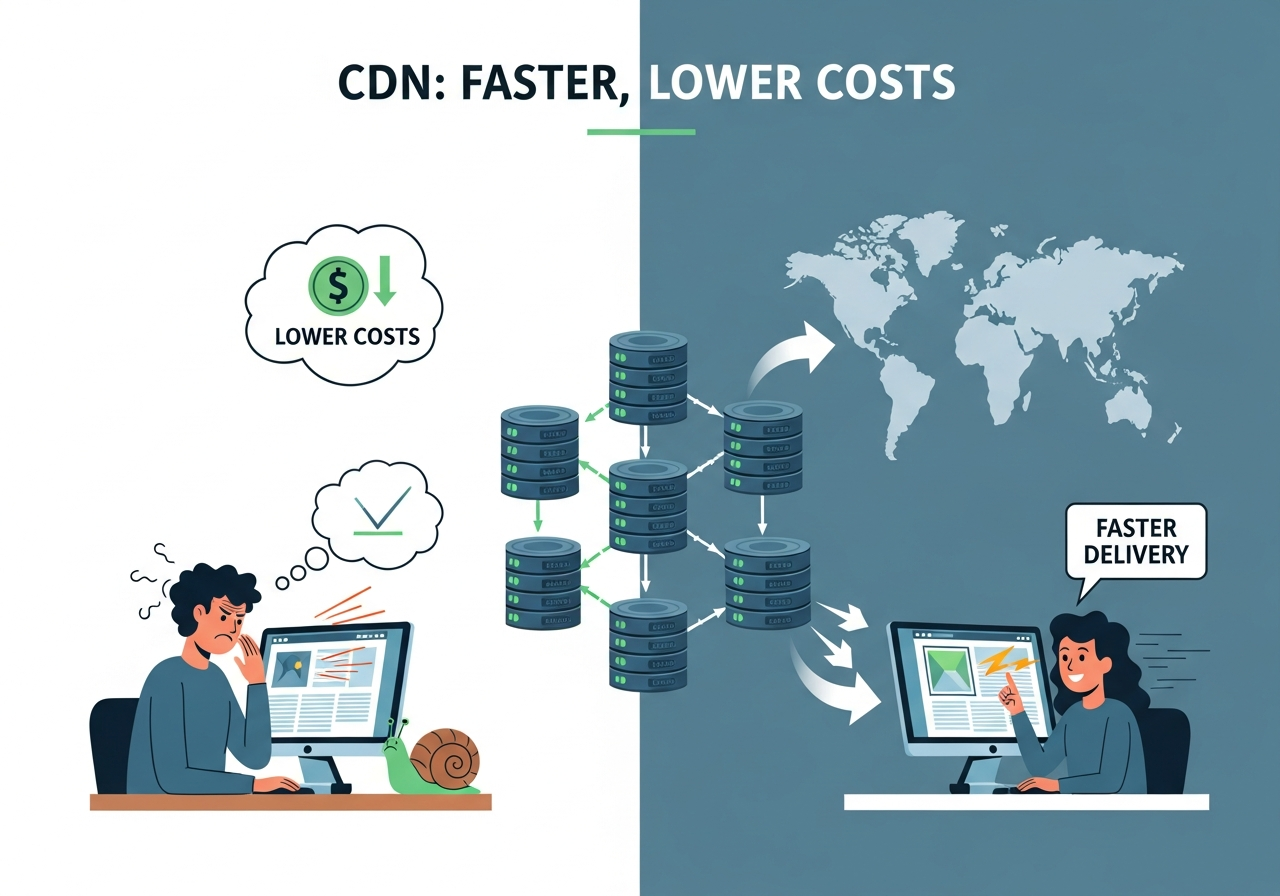
CloudFront sits between your users and S3, caching copies of your static assets closer to where your users actually are. Its core benefits for S3-hosted sites include:
Amazon’s own benchmarks for CloudFront frequently show 50–60% latency reductions compared to S3-only delivery for global users, especially in regions far from the origin. That can be the difference between a site that feels sluggish and one that feels instant.
So the real question becomes: how do you architect CloudFront correctly for your S3 website so you don’t waste performance or money?
Before CloudFront can accelerate your content, your S3 bucket must be structured and secured correctly. Misconfiguration here often leads to 403 or 404 errors later when CloudFront starts requesting content.
S3 can serve static content in two main ways:
http://my-bucket.s3-website-us-east-1.amazonaws.com) – Supports index documents, error documents, and “pretty” URLs like /about/.https://my-bucket.s3.amazonaws.com) – Standard S3 endpoint used for API access and private content.Most static site setups for public websites use the website endpoint because it handles directory-style URLs and custom error pages naturally. However, for stricter security, some teams prefer the REST endpoint with CloudFront handling routing and error behavior.
Tip: If your site uses “clean URLs” without .html (e.g., /pricing), the website endpoint typically simplifies your configuration.
For a public website, you usually:
Security best practice in 2025 strongly favors private buckets with CloudFront access only. This ensures users can’t bypass CloudFront and hit S3 directly, which can expose unoptimized endpoints or incur extra cost.
Ask yourself: are you okay with anyone knowing and using your raw S3 URL? If not, plan to use OAI/OAC with private buckets.
In the “Static website hosting” settings of the bucket, configure:
index.html404.htmlEven if you will handle some errors at the CloudFront level, defining these at S3 prevents confusing behavior and makes it easier to debug before adding CloudFront to the mix.
Once your bucket cleanly serves your site via its own endpoint, you are ready to put CloudFront in front without guessing what’s broken where.
Now we layer CloudFront on top of S3. This is where you define how CloudFront fetches, caches, and serves your content.
In the CloudFront console:
Use this rule of thumb:
Make sure “Origin protocol policy” is set to HTTPS Only or at least Match Viewer, especially if you care about end-to-end encryption.
The default cache behavior controls how CloudFront responds to most requests:
Tip: Only include query strings, cookies, or headers in the cache key if you know your site’s content varies based on them. Every extra dimension can drastically reduce cache hit ratio and increase cost.
CloudFront uses TTLs (Time To Live) to determine how long objects stay cached:
If your assets are versioned (e.g., app.v123.js), you can safely set long TTLs like 7–30 days. When you release a new build, you change the file name, which naturally invalidates the old cached version without needing forced invalidations.
Question to consider: Are you using file versioning (cache-busting)? If not, you are probably paying for too many cache invalidations and living with unnecessary deployment pain.
Speed is not just about caching — it’s also about how connections are opened and encrypted.
For a production website, you likely want www.example.com or app.example.com:
www.example.com.After propagation, your static site will be served via your own domain, not the *.cloudfront.net hostname.
CloudFront supports HTTP/2 and HTTP/3 (QUIC), which significantly improve page load times by:
In the CloudFront distribution settings, ensure both HTTP/2 and HTTP/3 are enabled. Many real-world tests show latency reductions of tens to hundreds of milliseconds purely from switching to modern protocols, which adds up across all assets.
Now ask: when was the last time you tested your site over a 3G or congested network profile in Chrome DevTools? Modern protocols often shine exactly where your users struggle most.
Once your distribution is live, the next big gains come from intelligent cache configuration. This is where high-performing teams separate themselves from “it loads fast on my machine.”
CloudFront respects origin cache headers by default. On S3, you can set metadata like:
Cache-Control: public, max-age=31536000, immutable
for versioned JS/CSS, and shorter values like:
Cache-Control: public, max-age=300
for frequently changing HTML documents.
By setting these correctly:
A powerful pattern is to define distinct cache behaviors:
*.html or the root path. Shorter TTLs (seconds–minutes) to allow rapid content updates.*.css, *.js, *.png, etc. Long TTLs (days–weeks) for versioned files.This matches common best practices observed in high-performing sites analyzed in studies like the HTTP Archive (run by Google/Chrome team), where long-lived caching of static assets is one of the most influential factors on repeat-visit performance.
CloudFront exposes “Cache Hit Rate” as a key metric. A higher CHR means:
Many teams aim for a CHR above 90% for static-heavy sites. If you’re significantly lower, use logs to identify:
Challenge: could you improve your cache hit ratio by 10 percentage points simply by tightening cache keys and using versioned filenames? The cost and speed gains are often immediate.
Even for a public static website, security and control matter: you don’t want origin URLs exposed or misconfigured permissions undermining your architecture.
Instead of making your S3 bucket public, you can:
This ensures that even if someone discovers your S3 bucket name, they cannot access objects directly. Only CloudFront, with its optimizations, can fetch from S3.
If your static site includes restricted areas — for example, downloadable reports for logged-in customers — CloudFront’s signed URLs or cookies can protect those paths while keeping the rest of the site public.
Typical use cases include:
Because the files are still served from CloudFront, users get full CDN performance while your access rules are enforced cryptographically.
Ask: do you really need a separate “download server” when CloudFront + S3 can deliver private content with better speed and lower complexity?
Implementing CloudFront is just the beginning; you need to prove that it accelerates your S3 static website and justifies its cost.
Tools like WebPageTest, k6, or synthetic monitoring from providers like Datadog can test your site from multiple regions. Test two scenarios:
Key metrics to compare:
According to Google’s Core Web Vitals guidelines, fast LCP (under 2.5 seconds) is crucial for SEO and user satisfaction. CloudFront typically improves LCP in regions far from your origin, especially for static-heavy landing pages.
RUM data from tools like New Relic, Datadog, or open-source solutions (e.g., Boomerang JS) shows real-world performance across devices, networks, and geographies.
After enabling CloudFront:
Challenge: Can you quantify, in dollars or business KPIs, the impact of shaving 300–700 ms off average page load time for a major region? Many organizations are surprised by the magnitude once they translate performance into revenue.
CloudFront is a natural first choice if you’re already on AWS, but it isn’t always the optimal answer — especially for enterprises with heavy traffic, cost sensitivity, or multi-cloud strategies.
| Aspect | Amazon CloudFront | Alternative CDNs (e.g., BlazingCDN) |
|---|---|---|
| Integration with AWS | Deep, native integration with S3, ALB, Lambda@Edge, etc. | Works with AWS but also well with other clouds and on-prem. |
| Pricing model | Per-GB + request fees, regional variations, volume discounts. | Often simpler, lower per-GB starting prices; focus on predictability. |
| Enterprise optimization | Powerful, but cost can escalate rapidly at large scale. | Designed to be more cost-effective for very high traffic volumes. |
| Feature set | Rich feature ecosystem; deep AWS tie-ins. | Competitive performance and features, sometimes with more flexible contracts or support. |
For enterprises and fast-growing digital products that already use S3 for storage, modern providers like BlazingCDN can be compelling alternatives or complements to CloudFront. BlazingCDN delivers stability and fault tolerance on par with Amazon CloudFront while remaining more cost-effective at scale — a critical factor when you’re pushing petabytes of static content monthly.
With 100% uptime and a starting cost of just $4 per TB ($0.004 per GB), BlazingCDN is particularly attractive for media-heavy sites, software distribution, and SaaS applications that need to serve large volumes of assets globally without runaway CDN bills. Its flexible configuration options and custom enterprise CDN infrastructure make it a strong fit for organizations that value both efficiency and architectural control.
If you’re evaluating how to optimize or replace your current CloudFront setup for S3-delivered content, it’s worth exploring the feature set and cost structure outlined on the BlazingCDN features page to understand how a modern CDN can complement or surpass a pure AWS-native approach for your use case.
Ask yourself: is your long-term CDN strategy driven by convenience (“we’re on AWS anyway”) or by measurable performance, resilience, and cost optimization?
Across industries, similar architectural patterns emerge when teams scale S3-backed static websites and applications.
News portals, streaming platforms, and digital publishers often store static assets and thumbnails in S3 while offloading delivery to a CDN. Industry reports from Cisco and others have shown that video and rich media constitute the bulk of global internet traffic, which makes CDN cost and efficiency a board-level concern.
In these scenarios, using a cost-effective yet high-performance CDN such as BlazingCDN on top of S3 can lower delivery cost per GB while preserving CloudFront-equivalent stability and uptime. For media-heavy workloads, even minor per-GB savings, combined with better cache strategies, translate into substantial annual budget improvements.
Software companies frequently host installers, patches, and static documentation in S3. Peak loads happen around new releases or security updates, where thousands or millions of users may download large binaries in a short window.
A well-tuned CDN layer absorbs these traffic spikes and protects S3 from sudden surges in request volume. For enterprises distributing multi-gigabyte images or frequent builds, balancing CloudFront with more aggressively priced options like BlazingCDN can be the difference between predictable infrastructure spending and unexpected overages.
Single-page applications (SPAs) often deploy static bundles (HTML, JS, CSS) to S3 while using APIs from separate backends. Here, the SPA shell must load fast globally for perceived responsiveness and SEO (if server-side rendering or pre-rendering is used).
By combining S3 with a tuned CDN — versioned bundles, long TTLs for static assets, short TTLs for HTML — SaaS providers can ensure new deployments propagate rapidly while repeat users enjoy near-instant loads thanks to aggressive caching and HTTP/2/3 efficiencies.
Which of these patterns most closely matches your own architecture — and where do you see the greatest opportunity to improve speed and control costs?
Once your S3 static website is fast and stable on CloudFront, there are several advanced optimizations that can further accelerate and harden your setup.
You can use Lambda@Edge or CloudFront Functions to:
/docs to /docs/index.html).This allows you to keep your S3 bucket simple while managing complex routing and headers at the CDN layer, closer to users.
CloudFront supports Gzip and Brotli compression for text-based assets, which can dramatically reduce payload sizes. Ensure that:
For images, consider pre-generating WebP/AVIF variants and serving them conditionally via CloudFront Functions based on the Accept header, or using dedicated image optimization services fronted by CloudFront or another CDN provider.
CloudFront can stream logs to S3, where you can analyze:
Feeding these logs into Athena, Redshift, or observability platforms lets you continually refine behavior paths, TTLs, and cache key strategies to keep performance and efficiency high.
What would you learn if you examined your last 30 days of CDN logs for the heaviest paths and regions? Most teams discover at least one “low-hanging fruit” that yields immediate wins.
Accelerating your S3 static website is only half the story; you also need to keep delivery costs sustainable as traffic grows.
Some high-impact levers include:
Data from AWS case studies consistently shows that teams who invest in cache tuning often cut their origin traffic and CDN bills significantly without sacrificing user experience.
For very large enterprises or cost-sensitive platforms, relying solely on CloudFront is not always optimal. A multi-CDN or alternative CDN approach can:
BlazingCDN is designed with these needs in mind: 100% uptime, enterprise-grade reliability comparable to Amazon CloudFront, and transparent pricing starting at $4 per TB. For organizations serving massive amounts of static content from S3 or other object storage, this pricing delta can unlock new capabilities without inflating budgets.
To understand where your current CDN stands in terms of cost and performance versus modern alternatives, many teams use vendor-neutral comparisons such as the overview at BlazingCDN’s CDN comparison resource as a starting point for internal discussions.
So as you accelerate your S3 static website with CloudFront today, keep an open question in mind: what does your optimal, cost-efficient, and resilient CDN architecture look like 12–24 months from now, when your traffic and content volume have doubled?
You’ve seen how S3 on its own can’t deliver the speed modern users expect, and how CloudFront transforms a basic static bucket into a globally accelerated experience. You’ve also explored advanced tuning techniques, real-world patterns, and how modern CDNs like BlazingCDN can align performance with financial and operational realities for enterprises.
Now it’s your move:
If you’re serious about combining S3-based simplicity with edge-level performance and enterprise economics, start a deeper internal discussion today — and share this article with your DevOps, platform, or architecture team as a blueprint. Then, once you’ve benchmarked your existing setup, come back and share your results, questions, or war stories: which optimization gave you the biggest performance or cost win, and what are you planning to try next?
Learn
In a recent survey, 60% of enterprises reported that a single hour of critical-application downtime costs them at least ...

Learn
When Deloitte analyzed billions of user sessions for major retailers, they found that shaving just 0.1 seconds off ...
Learn
Every extra second your site takes to load can drop mobile conversions by up to 20%—that’s the stark finding from a ...