
Learn
Lossy vs Lossless Compression: Images, Video and Audio
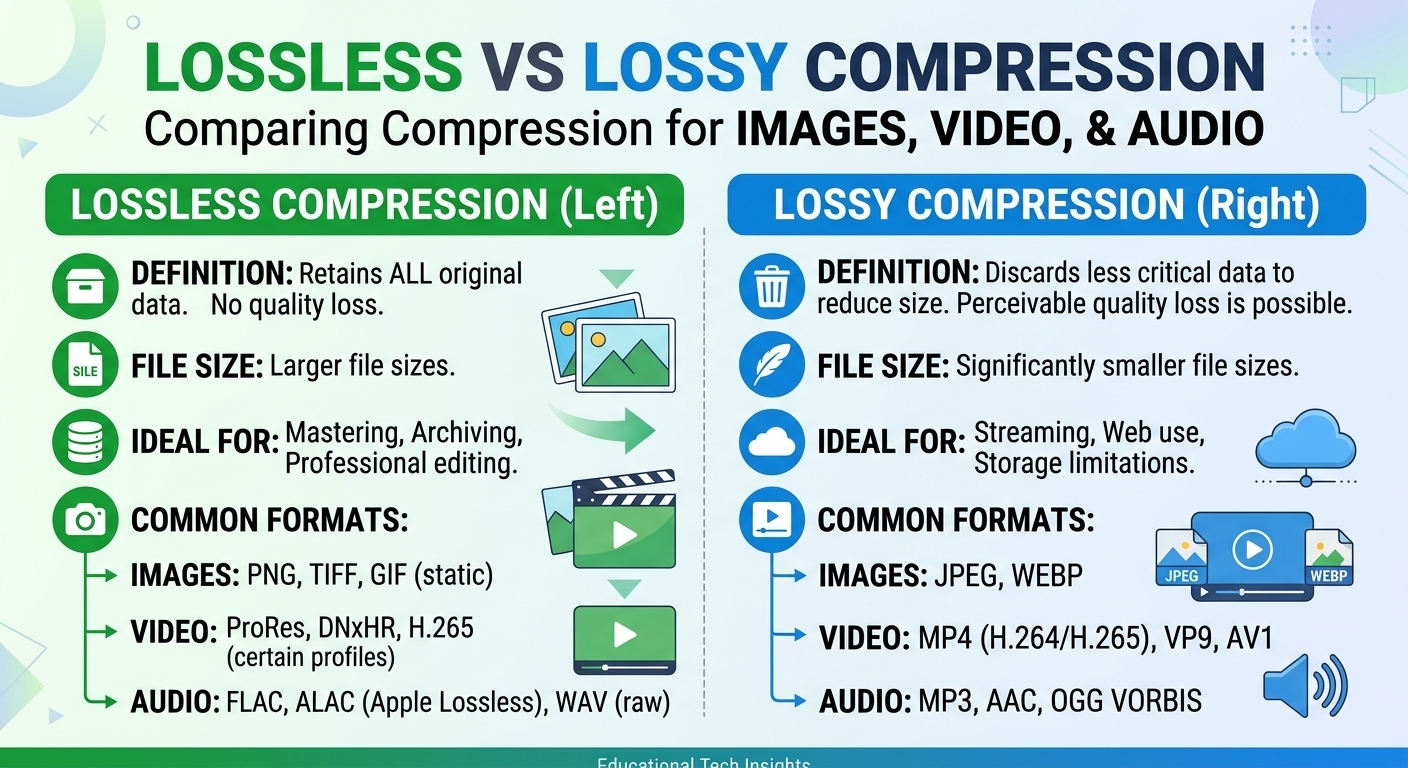
Lossy vs lossless compression comes down to one trade: lossless compression rebuilds every original bit and typically ...

Game delivery is mostly a bulk download problem. A modern patch moves tens of gigabytes to every player within hours, launchers request thousands of chunks at once, and one busy release month can move a petabyte. Most CDN gaming advice talks about ping, but for downloads the questions are cache behavior, launch-day capacity and cost per TB.
Short answer: the best CDN for gaming caches large installers and patch chunks at a 95%+ hit ratio, absorbs launch-day peaks through an origin shield, and keeps cost per TB predictable. Published prices for 100 TB a month range from $415 on BlazingCDN (as of October 2026) to about $6,965 on Amazon CloudFront.
A game CDN is a content delivery network configured for the files a game ships outside the match itself. Instead of every player pulling bytes from your build storage, edge servers keep copies close to players and only go back to origin on a cache miss. Typical game CDN traffic includes:
What it does not carry is the real-time match traffic. Position updates, hits and voice usually travel over UDP to game servers or relays. That is why a CDN speeds up downloads and store screens but not the ping inside a match, as explained in our guide to CDN and latency in online games.
Generic CDN benchmarks measure small web pages. Game delivery is the opposite: few requests, enormous bytes, and almost every object replaced on each release. Score providers on six criteria, each with a number you can verify in a test:
Price is where game CDNs differ most. The table uses published price lists for 100 TB of monthly traffic, checked August 2026. Negotiated contracts move these numbers, so treat them as list anchors, not quotes.
| Provider | Price for 100 TB/month | Pricing model | What to check for game delivery |
|---|---|---|---|
| BlazingCDN | $415 | Progressive tiers, one rate for US, Europe and Asia, no request fees | Hit ratio and range handling on your own patch files |
| bunny.net (Volume) | $500 | Lower-cost network tier for large files | Location coverage of the Volume network in your player regions |
| CDN77 | $990 | Published volume pricing | Price at your real volume and region mix |
| bunny.net (Standard) | $1,000 | Pay-as-you-go, priced by region | Blended cost if many players are outside Europe and North America |
| KeyCDN | $2,600 (North America and Europe) | Pay-as-you-go, priced by region | Rates for other regions in your player mix |
| Amazon CloudFront | ~$6,965 | Pay-as-you-go list price, request fees billed separately | Private pricing requires a committed spend |
This is the BlazingCDN blog, so test any provider, including us, on your own traffic.
The spread is large: about 17x between $415 and $6,965 for the same 100 TB. Price is still not the only factor. A provider that misses cache on chunked patches can cost more in origin egress and storage reads than it saves on delivery, which is why the six criteria above come before the rate card.
Patch traffic is simple to estimate: patch size times the number of players who download it. A 20 GB patch for 50,000 players is 1,000,000 GB, or 1,000 TB. BlazingCDN bills monthly volume through progressive tiers, so each TB is charged at the rate of the band it falls into:
| Monthly volume band | Rate for each TB in the band | Running total at the top of the band |
|---|---|---|
| 0-5 TB | $5.00 | $25 |
| 5-25 TB | $4.50 | $115 |
| 25-100 TB | $4.00 | $415 |
| 100-500 TB | $3.50 | $1,815 |
| 500-1,000 TB | $3.00 | $3,315 |
| 1,000-1,500 TB | $2.50 | $4,565 |
| Above 1,500 TB | from $2.50/TB, quoted individually | Quoted |
Applied to typical release scenarios, with each scenario as the only traffic that month:
| Scenario | Monthly traffic | BlazingCDN monthly cost |
|---|---|---|
| Hotfix: 1.5 GB to 30,000 players | 45 TB | $195 |
| Seasonal update: 8 GB to 50,000 players | 400 TB | $1,465 |
| Major patch: 20 GB to 50,000 players | 1,000 TB | $3,315 |
| Launch month: 80 GB install to 20,000 players | 1,600 TB | from $2.50/TB, quoted individually |
The bill scales with bytes moved, so halving the average delta halves the cost of a patch. Add re-downloads from reinstalls and new players when you model a season, and remember the $25 monthly minimum for very small titles. Current tiers are on the pricing page, and a full launch budget model is in modelling CDN bandwidth costs for launch day.
Launch day is a capacity problem you can calculate in advance. Multiply peak concurrent downloaders by average per-client throughput: one million players at 20 Mbps is 20 Tbps. Then reduce the peak you have to absorb:
Run a rehearsal with a cold cache at 50% of expected peak at least two weeks before release. That leaves time to fix cache rules, pre-warm order or failover thresholds.
Five building blocks appear in almost every patcher that scales, from in-house launchers to engine-level systems. Each one changes how the CDN caches your build.
Split each build into content-addressed chunks, usually 1-4 MB with content-defined boundaries, and name every chunk by its hash. A new build reuses every unchanged chunk, so the launcher downloads only what changed. Smaller chunks improve reuse between builds but multiply request counts. Replay your last ten patches through two chunk sizes offline and compare delivered bytes and request counts before you choose. During a rollout the cache holds old and new chunk sets at the same time, so plan storage for both.
Chunks never change, so serve them with Cache-Control: public, max-age=31536000, immutable and never overwrite a chunk in place. Put the build version or content hash in the path, not in a query string, and keep the platform in the path too (/win64/, /linux/, /android/). Manifests are the only mutable files: give them a 30-60 second TTL or purge them on publish, and never let them inherit the one-year chunk policy. Rollback then becomes a manifest change instead of a purge race.
An origin shield is a mid-tier cache between edge servers and your storage. When thousands of edges miss the same new chunk in the same second, the shield sends one request to origin and fans the response out. Without it, every release turns into a self-inflicted overload of your object storage. Alert on origin bytes divided by delivered bytes: a ratio above 0.05 outside the first fill hour points to a cache key or range problem.
Launchers download in parallel byte ranges and resume after dropped connections. Confirm in a test that the CDN caches partial objects, returns a 206 on a miss without pulling the whole archive from origin for every range, and keeps a stable ETag so a resumed transfer does not restart from zero. Track resume success rate for transfers above 20 GB, because mobile and congested home connections reset often. Our breakdown of how game launchers download from a CDN covers the client side.
Signed URLs keep paid DLC and pre-release builds private. The common mistake is letting the token or expiry become part of the cache key: every player then gets a unique object and the hit ratio falls toward zero. Validate the signature at the edge, exclude auth parameters from the cache key, and give tokens a lifetime longer than your slowest full download.
Origin health can be green while players wait. Five numbers show what players actually see: cache hit ratio by object size bucket (small chunks missing while large files hit points to keys or ranges), origin bytes per delivered byte, p99 minus p50 completion time by region and ISP, resume success rate, and the 4xx and 5xx rate on manifests. Pull them in the first ten minutes of every release and compare them with the previous patch. A widening p99 gap with a flat hit ratio usually means last-mile or peering congestion, and the fix is traffic steering, not cache configuration.
A CDN moves files. It does not change the parts of a game that run in real time:
BlazingCDN is a pay-as-you-go CDN for high-volume static traffic, and game patches, installers and launchers are one of its core workloads. It runs on NVMe SSD servers with Anycast routing and built-in failover, reports a 96%+ average cache hit ratio, caches files up to 50 GB and includes origin shield, signed URLs, purge, real-time statistics, Prometheus metrics and a REST API. Measured June 2026 on a 100 MB HTTPS download, it reached 1.11 Gb/s in North America, 1.12 Gb/s in Europe and 761 Mb/s in Asia. Pricing starts at $5 per TB and goes down to $2.50 per TB at volume, with no request fees and no regional multipliers. It can run as a second CDN behind DNS with a weighted traffic split, which is a low-risk way to compare it with your current provider during the 14-day testing period on real production traffic. Onboarding takes about an hour with an engineer. Details are on the game company solutions page and the large file delivery page.
There is no single winner for every studio. For patches and downloads, choose the provider that keeps a 95%+ cache hit ratio on your chunked builds, protects your origin with a shield, handles range requests correctly and fits your budget. Test two or three on your own patch files. At 100 TB a month, published prices range from $415 to about $6,965.
A games CDN delivers the files around the match: launchers, base installs, patches, DLC, content manifests, cosmetics, store images and trailers. It caches them on servers near players, so downloads start quickly and your origin storage handles only a small share of requests. Real-time match traffic usually goes directly to game servers instead.
Multiply patch size by the number of downloads. On BlazingCDN's progressive tiers, 100 TB costs $415, 500 TB costs $1,815 and 1,000 TB costs $3,315 per month, with a $25 monthly minimum. Volumes above 1,500 TB are priced from $2.50/TB and quoted individually. Hyperscaler list prices are higher: about $6,965 for 100 TB on CloudFront.
Not inside a match. Ping depends on the distance and route between the player and the game server, and match traffic rarely touches a CDN. A CDN reduces the waiting around the match: launcher start, patch downloads, store and cosmetic loading, and in-game asset streaming. For in-match latency, look at server regions, relays and netcode.
For immutable patch chunks, 95% or more at steady state is realistic, and 97% or more within 30 minutes of a release is a good target. Manifests and other frequently changing files hit less often by design. A low ratio on chunks usually means signed tokens or query strings in the cache key, not missing capacity.
Usually not below about 100 TB a month, because split caches and double configuration cost more than they save. Above roughly 500 TB a month, or for a large launch, a second CDN behind weighted DNS adds failover and pricing leverage. Start with a small traffic share on the second provider and compare hit ratio and completion times.

Heavy traffic.
Light bill.
The CDN for video and large traffic
Learn
Lossy vs lossless compression comes down to one trade: lossless compression rebuilds every original bit and typically ...
Pricing - Pricing & Costs
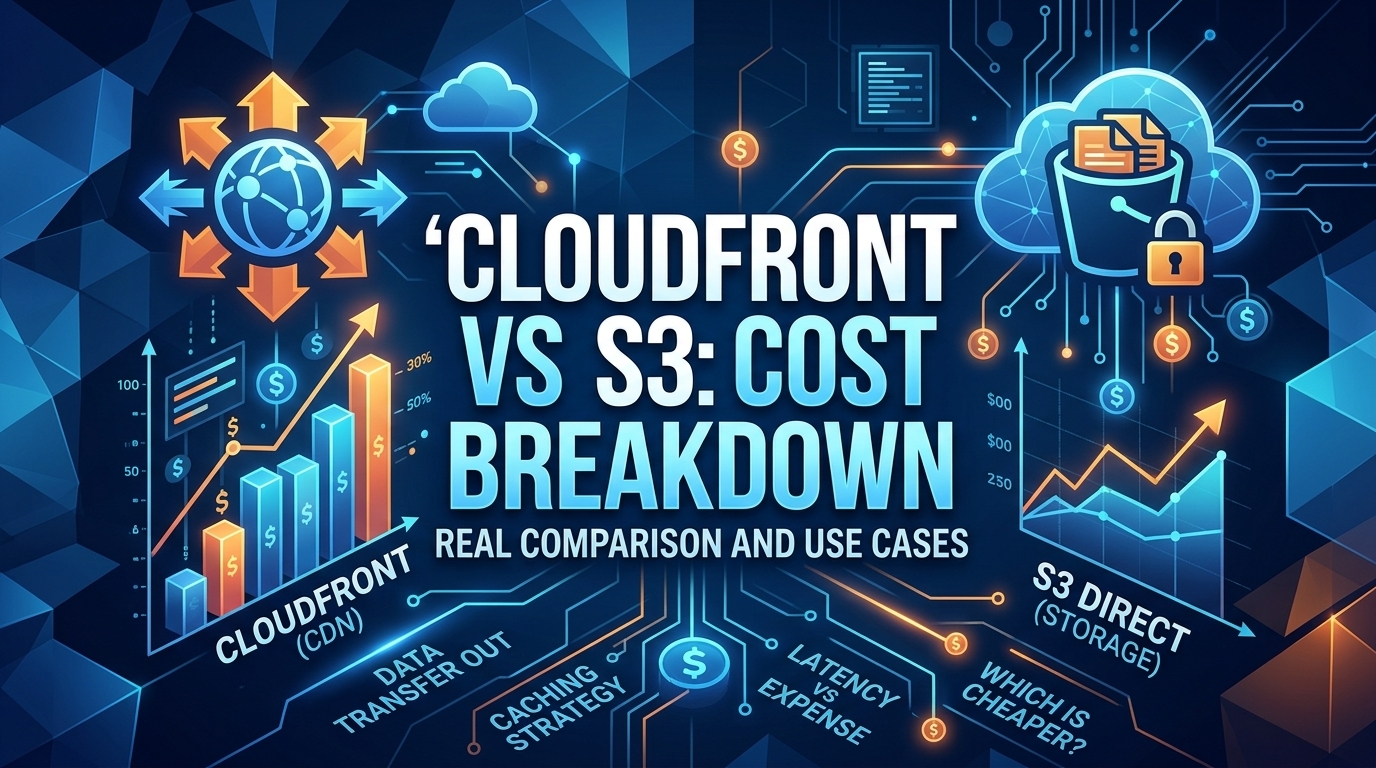
The CloudFront vs S3 decision depends more on object size than on traffic volume. At a 500 KB average response, 100 TB ...
Learn
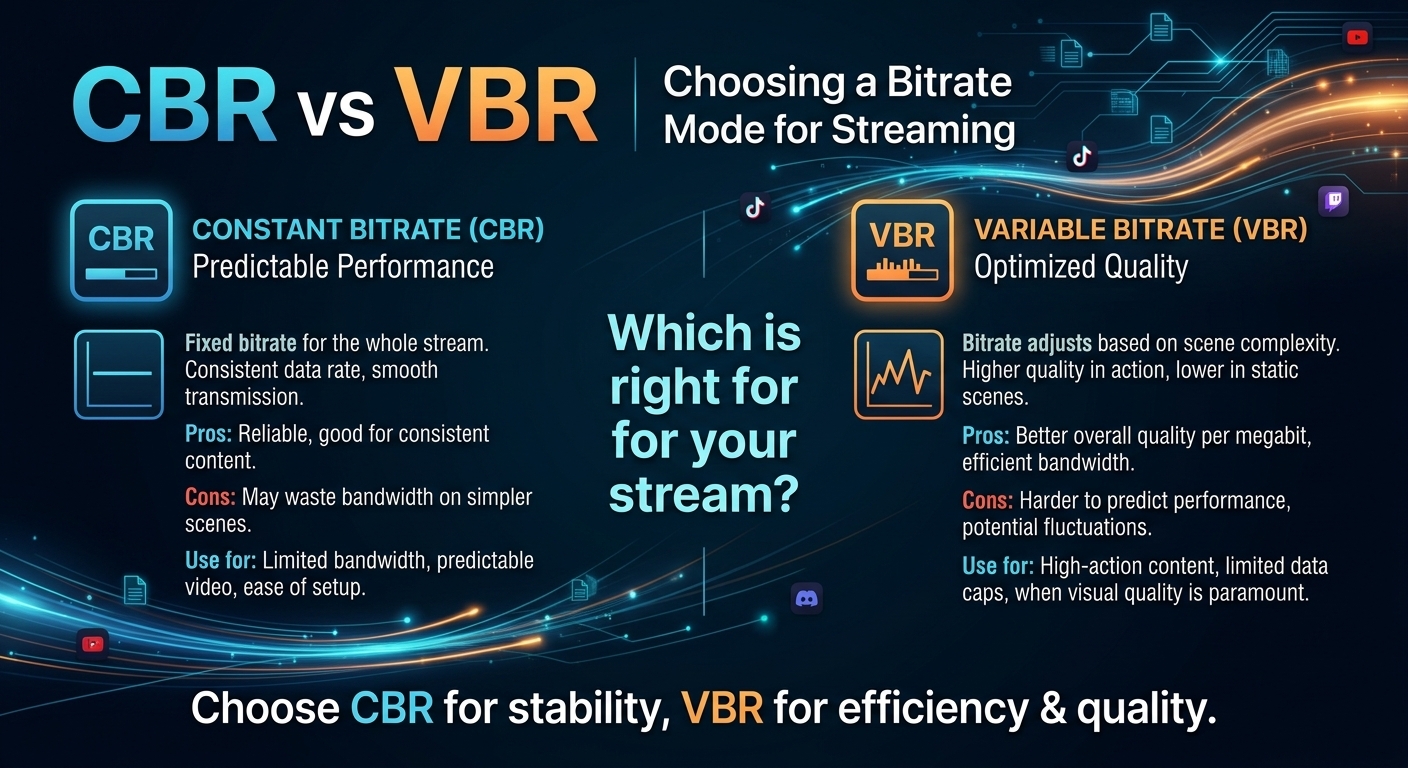
For most on-demand video, capped variable bitrate (VBR) wins the cbr vs vbr decision: it spends bits where the picture ...