

Compare
CDN Market Share 2026: Who Dominates by Traffic and Reach
No public dataset measures CDN market share by traffic directly, so every "share" figure you see is really one of three ...
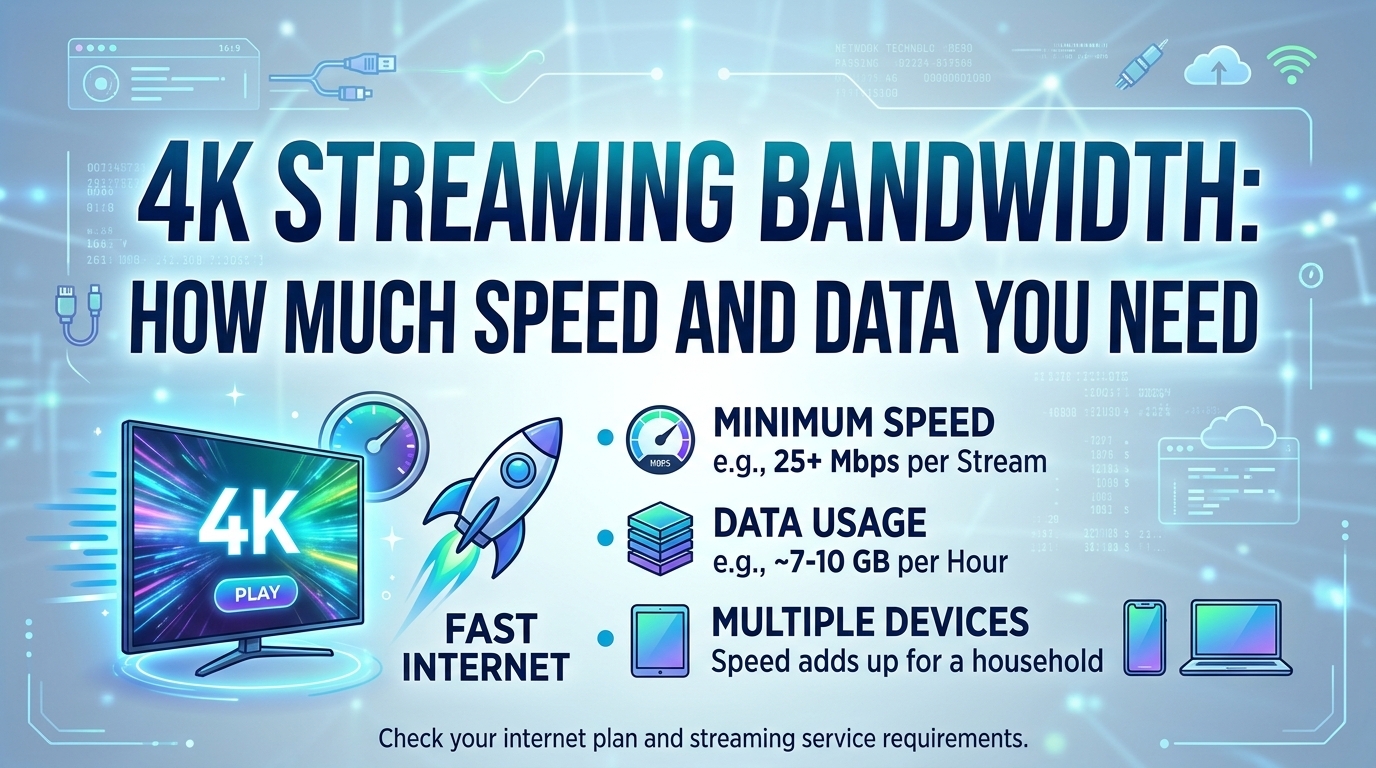
4K streaming bandwidth comes down to codec and frame rate. As of 2026, a 4K stream in HEVC at 24 or 30 fps typically averages 10 to 16 Mb/s, AV1 needs 7 to 12 Mb/s, and 60 fps sports in HEVC runs 15 to 25 Mb/s. One hour at 15 Mb/s moves 6.75 GB. Major subscription services ask for a 15 to 25 Mb/s connection, and the gap between that figure and the encoded bitrate exists for a reason: it is adaptive bitrate (ABR) headroom.
Data per hour follows from bitrate: multiply the stream's Mb/s by 0.45 to get GB per hour. A 15 Mb/s 4K HEVC stream therefore uses 6.75 GB per hour, and a 25 Mb/s stream uses 11.25 GB. That conversion is plain arithmetic and holds for any codec.
4K needs 7 to 40 Mb/s depending on codec, frame rate and dynamic range. AV1 at 24 or 30 fps sits at the bottom, HEVC (H.265) in the middle, and H.264 at the top, where few services still ship 4K. Moving from 30 to 60 fps typically adds 40 to 60 percent, not 100 percent, because consecutive frames are more similar.
| Codec and profile (3840x2160) | Typical average bitrate | Data per hour |
|---|---|---|
| H.264, 24 or 30 fps, SDR | 25 to 40 Mb/s | 11.3 to 18 GB |
| HEVC, 24 or 30 fps, SDR | 10 to 16 Mb/s | 4.5 to 7.2 GB |
| HEVC, 24 or 30 fps, HDR10 or Dolby Vision | 12 to 20 Mb/s | 5.4 to 9 GB |
| HEVC, 50 or 60 fps (live sports) | 15 to 25 Mb/s (VOD), 20 to 35 Mb/s (live) | 6.8 to 15.8 GB |
| AV1, 24 or 30 fps | 7 to 12 Mb/s | 3.2 to 5.4 GB |
| AV1, 50 or 60 fps | 11 to 18 Mb/s | 5 to 8.1 GB |
Codec choice moves 4K bandwidth more than frame rate or HDR: AV1 at 60 fps costs about the same as HEVC at 30 fps.
These are 2026 estimates for well-tuned VOD encodes of typical film and episodic content. Grain-heavy masters, fast motion and live encoders, which cannot use multi-pass analysis or long lookahead, push toward the top of each range. Live 4K is the expensive case: a real-time HEVC encoder for a 60 fps football match commonly lands at 20 to 35 Mb/s for picture quality an offline encoder would reach at 15 to 20.
A connection that exactly matches the 4K rendition's bitrate will not hold that rendition. ABR players discount their throughput estimate before switching up, so a 16 Mb/s top rung typically needs 20 to 25 Mb/s of measured throughput to be selected and kept. That headroom explains why streaming bandwidth requirements are published well above encoded bitrates.
The mechanics are visible in player defaults. hls.js ships with abrBandWidthUpFactor at 0.7 and abrBandWidthFactor at 0.95: the player only climbs to a rendition whose bitrate is at most 70 percent of the estimated bandwidth, and only holds the current one while it stays under 95 percent. For a 16 Mb/s top rung, that is about 22.9 Mb/s to switch up and 16.8 Mb/s to stay. The 25 Mb/s figure quoted for 4K is that up-switch threshold plus margin for Wi-Fi variance.
Peak bitrate matters as much as average. A capped VBR encode with a 16 Mb/s average and a VBV maxrate of 24 Mb/s produces individual 4-second segments well above the average during action scenes. If the segment download time exceeds segment duration, the buffer drains, and the player downshifts to 1440p or 1080p even though the hourly average fits the pipe. Segment-level bitrate, not ladder metadata, is what to plot.
One 4K HEVC stream needs about 25 Mb/s sustained to stay on the top rung through scene peaks. Two concurrent 4K streams need about 50 Mb/s, and AV1-capable devices lower that by roughly a quarter. Latency and loss on Wi-Fi often matter more than headline plan speed.
At 6.75 GB per hour for a 15 Mb/s HEVC stream, 2 hours of 4K a day adds up to about 405 GB a month. A 1 TB monthly data cap covers roughly 148 hours of that stream, or about 222 hours of AV1 at 10 Mb/s. Mobile 4K is rare in practice because phone screens gain little from it and carriers often throttle video.
For platforms the same arithmetic runs in reverse. A viewer hour of 4K is not a 4K hour of bytes: sessions start on lower rungs, some time is spent at 1440p or 1080p, and the delivered average is usually 70 to 85 percent of the top rung bitrate on good networks (estimate). For a 16 Mb/s top rung that means an effective 12 Mb/s, or 5.4 GB per viewer hour. That 5.4 GB figure is the unit the cost math below uses.
At 5.4 GB per viewer hour, 200 TB of monthly egress serves about 37,000 hours of 4K viewing. That makes per-terabyte price the dominant cost line for a 4K catalog: the spread between metered list rates turns into a 10 to 15 times difference per viewer hour at the same volume.
| Vendor (200 TB a month) | Monthly cost | Billing model | Cost per 4K viewer hour | Strength and limitation |
|---|---|---|---|---|
| BlazingCDN | $765 | Progressive tiers, one global rate, no request fees | $0.021 | Delivery of pre-encoded HLS and DASH; no transcoding, no HTTP/3, no WAF |
| Amazon CloudFront Premium | $3,500 | Flat-rate plan | $0.095 | Tight AWS media pipeline integration; check plan allowances against peak months |
| Google Cloud CDN | about $10,500 | Metered by region | about $0.28 | Native fit for Google Cloud Storage origins; cache fill and lookups billed beside egress |
| Amazon CloudFront pay as you go | $11,965 | Metered, regional rates, request fees | $0.32 | No commitment and broad feature set; transfer alone, requests extra |
At 200 TB a month, the delivery cost of one 4K viewer hour ranges from about 2 cents to about 32 cents on published price lists, checked August 2026.
BlazingCDN publishes this blog, so verify this result on your own traffic; the 14-day testing period on real production traffic exists for exactly that.
As of October 2026, BlazingCDN charges from $5 per TB down to $2.50 per TB at volume, with one rate for US, Europe and Asia and no request fees, which puts 200 TB of 4K segments at $765 a month. Current rates are on the BlazingCDN pricing page for high-volume video delivery. Below about 46 TB a month, flat plans such as Amazon CloudFront Business ($200 for 50 TB) or Cloudflare Pro can cost less.
Four levers reduce 4K bytes delivered, in rough order of impact. Each one is measurable against the 5.4 GB per viewer hour baseline.
With x265, encode the 2160p rung in two passes at a target average of 12 to 16 Mb/s, set the VBV maxrate to about 1.5 times the target and the VBV buffer to about 2 times the target, use 10-bit main10 for HDR, and align keyframes to a fixed interval matching the segment length (for example every 96 frames at 24 fps for 4-second segments) with scene-cut insertion disabled so every rendition switches cleanly. For SVT-AV1, use a CRF in the low 30s with the same maxrate cap and keyframe alignment. Then compute the 95th percentile segment bitrate, not just the average: if it exceeds about 1.6 times the average, tighten the maxrate before players do it for you by downshifting.
AV1 is not free savings. Software encoding at 4K costs several times the compute of x265 for VOD, hardware decode is missing on many TVs sold before about 2021 and on iPhones before the 2023 Pro models, and a second codec doubles the 4K rung's storage and halves its cache concentration. For a catalog with low 4K viewing per title, the hit-ratio loss can eat a meaningful share of the bandwidth saving.
Aggressive bitrate cuts fail on specific content: film grain, confetti, water and crowd shots at 60 fps. Synthesized grain helps AV1, but quality checks need to run on these worst-case titles, not the catalog median. On the delivery side, 4K segments of 6 to 12 MB each are sensitive to tail latency: a p99 time-to-first-byte spike that a 1080p segment absorbs can drain a 4K buffer.
The observability gap most teams have is session-level bitrate. Ladder metadata says 16 Mb/s; nobody tracks what each session actually pulled.
The cost levers above pay off for VOD and OTT platforms past roughly 50 TB a month of 4K egress, where per-terabyte price and encode efficiency both compound. BlazingCDN fits that shape as a delivery layer for pre-encoded HLS, LL-HLS and DASH, with encoding and security handled elsewhere since it does not transcode or sell a WAF.
It fits less well for small catalogs under about 46 TB a month, where flat plans are cheaper, and for live 4K workflows that depend on RTMP ingest or HTTP/3 delivery at the edge.
One hour of 4K streaming uses about 3 to 11 GB depending on codec. A 15 Mb/s HEVC stream uses 6.75 GB per hour, an AV1 stream at 10 Mb/s about 4.5 GB, and 60 fps sports in HEVC up to roughly 11 GB. Multiply the stream's Mb/s by 0.45 to convert any bitrate to GB per hour.
Yes, 25 Mb/s is enough for one 4K stream on most services. A typical HEVC 4K rendition averages 12 to 16 Mb/s, and ABR players need about 1.4 times that in measured throughput before switching up. Two simultaneous 4K streams, or 4K over congested Wi-Fi, need closer to 50 Mb/s to avoid downshifts to 1080p.
No, 4K at 60 fps typically needs 40 to 60 percent more bandwidth than 30 fps, not double. Inter-frame compression benefits from smaller motion between consecutive frames. Live 60 fps encodes are the exception that comes closer to double, because real-time encoders cannot use the lookahead and multi-pass analysis that VOD encodes rely on.
Delivering one 4K viewer hour costs roughly 2 to 32 cents in CDN egress at 200 TB a month, based on about 5.4 GB per hour. As of October 2026, BlazingCDN prices 200 TB at $765, about 2 cents per viewer hour, while Amazon CloudFront pay as you go lists $11,965 for transfer alone, per published price lists checked August 2026.
Pull one week of CDN access logs and player beacons, then compute three numbers: delivered GB per 4K viewer hour, the share of 4K viewer time on the 2160p rung, and the 2160p cache hit ratio. Multiply the first by your current effective $/GB and by projected 4K hours for next year. That single figure tells you whether an AV1 rung, per-title encoding or a cheaper delivery tier moves the budget most, and it is worth knowing even if you change nothing else.
If 4K segment egress is your largest delivery line, BlazingCDN serves pre-encoded HLS and DASH from its OTT and VOD streaming CDN, with a 14-day testing period on real production traffic at $5 per TB and the monthly minimum waived.

Heavy traffic.
Light bill.
The CDN for video and large traffic
Compare
No public dataset measures CDN market share by traffic directly, so every "share" figure you see is really one of three ...
Video - Video & Streaming
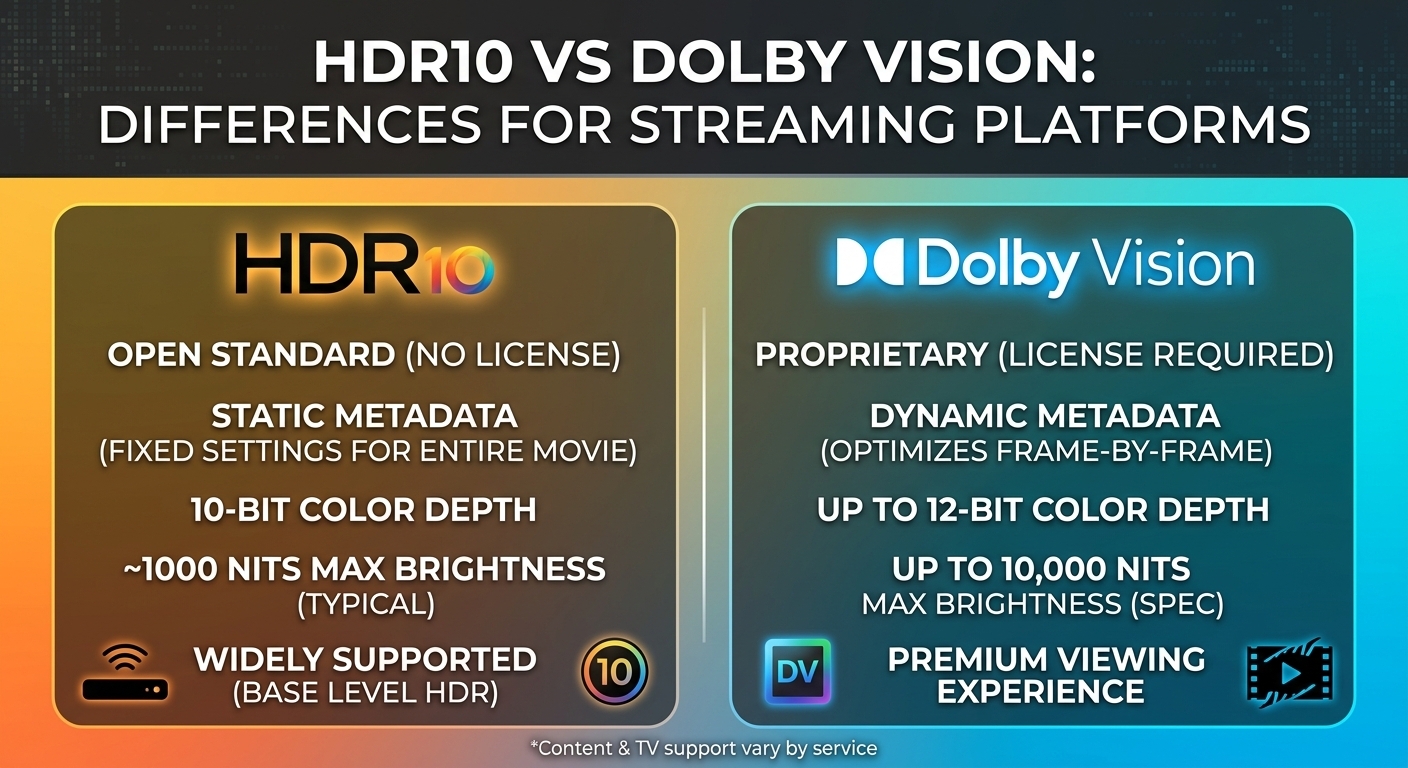
HDR10 vs Dolby Vision comes down to metadata and licensing. HDR10 is royalty-free and carries one set of static ...